Dyssimensions
- By
Create and manage multiple Minecraft worlds with custom dimensions, inventories, game modes, weather, time and spawning rules — all in one mod.

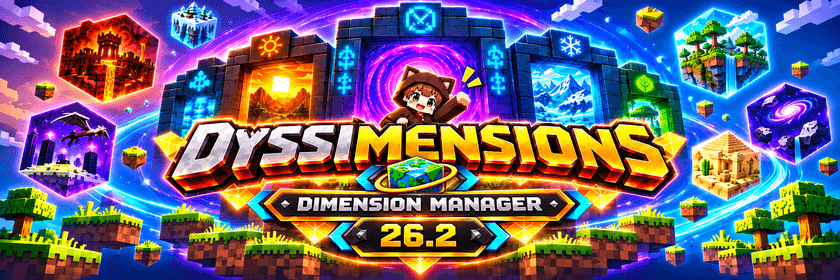
Dyssimensions – Multi-World & Dimension Manager
Create. Explore. Customize. Manage.
Dyssimensions is a world and dimension management mod for Minecraft 26.2, developed for NeoForge.
Create and manage multiple independent worlds within a single Minecraft save or server, each with its own terrain, seed, spawn point, game mode, inventory settings, time, weather and spawning rules.
About
Dyssimensions allows players and server administrators to create additional dimensions.
Each world can be configured independently, making it possible to combine different gameplay experiences within the same Minecraft environment.
Build in a permanent daylight Creative world, explore a separate Survival world, or create an entirely empty Void dimension for your next project.
World management is handled through simple commands, while individual world settings can be configured through an in-game interface.
Features
Dyssimensions provides a collection of world management and customization features, including:
• Dynamic World Creation – Create additional dimensions without restarting Minecraft or the server.
• Multiple World Types – Generate Normal, Flat, Nether, End and Void worlds.
• Independent World Seeds – Each world can generate its own unique terrain.
• World Teleportation – Quickly travel between dimensions using commands and automatic suggestions.
• Teleport History – Return to previously visited worlds and positions with /dw back.
• Custom Spawn Points – Set and manage individual spawn locations for each world.
• World-Specific Game Modes – Configure Survival, Creative, Adventure or Spectator Mode.
• Separate Inventories – Keep items, armor, experience and Ender Chest contents independent between worlds.
• Shared Inventories & Groups – Allow selected worlds to share an inventory profile.
• Creative Inventory Protection – Prevent Creative Mode items from entering Survival inventories.
• World Management – Rename, copy, import, reset and delete worlds.
• World Settings GUI – Configure individual world rules through an in-game menu.
• Persistent World Data – Save world configurations and restore them after restarting Minecraft.
• Dedicated Server Support – Manage multiple dimensions in singleplayer and multiplayer environments.
World Types
Dyssimensions supports five different world generation types:
• Normal – A standard Minecraft world with natural terrain, caves, biomes and structures.
• Flat – A flat world ideal for building, testing and creative projects.
• Nether – An additional Nether-style dimension.
• End – An additional End-style dimension.
• Void – A completely empty dimension without generated terrain or structures.
Each world can be created, visited and managed independently.
World Settings
Dyssimensions includes an in-game configuration menu for customizing individual worlds.
Available settings include:
• Time – Choose between Sunrise, Day, Noon, Sunset, Night and Midnight.
• Day / Night Cycle – Enable or disable the passage of time.
• Weather – Configure Clear, Rain or Thunder.
• Weather Cycle – Enable or disable automatic weather changes.
• Monster Spawning – Allow or prevent natural hostile mob spawning.
• Animal Spawning – Allow or prevent natural animal spawning.
• Difficulty – Choose Peaceful, Easy, Normal or Hard.
• Game Mode – Assign individual game modes to worlds.
• Inventory Mode – Use Separate, Shared or Group-based inventories.
World configurations are stored server-side and synchronized with players.
Note: Certain visual effects, such as weather and the day/night sky, depend on the dimension type.
Inventory Management
Dyssimensions offers flexible inventory management to support different gameplay styles.
Shared Inventories
Multiple worlds can use the same inventory, allowing items and experience to carry over between dimensions.
Separate Inventories
Each world maintains its own inventory profile, including items, armor, offhand, experience and Ender Chest contents.
Inventory Groups
Connect multiple worlds to a shared inventory group while keeping them isolated from other worlds.
Creative Mode Protection
Creative worlds use isolated inventories to prevent Creative Mode items from being transferred into Survival worlds.
Usage
Dyssimensions provides simple commands for managing dimensions.
Creating Worlds
Create a new normal world:
/dw create survival normal
Create a flat building world:
/dw create building flat
Create a Nether dimension:
/dw create nether2 nether
Create an End dimension:
/dw create end2 end
Create an empty Void dimension:
/dw create void void
Teleportation
Travel to a world:
/dw tp survival
Return to your previous world or position:
/dw back
Display available worlds:
/dw list
Spawn Management
Set a spawn point in the current world:
/dw setspawn
Teleport to the world's spawn point:
/dw spawn
World Settings
Open the world settings menu:
/dw settings
Open settings for a specific world:
/dw settings survival
World Administration
Rename an existing world:
/dw rename survival survival2
Copy a world:
/dw copy survival survival_backup
Configure a world inventory:
/dw inventory survival separate
Set a world game mode:
/dw gamemode building creative
Reset or delete worlds:
/dw reset survival
/dw delete survival
Resetting and deleting worlds require confirmation and include archival safeguards.
Additional commands and options are available through:
/dw help
Multiplayer & Server Support
Dyssimensions supports both singleplayer and dedicated NeoForge servers.
Server administrators can create multiple worlds for different purposes, including:
• Survival and adventure worlds.
• Creative building dimensions.
• Separate resource and exploration worlds.
• Custom Nether and End environments.
• Empty Void worlds for special projects.
• Independent gameplay areas with customized settings.
World configurations and player inventories are preserved across server restarts.
Compatibility
• Minecraft: 26.2
• Mod Loader: NeoForge
• Mod Version: 1.0.0
• Singleplayer: Supported
• Dedicated Servers: Supported
• Multiplayer: Supported
Important: Always create a backup before resetting, deleting, importing or making major changes to existing worlds.
Compatibility with third-party mods that alter dimensions, inventories, time or weather may vary.
About This Project
Dyssimensions is an independently developed Minecraft mod focused on flexible world management and customization.
The goal is to provide a simple and reliable way to manage multiple dimensions without requiring separate Minecraft servers or world saves.
Dyssimensions — One Server. Endless Worlds.
Dyssimensions Team