Wan's Hologram Items
- By
Every dropped item tells you what it is! Its name floats above it, and if you want, the full tooltip, what's inside a shulker box and how it's crafted. Client-side only: works on any server.
Description
Wan's Hologram Items
Every dropped item tells you what it is! Its name floats above it, and if you want, the full tooltip, what's inside a shulker box and how it's crafted. Client-side only: works on any server.
What Is This Mod?
A floating label above every item on the ground, and as much information as you want to put on it.
After a fight, a mined-out cave or an exploded chest, you no longer walk over everything to find out what dropped. You read it.
It runs only on your client. Nothing to install on the server, and it works on any server you join.
Version 1.0.0 (17/09/2026)
🏷️ The Hologram
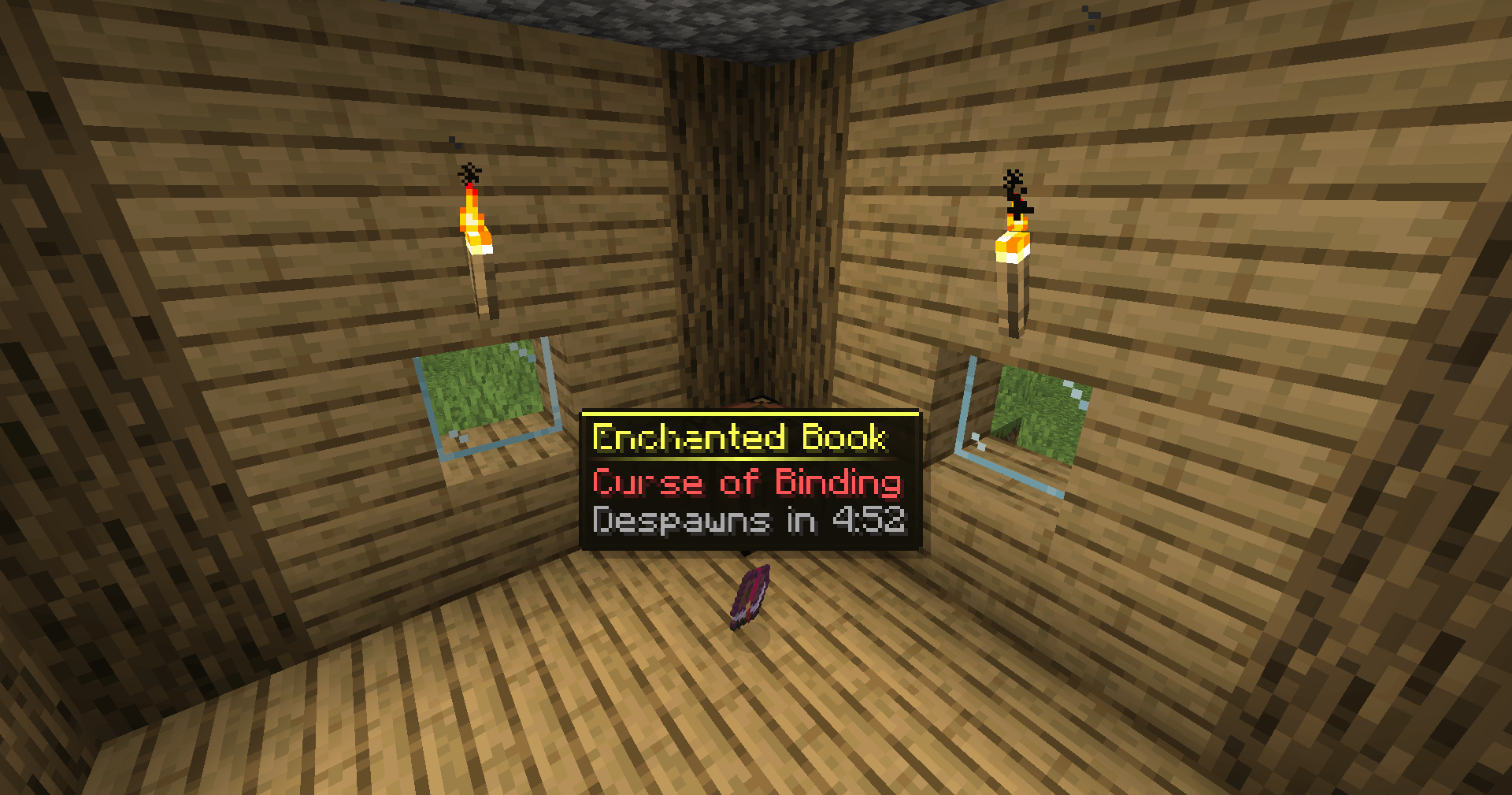
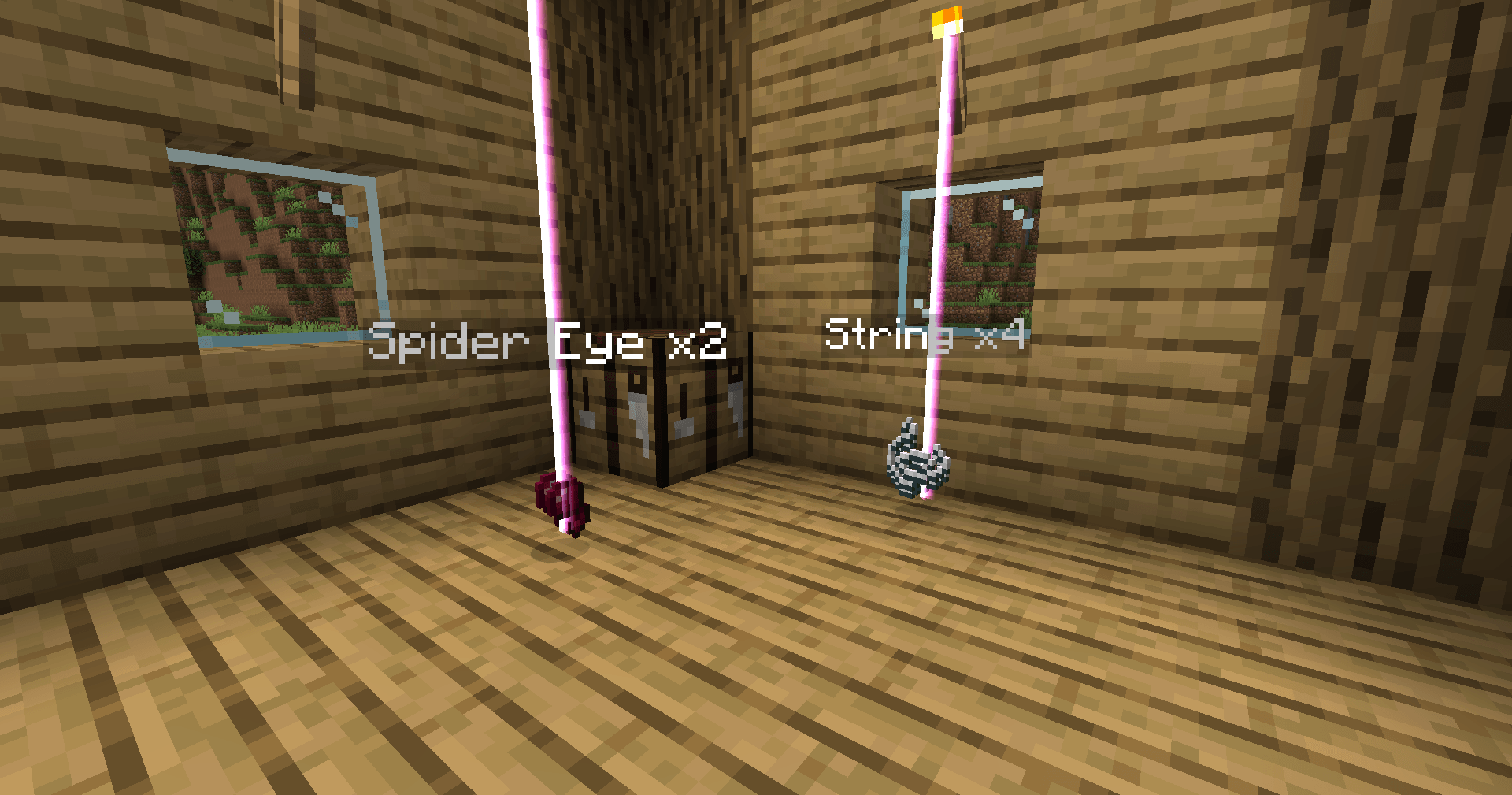
Every dropped item gets its name and stack size floating above it, always facing you.
Then you choose what else to add:
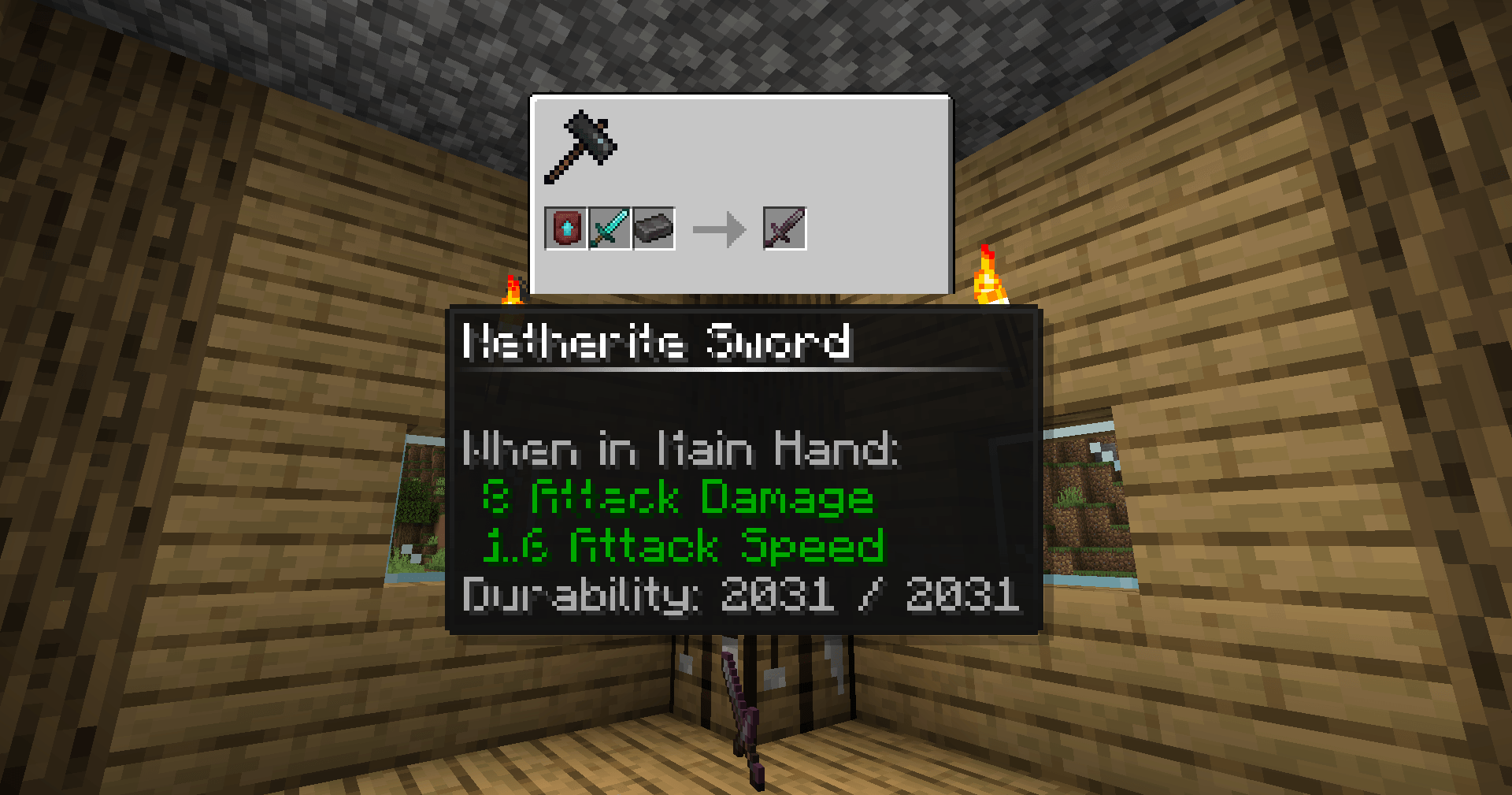
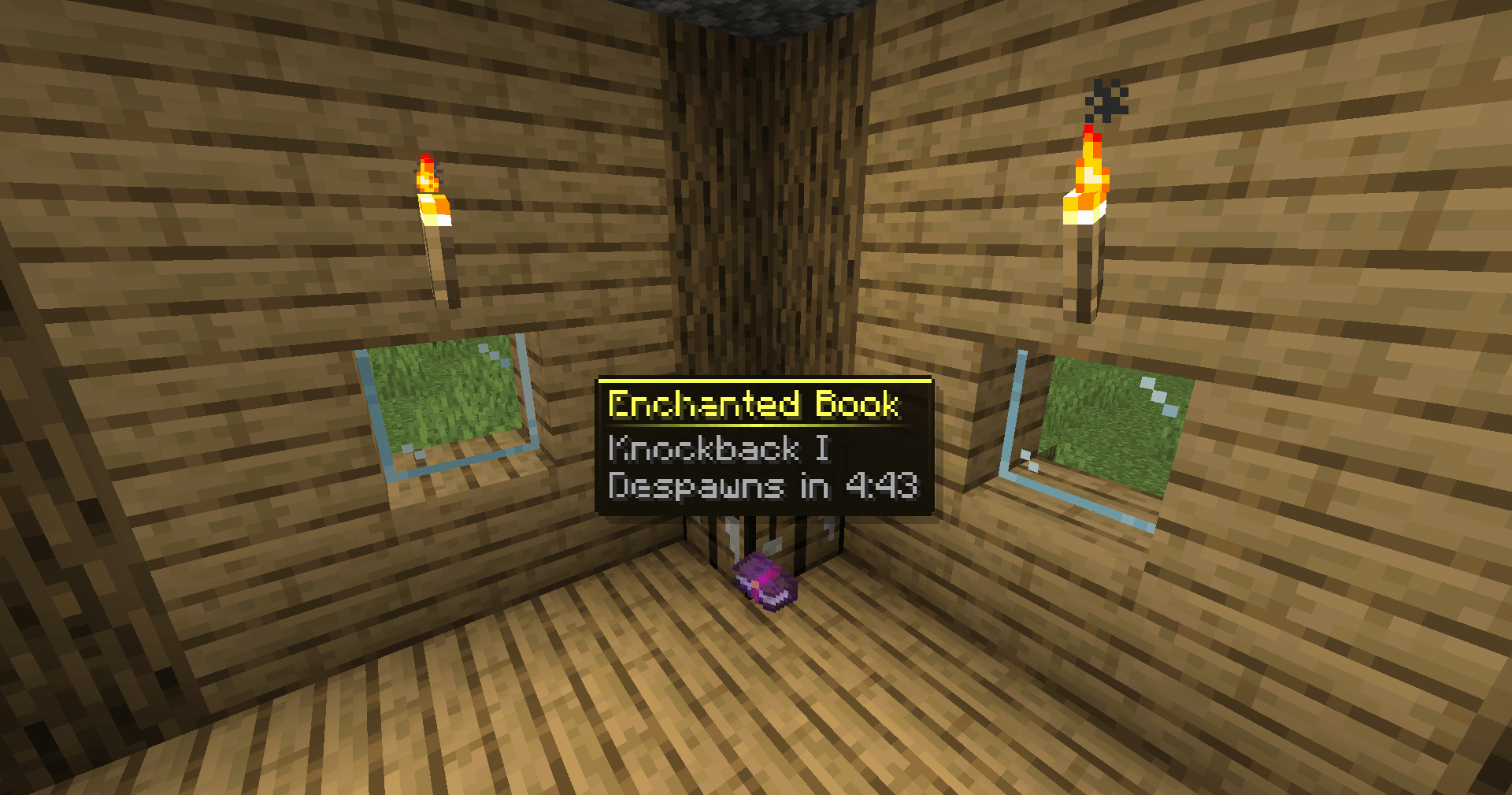
- Full details: the whole vanilla tooltip, rarity colours included. Tools and armour add their remaining durability.
- Despawn timer: how long the item has left. It turns red in the last 30 seconds.
- Light ray: a short animated ray above every drop, to find it from a distance or in tall grass.
Everything except the name is off by default. Turn on only what you need.
📦 What's Inside
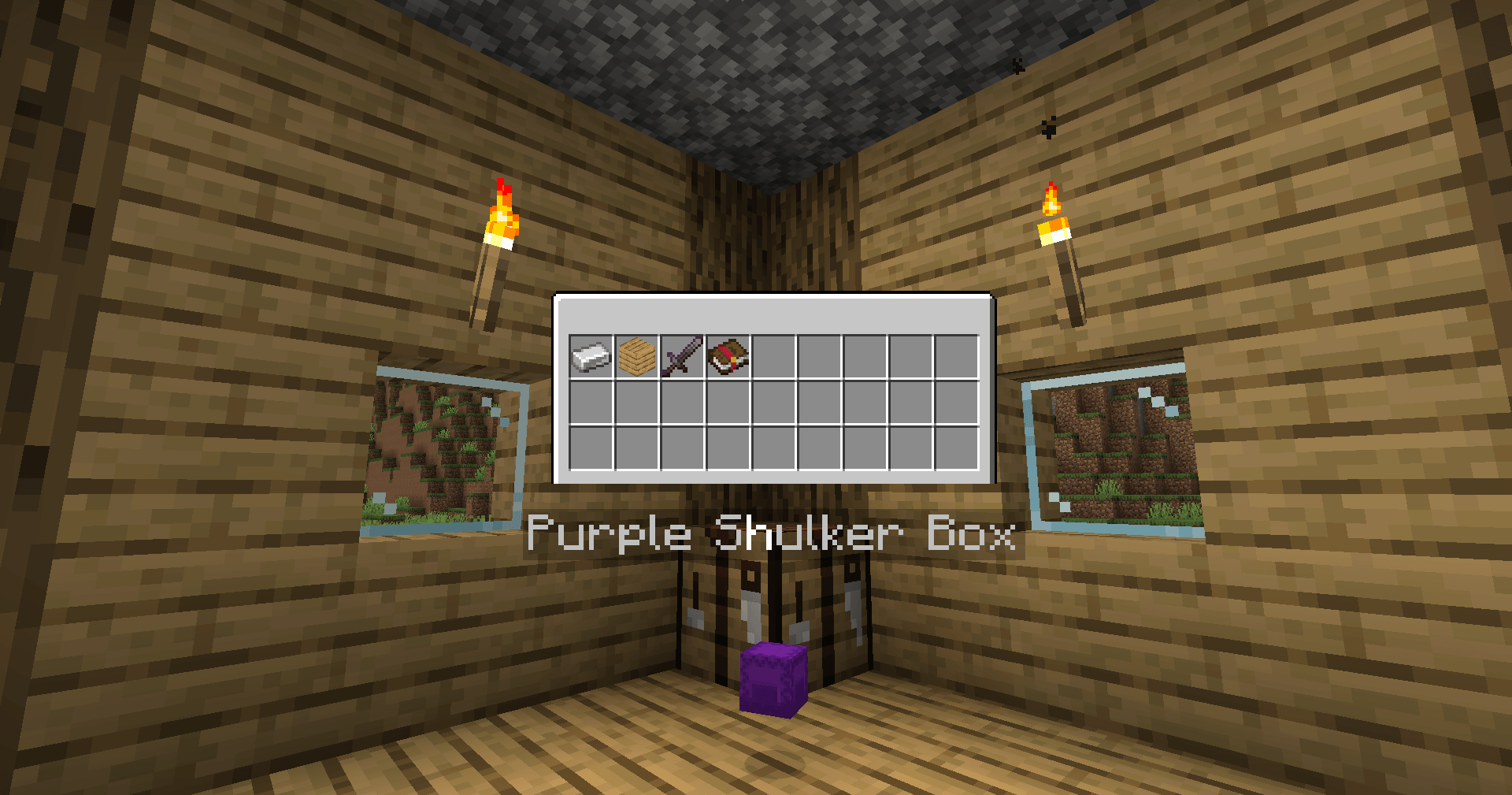
Shulker boxes, bundles and compatible modded containers show a miniature of their inventory right above them, with the game's own texture and every item in its slot.
No more breaking a box open to find out whose it was.
🛠️ How It's Made
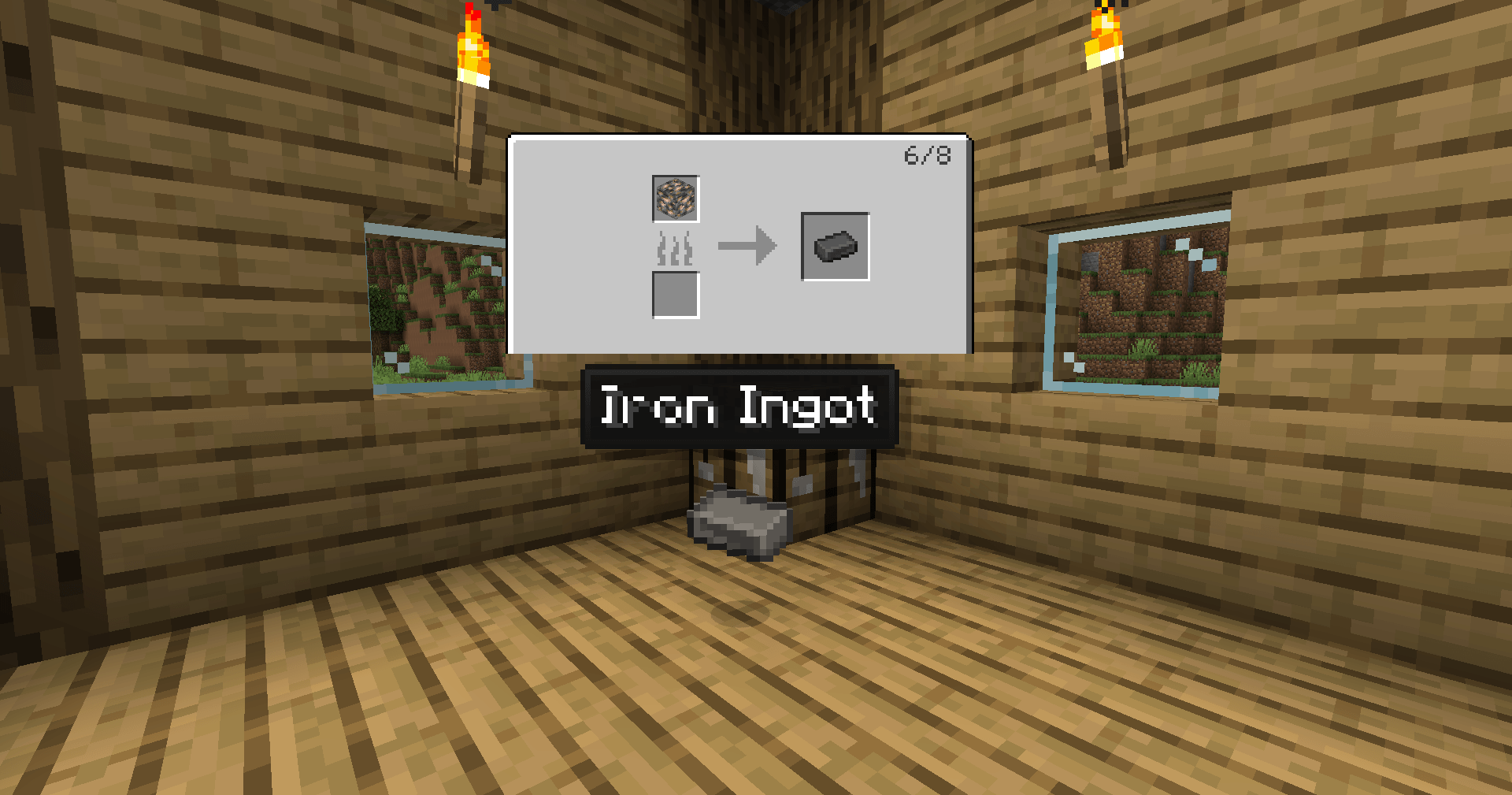
A miniature workstation above the item shows its recipe: crafting table, furnace, blast furnace, smoker, campfire, stonecutter, smithing table, and modded recipes that follow the same rules.
More than one recipe? A page counter appears, and ← / → flip through them.
👁️ When It Shows Up
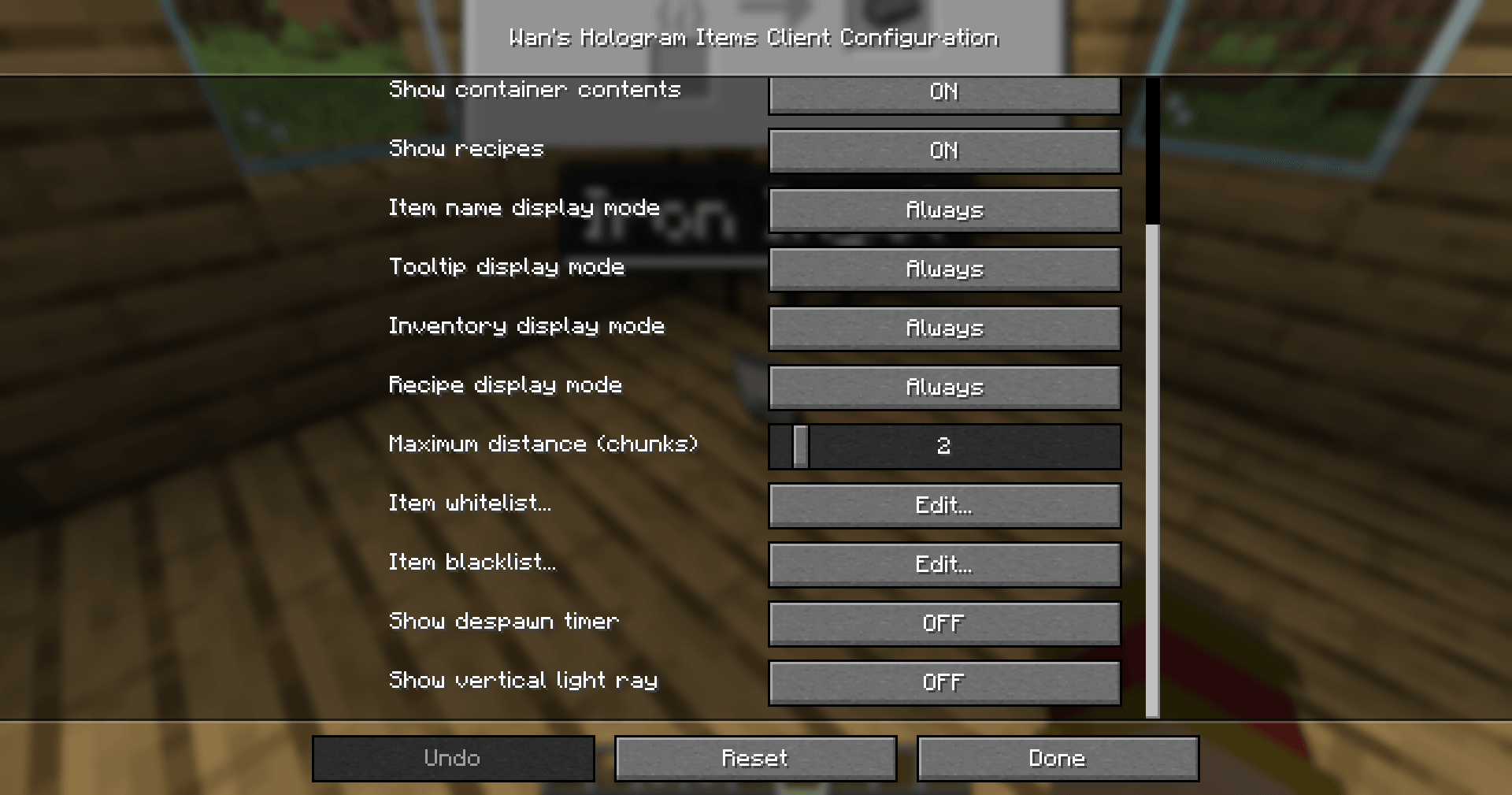
Names, tooltips, inventories and recipes each have their own mode:
- Always
- While looking at the item
- While holding a key (Tab by default)
Keep names always on, and open the full tooltip only for the item you are looking at.
🧱 It Doesn't See Through Walls
A hologram appears only if you can actually see the item. Behind a wall, it stays hidden. And it doesn't flicker when you turn a corner.
Want to find items through blocks anyway? There's an option for that.
🎯 Filters And Distance
- Maximum distance in chunks. On 0 it follows your render distance.
- Whitelist: only the listed items get a hologram.
- Blacklist: the listed items never get one.
Both accept a single item (minecraft:cobblestone) or a whole mod (minecraft:*). Cobblestone spam, begone.
✨ Legendary Tooltips
With Legendary Tooltips installed, holograms use its frames, textures and rarity colours: an epic item on the ground looks just like it does in your inventory.
It's optional. Without it you get the vanilla tooltip.
⌨️ Keys
- H: turn all holograms on or off
- Tab: show holograms set to "while holding a key"
- ← / →: previous and next recipe page
All of them can be changed in Controls.
⚙️ Settings
Open them from the Mods menu, or from the Wan's Hologram Items button the mod adds to the Options screen. Hover over any option to see what it does.
ℹ️ Good To Know
- Client-side only. Players install it; the server doesn't need it.
- Fabric needs Fabric API. Forge and NeoForge need nothing else.
- 1.21.11 and 26.2: these versions don't allow tooltip frames to be drawn in the world. Holograms keep the vanilla look even with Legendary Tooltips, and item previews inside tooltips (bundles, maps) aren't shown.
- Recipes on servers, 1.21.2 and up: Minecraft no longer sends every recipe to players. In singleplayer you see them all; on a server, the ones unlocked in your recipe book.
📋 Available Versions
- NeoForge: 1.21.1
- Forge: 1.20.1 · 1.19.2 · 1.18.2 · 1.16.5
- Fabric: 26.2 · 1.21.11 · 1.21.1 · 1.20.1 · 1.19.2
Read the full Changelog: https://drive.google.com/file/d/1y3F6WHo8jdRBcHnU418N0VctkmBfrqYW/view?usp=sharing
The Wan's Hologram Items Team


Owner