Visual Creative Tab Editor
- By
Edit Minecraft creative tabs with drag-and-drop, multi-select, smart sorting, and datapack-driven compatibility.
Move
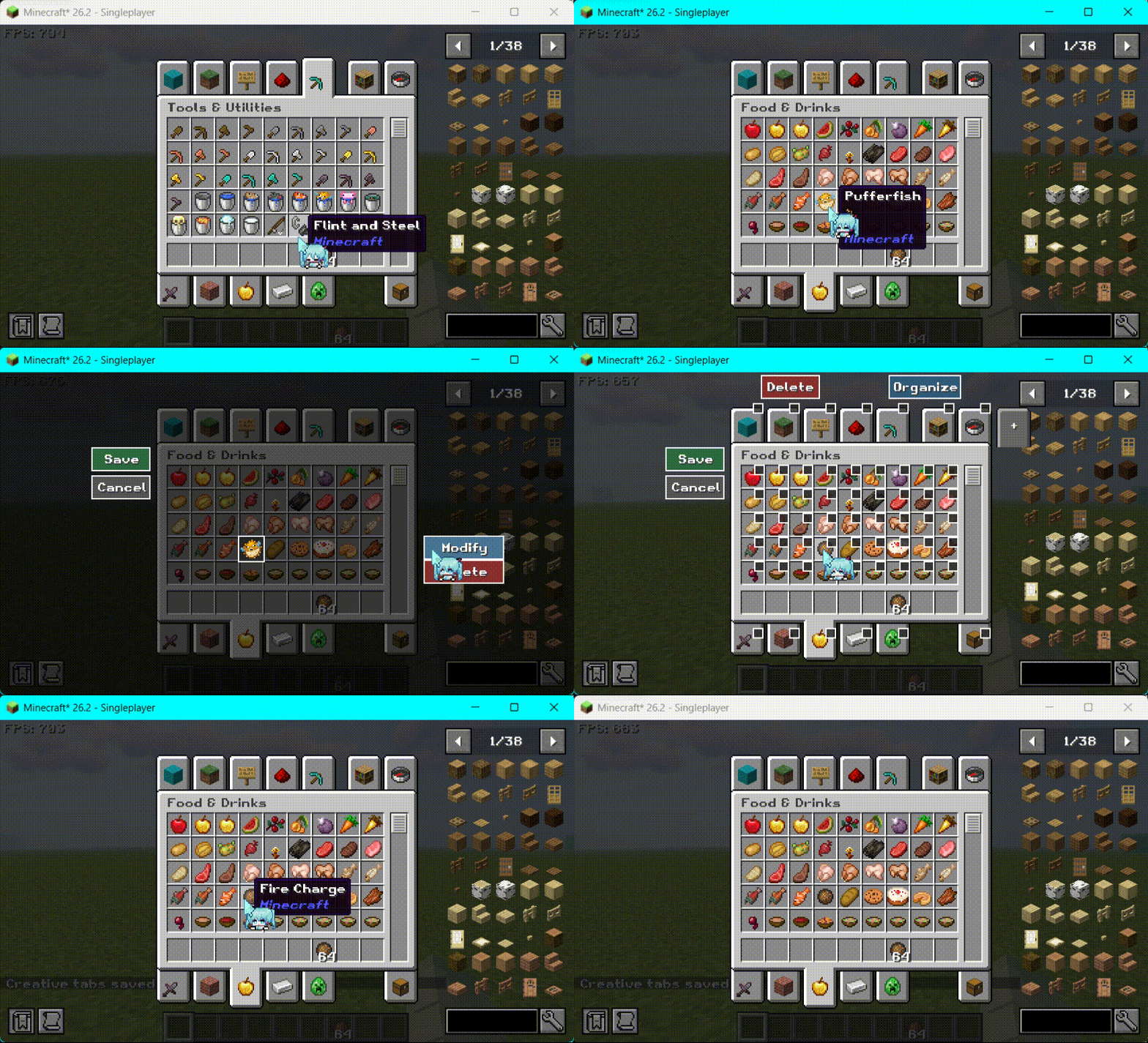
Modify
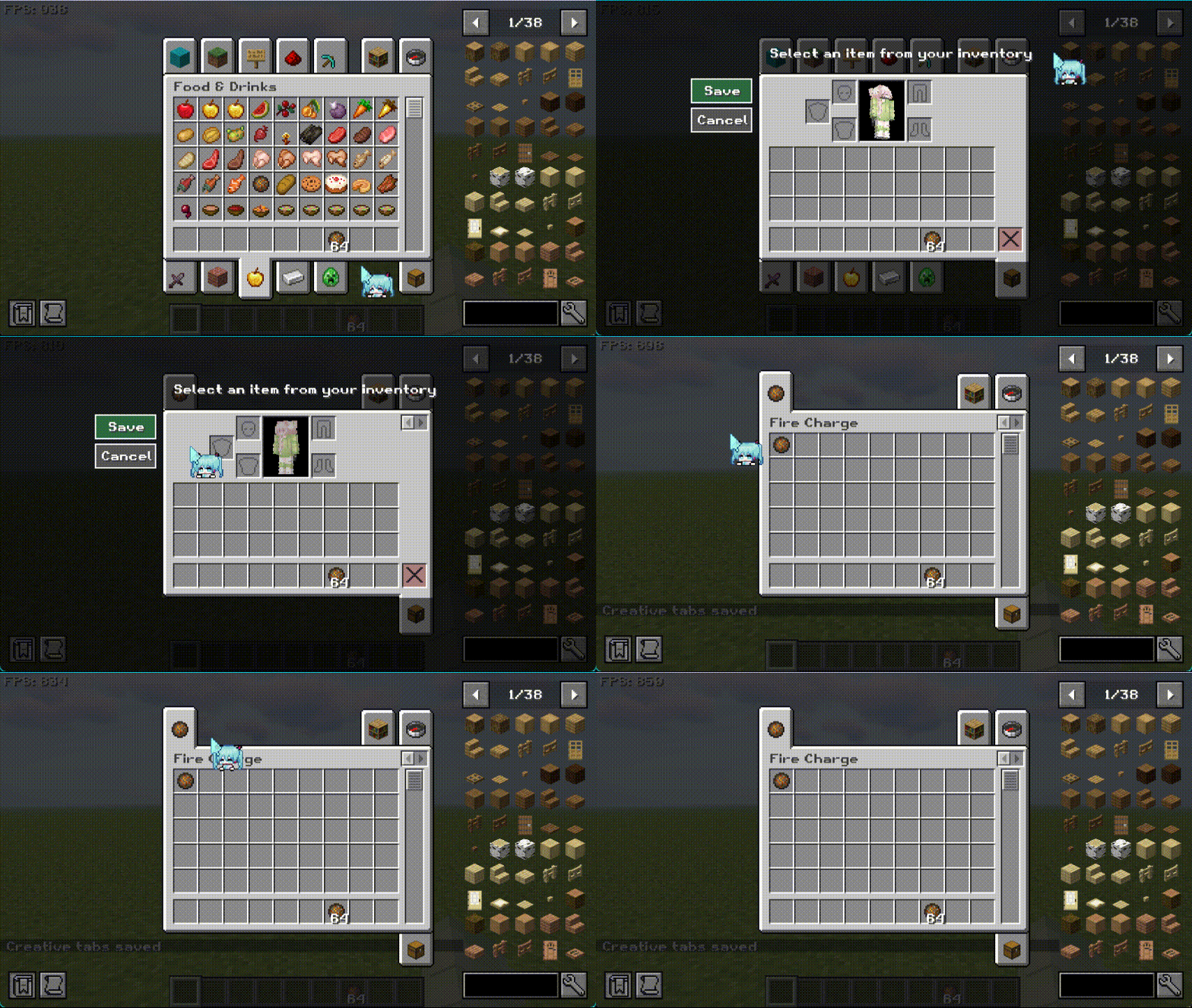
New
Description
English
Visual Creative Tab Editor turns vanilla and modded creative tabs into a reloadable, data-driven catalog and adds an in-game editor inspired by a phone home screen.
You can organize tabs and items without manually maintaining large JSON files, while modpack and server authors can still control titles, icons, contents, ordering, and layout through regular datapacks.
Visual editing
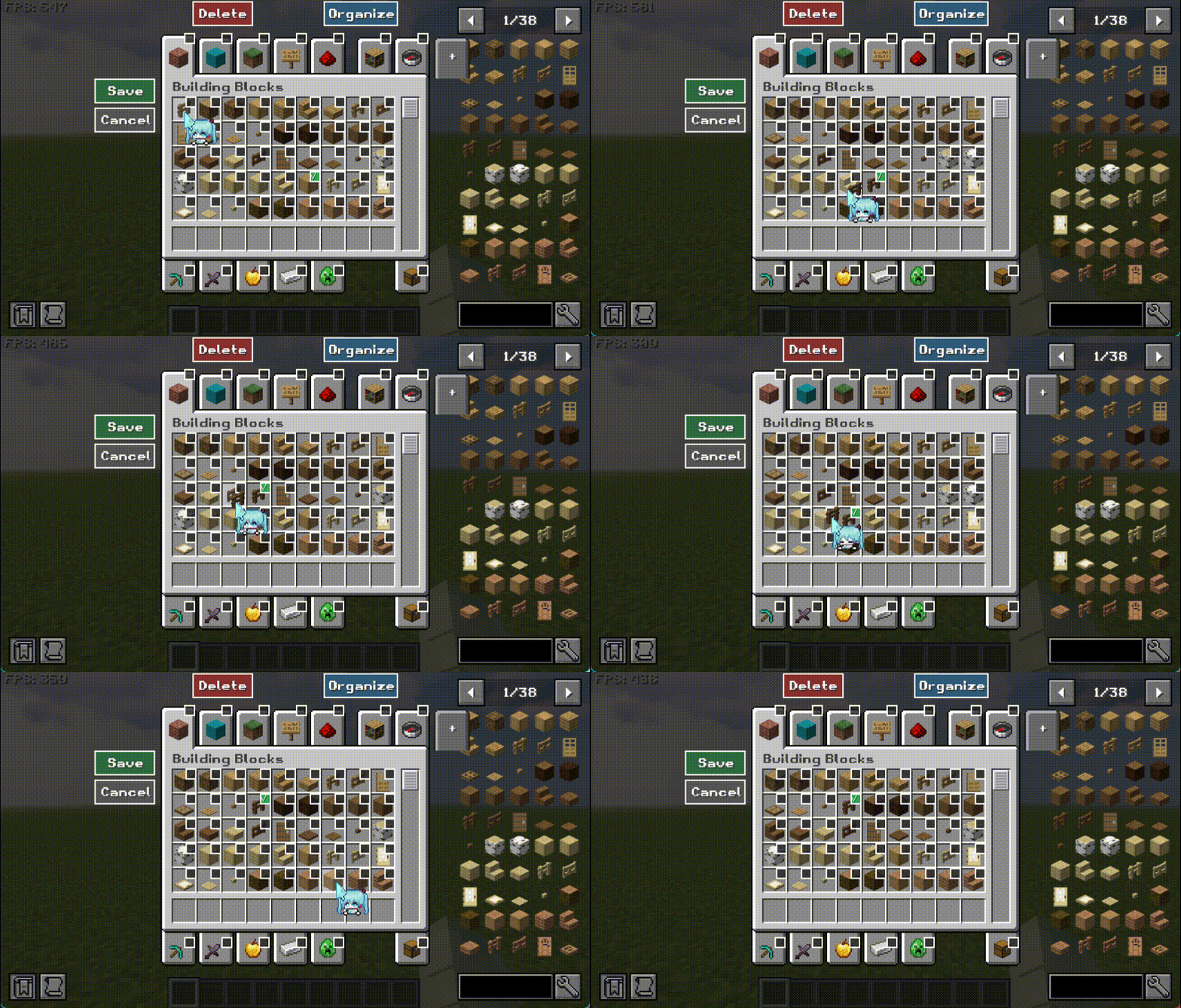
Long-press a tab, an item, or an empty part of the creative-inventory frame to enter a unified editing session.
- Drag creative tabs or their items to reorder them while surrounding icons automatically make room.
- Use checkboxes to select multiple tabs or items, then move or delete them as a group.
- Create new creative tabs or append items to an existing category.
- Edit tab titles and icons, or replace items inside a category.
- Hover dragged items over another category tab to move them and automatically open the destination.
- Hold dragged icons at the left or right edge to turn creative-tab pages automatically.
- Delete content through the delete area, context menu, or batch-delete button.
- Use explicit Save and Cancel actions; tab and item changes share one draft and one save transaction.
Items in the Search tab also support multi-selection, drag ordering, and one-click organization. Search ordering is stored as a preferred order, so items introduced by newly installed mods are still appended automatically.
One-click organization
Items in the current category can be organized by:
- Type: semantic creative-menu groups and their native item order, such as building blocks, tools, combat equipment, food, ingredients, and spawn eggs.
- ID name: the path after the colon in an item registry ID.
- Item name: the localized display name for the currently selected Minecraft language.
- Full ID: the complete
namespace:pathidentifier. - Mod ID: available for the Search tab, grouping items by namespace.
Data-driven creative tabs
Creative-tab definitions are loaded from:
data/<namespace>/creative_tabs/<path>.json
Regular datapacks can override individual fields of existing tabs or introduce new category tabs. Definitions can control:
- titles and icons;
- visibility and ordering;
- tab type and layout;
- category item lists;
- contributions to the global Search tab;
- background, scrolling, and alignment settings.
Fields are merged according to the real datapack priority order. A higher-priority pack only needs to provide the fields it wants to change.
Generated defaults and player overrides
Each world maintains two Mod-managed datapacks:
Highest priority  visual_creative_tab_editor_player_overrides
                  Regular datapacks
Lowest priority   visual_creative_tab_editor_generated_default
- The generated default pack is rebuilt from the final vanilla and modded creative tabs and is pinned below every regular datapack.
- Regular datapacks may override those defaults or add new categories.
- The player override pack stores the minimal differences created by the visual editor and is pinned above every regular datapack.
This allows tabs and items from newly installed mods to appear automatically, lets modpacks override the generated defaults, and keeps the final in-game layout above ordinary datapack changes.
Visual edits are world-wide settings synchronized to every player in that world. They are not separate client-local layouts for individual users.
Compatibility and safety
- Registered vanilla and modded tab objects keep their identity to reduce compatibility problems with normal extensions.
- JSON-created tabs are runtime categories outside Minecraft's frozen registry.
- Multiplayer edits are validated by the server and require game-master command permission.
- Revision checks prevent an outdated administrator draft from silently overwriting newer changes.
- Failed saves or resource reloads restore the Mod-managed files and catalog state.
- No separate configuration file is currently required; settings are managed through world datapacks and the visual editor.
For the full datapack specification, editor guide, and troubleshooting information, see the GitHub Wiki.
中文介绍
可视化创造标签页编辑器将 Minecraft 原版及 Mod 添加的创造标签页转换为可重载的数据驱动目录,并提供类似手机桌面的可视化编辑体验。
无需手工维护大量 JSON,即可在游戏内整理标签页和物品;整合包和服务器作者也可以通过普通数据包精确控制标题、图标、内容、顺序和布局。
可视化编辑
在创造物品栏中长按标签、物品或边框空白区域,即可进入统一编辑会话。
- 拖动创造标签页或其中的物品重新排序,其他图标会自动让位。
- 使用复选框多选标签或物品,然后成组拖动或批量删除。
- 新建创造标签页,或在现有分类末尾添加物品。
- 修改标签标题和图标,或替换标签内的物品。
- 将物品拖到另一个分类标签上,停留后自动打开目标标签并完成移动。
- 将图标拖到界面左右边缘,停留后自动切换标签页页面。
- 通过删除区域、上下文菜单或批量删除按钮移除内容。
- 使用明确的保存与取消操作;标签和物品修改共享同一份草稿和保存事务。
搜索标签中的物品也支持多选、拖动排序和一键整理。保存的是搜索结果的首选顺序;之后安装新 Mod 时,新物品仍会自动追加,不会因已有排序而消失。
一键整理
可以按照以下方式整理当前分类中的物品:
- 按类型:根据创造菜单的语义类别和原生顺序整理,例如建筑方块、工具、武器与战斗用品、食物、原材料和刷怪蛋。
- 按 ID 名称:按注册表 ID 中冒号后的路径排序。
- 按物品名称:使用当前游戏语言的显示名称排序;中文环境按中文名称,英文环境按英文名称。
- 按完整 ID:按完整的
namespace:path排序。 - 按 Mod ID:搜索标签专用,优先按照命名空间整理不同 Mod 的物品。
数据驱动创造标签页
创造标签定义从以下位置加载:
data/<namespace>/creative_tabs/<path>.json
普通数据包可以逐字段覆盖已有标签,也可以创建新的 category 分类标签。可控制的内容包括:
- 标题与图标
- 标签可见性和顺序
- 标签类型与布局
- 分类物品列表
- 对全局搜索标签的物品贡献
- 背景、滚动和对齐设置
字段按照数据包的真实优先级逐层合并。高优先级数据包只需填写想要修改的字段,无需复制完整标签定义。
自动默认包与玩家覆盖包
每个世界会维护两个由本 Mod 管理的数据包:
最高优先级  visual_creative_tab_editor_player_overrides
            普通数据包
最低优先级  visual_creative_tab_editor_generated_default
- 默认包从当前原版和已安装 Mod 的最终创造标签内容自动生成,并固定在所有普通数据包之下。
- 普通数据包可以覆盖默认内容或添加新的分类。
- 玩家覆盖包保存可视化编辑器产生的最小差异,并固定在所有普通数据包之上。
因此,安装新 Mod 后,其创造标签和物品仍能从最低层自动出现;整合包数据包可以正常覆盖默认内容,而游戏内保存的最终布局不会被普通数据包再次覆盖。
可视化编辑结果是世界级设置,会同步给该世界中的所有玩家,并不是每名玩家独立保存的本地布局。
兼容性与安全
- 保留原版及已注册 Mod 创造标签对象的身份,减少对常规 Mod 扩展的影响。
- JSON 新建标签使用注册表之外的运行时分类,不修改 Minecraft 已冻结的注册表。
- 多人游戏中的编辑由服务端验证,编辑和保存需要游戏管理员命令权限。
- 使用修订号检测多个管理员之间的保存冲突,旧草稿不会静默覆盖新数据。
- 保存或资源重载失败时,会恢复本 Mod 管理的数据和目录状态。
- 当前不需要独立配置文件;设置由世界数据包和可视化编辑器管理。
完整的数据包格式、编辑器操作和故障排查文档请参阅 GitHub Wiki。
Visual Creative Tab Editor Team

Owner