VECTOR HUD
- By
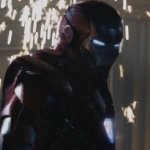
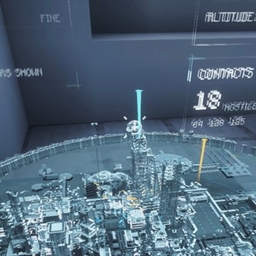
A cinematic, vector-drawn HUD: holographic terrain map, flight instruments, threat alerts, and thirteen switchable themes. Every instrument is geometry, not a texture.
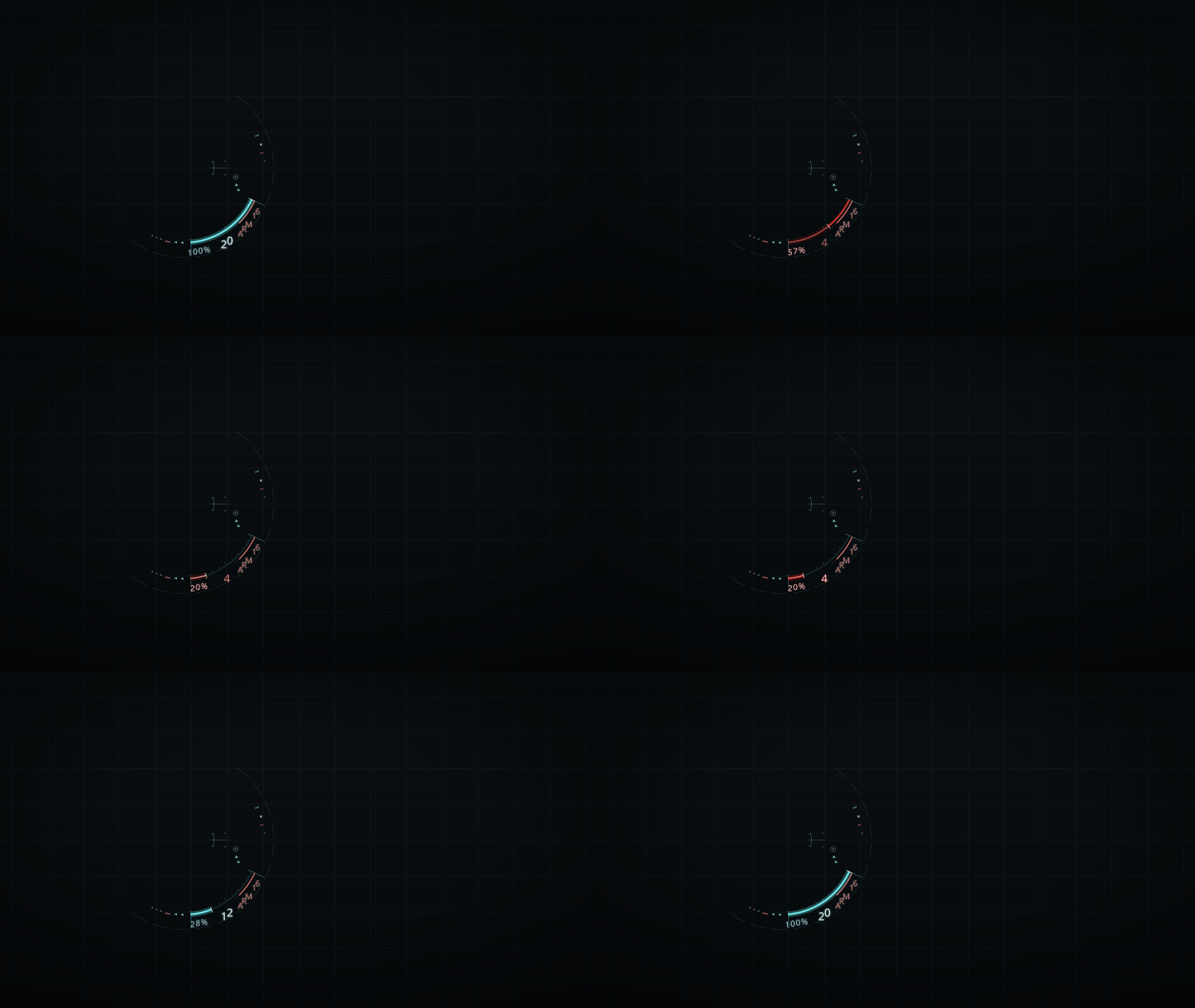
Component animation on a neutral background. Below 25% health, brief red/cyan offsets appear and disappear on the health arc.
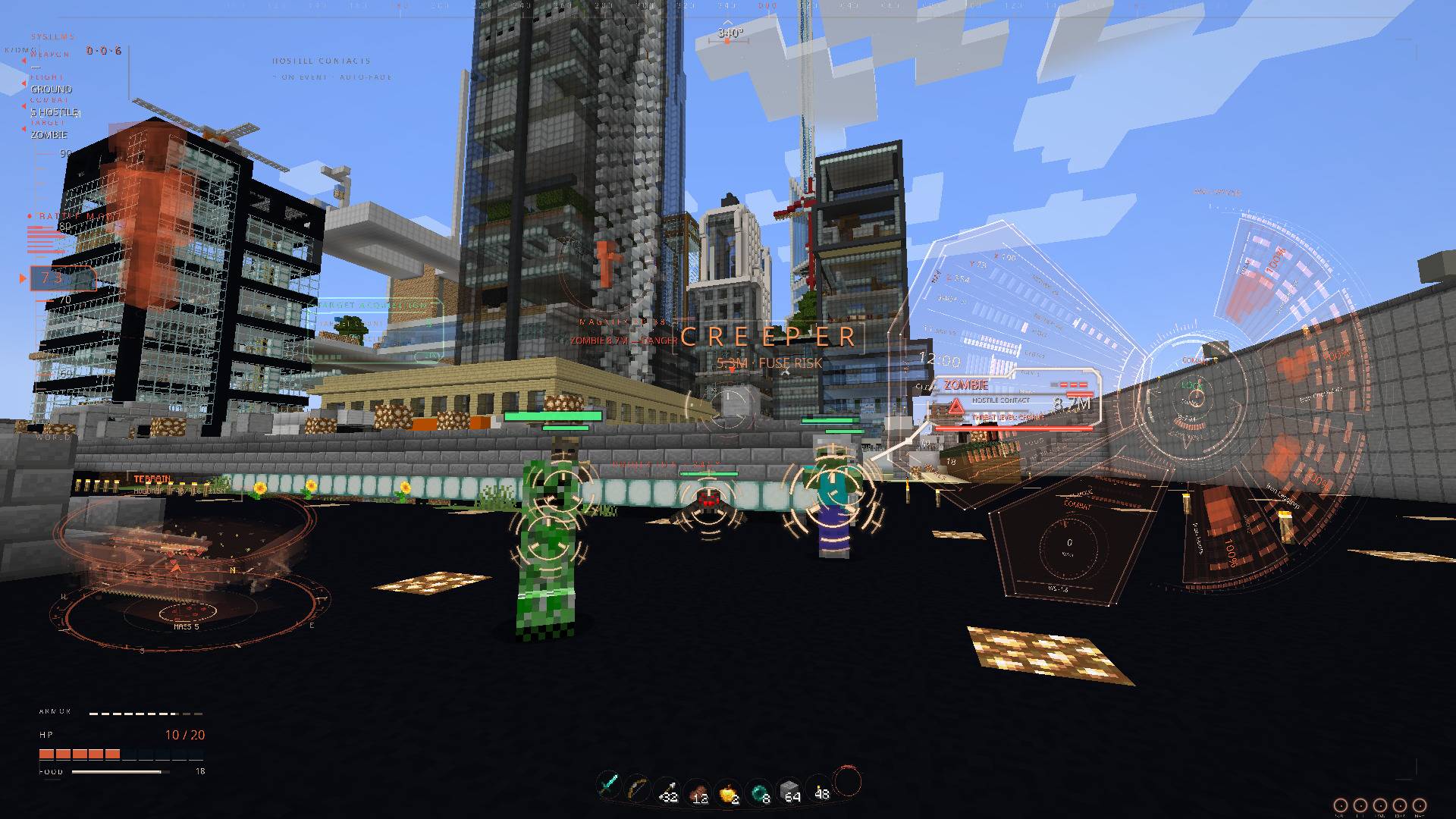
01 APEX - VECTOR HUD 2.1.1 in game.jpg
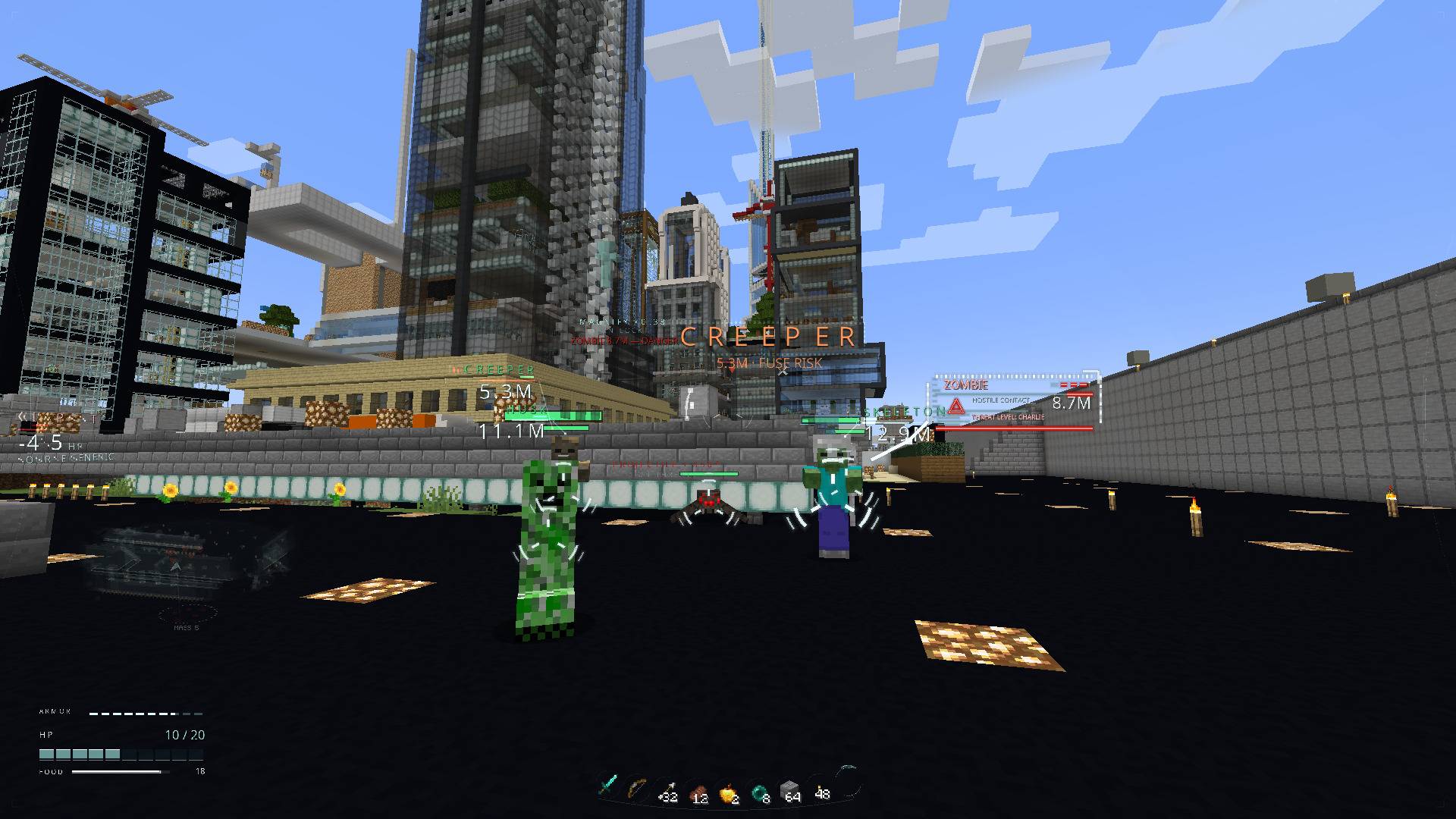
02 NANO - VECTOR HUD 2.1.1 in game.jpg
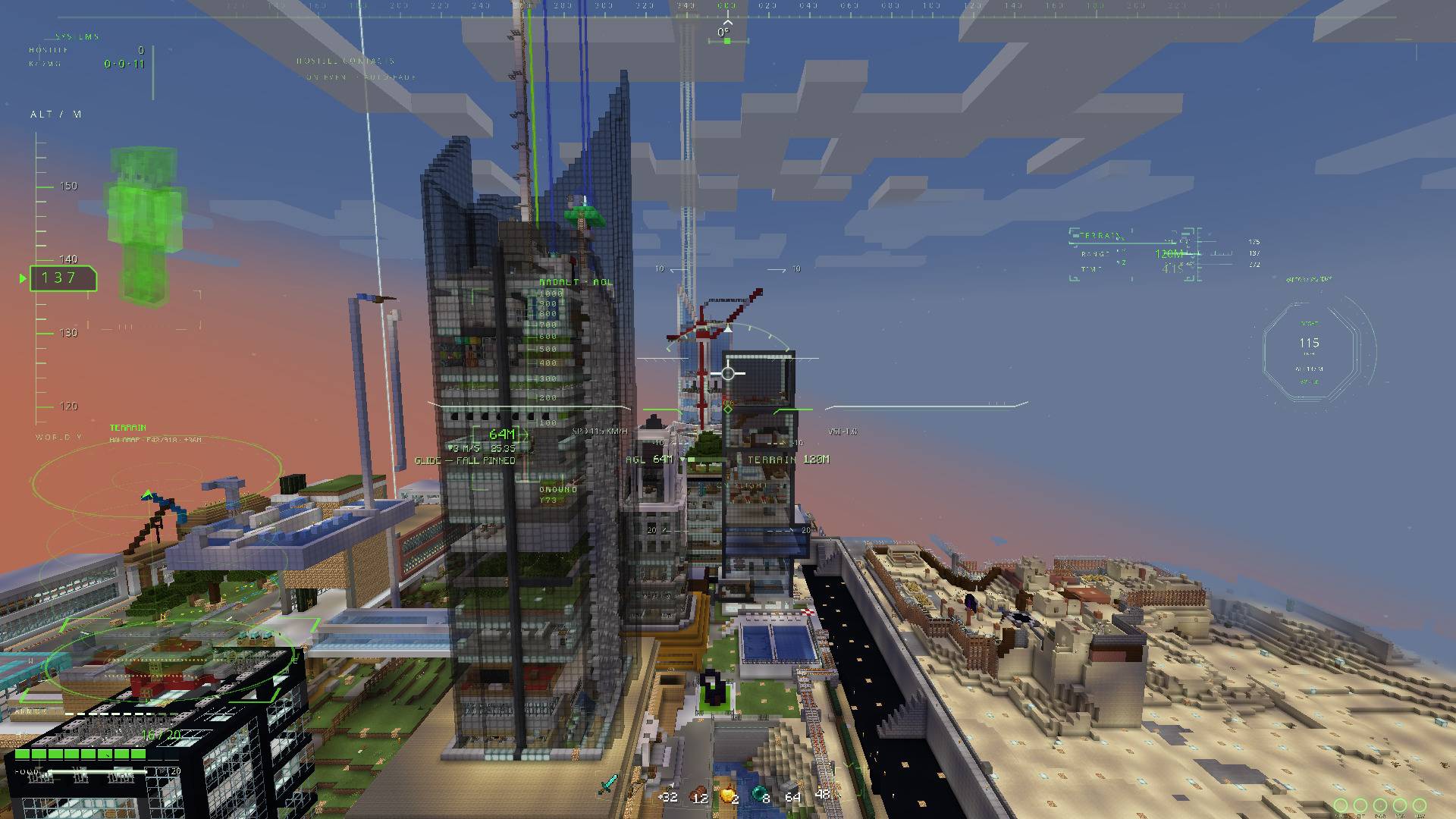
03 RAPTOR - VECTOR HUD 2.1.1 in game.jpg
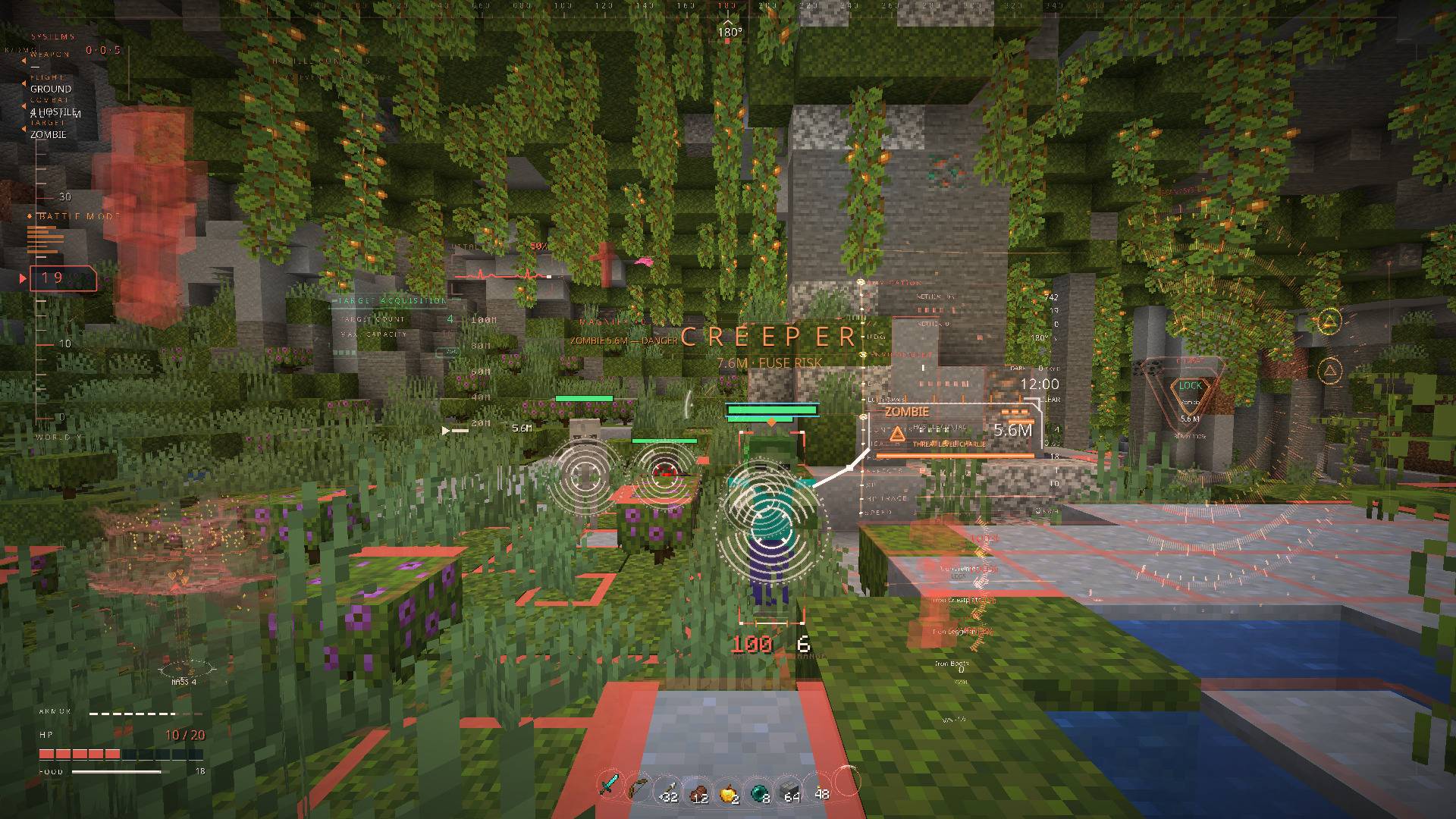
04 SCAN - VECTOR HUD 2.1.1 in game.jpg
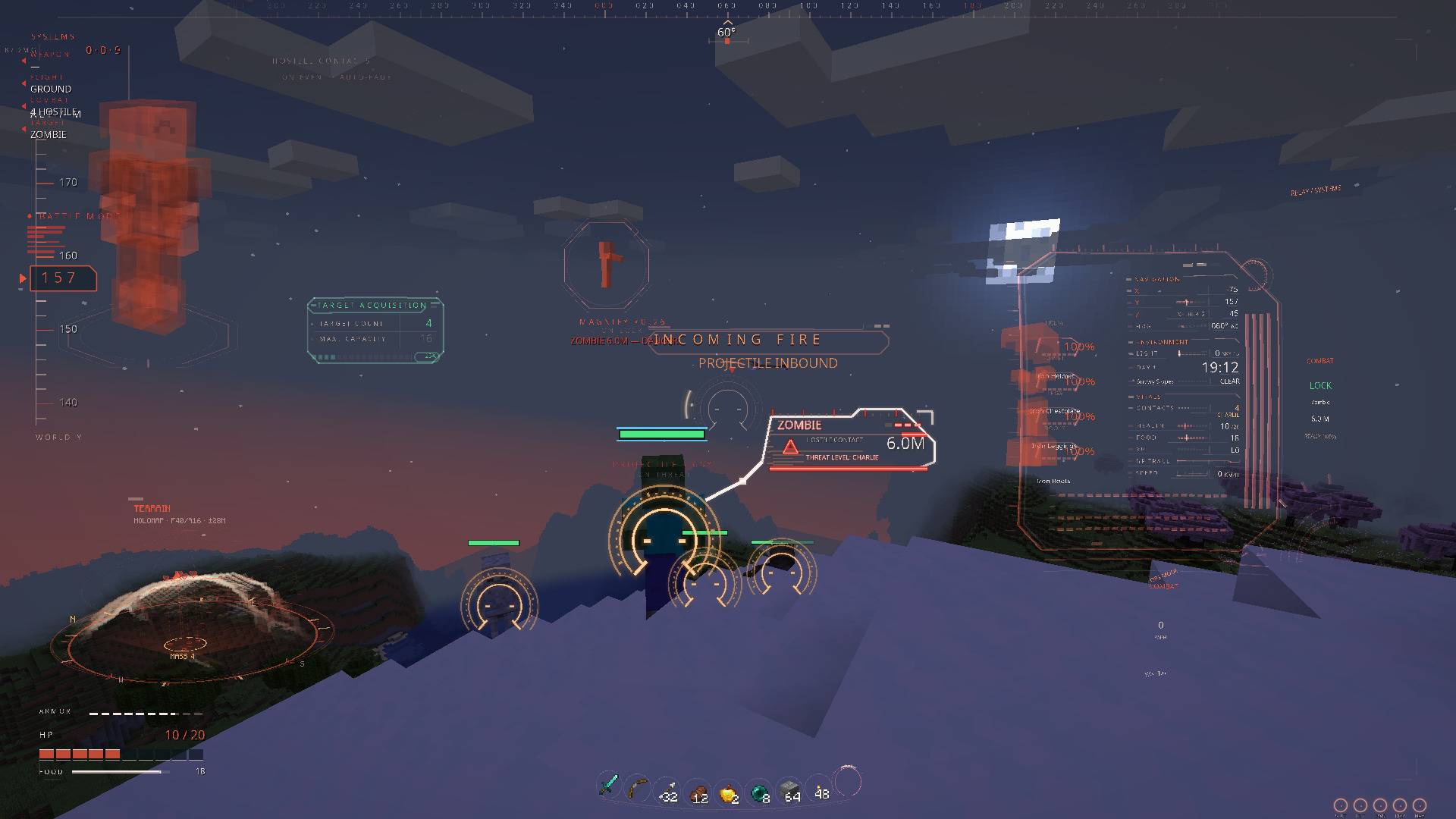
05 RELAY - VECTOR HUD 2.1.1 in game.jpg
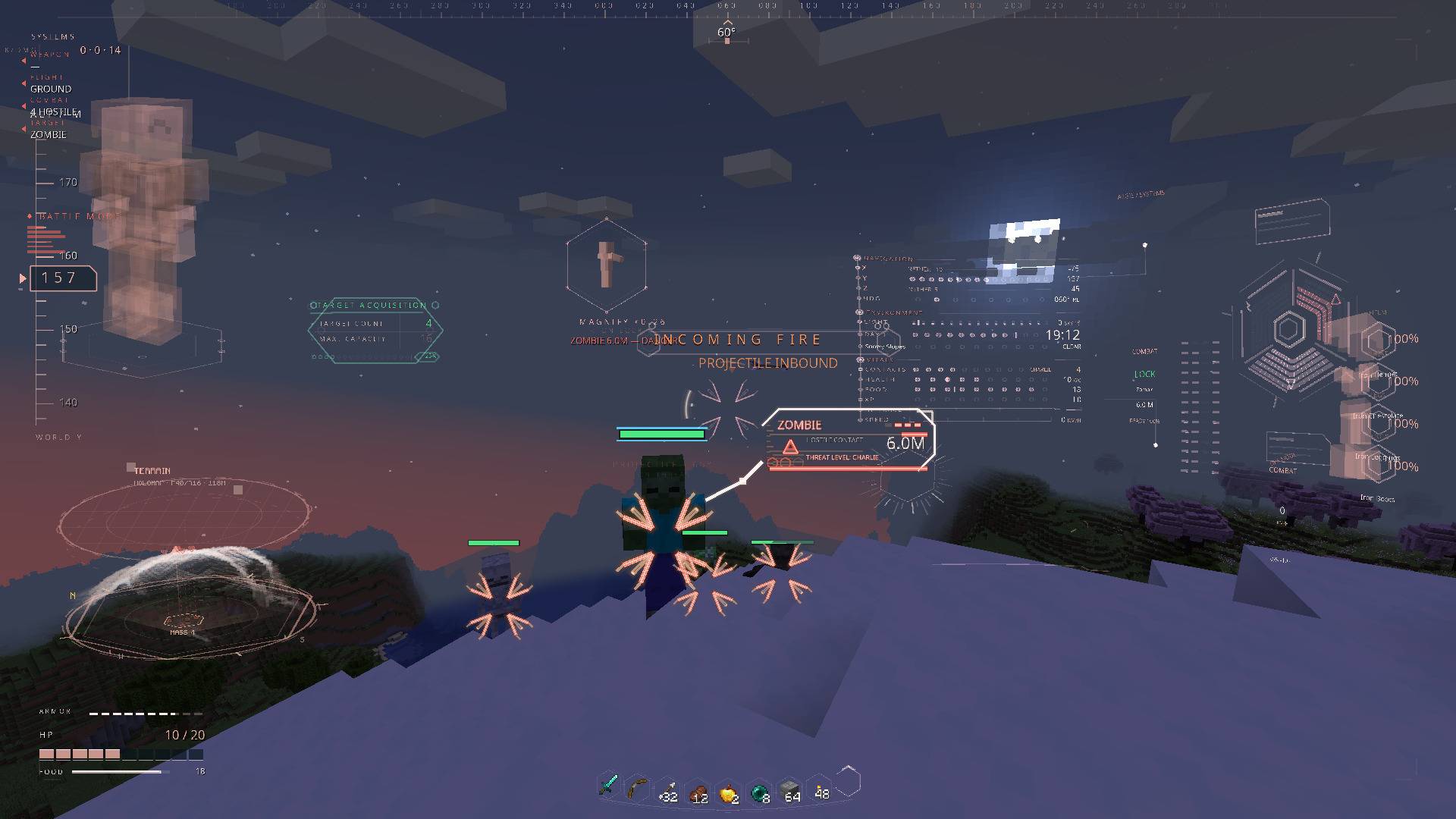
06 AEGIS - VECTOR HUD 2.1.1 in game.jpg

HUD components assembling and dissolving on a neutral background. No entity models are shown.
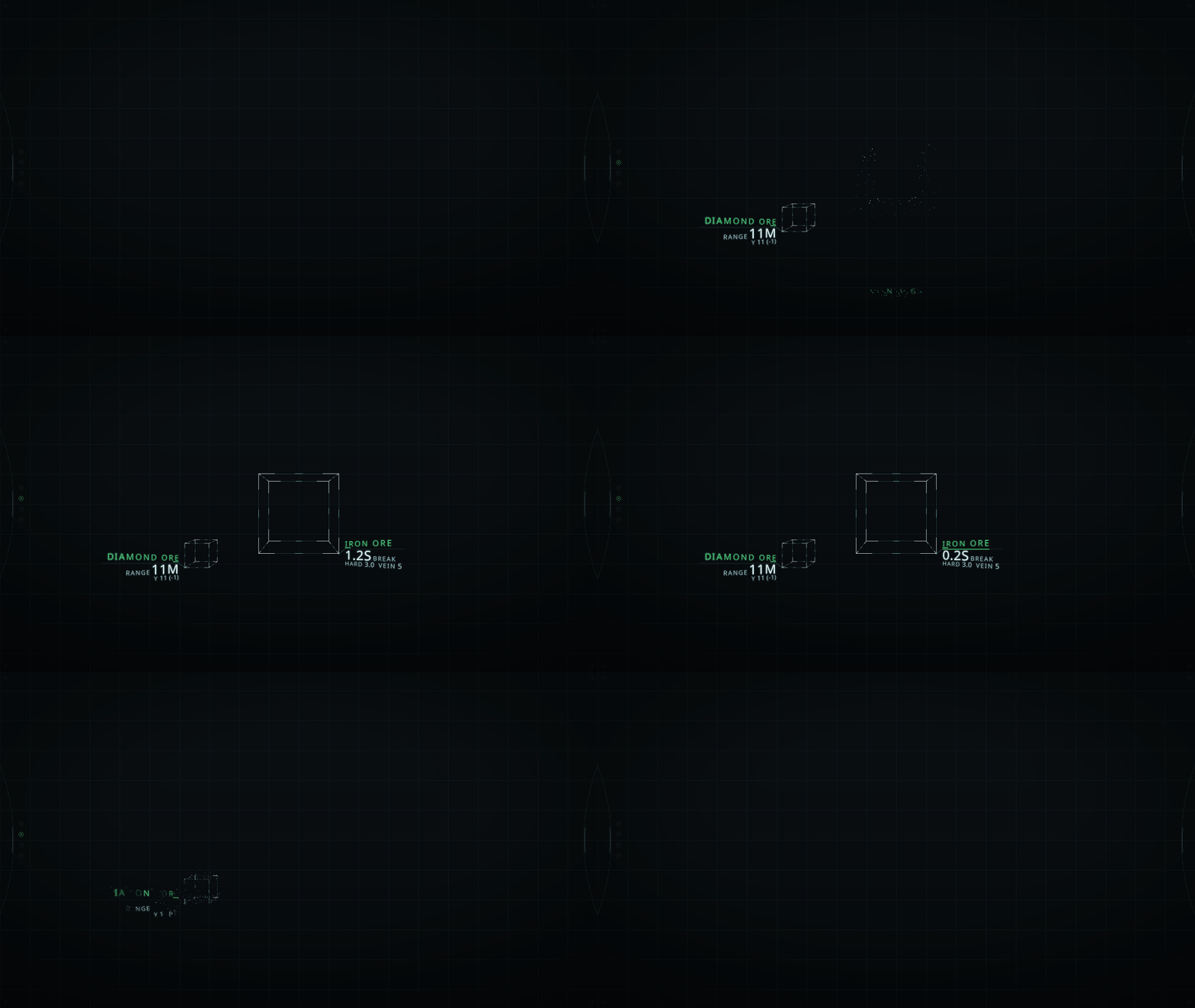
Component animation on a neutral background. One scan resolves into the block readout, followed by mining progress.
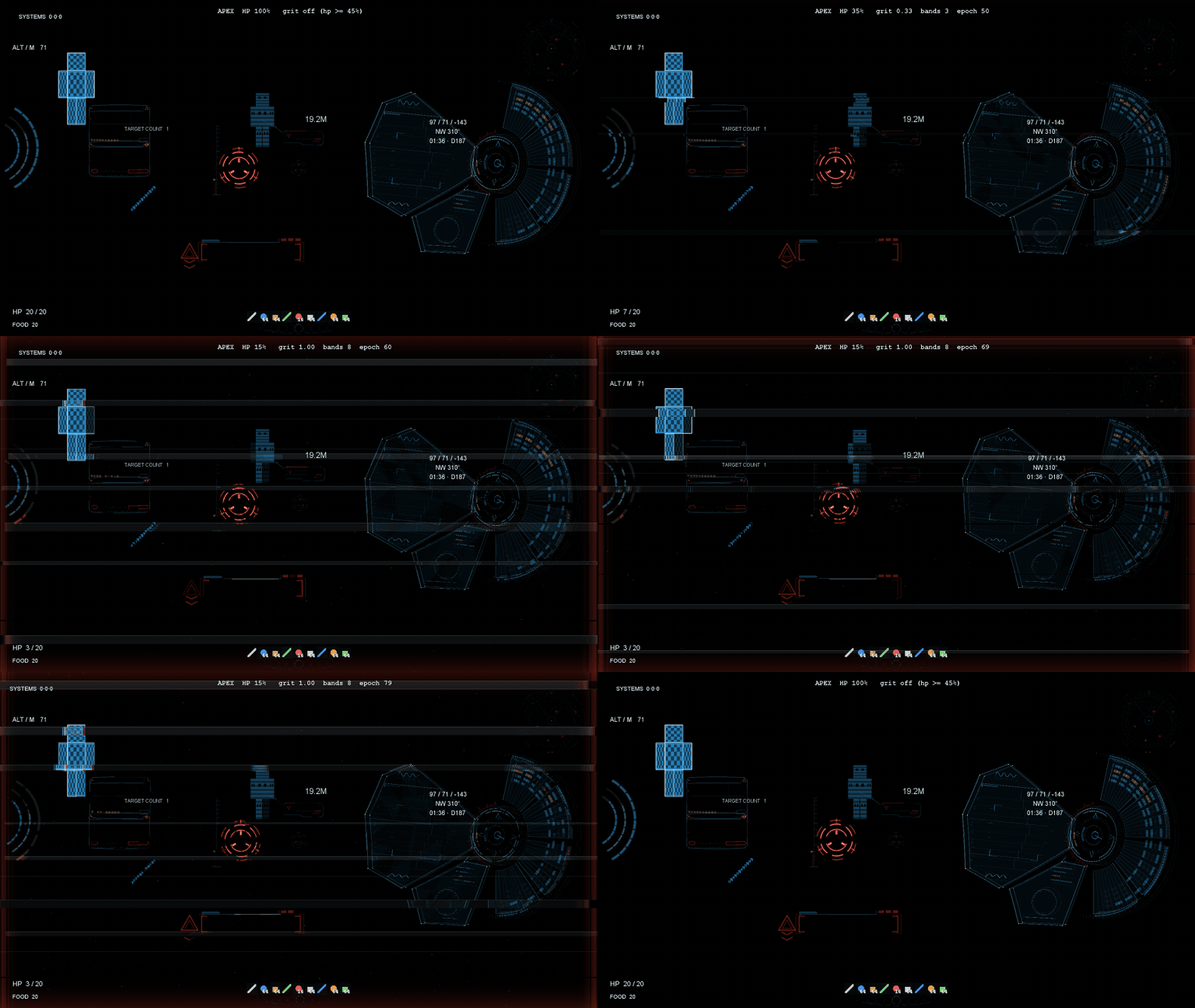
APEX-low-health-grit-gallery.gif
Description
VECTOR HUD
Press one key and a flight-instrument HUD draws itself around you — every ring, tape and gauge computed as vector geometry at runtime, not one of them a texture.
New in 2.1.1
- Server Fair Play, on by default. On servers, LAN worlds and Realms the HUD only shows what you can actually see. Singleplayer keeps everything.
- Neutral titles inside the HUD (APEX / SYSTEMS and so on) and a new icon.
New in 2.1.0
- Every Fabric version from 1.20.1 to 1.21.11, plus NeoForge 1.21.1 and Forge 1.20.1.
- HUD text size (settings → Style, 0.80–1.60×), and auto-enlarge on small windows, on by default.
- A rebuilt instrument readout. On the classic themes it is a fan whose strips open outward from the hub; RAPTOR, GINSU, SHOTGUN, SCAN, AEGIS and RELAY get upright rows in their own style. One large figure, the least important readings give way first, and X/Y/Z stay on screen in flight. RELAY now sits on the right edge.
- NANO turns generative. Near-silent at rest; callouts assemble from particles when something matters, then dissolve. The health bar, reticle and hotbar stay as they were.
- The 3D map fills its frame and marks groups of hostiles; on NANO and SCAN it has no frame at all and fades out at its edges.
- Fixes for the vanilla HUD showing through on Fabric 1.20.1 and NeoForge, black squares behind labels, and the empty target box.
The boot
Press J. The HUD does not fade in — it is built, in five beats, in under two seconds.
Registration marks slide in from off-screen and spark as they seat, establishing the corners before anything else exists. Every ring and gauge is then drawn, the pen running from each arc's fixed end toward its live value, so a gauge can never overshoot its own track. Instruments flash brighter than full for three ticks at the moment they lock. The chromatic fringe starts wide and tightens as the optics focus. Text resolves last, each label scrambling through same-width glyphs so no line shifts by a single pixel while it settles.
Press J again and it strikes itself back down.
What it shows you
| Panel | Position | Reads |
|---|---|---|
| Readout | Right (TERMINAL: top left; NANO: on demand) | Coordinates, heading, clock, speed, light, weather, health, food, air |
| Target panel | Top centre | Name, health and range of whatever you are looking at |
| Vitals cluster | Bottom left | Health, armour, hunger, oxygen and active effects on nested arcs |
| System column | Bottom right | Frame rate, ping, hostile count |
| Kill feed | Right | Rolling record of what you dropped |
| Holo-map | Bottom left | Volumetric terrain hologram |
Flight instruments
The HUD reads like a cockpit the moment you leave the ground.
| Instrument | Reads |
|---|---|
HORIZON |
Artificial horizon with pitch ladder and roll |
ALT · Y |
Altitude tape, ticking every block of climb |
HDG |
Heading tape |
SPD |
Ground speed |
GLIDE 1:x |
Live glide ratio on elytra |
VSI |
Vertical speed, signed |
Volumetric holo-map
A tilted holographic table of the terrain around you, sitting near-horizontal so it reads as a volume rather than a top-down minimap. It follows your vertical look — glance up and the table rises to show the air above, look down and it lays flat to show your footing. Indoors it cuts away everything between you and the table, so a wall at your back never blocks the view into the middle of it. Mobs and other players float as pins at their true height, each with a drop-line to the floor beneath them. Four or more hostiles close together get a footprint on the map, and when a new group appears beyond the part of the map on screen while you stand still, the map glides over to it for a few seconds and back. On NANO and SCAN the map has no frame and fades out at its edges.
Awareness and alerts
| Alert | Behaviour |
|---|---|
| Terrain collision | GLIDE PATH narrows to IMPACT. Walls are picked by face normal, not raw distance, so ordinary gliding does not trip it — and the warning ring stands upright on the wall's own normal |
| Damage arcs | An arc lights on the edge of the screen in the direction the hit came from |
| Incoming fire | Chevrons track projectiles already in the air toward you |
| Creeper proximity | Fires before the hiss, not with it |
| Vitals critical | Red vignette at the frame edge |
| Battle mode | The whole palette slides from calm to hot. Auto-engages when a fight actually starts — a hostile with line of sight inside 14 m, an incoming projectile, or recent blows — and stands down on its own once things are quiet |
Alerts are staged in four tiers — calm, caution, warning, imminent. A sound is only re-issued when the tier rises; while the tier holds, you get one quiet reminder per interval and nothing more. Nothing sounds while the game is paused. No audio is bundled: every cue is a vanilla note block, pitched and paced by tier.
Thirteen instrument suites
Themes change layout, not only colour — each one hides a different set of instruments, so the sparse suites are genuinely sparse rather than the same HUD in a new palette. Press H for the theme table.
| Theme | Character |
|---|---|
| APEX | Three modes — rotates into battle |
| DRAFT | Diagnosis & analysis — cyan skeleton, amber readouts |
| GHOST | Near-silent — green vocabulary |
| TERMINAL | Green terminal — five-function dock |
| SCAN | Scanning — brackets, vitals, range; a frameless holo-map that fades at its edges |
| KEYHOLE | White-dominant — one integrated widget |
| ORBIT | Curved field — twin radial dials |
| AEGIS | Biomechanics — nested hex tunnel |
| NANO | Generative — near-silent until something matters, then callouts assemble from particles |
| RAPTOR | Weaponized military interface |
| SHOTGUN | Angular white — circuit traces |
| GINSU | Stepped plates — black white red |
| RELAY | Edge-hugging — badge column, rule and chip |
Fair play by default
Server Fair Play is on out of the box. Whenever you are not in singleplayer — on a server, in a LAN world or on Realms — the HUD only shows what you can actually see. The holo-map pins and hostile-group markers, the radar, health bars, target marks and alerts use only mobs and players in your line of sight; a block between you and a mob hides it. In singleplayer nothing is held back.
Six features ship disabled, and they are the six that a server admin would call cheating. While Server Fair Play is active, five of them cannot be switched on at all, and the radar shows only what is in line of sight:
| Feature | Ships | With Server Fair Play | Because |
|---|---|---|---|
| Ore scan | off |
locked off | X-ray under another name |
| Structure scan | off |
locked off | Reveals interiors before you enter |
| Entity radar | off |
line of sight only | Shows what you cannot see |
| Wall-piercing glow | off |
locked off | ESP |
| Nearby player list | off |
locked off | Player ESP |
| Ballistics prediction | off |
locked off | Reads as aim assist |
Two alerts go by sound or damage rather than sight: a creeper you can hear hissing behind a wall still sets off the creeper alert, and "hostile behind you" fires only right after you take a hit.
To turn it off: settings screen (K) → Fair play → Server Fair Play, or "serverFairPlay": false in config/vectorhud.json. If you do, following the rules of the server you play on is your responsibility.
There is no separate "fair play edition" to hunt down — one jar, safe to drop into a modpack as shipped.
Keys and configuration
| Key | Action |
|---|---|
J |
Bring the HUD up, or strike it down |
H |
Theme table |
C |
Scope |
B |
Battle mode |
All four are rebindable under Controls. Every panel has its own toggle in config/vectorhud.json and under /vectorhud, and /vectorhud scale resizes the whole assembly between 0.5 and 2.0.
Requirements
Every build is client-side. Nothing is installed on the server, and nothing needs to be.
| Build | Minecraft | Loader | Java | Also needs |
|---|---|---|---|---|
| Fabric | 1.21.11 |
Fabric Loader 0.17.3+ |
21 |
Fabric API |
| Fabric | 1.21.10 |
Fabric Loader 0.17.0+ |
21 |
Fabric API 0.137.0+ |
| Fabric | 1.21.9 |
Fabric Loader 0.17.0+ |
21 |
Fabric API |
| Fabric | 1.21.6–1.21.8 |
Fabric Loader 0.16.13+ |
21 |
Fabric API |
| Fabric | 1.21.5 |
Fabric Loader 0.16.10+ |
21 |
Fabric API |
| Fabric | 1.21.4 |
Fabric Loader 0.16.9+ |
21 |
Fabric API |
| Fabric | 1.21.2–1.21.3 |
Fabric Loader 0.16.7+ |
21 |
Fabric API |
| Fabric | 1.21–1.21.1 |
Fabric Loader 0.16.0+ |
21 |
Fabric API |
| NeoForge | 1.21.1 |
NeoForge 21.1.0+ |
21 |
Forgified Fabric API 0.104.0+ |
| Fabric | 1.20.5–1.20.6 |
Fabric Loader 0.15.10+ |
21 |
Fabric API |
| Fabric | 1.20.3–1.20.4 |
Fabric Loader 0.14.23+ |
17 |
Fabric API |
| Fabric | 1.20.2 |
Fabric Loader 0.14.22+ |
17 |
Fabric API |
| Fabric | 1.20.1 |
Fabric Loader 0.15.0+ |
17 |
Fabric API |
| Forge | 1.20.1 |
Forge 47+ |
17 |
— |
There is no 2.1.0 file for 26.2; the older 1.1.2 file for it stays on the Files tab.
What differs between builds
Every build comes from one codebase. What differs is the holographic models, which need rendering calls that only some versions have:
Fabric 1.21–1.21.1, NeoForge 1.21.1 |
Other builds | |
|---|---|---|
| Target magnifier, held items | Monochrome hologram | Normal-colour view |
| SYSTEMS suit figure | Hologram of your skin and armour | 1.20.5–1.20.6: hologram · 1.21.6–1.21.11: your player model, standing still · other versions and Forge 1.20.1: not drawn |
On 1.21.6–1.21.11 the magnifier shows MODEL N/A for mobs from other mods. The settings screen opens from Mod Menu on Fabric and from the Mods list on NeoForge and Forge.
Everything else — boot, all thirteen themes, instruments, alerts, holo-map — is in every build.
Community & support
Bug reports, build previews and the live known-issues list live on the Discord:
#bug-reports— a template that asks for the four things I always end up asking for anyway (version, loader, other mods, what you were doing).#known-issues— confirmed bugs and workarounds, so you can check before writing one up.#releases— every published build, newest first.#roadmap— what is actually being built, in order.
If you would rather not use Discord, the CurseForge comment thread is read and answered too — Discord is just faster for back-and-forth.
Notes
- No textures. Every instrument of the HUD is geometry generated at runtime, so nothing gets blurry at any resolution. Each 2.1.0 file is about 1.2 MB: most of that is code, about 0.28 MB is the bundled Noto Sans font (SIL Open Font License), and the only image is the mod's own 128 px icon.
- No bundled audio. Alert cues are vanilla note blocks, pitched and paced by tier.
- Nothing phones home.
- Modpacks are welcome with credit. Reuploading the jar elsewhere is not.
- Not affiliated with, endorsed by, or containing assets from any film, studio or franchise.
Need a server? BisectHosting — 25% off your first month.
VECTOR HUD Team