universal chain mine
- By
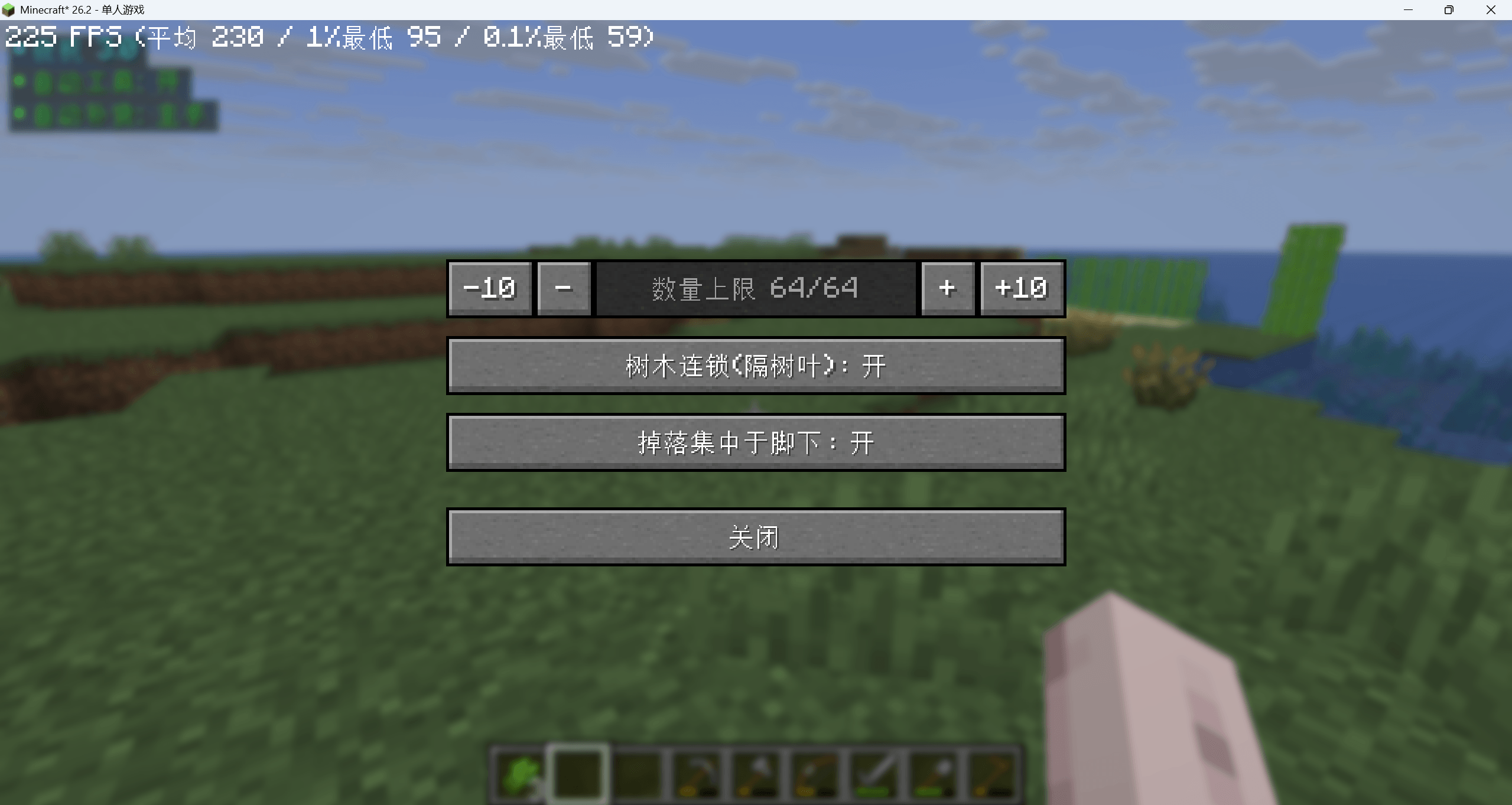
Universal Chain Mine: Hold G for vein mining. Press K to adjust settings saved by player UUID. Server configurable, adds no new blocks, entities or items.
å±å¹æªå¾ 2026-09-29 011349.png
Description
Universal Chain‑Mine Mod
I. Chain Mining (Core Feature)
Chain mining on hold‑key: Chain mining only activates while holding down the G key. It stops immediately upon releasing the key — even mid‑execution. Queued blocks will not be mined. There is no toggle on/off state, eliminating accidental mass block destruction from forgetting to disable the feature.
What gets chain‑mined: By default, only identical‑type blocks are chain‑mined: blocks with matching block IDs, or blocks sharing the same tag group (e.g. various ores under c:ores). Vanilla blocks and blocks added by other mods are automatically supported; no per‑block configuration is required.
Auto‑exclusion: Indestructible blocks such as bedrock, doors, and container blocks will never be affected by chain mining.
Range & Speed: Search radius, maximum blocks per operation, and blocks processed per tick are controlled by server‑side configuration.
II. Tree Chain‑Mining (Works Through Leaves)
Breaking one log will chain‑mine all logs connected to the same leaf cluster. This works even if log segments are separated by leaves, or belong to two adjacent trees.
Leaves themselves are not destroyed by chain mining. After logs are removed, vanilla game mechanics will make leaves decay naturally.
III. Control Panel (Open with K key)
Three settings can be adjusted in‑game:
- Max Block Count: Maximum number of blocks processed in one chain‑mining operation.
- Tree Chain‑Mining: Toggle for chain‑mining logs through leaves.
- Drop Collect at Feet: When enabled, items and experience orbs generated by the current chain‑mine are gathered directly under the player’s feet, avoiding scattered loot. Only newly spawned drops from the ongoing chain‑mine are collected; pre‑existing items on the ground remain untouched.
Player‑specific settings are saved server‑side by player UUID. Settings persist across server restarts.
IV. Server‑Side
Configuration file: config/universal_chain_mine.json Includes global master toggle, block limits, search radius, default tree chain‑mine state, default drop‑collection state, break sound effects, block whitelist / blacklist, and more.
Admin commands:
/chainmine reload— Reload configuration file/chainmine status— View current active parameters/chainmine force <true|false>— Temporarily enable or disable the mod
This single JAR file works for both client and server. Functionality still works when installed only on the server. Full keybind and control‑panel experience requires installation on both client and server.
V. No New Content Added
This mod adds no new blocks, entities or items. It only modifies gameplay behaviour. All changes revert once the mod is uninstalled.