Practical Plugin
- By
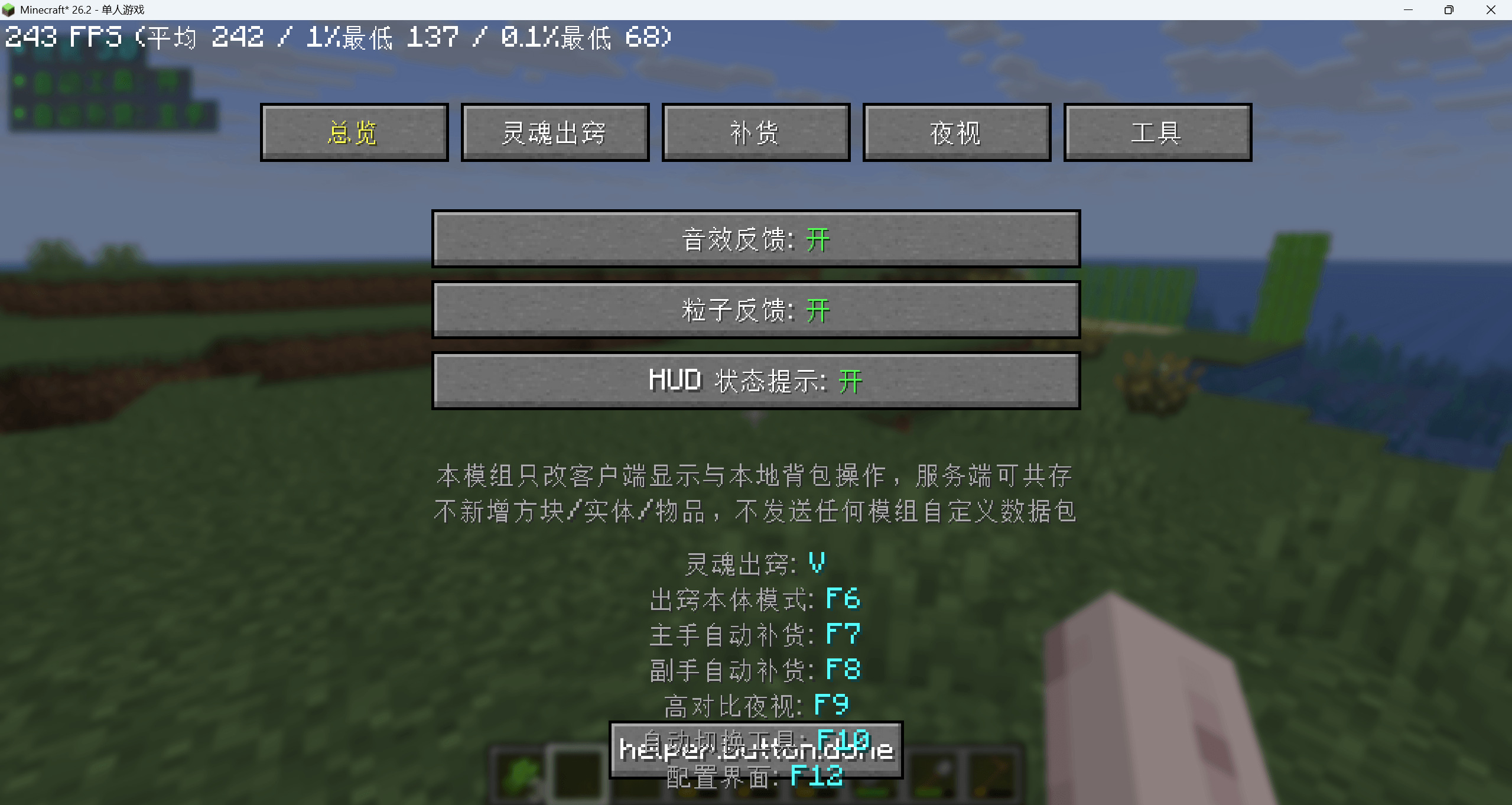
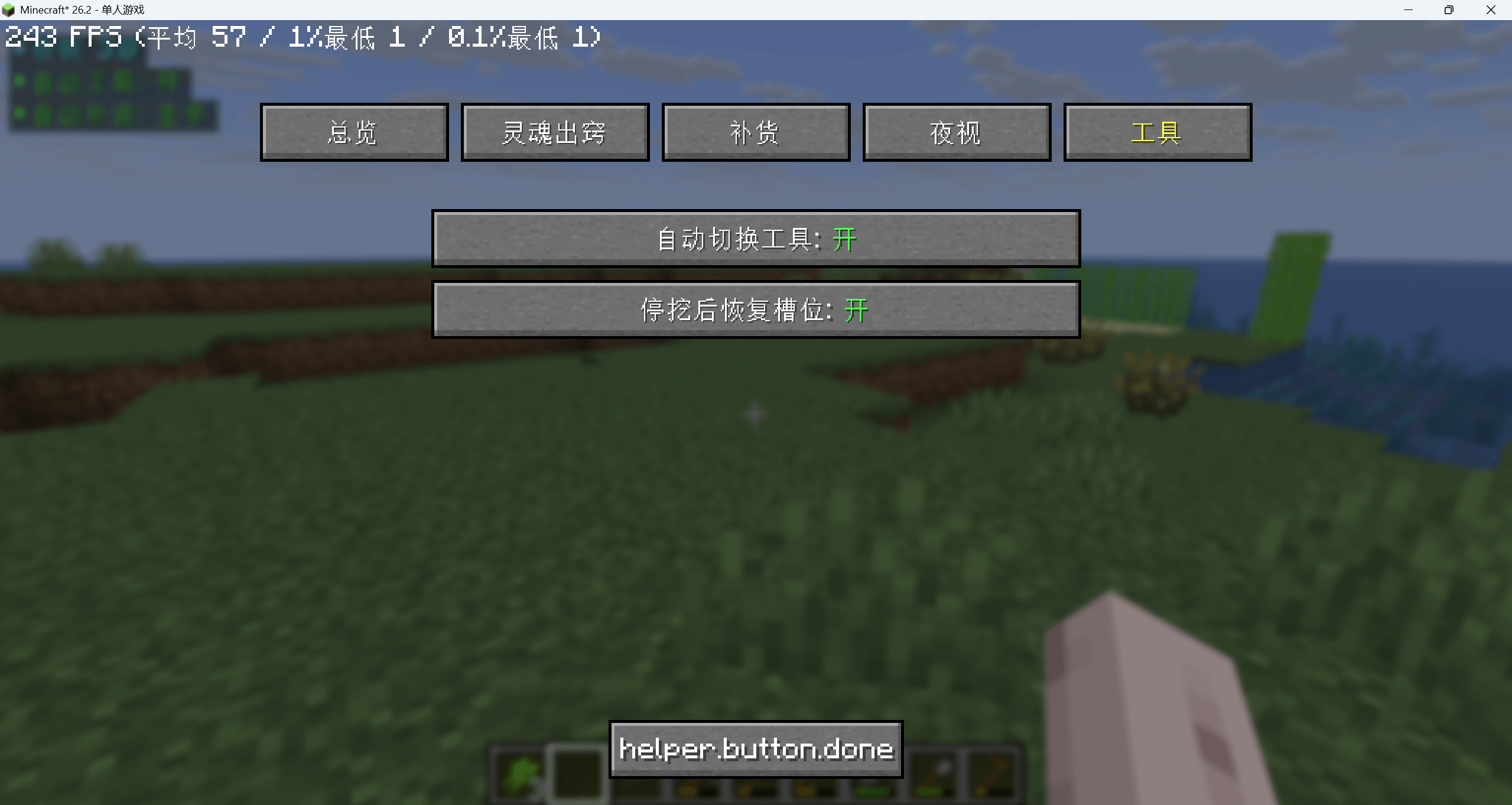
Free Helper (Fabric 1.26.2) is a client-side-only Minecraft mod with no custom packets and no server required, featuring camera soul-out, auto-refill, high-contrast night vision and auto-tool selection, all configurable via an in-game settings menu.
å±å¹æªå¾ 2026-09-29 011415.png
å±å¹æªå¾ 2026-09-29 011440.png
å±å¹æªå¾ 2026-09-29 011447.png
å±å¹æªå¾ 2026-09-29 011458.png
å±å¹æªå¾ 2026-09-29 011509.png
Description
Mod Feature Summary — Client‑Side Helper Mod (Minecraft 1.26.2 + Fabric)
Important Note: All features run purely locally on the client. No mod‑specific custom network packets are sent. Server‑side installation is not required. Works for single‑player and multiplayer servers.
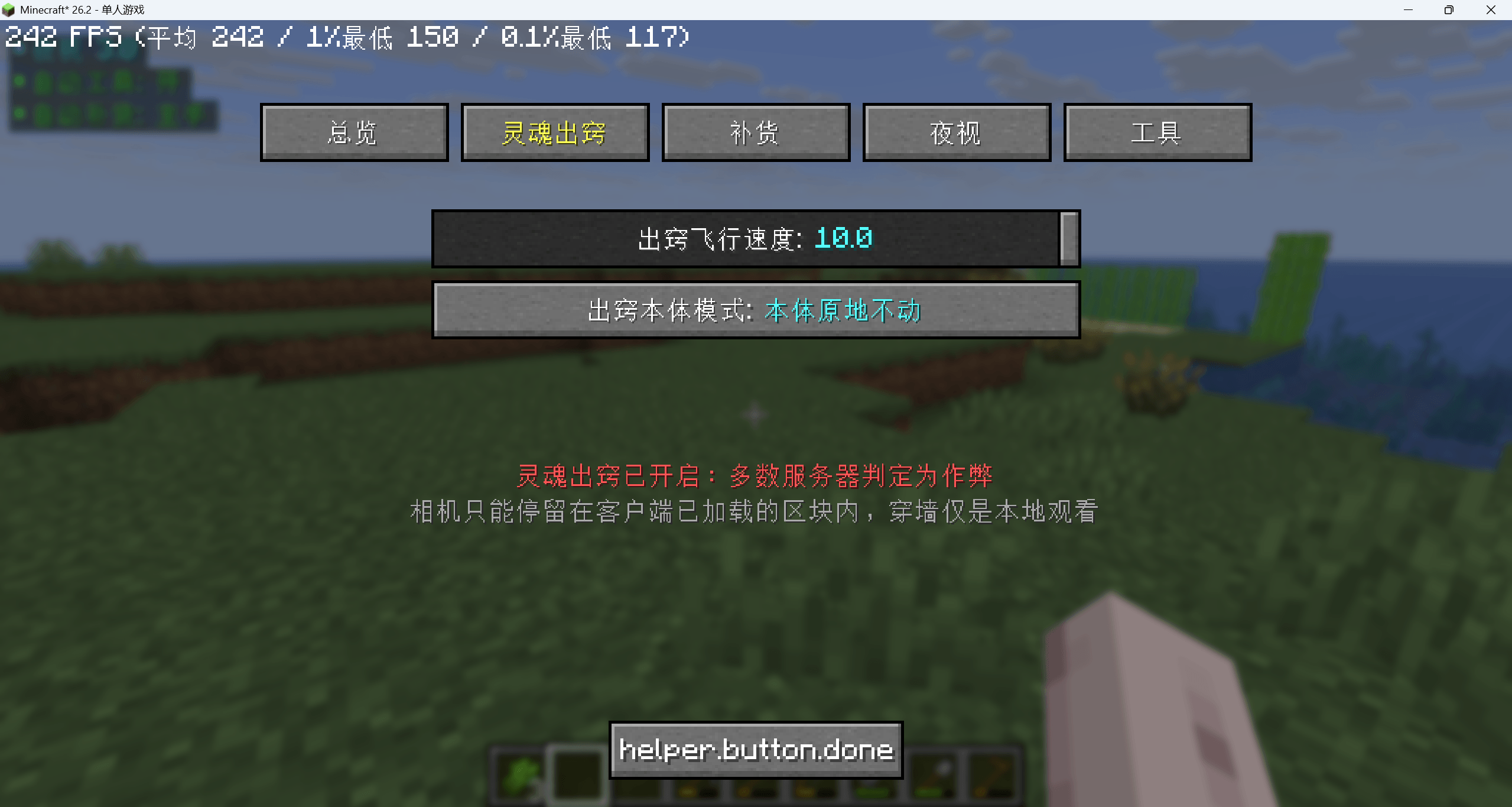
Spectator Projection (Toggle F4 / Switch Mode F6)
Detach camera from player body for free noclip flight. WASD to move, Space to ascend, Shift to descend, double‑tap sprint key for speed boost. Two modes available: player body stays stationary; player body rotates with camera view. The player body is locked to its exact position when projection activates every game tick — drift from inertia gliding, falling, mob knock‑back or water flow is fully neutralized. Upon exiting projection, you return precisely to your starting position (fix from previous revision). Left‑click / right‑click mining, attacking and block interactions are blocked while projected to prevent accidental actions. Smooth per‑frame interpolation eliminates choppy 20‑Hz movement. Smart culling automatically disables when underground to fix block flickering and missing geometry (new fix in r7). Activation is blocked with on‑screen warning when riding entities. Persistent red HUD indicator at screen top shows projection status and distance to your physical player body.
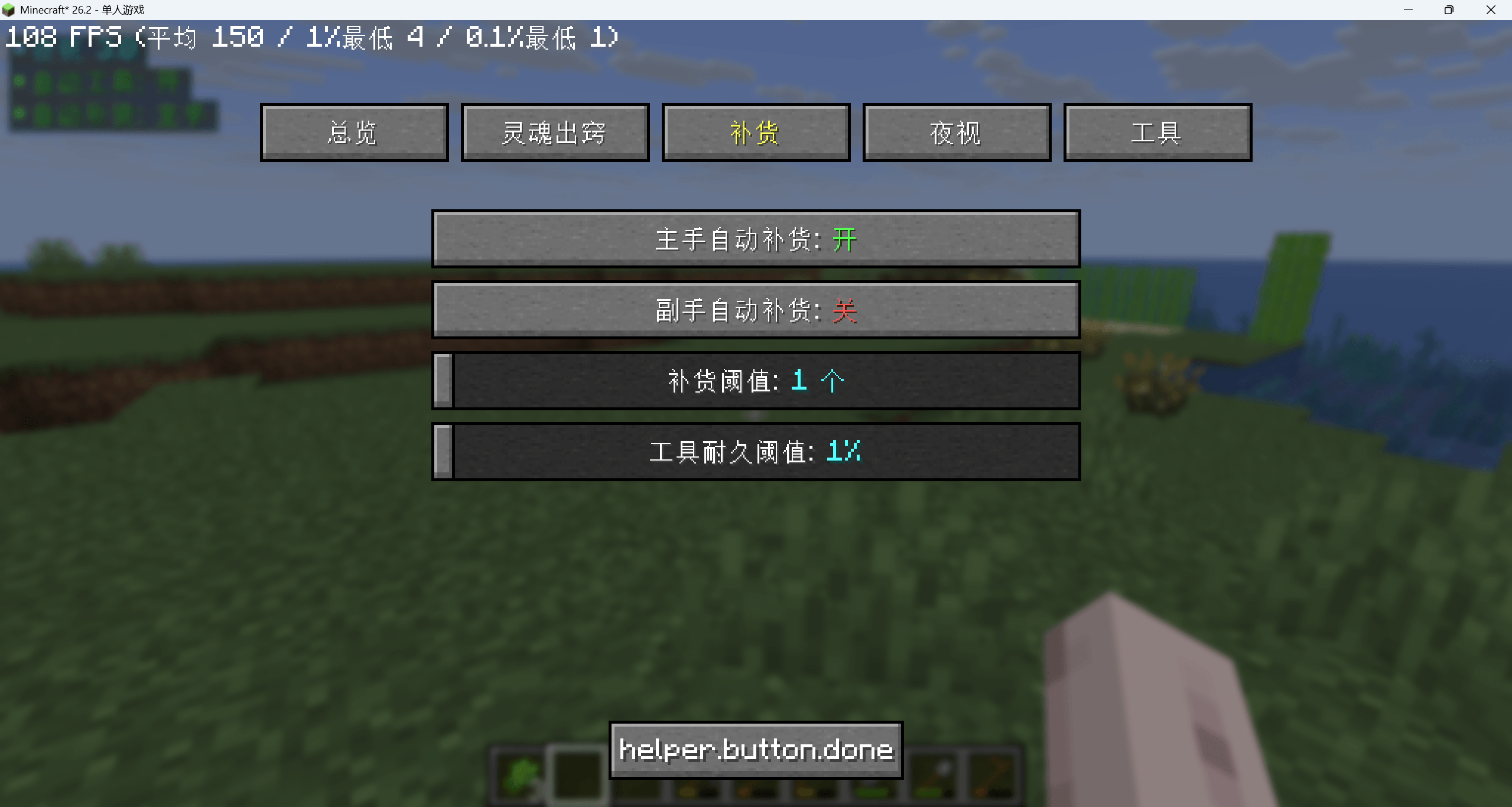
Auto Refill (F7 Main‑hand / F8 Off‑hand, independent toggles)
Automatically restocks identical items from inventory when main‑hand stack count drops below configurable threshold (1‑64, default 16). Swaps to undamaged matching tools from inventory when tool durability falls below set percentage (1‑99 %, default 20 %). Uses vanilla‑compliant inventory logic: shift‑click merging for stackable items; tool / off‑hand swaps split across three ticks to mimic human‑click timing. Takes no action while containers are open or items are held on‑cursor.
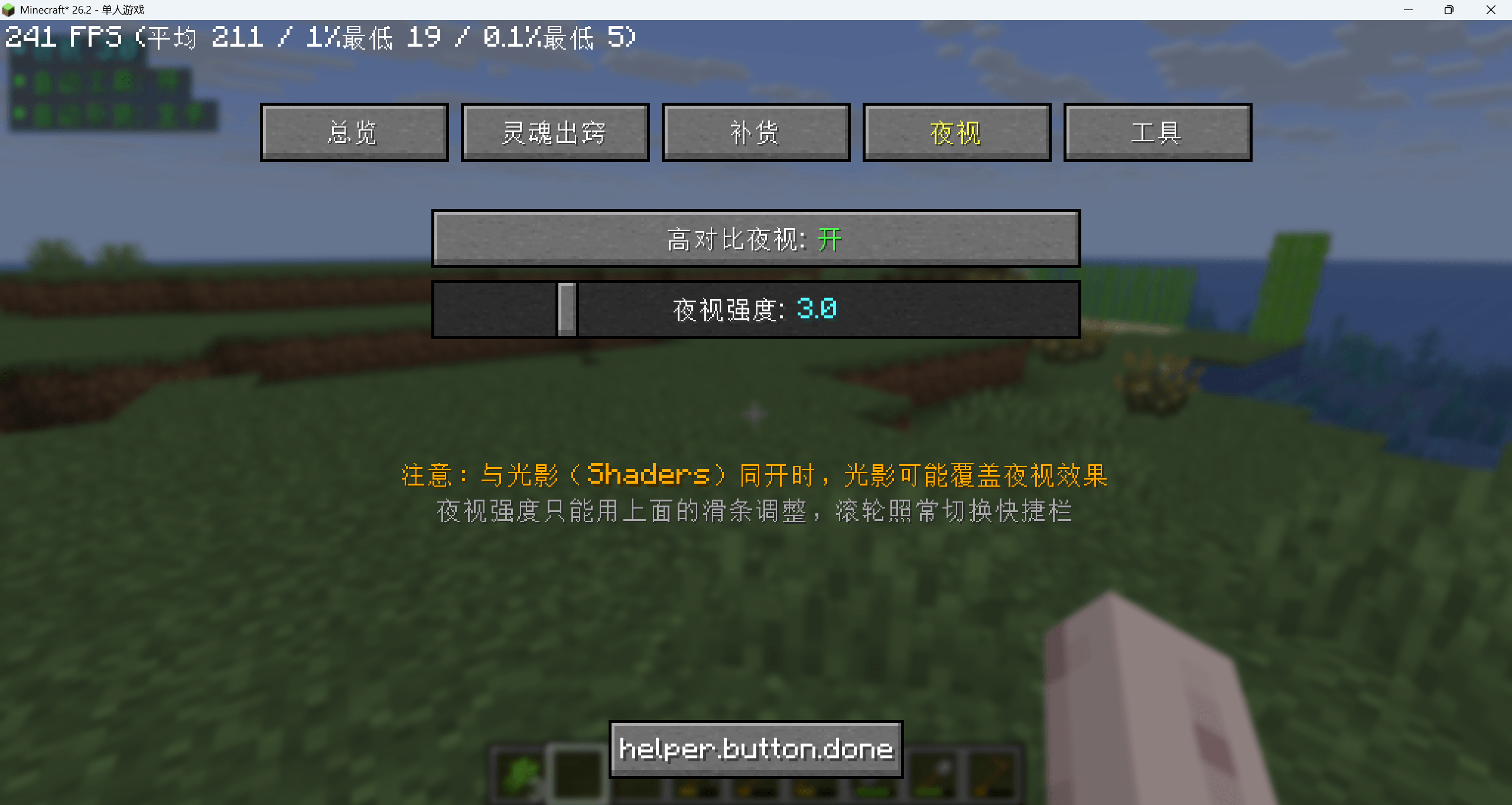
High‑Contrast Night Vision (Toggle F9)
Directly manipulates client‑side lightmap brightness curve (gamma range 0‑15), bypassing vanilla brightness limits. Mouse scroll wheel remains fully assigned to vanilla hotbar scrolling; night‑vision strength is adjusted only via setting‑menu slider. Does not modify options.txt and transmits zero network packets.
Auto Tool Select (Toggle F10)
While holding left‑click to mine, automatically picks the optimal fastest‑mining tool only within your hotbar (inventory slots untouched). Silent hotbar swap; no green highlight box. A subtle sound plays only on the very first switch. Swaps occur only when speed gain exceeds 15 % to prevent jittery rapid switching. Reverts to original hotbar slot on mouse release (toggleable in settings).
Settings Screen (F12)
Tweak all mod parameters here: refill count threshold, tool durability percentage, night‑vision intensity, projection flight speed, toggle sound‑effects, particles and HUD elements. Configuration persists across game restarts, stored in config/free‑helper.json.
Default Key Bindings (remappable under vanilla Settings → Controls)
| Key | Function |
|---|---|
| F4 | Toggle Spectator Projection |
| F6 | Switch Projection Mode |
| F7 / F8 | Auto‑Refill Main‑hand / Off‑hand |
| F9 | Toggle High‑Contrast Night Vision |
| F10 | Toggle Auto Tool Select |
| F12 | Open Mod Settings |
One‑sentence summary: Fabric client‑only helper mod adding detached free‑flight camera, inventory auto‑refill, enhanced night vision and smart hotbar tool switching, zero server‑side setup needed.