

UltraVein
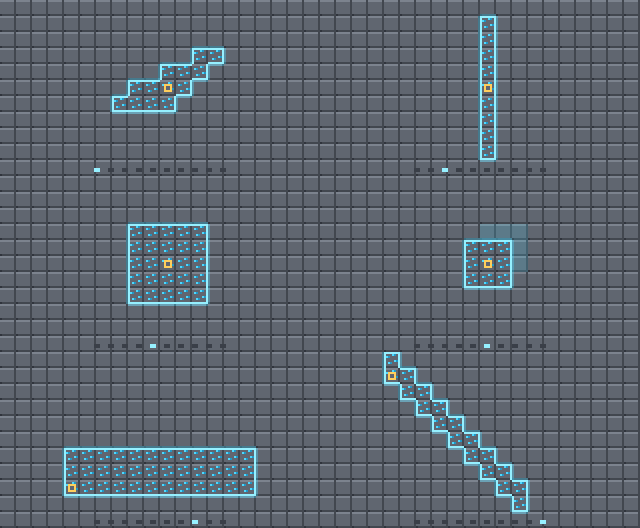
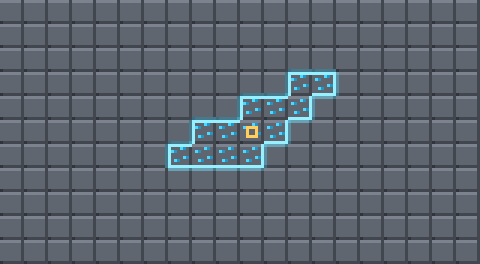
shapes.gif
column.png
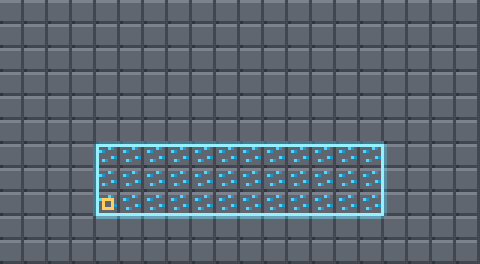
cube_3x3x3.png
layer.png
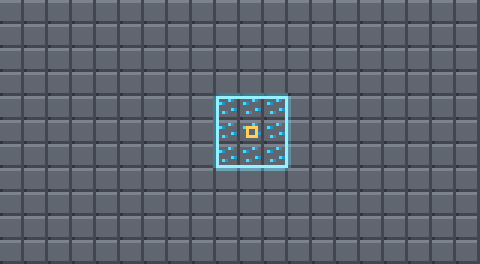
plane_3x3.png
Description
UltraVein
Hold a key. Break one block. The whole vein goes.
A universal vein miner for Minecraft 1.20.1 — veins, tunnels, patches and staircases, every one of them highlighted before you swing.





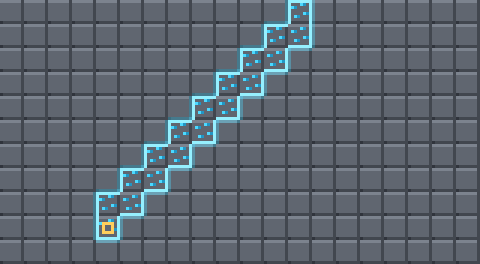
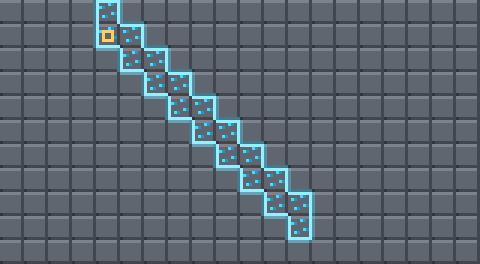
Every shape, exactly as the mod computes it. Yellow marks the block you are looking at.
Why another vein miner
Most vein miners break a vein and stop there. UltraVein gives you ten shapes on a scroll wheel, shows you the exact blocks before they break, and runs on Fabric, Forge and NeoForge from one codebase — no Architectury, no config library, nothing extra to install.
| Feature | What it means |
|---|---|
| See it first | The blocks light up while you hold the key. No guessing, no surprises. |
| Ten shapes | Vein, layer, column, patches, tunnels, staircases. Wheel to switch. |
| Resize live | Turn a 3×3 tunnel into 5×5 or 1×1 without opening a menu. |
| Honest durability | Forty blocks cost forty durability. Fortune and Silk Touch apply. |
| Plays nice | Claims and protections are respected. Optional on both sides. |
| Drop-in | One jar for Forge and NeoForge, one for Fabric. That is the whole install. |
Controls
| Input | What it does |
|---|---|
| Hold V | Arm UltraVein — the blocks that will break light up |
| V + Sneak + Wheel | Switch shape |
| V + Wheel | Grow or shrink the shape |
| Break a block | Everything highlighted goes with it |
V is the default and nothing in vanilla uses it. Rebind it like any other key under Options → Controls → UltraVein, along with two optional keys for stepping through shapes without the wheel.
While you are switching, the corner readout opens into the full shape list with the marker moving through it — the entries stay put, so you always see what is coming next.
The shapes
Every geometric shape follows the face you are looking at. Mine into a wall and the tunnel bores sideways; look down at the floor and it bores down. The yellow square is the block you hit.
Shapeless
The vein miner itself — every connected block of the same kind.
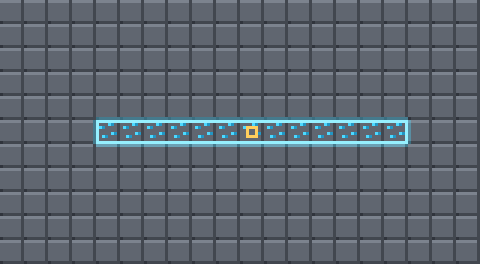
Layer
Matching blocks on this height only. Flattening floors.
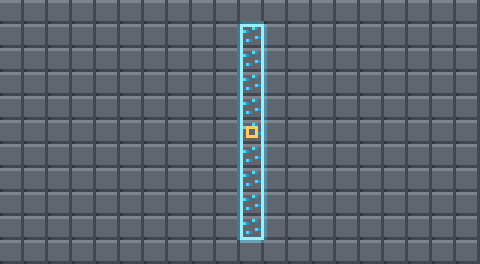
Column
Straight up and down. Clearing shafts.
3×3 Patch
A flat square lying against the face you hit.
5×5 Patch
The same, wider. Quarry walls in four swings.
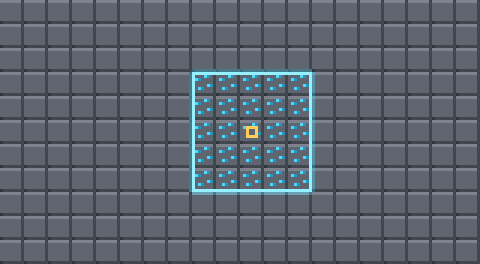
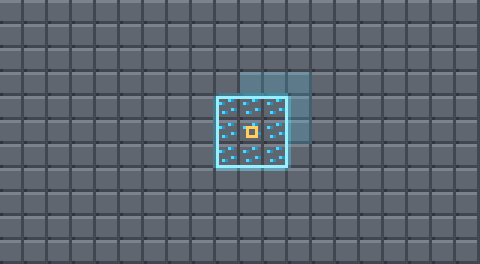
3×3×3 Cube
A cube around the block — the dimmed layer is the depth behind it.
Tunnel 1×1
A one-wide corridor straight ahead.
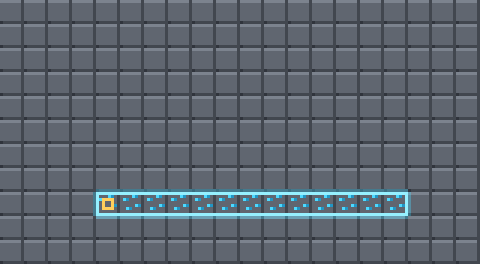
Tunnel 3×3
A walkable corridor. The block you hit is the floor.
Staircase Up
Two blocks tall per step, so you can actually walk it.
Staircase Down
The same, heading for the deepslate.
Why the tunnel sits on the floor
The block you look at is the floor of the tunnel, not its middle. Centring it makes the corridor drift: aim one row higher and the whole cross-section moves with you, half of it is already air, and the tunnel wanders off its line. The floor is an unambiguous thing to aim at. Set tunnelAnchor to center if you want it the other way.
What goes, what stays
By default even the geometric shapes only take matching blocks. A 1×1 tunnel through stone leaves ores standing, because they are not what you started on. Set geometryMatchMode to any to carve straight through everything instead.
"Matching" means the same block, plus variants worked out automatically: iron_ore and deepslate_iron_ore go together, and so do mod:zinc_ore and mod:deepslate_zinc_ore, and oak_log with oak_wood. That runs off a naming rule rather than a list, so it handles modded ores nobody told it about. Anything it misses goes in extraBlockGroups.
Durability is real
Every extra block is broken through the same vanilla call as a normal swing. That is deliberate: tool damage, Fortune, Silk Touch, drops, experience, statistics, food exhaustion and every protection mod's permission check apply exactly as they always do, instead of being reimplemented and getting them subtly wrong.
Forty blocks cost forty durability. preventToolBreak stops before your pickaxe snaps.
Installation
| Loader | Jar |
|---|---|
| Fabric | ultravein-fabric-1.20.1 + Fabric API |
| Forge 47.x | ultravein-forge-1.20.1 |
| NeoForge 20.1.x | ultravein-forge-1.20.1 — the same file |
On 1.20.1 NeoForge is still a drop-in replacement for Forge, so one jar covers both. UltraVein declares no dependency on either, only on Minecraft.
Install it on the server too. The mining happens server-side. A client-only install shows the highlight but breaks nothing — and it tells you so, in red, instead of silently doing nothing.
The mod is optional on both sides: a client with it can join a server without it, and the other way round. Nobody gets kicked.
Configuration
Two plain JSON files in config/, reloadable in-game with /ultravein reload.
ultravein-server.json decides what happens:
| Key | Default | Meaning |
|---|---|---|
maxBlocks |
64 | cap for the connected shapes — one stack of drops |
maxShapeBlocks |
256 | cap for the geometric shapes |
tunnel3x3Length |
10 | a 3×3×10 corridor, 90 blocks |
tunnel1x1Length |
16 | depth of the 1×1 tunnel |
staircaseLength |
16 | steps per staircase |
tunnelAnchor |
floor | or center |
veinMatchMode |
grouped | strict / grouped / any |
geometryMatchMode |
grouped | same, for the geometric shapes |
requireCorrectTool |
true | only break what your tool could harvest |
preventToolBreak |
true | stop before the tool snaps |
blockBlacklist |
[] | block ids never to touch |
disabledShapes |
[] | shapes the server forbids |
ultravein-client.json is looks and input only: HUD position, highlight colour, see-through highlighting, scroll behaviour.
In multiplayer the server's rules win and are pushed to every client on join, so the highlight always shows what will really happen.
Commands
/ultravein info— the rules currently in force/ultravein reload— reload the configs (permission level 2)
MIT licensed. Inspired by FTB Ultimine.
The UltraVein Team
