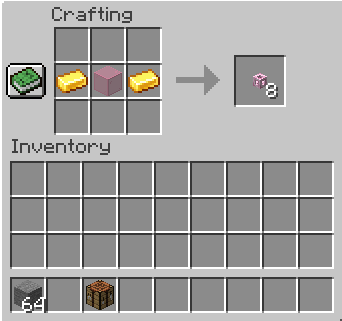
Crafting a tube with stained glass instead of regular glass gets you a set of tubes of the same color. Color tubes behave like standard tubes but will not connect to tubes of other colors (except for standard tubes).
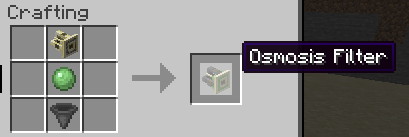
In addition to everything normal Filters do, Osmosis Filters will also automatically draw items from an inventory their input plate faces at the same rate as a hopper. Automatic item extracting respects the Filter's filter and can be disabled with redstone
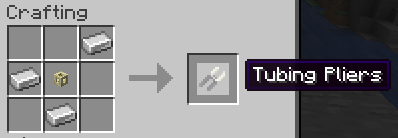
Tubing Pliers can connect two tube blocks together., forming a longer tube. For routing purposes, tubes connected in this way are considered to be one block apart.
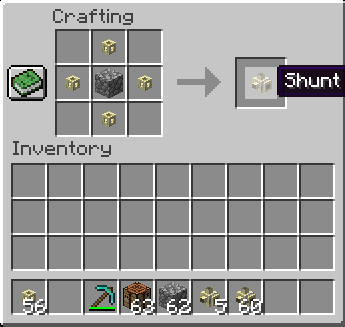
Shunts are an item-handling block that can accept any item and instantly shunt those items to their output side. Shunts do not count as tubes for tube-network-routing purposes. Shunts cannot shunt items into shunts.
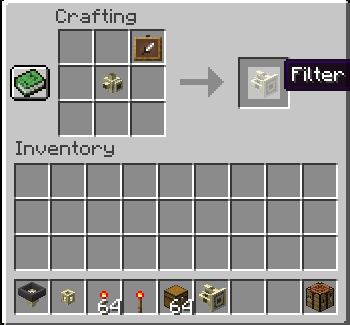
Filters work similarly to shunts, except that they can be set to only accept one kind of item. The filter slot can be filled by right-clicking the filter; the four side-faces allow access to the filter slot via item-handling blocks.
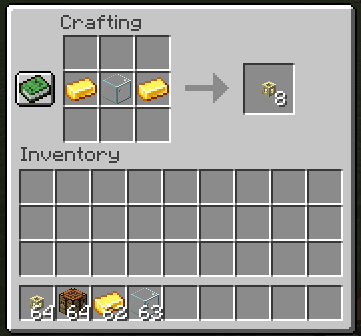
This is how you get tubes
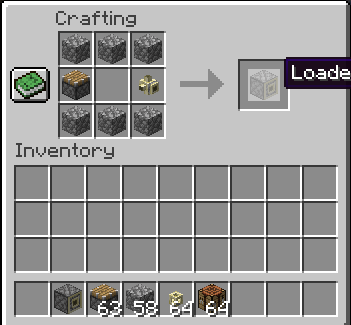
Right-click the Loader with an Itemstack to load the itemstack into whatever inventory block the Loader is facing (or to eject the stack if not facing anything). The Loader cannot accept items in any other manner.
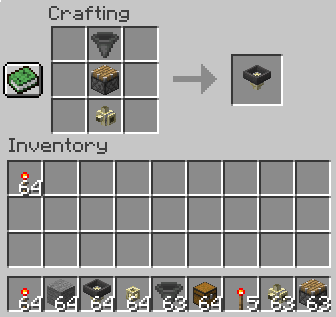
When the Extractor receives a redstone signal, it extracts an itemstack from an inventory block on the wide end and shunts it to the narrow end.
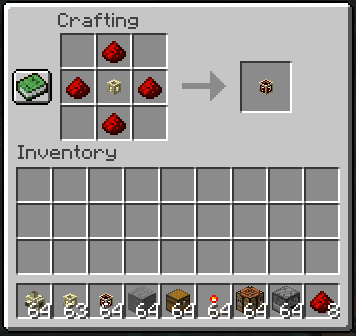
Redstone Tubes emit a full redstone signal while items are inside them and emit no signal while items aren't inside them
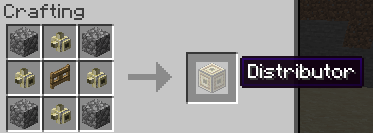
Items entering the face of a distributor will be ejected to neighboring item handlers sequentially. If there are no neighboring item-handling blocks, the item will be ejected from the opposite side of the Distributor.
Description
As of 1.21.3, all of Tubes Reloaded's content is now part of MORE RED:
https://www.curseforge.com/minecraft/mc-mods/more-red
Tubes Reloaded will no longer be maintained as a separate mod. Thanks for your years of enjoyment!
Too much stuff in one place? Not enough stuff in other place? Get your stuff from one place to the other with these handy tubes!
This mod description is relevant for minecraft 1.19+. Older versions may not be consistent with the descriptions and images below. You can find a permanent archive of the 1.16.x mod description here.
The 1.19.x versions of Tubes Reloaded requires the Use Item on Block Event mod as a dependency. In 1.20.1 and higher, Tubes Reloaded bundles this mod automatically via jar-in-jar and it is no longer required to be installed separately.
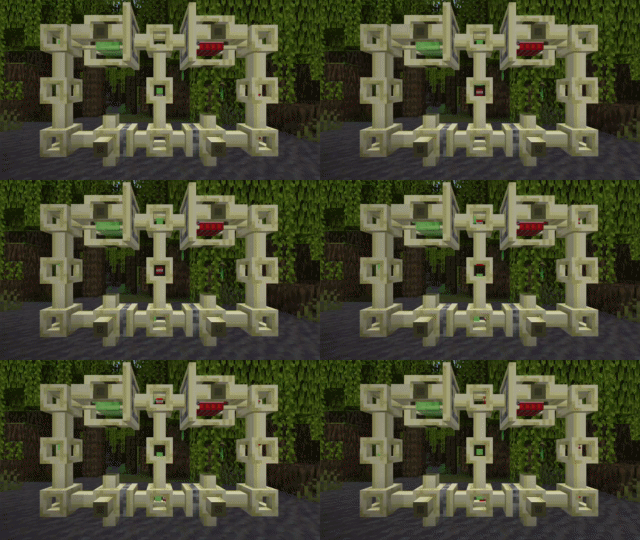
See Images link above for all recipes.
******* Transportation *******
Tubes
Items inserted into tube blocks (via hoppers, osmosis filters, etc) will be transported to the nearest valid inventory. Items cannot be inserted into tube blocks unless there is a valid endpoint connected to the tube network.

Tubing Pliers
The Tubing Pliers can remotely connect two tube blocks by right-clicking a tube block and then right-clicking another tube block. Tubes connected in this way are considered to be one block apart for routing purposes. Tubing pliers can also rotate shunts, loaders, filters, osmosis filters, and distributors.

******* Sorting and Filtering *******
Shunts
The Shunt can accept items on five sides and outputs items on the sixth (ejecting them into the world if there is no inventory block on its output side). The shunt cannot receive items via its output side, making it useful for directing the flow of items. Be wary that the shunt will ALWAYS accept items, even if it doesn't have any room to shunt the items to, and will eject items into the world if it is unable to shunt them.

Filters
The filter acts like a shunt with only one input side, and also has an internal inventory slot that can hold one item. When this item slot is occupied, only items of that type will be accepted through the filter. The four sides other than the output side allow access to the internal inventory slot; items must be deposited into the side opposite from the output side to send the item to the output side.

Distributors
Each face of a distributor acts as either an input face or an output face. Depositing an item into a distributor's face (via a tube, hopper, osmosis filter, etc) will send the item out of another face; which face the item is sent out of changes each time an item enters a distributor's face. Distributors will only distribute items to adjacent item-handling blocks; if there are no connected blocks able to accept an inserted item, a distributor will eject items into the world from the opposite face when an item is received.

Color Tubes
Color Tubes act like regular tubes, but will only connect to tubes of a matching color or to regular tubes.

******* Extraction *******
Loaders
The Loader allows items to be quickly extracted from a player inventory into a tube network, the world, or anything else. Activating the Loader brings up a GUI that the player can move or shift-click items into to instantly eject them from the loader's output side. If there are no item-handling blocks on the loader's output side that can accept the ejected items, the items will be injected into the world.

Osmosis Filters
Osmosis Filters are similar to Filters, but will automatically extract items from their input side at the same rate as a hopper.

Extractors
Extractors will extract a stack of items from an inventory on their input side and eject them from their output side when activated by redstone.

******* Other Utilities *******
Redstone Tubes
Redstone Tubes act like normal tubes, but emit a redstone signal while items are passing through them.

Structures
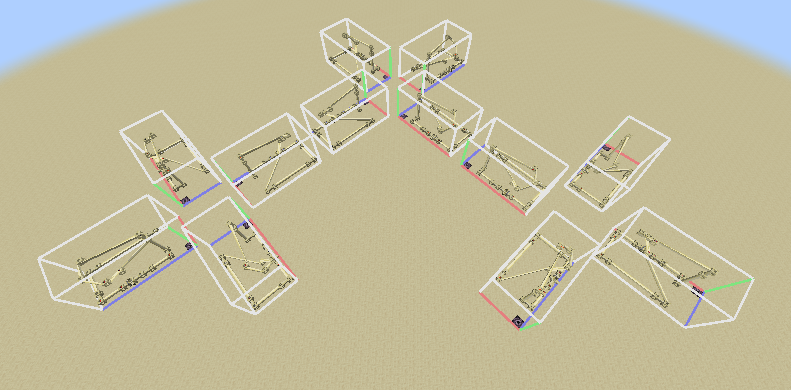
As of tubesreloaded-1.19-2.0.0.0, tubes fully support structure pieces and can be used in rotated and mirrored structure pieces (even when connected to tubes via tubing pliers).
******* Technical Information *******
Block Tags
The tubesreloaded:rotatable_by_pliers tag specifies which blocks the tubing pliers can rotate. Using tubing pliers on these blocks will cycle them through their blockstates.
Server Config
A server config is created in each save folder under <savefolder>/serverconfig/tubesreloaded-server.toml that defines the following configuration values:
soft_tube_cap- Soft cap on how many tubes can exist in a contiguous network of tubes. Items are transported slowlier in networks of greater size than this value, sigifying to the player that they have too many tubes. Defaults to 400
hard_tube_cap- Hard cap on how many tubes can exist in a contiguous network of tubes. If a player attempts to make a network of greater size from this value, not all tubes in the attempted network will become part of that network. Defaults to 500.
ticks_in_tube- Base time in ticks that a moving itemstack spends in each individual tube block. Adjusted by other factors. Defaults to 10.
max_items_in_tube- Max items that can fit in a single tube. A tube block will break if the number of itemstacks contained with them is greater than this value, dropping their items on the ground. Not capped by default.
osmosis_filter_transfer_rate- Osmosis filter automatic item transfer rate in ticks per item. The default value of 8 is the same as vanilla hoppers.
max_remote_tube_connection_range- Maximum range (in blocks) at which tubes can be remotely connected to each other. This also affects how many nearby chunks are checked for longtube intersections when placing a block. Defaults to 16.0 meters.
The Tubes Reloaded Team


Owner