Traveler's Journal
- By
Part of the Traveler's Series; provide a player with a book upon joining, with its content dynamically managed and continuously updated by the admin from a markdown file.
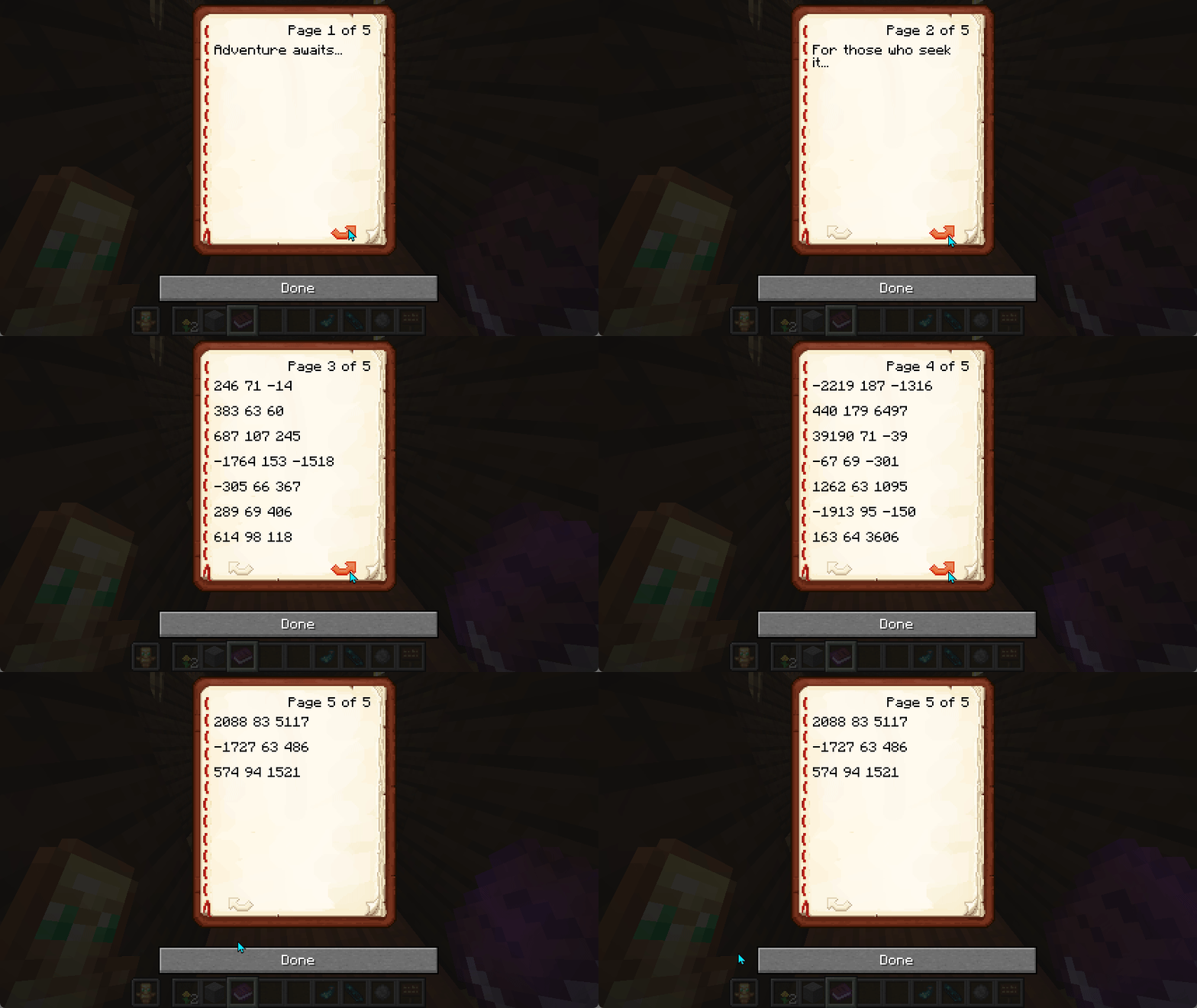
The journal contents are synchronized 1:1 with an admin controlled markdown file.

Description
Traveler's Journal
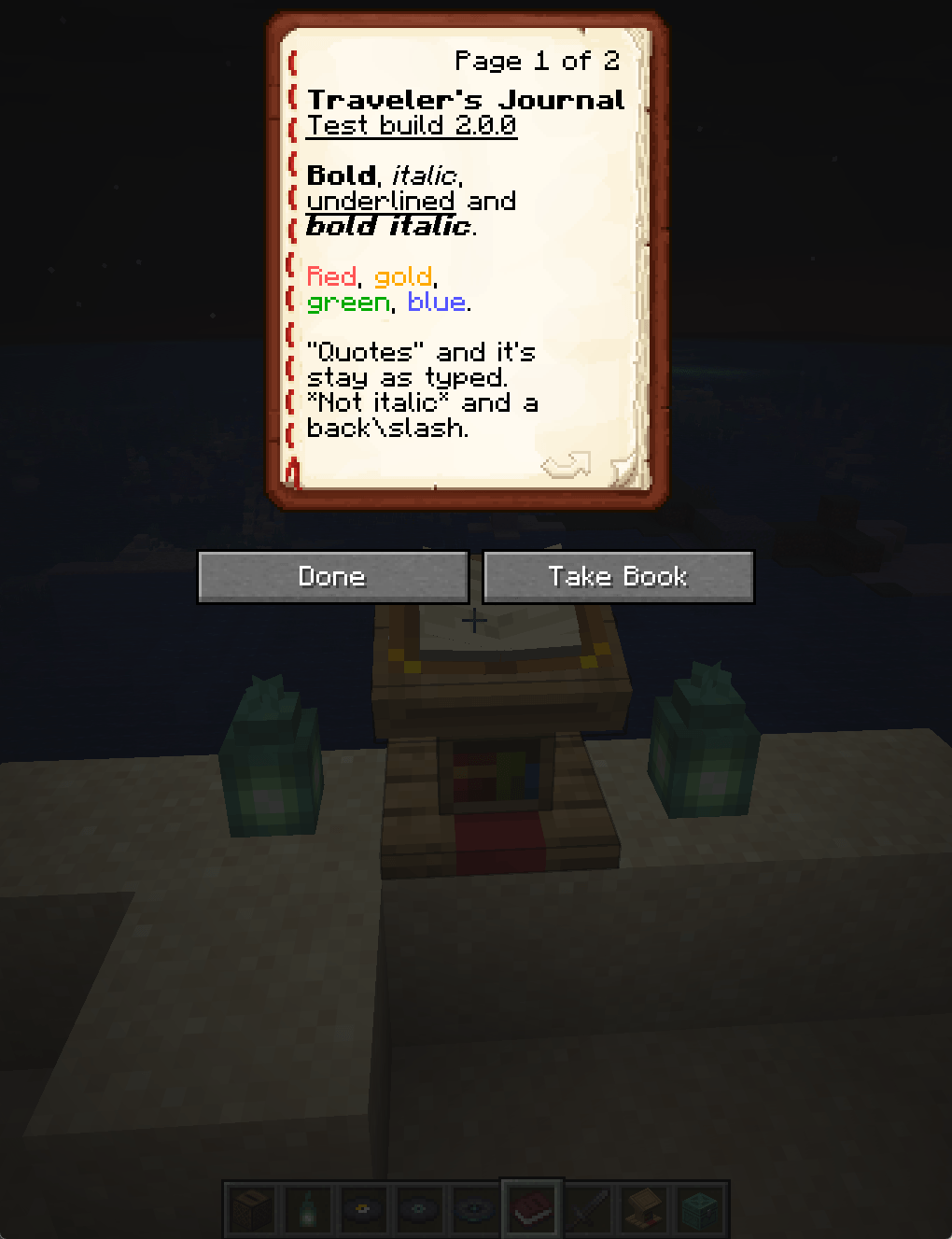
Traveler's Journal can give each new player a book when they first join, and the server admin decides what it says: welcome instructions, server rules, or the start of an adventure.
Features
- Every copy shows the latest text the next time it is used
- Several named journals, each given to new players on first join or only by command
- An in-game journal manager on Minecraft 1.21.6 and later, with a preview of each journal's pages
- On 1.20 to 1.21.5, journals written as files, with a step-by-step guide
- Server-side only: players need no client mod
One jar runs on Minecraft 1.20 to 1.20.4, 1.21 to 1.21.11 and 26.1 to 26.3. Fabric loads the build that matches your server, so a server that moves to another supported version keeps the same jar. It needs Fabric Loader 0.16.10 or newer and Fabric API. Minecraft 1.20.5 and 1.20.6 are not supported.
Upgrading from any earlier release keeps your settings, your text, your join list and the journals players already carry.
Configuration
Operators manage journals with the /journals commands and the files in config/travelers-journal/. The commands also work from the server console, and /journals is a shorter name for /travelers_journal. Operators need level 2 unless operator_level in config.txt says otherwise.
/journals: on 1.21.6 and later, opens the journal manager in game. Elsewhere, lists these commands./journals list: shows every journal, and whether it goes to new players./journals give <players> [journal]: gives each player a journal,defaultunless one is named. A player with a full inventory finds it at their feet./journals create <id>: adds a journal injournals/<id>/. The id is a short name such asrules: the commands use it to name the journal, and it is the folder's name. Ids use lower-case letters, digits and-, up to 32 characters. The book's title is set separately./journals delete <journal>: moves a journal's folder tobackups/journals/<id>/. Copies players already carry stay as signed books.defaultcannot be deleted./journals edit [journal]: on 1.21.6 and later, opens the journal in the editor. Elsewhere, names its text and settings files./journals reload: reads every journal's files again. Each copy shows the new text the next time it is used.
Typed without what it needs, create, give or delete shows its usage with an example.
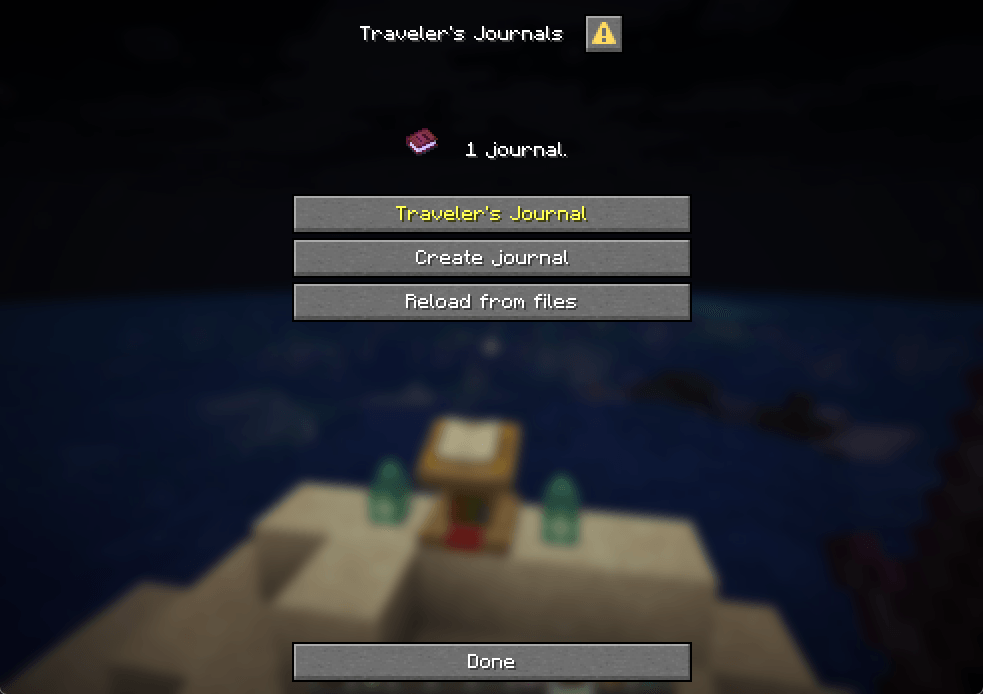
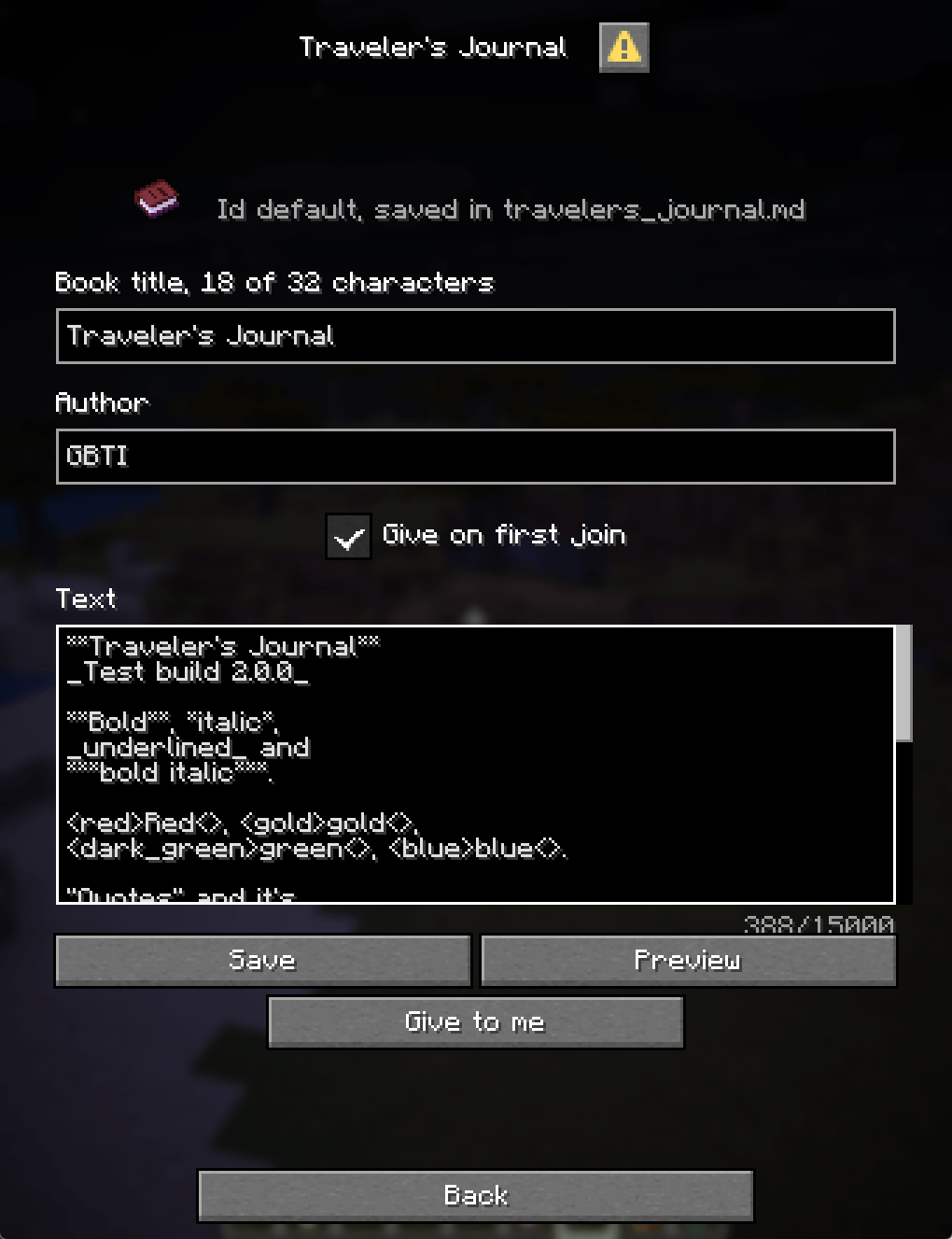
On 1.21.6 and later, /journals opens the manager, built from Minecraft's own dialog screens, so players need no client mod. Its hub lists every journal by title, plus Create journal and Reload from files. A journal's editor holds the book title (up to 32 characters), the author, a "Give on first join" switch and the text in one box, in the same markup as the files. Save writes the files and keeps the previous text as a .bak file beside them. Give to me puts a copy in your inventory, and Delete journal asks first, then moves the journal's folder to a backup. The server checks every button press again, so only operators at the configured level can change anything.
Basic Settings (config.txt)
title=Traveler's Journal
author=Server
give_on_join=true
operator_level=2
debug_logging=false
legacy_titles=Traveller's Journal,Travelers Journaltitle, author and give_on_join belong to the default journal. operator_level (0 to 4) sets who may use the commands and the manager, and /journals reload applies a change.
Journal Content
Every server starts with the default journal. Its text is config/travelers-journal/travelers_journal.md, and its title, author and give_on_join are in config.txt.
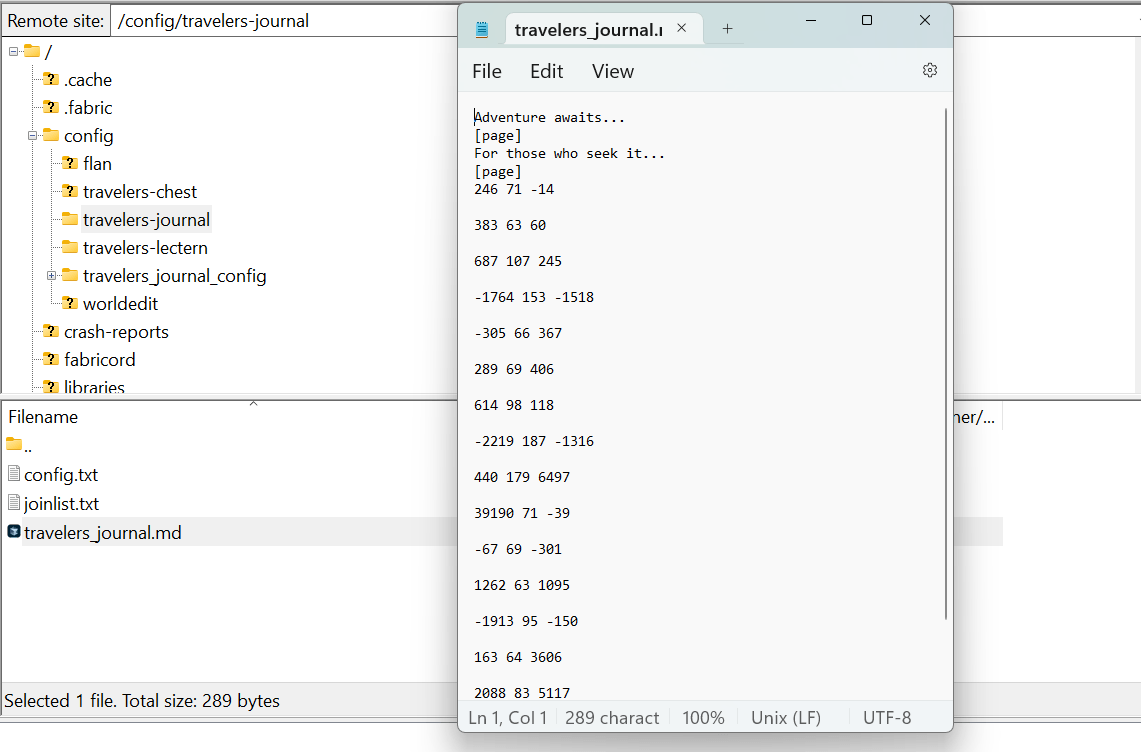
On 1.20 to 1.21.5, where there is no in-game manager, add a journal by file:
- Run
/journals create rules. It makesconfig/travelers-journal/journals/rules/. - Write the text in
journal.md, and the title, author andgive_on_joininjournal.txt. - Run
/journals reload, then/journals give @s rulesto read your copy.
The full guide is in the README. On 1.21.6 and later, /journals opens the manager, which creates and edits journals in game.
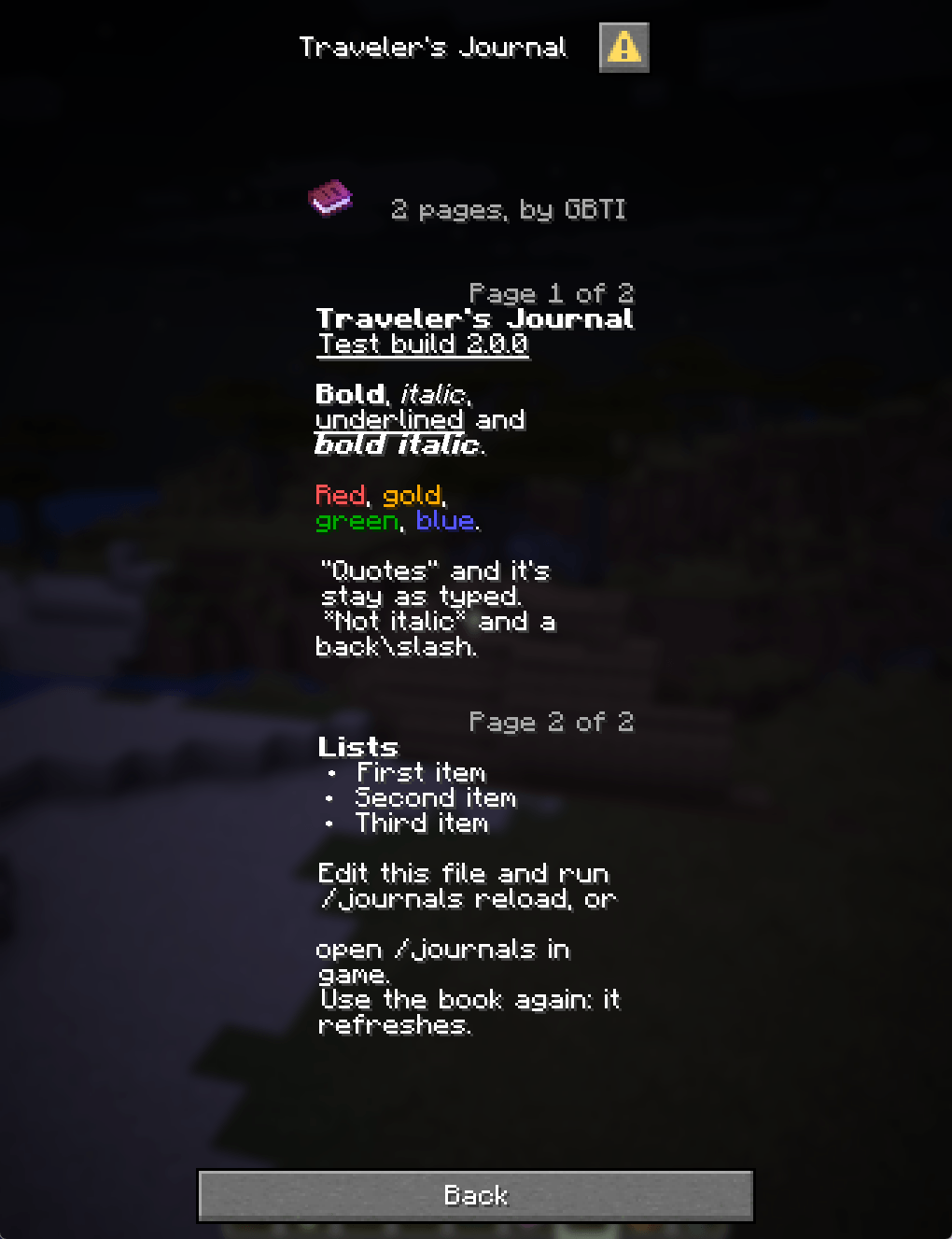
The text supports:
- Bold
**text**, italic*text*and underline_text_ - Headings: a line starting with
#shows as typed, so make a heading bold, such as**Rules** - Colors:
<color>text<>, where the color isblack,dark_blue,dark_green,dark_aqua,dark_red,dark_purple,gold,gray,dark_gray,blue,green,aqua,red,light_purple,yelloworwhite - Page breaks:
[page]starts a new page, and a page also ends when it fills the book's 14 lines
Preview Your Journal
On Minecraft 1.21.6 and later, type /journals, pick a journal from the list and press Preview in its editor. It shows the pages as players will read them, without saving.
Before 1.21.6 there is no preview. Run /journals give @s <journal> and read your own copy to see where the pages break.
Support
Join the GBTI Network!
The GBTI Network is a membership community:
- Exclusive development tools and resources
- Private repositories and code libraries
- Discord community for collaboration
- Member directory listing to showcase your work
- Co-op opportunities and project partnerships
- Early access to new features and tools
Support our work by becoming a GBTI Network member.
Other ways to Support:
- Star us on GitHub
- Report issues on our Issue Tracker
- Contribute through Pull Requests
Links
AI disclosure
Traveler's Journal is developed by the GBTI Network, a team with over 20 years of combined experience in product and application development.
We use modern AI coding tools (Claude Code, Codex, and OpenClaw) as assistants in our workflow.
License
This project is licensed under the GNU General Public License v3.0
Traveler's Journal Team