Top Down View
- By
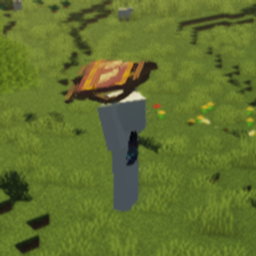
Play Minecraft from an isometric perspective inspired by ARPGs like Path of Exile or Diablo.
Top Down View lets you play Minecraft from a top-down perspective inspired by action RPGs like Path of Exile and Diablo. Experience combat and exploration from a completely new angle.
Dependencies: Embeddium
Controls
- Toggle View: F4
- Rotate Camera: R (direction depends on cursor position)
- Left side ← Counter-clockwise
- Right side → Clockwise
- Bottom ↺ 180° flip
- Zoom: Left Alt + scroll wheel
- Free Camera Mode: Bind a key in settings, hold it to rotate the camera freely, and double-click to reset the angle.
Compatibility Notes
- Shaders: The fade feature is incompatible with most major shaders. Please disable the fade feature when using them together. (Note: Fade appears to work with MakeUp - Ultra Fast | Shaders / Karma Shader Cartoon Style.)
- Entity Culling: Causes entities and block entities to vanish.
- Sound Physics Remastered: Due to the detached camera, Sound Physics Remastered calculates audio occlusion and reverb from the wrong position. This can be resolved by using an alternative like Sound Physics Perfected, which calculates from the player's position instead of the camera.
- Epic Fight: Set
camera_mode = "ALWAYS_BACK"inconfig/epicfight-client.tomlto prevent camera conflicts. - Flerovium: Sounds become inaudible when zooming out due to its distant sound culling feature
- Vanillin
Recommended Mods for Better Experience
- Passable Foliage / Traversable Leaves: Allows you to walk through leaf blocks.
- Countered's Terrain Slabs / slab topographic: Places slabs to flatten the terrain.
Requirements
- Minecraft 1.20.1
- Forge 47.4.10+
- Embeddium
The Top Down View Team


Owner