Tiny FPS Counter
- By
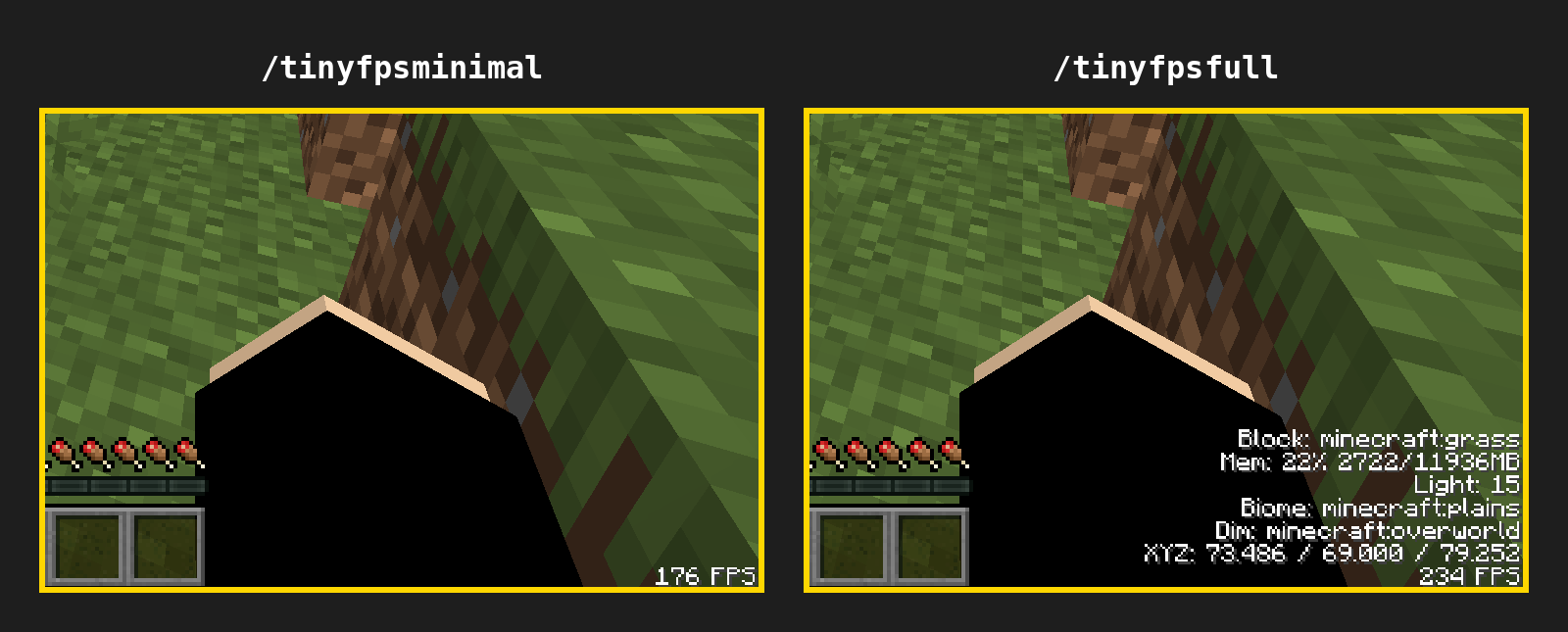
Display FPS, Block, Entity, Memory, Light, Biome, Dimension, Coordinates all in the bottom right corder in smaller text
tinyfps_comparison.png
Play Modded Minecraft with Friends!
Create a server, get 25% off your first month

Description
Tiny FPS Counter displays your system's FPS in a small size counter in the lower right corner of your screen (to make room for minimaps and effect hud items on the top corners). The stats text is reduced to 65%.
(Your vanilla experience will be further improved thanks to the following features)
By default it only shows the FPS counter, but you can enable additional stats such as:
- Entity ID
- Block ID
- Memory (RAM)
- Light
- Biome
- Dimension
- Coordinates
- FPS
You can use the following commands to enable and disable stats
/tinyfpsoff - Turns off the FPS counter
/tinyfpsfull - Displays all debug stats
/tinyfpsminimal - Only shows the fps counter (default setting)
Tiny FPS Counter Team

Owner