


Studio YouTuber
- By
The ultimate in-game studio suite for YouTubers: customizable posed actors, skins, chroma screen blocks, studio lights, cinematic camera paths & timelapses.
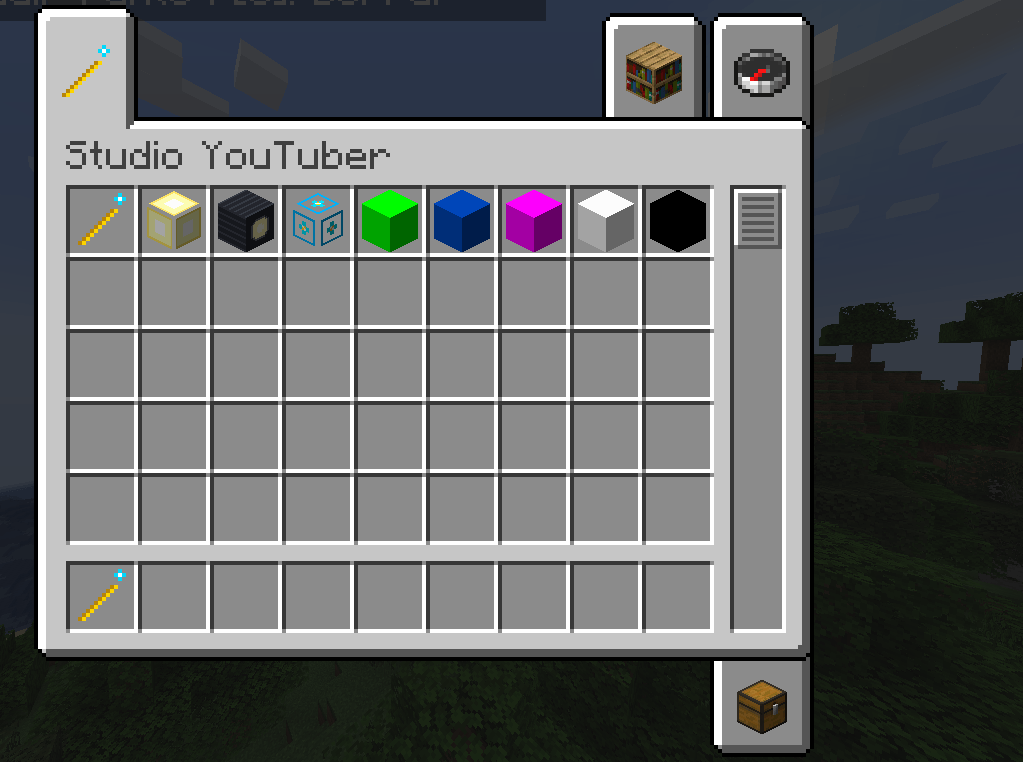
imagen_2026-10-31_110603647.png
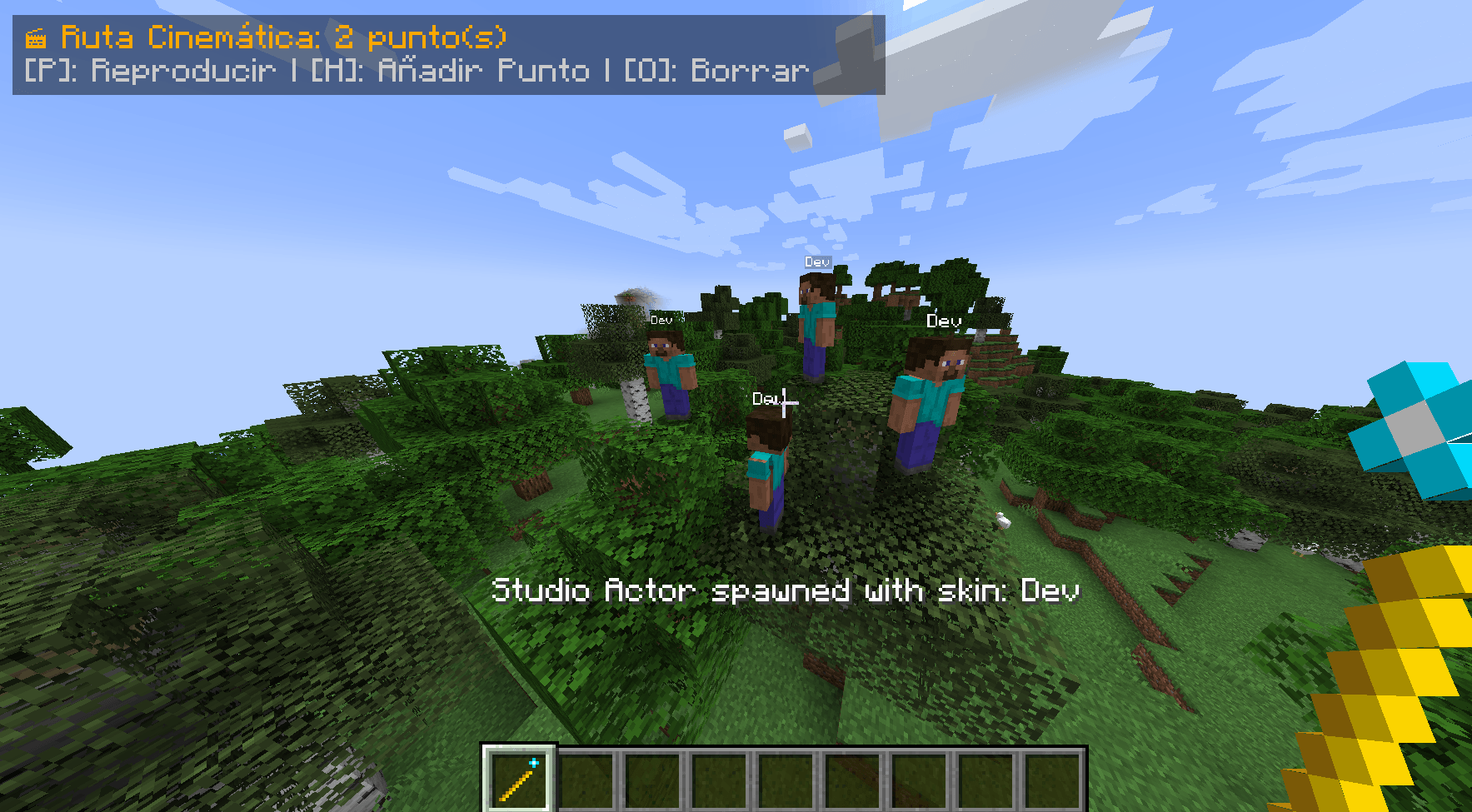
imagen_2026-10-31_111117570.png
Description
🎬 Studio YouTuber - The Ultimate Content Creator & Thumbnail Suite!
Studio YouTuber is the all-in-one studio suite for Minecraft YouTubers, thumbnail designers, streamers, and video editors. Say goodbye to cluttering your game with five different broken or incompatible mods. With Studio YouTuber, you have a complete photography studio, green screen set, posing dummy editor, cinematic camera rig, and timelapse recorder integrated right inside Minecraft!
✨ Key Features
🧍 1. Studio Actors & Mannequins (Dummies)
- Spawn in 1-Click: Shift + Right-Click the ground with the Studio Wand to spawn an actor facing you.
- Instant Dynamic Skins: Enter any Minecraft username in the editor to download and apply their official skin (supports both Steve Classic and Alex Slim arms).
- 3D Visual Pose Editor: Right-click the dummy with the Studio Wand to open an interactive GUI with 3D live preview and millimeter precision sliders for all limbs (Head, Torso, Arms, Legs in X, Y, and Z axes).
- Equipment Support: Give your actors weapons, armor, shields, heads, or elytras simply by right-clicking them.
📁 2. Pose Library & Clipboard Sharing
- Save your favorite poses to
.minecraft/studio_poses/with one click. - Share via Discord: Click Copy to export your pose as a compact text code (
STUDIO_POSE:<base64>) and paste it anywhere. - Built-in presets: Epic Sword Slash, Thumbnail Surprise, Bow Aiming, Triumphant Victory, Sword on Shoulder, etc.
👀 3. Look-At Camera & 2D Facial Expressions
- Look-At Camera: One toggle makes the actor's head dynamically track you or your camera, perfect for reaction thumbnails.
- Expressive Emotes: Overlay comic 2D facial expressions over any skin (Angry, Surprise, Anime Sweat Drop, Heart Eyes, Crying Tears, Wink).
🟩 4. Chroma Key Screen Blocks & Studio Lighting
- Flat Unlit Chroma Blocks: Green Screen, Blue Screen, Magenta, Pure White, and Pure Black blocks that emit light level 15 with zero shadows and zero ambient occlusion for effortless background removal in Photoshop or Premiere.
- Invisible Studio Lights: Invisible light sources (levels 1-15) to eliminate ugly shadows from characters' faces.
- Directional Studio Spotlight: Rotatable spotlight lantern with high-intensity directional lighting and on/off toggle.
✨ 5. Thumbnail Glow Outlines & Frozen Particles
- Thumbnail Glow Outline: Classic MrBeast-style glowing silhouette in 6 vibrant colors (White, Yellow, Red, Cyan, Green, Pink).
- Frozen Particle Emitter: Invisible block that freezes particles mid-air (critical hit sparks, paused explosion, gun smoke, hearts, flames).
📐 6. Entity Scale Control (Giants & Minis)
- Dynamically scale any actor from miniature (0.25x) to giant (10.0x) with matching hitboxes.
🎥 7. Cinematic Camera Paths (Intros & B-Rolls)
- Set 2 or more camera keyframes in 3D space (
[H]or/studio path add) and let the smooth Catmull-Rom spline fly your camera at constant speed ([P]or/studio path play <seconds>). - Zero external camera dependencies needed!
👻 8. Ghost Double Motion Loop
- Record your own movement for up to 60 seconds (
/studio record <seconds>) and assign it to an actor in an infinite loop (/studio record apply) for lively background scenes.
⏳ 9. Timelapse System & Tripod Anchor
- Tripod View: Drop a stationary camera anywhere (
Shift+Vor/studio timelapse anchor) and seamlessly toggle between your player and the tripod perspective ([V]). - Non-Blocking PNG Capture: Asynchronously capture high-res PNG sequences at configurable intervals (
[B]or/studio timelapse start <interval>). - Sun Cycle Fast-Forward: Speed up the daylight cycle from 1x to 100x (
/studio timelapse speed <multiplier>) for breathtaking sunsets, cloud movements, and shadows. - Instant Clone: Spawn an exact twin of yourself with your current armor and gear (
/studio clone).
⌨️ Default Keybindings
All keys are fully customizable in Options -> Controls -> Key Binds -> Studio YouTuber:
| Key | Action |
|---|---|
| J / L | Tilt Camera Left / Right (Dutch Angle) |
| K | Reset Camera Tilt (0°) |
| Z / U | Dynamic Zoom In / Out |
| R | Reset Camera Zoom (1.0x) |
| H | Add Camera Keyframe |
| P | Play / Stop Cinematic Path |
| O | Clear Camera Path |
| Shift + V | Set Tripod Anchor at Current View |
| V | Toggle Perspective: Player <-> Tripod |
| B | Start / Stop Timelapse Capture |
💻 Commands Summary
All commands require level 2 permission (OP / Cheats enabled):
/studio help                                           - Show commands help guide
/studio freeze                                         - Freeze / unfreeze all entities in the world
/studio time <day|noon|sunset|night>                   - Set time & freeze solar cycle
/studio weather <clear|rain|thunder>                   - Set weather & freeze weather cycle
/studio reset                                          - Restore normal time & physics cycles
/studio path <add|play [seconds]|stop|clear|list>      - Cinematic camera spline path
/studio record [seconds] / stop / apply / clear        - Record steps & assign loop to dummy
/studio timelapse <anchor|view|start [sec] [name]|stop|speed [1-100]|folder> - Timelapse tools
/studio clone                                          - Spawn identical clone of yourself
🌐 Dedicated Server & Multiplayer Ready
- 100% Dedicated Server Compatible: Fully separated client-server networking (zero
NoClassDefFoundError). - Multiplayer Synchronized: Sunlight multiplier, dummy poses, and animations sync across all connected players.
📦 Requirements & Installation
- Install Minecraft Forge 1.20.1 (recommended
47.4.28or newer). - Download
studioyoutuber-1.0.0.jar. - Drop the JAR file into your
.minecraft/modsfolder. - Launch the game and create amazing content!
Modpack Usage: You are free to include this mod in any public or private modpack!
Studio YouTuber Team


