# 🎃 Spooky GUI — A Halloween Makeover for Minecraft
> *The moon is full, the candles are lit… and your inventory will never look the same again.* 🌕🕯️
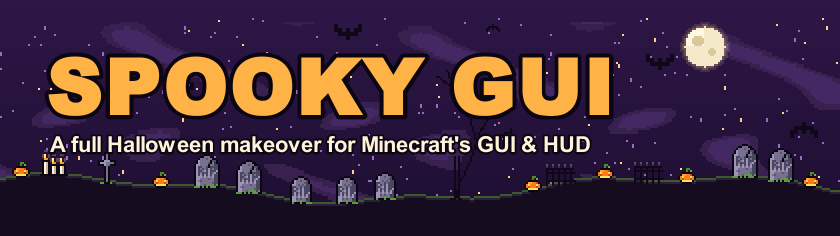
**Spooky GUI** completely redesigns Minecraft's interface and HUD for Halloween. This is **not** a simple recolour: every container screen is **redrawn from scratch** as a tiny moonlit graveyard, with ornate pumpkin frames, rounded slots, divided sections and hand-placed decorations that change from screen to screen.
It is **100% client-side** — install it and join any server or world. 🧛
---
## ✨ Highlights
### 🪦 Every container is a graveyard
- 🖼️ **Ornate pumpkin frames** with gilded corner brackets and candle-coloured studs
- 🔗 **Segmented panels** — the inventory and hotbar sections are linked by notched dividers instead of plain grey boxes
- 🌌 **Night-sky backgrounds** with swirling violet fog and twinkling stars, plus a *witch's lattice* behind your inventory
- 🟪 **Rounded, inset slots** — and **glowing pumpkin rings** around every result slot
- 🪦 **A unique scene on every screen**: RIP tombstones, stone crosses, gnarled dead trees, wrought-iron fences, jack-o'-lanterns, dripping candles, skulls, a full moon, flying bats, a bat hanging from the frame and a spider dangling on its thread 🕷️
- ⚰️ **Your player stands inside a coffin** in the inventory (and in the creative inventory tab!)
- 🕸️ Cobwebs in the corners of every container
- 🔤 Titles and labels are written in **warm candle light**, so they stay readable on the dark panels
Works on the inventory, chests (single & double), furnaces, blast furnaces, smokers, crafting tables, the crafter, anvils, brewing stands, enchanting tables, stonecutters, looms, grindstones, cartography tables, smithing tables, hoppers, dispensers, droppers, shulker boxes, villagers, beacons, horses and the **creative inventory with all its tabs**.
### ❤️ A brand-new HUD
| Vanilla | Spooky GUI |
|---|---|
| ❤️ Hearts | 🎃 **Jack-o'-lantern hearts** — hardcore hearts get a carved face! Poison turns them toxic green 🧪, wither turns them to ash, freezing turns them to ice ❄️ and absorption turns them to golden candy |
| 🍗 Hunger | 🍬 **Wrapped candies** (they go sour and green when you have Hunger) |
| 🛡️ Armour | 💀 **Little skulls** |
| 🫧 Air bubbles | 👻 **Ghosts** that fade away as they pop |
| ⬜ Hotbar | 🟪 A dark velvet hotbar with an orange frame, candle studs and a **pumpkin-stem selector** |
| 🟩 XP bar | 🔥 A **glowing ember bar** with sparks |
### 🕰️ Pumpkin clock
A small HUD widget shows the **time of day** and counts your **nights** survived. At night the jack-o'-lantern **lights up and flickers like a candle**, and at the **witching hour** (00:00) the clock turns **blood red**. 🩸
A soft **violet mist** creeps in from the edges of the screen after dark.
### 🌕 Haunted menus
- 🎃 **Halloween loading screen** — the red Mojang Studios screen is replaced by a midnight sky with a full moon, flying bats, a glowing jack-o'-lantern, *HAPPY HALLOWEEN* in pixel letters, a graveyard on the horizon and an **ember progress bar with a dancing candle flame** 🕯️ (at startup and on every resource reload)
- 🦇 Title screen at **night**: the panorama turns violet with a pumpkin glow on the horizon, a **full moon** rises and **bats fly across the logo**
- 🟧 Orange **MINECRAFT** logo
- 🟪 Velvet buttons with pumpkin trim, chamfered corners and candle rivets
- 🗨️ Tooltips framed in pumpkin orange with **gold diamond studs**
- ☑️ New checkboxes, sliders, tabs, text fields and scroll bars
- 💬 **Halloween splash texts** — *"Trick or treat!"*, *"Spooky scary skeletons!"*, *"¡Truco o trato!"* and many more
---
## ⚙️ Configuration
Everything that is drawn by code can be switched off in `config/spookygui-client.toml`:
| Option | Default | What it does |
|---|---|---|
| `midnightClock` | ✅ | Pumpkin clock in the top-left corner |
| `nightVignette` | ✅ | Violet mist at the screen edges at night |
| `titleEffects` | ✅ | Moon and flying bats on the title screen |
| `menuCobwebs` | ✅ | Cobwebs in the corners of menus |
---
## 📦 Installation
1. Install **Minecraft Forge 66.1.0+** for **Minecraft 26.3**
2. Drop `SpookyGUI-forge-26.3-66.1.0-0.1.0.jar` into your `mods` folder
3. Launch the game and enjoy the fright! 🎃
**Client-side only** — no need to install it on servers.
Works alongside resource packs; packs that change the GUI may override parts of the design (put them below the mod's resources).
---
## ❓ FAQ
**Does it work on servers?** Yes! It's purely visual and client-side. 👍
**Does it change gameplay?** Not at all — only how things look.
**Is there a 1.20.1 version?** It's on the way. 🛠️
**Can I use it in my modpack?** Of course — have fun! 🧡
---
*Made with 🧡, 🟣 and a lot of 🕯️ — Happy Halloween!* 👻