Solo Economy
- By
Sell what you gather and buy what you need, at a market whose prices move with supply and demand.
2026-09-22_19.00.37.png
2026-09-22_19.05.24.png
Description
Solo Economy
A real market for single-player worlds. Sell what you mine, farm and loot. Buy what you need. Prices react to what you've been doing, so dumping a chest of diamonds tanks the diamond price and buying up iron makes it climb.
Multiplayer servers get an economy for free: other players. Solo worlds don't, and trading is whatever villager offers you happen to roll. Solo Economy gives you a market of eleven merchants, each buying and selling the goods their trade actually needs.
Getting started
- Craft a Market Stall from 5 planks, a chest and an emerald.
- Right-click it to open the market.
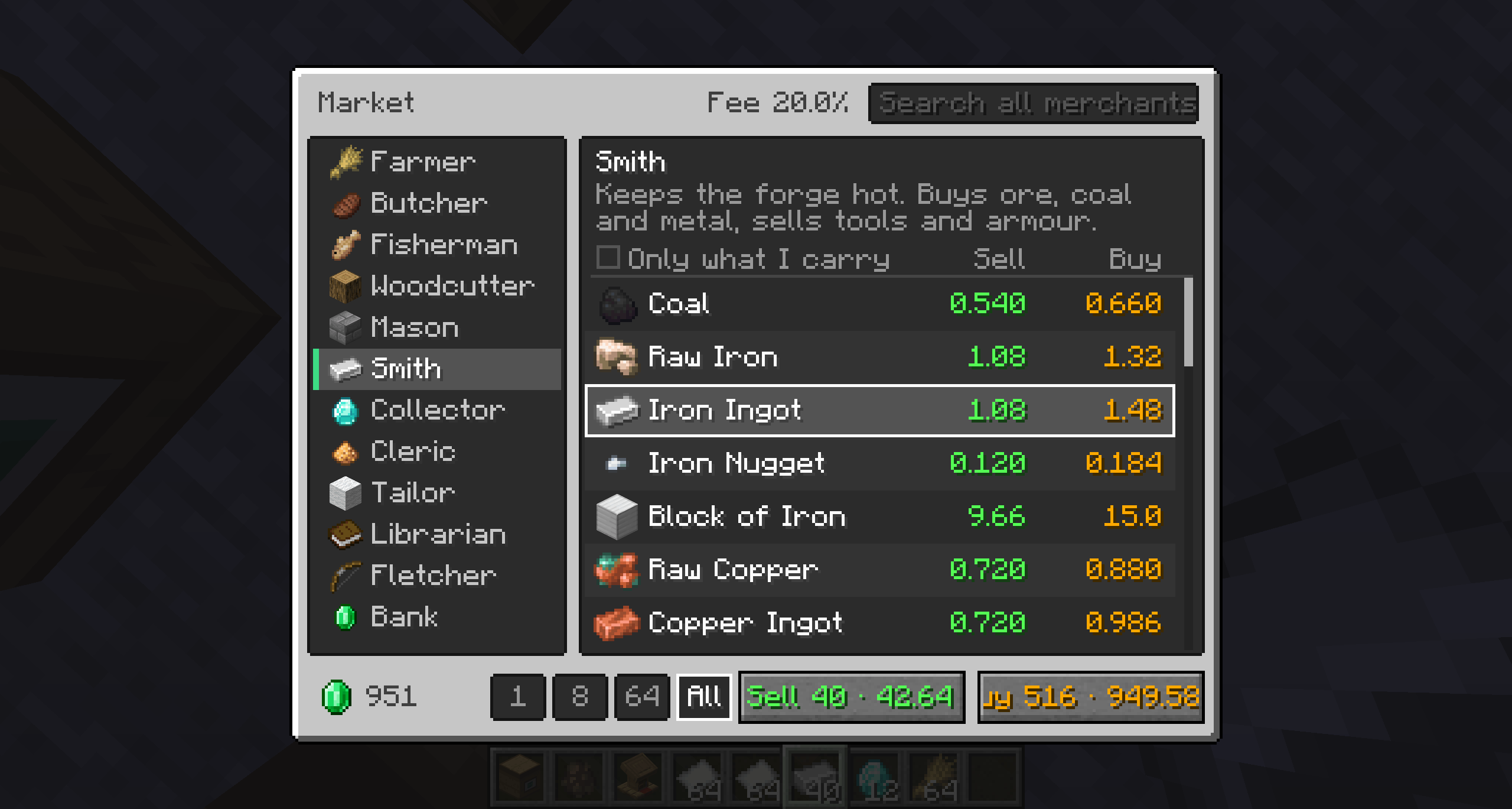
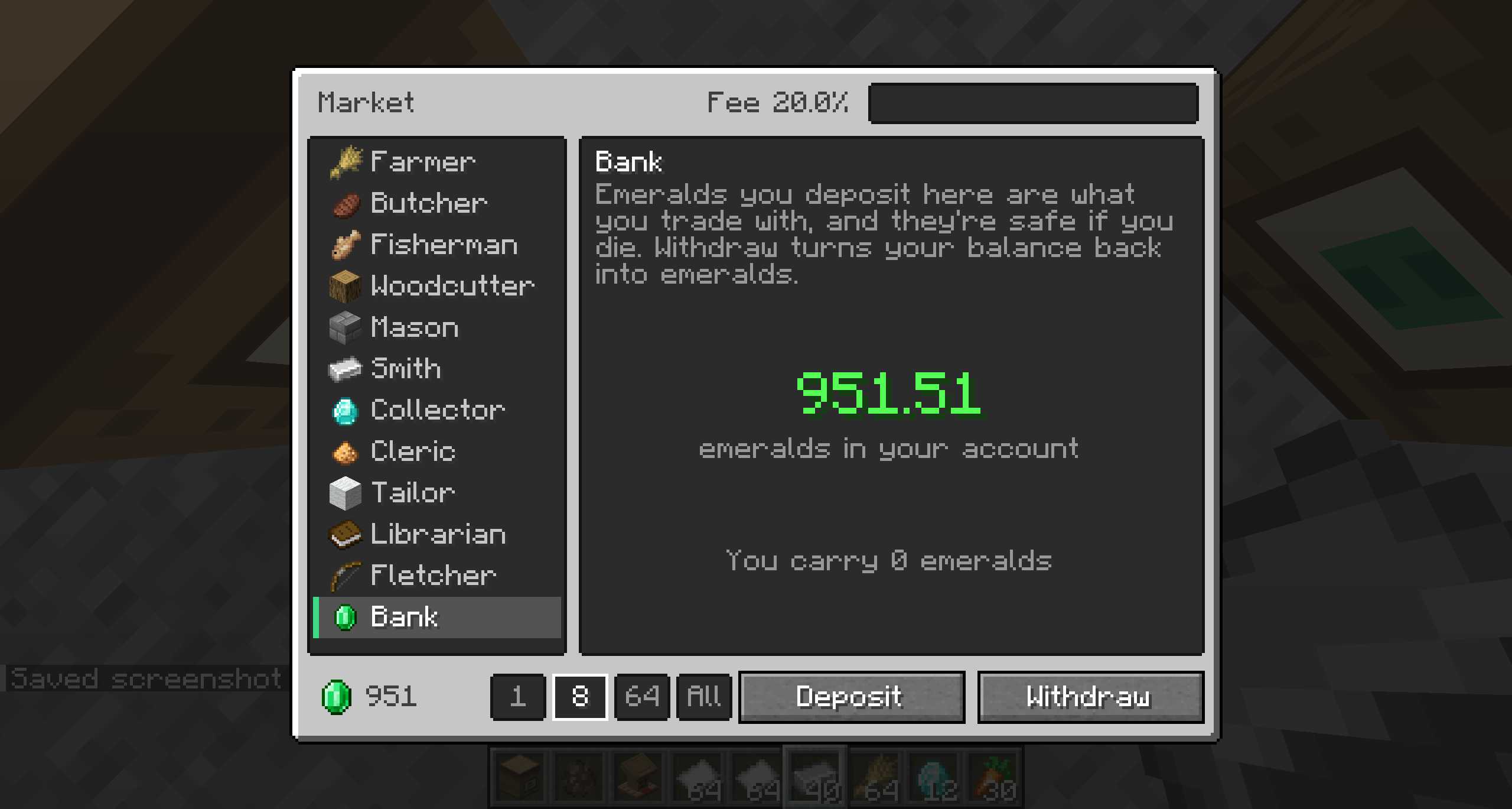
- Pick a merchant from the list on the left, choose an item, and press Sell or Buy. Deposit emeralds at the Bank entry.
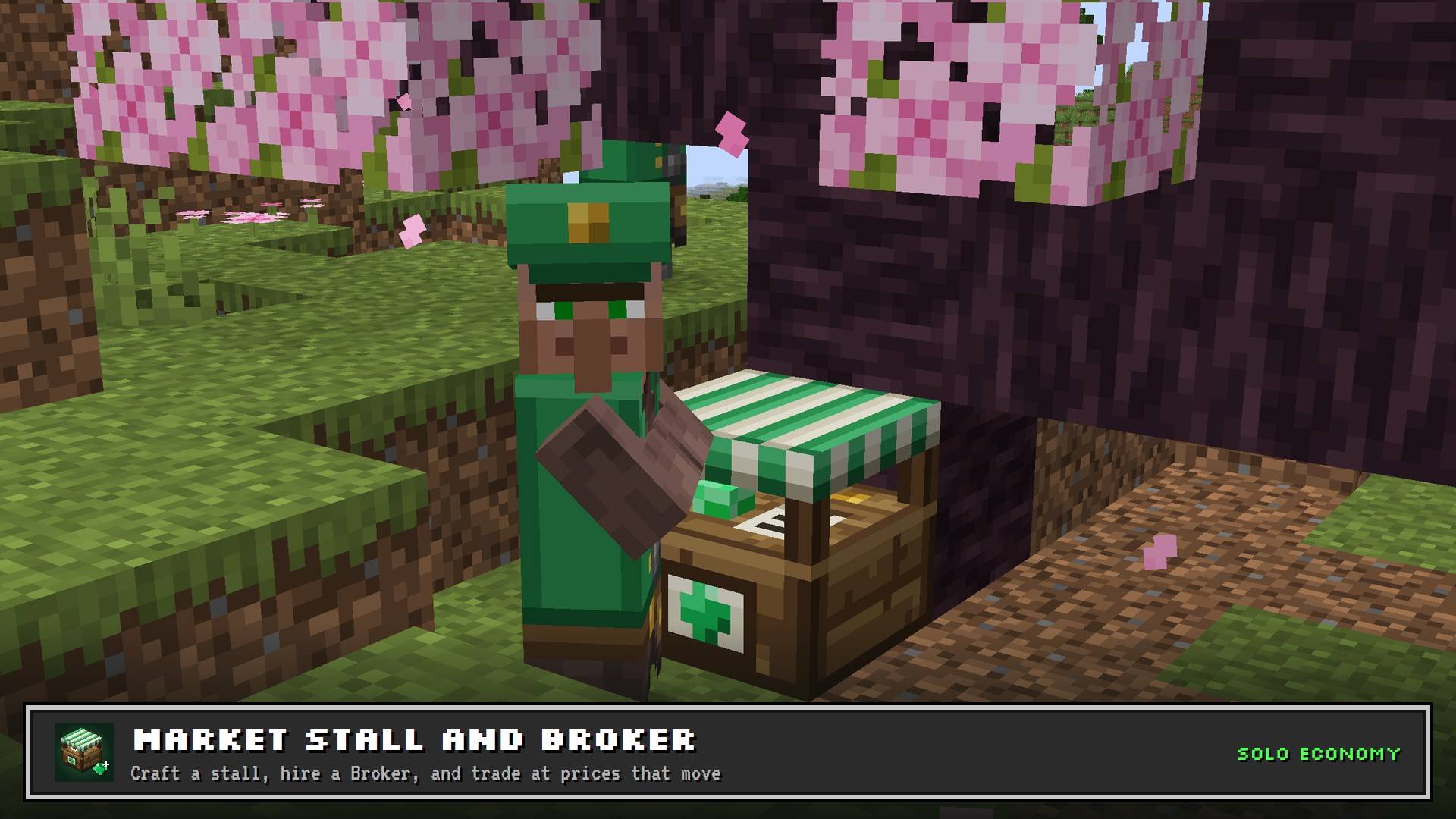
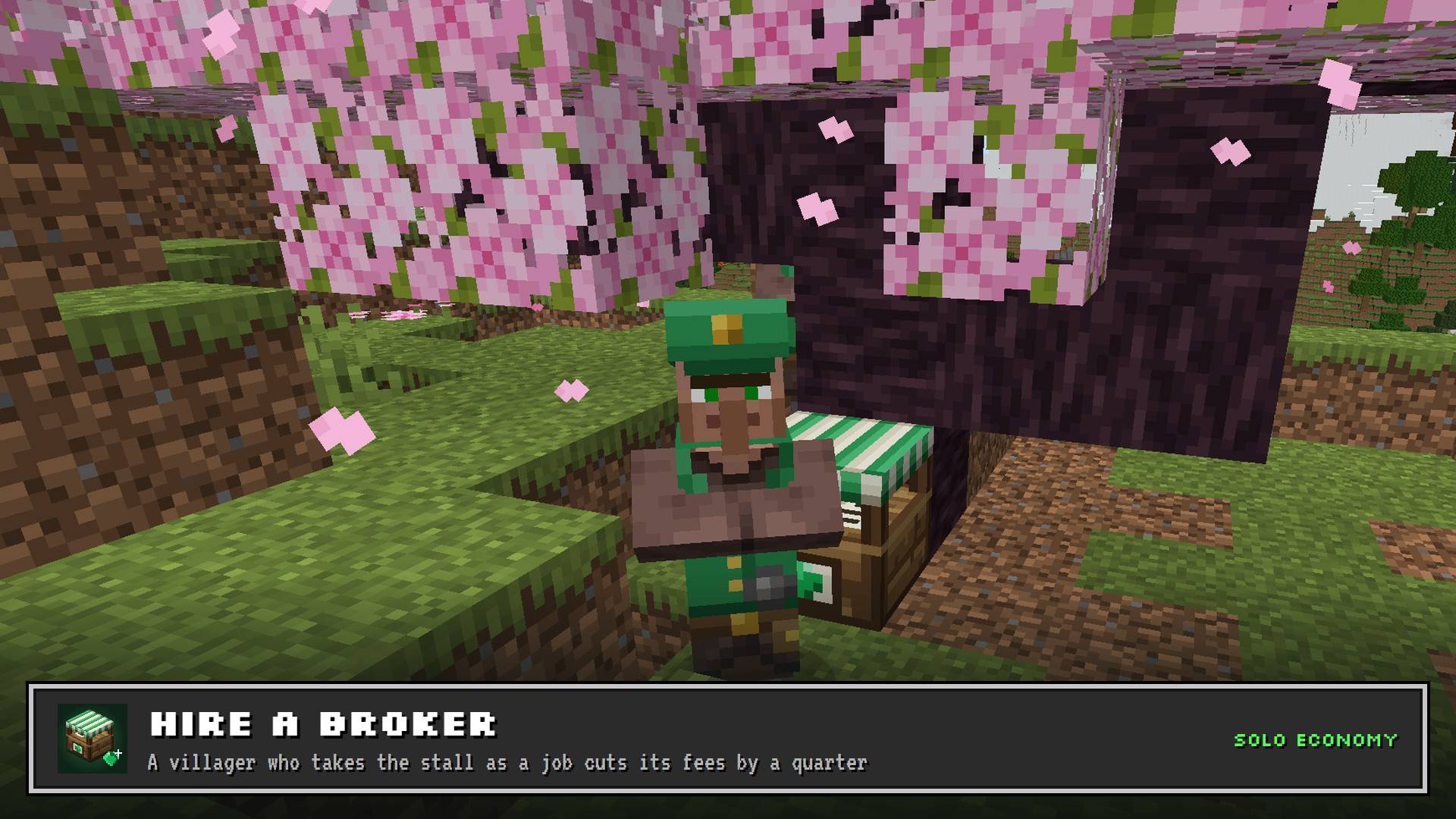
- Hire a Broker (optional). Place the stall near an unemployed villager. They'll take the job, and trading at that stall gets 25% cheaper.
Features
🏪 Market Stall
A block that opens the market. It works on its own, and a villager can take it as a job site.
🧑💼 Broker villager
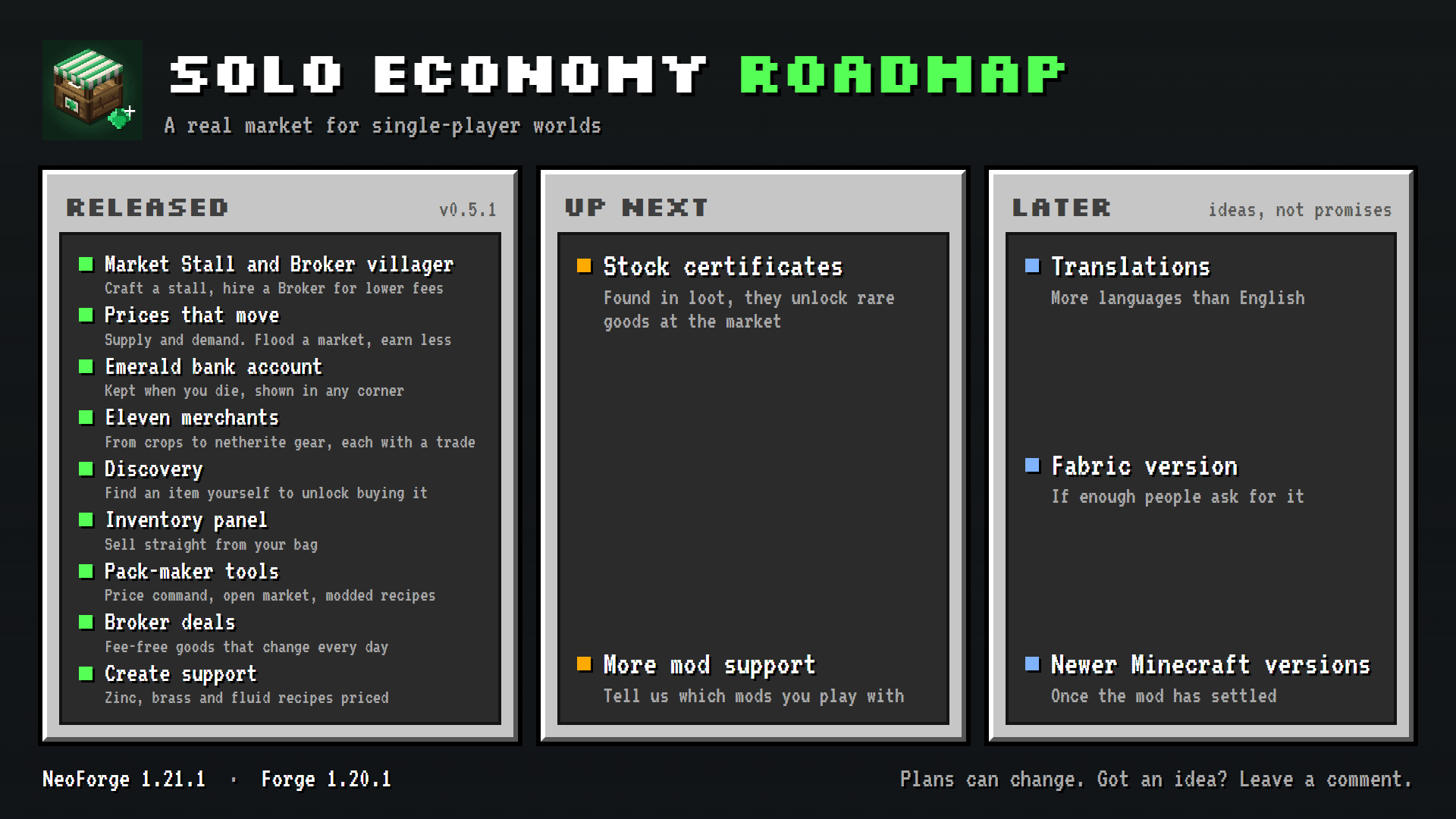
A new villager profession. A Broker working a stall cuts that stall's trading fees by a quarter, and brings daily deals: three goods with no fee to buy and three with no fee to sell, changing every in-game day.
📜 Stock certificates
Found in loot chests: dungeons, temples, treasure, strongholds, bastions, End cities and more. Use one to unlock a rare good at the market, picked from the most valuable things you haven't found yet. Nothing left to unlock? It cashes in for emeralds instead.
💎 Emerald account
Emeralds are the currency, kept as a balance rather than in your inventory, so a big sale never buries you in stacks. Deposit and Withdraw at any stall, always 1:1. Your balance is shown in the corner of your screen.
🧑🌾 Eleven merchants
Not everything is for sale. Every tradeable item has someone with a reason to want it:
| Merchant | Deals in |
|---|---|
| Farmer | crops, seeds, saplings, food |
| Butcher | raw and cooked meat, fuel |
| Fisherman | fish, kelp, prismarine |
| Woodcutter | logs, planks, chests |
| Mason | stone, sand, clay, bricks |
| Smith | ores, ingots, iron and netherite gear |
| Collector | diamonds, netherite, rare finds |
| Cleric | mob drops and brewing ingredients |
| Tailor | wool, leather, dyes |
| Librarian | paper, books, maps |
| Fletcher | bows, arrows, flint |
🔎 The market screen
- Merchants down the side, with each one's goods listed alongside their sell and buy price on every row
- Search across every merchant, and an Only what I carry filter
- Quantity buttons: 1, 8, 64, or All. All sells everything you're carrying, or buys as many as you can afford
- Exact totals on the Sell and Buy buttons before you click
- Arrow keys move through the list
- Supply tooltips tell you whether an item is oversupplied or in demand right now
📈 Prices that move
- 269 tradeable items in vanilla
- Selling lowers the price, buying raises it. A stack of diamonds moves the diamond price about 30%. Cheap goods like cobblestone have deep markets and barely move, but a double chest of it still will.
- Markets recover slowly, about halfway back to normal in a week. Selling a stack now and then pays well; dumping a farm's output every day drives that price down and keeps it there.
- Bulk trades are priced unit by unit, so selling 64 at once is never worse than selling them one at a time. There's no reason to click 64 times.
🧱 Crafted items are priced from their ingredients
About 225 raw materials have set prices. Everything else is priced from the ingredients of its cheapest recipe:
- A diamond block is worth its nine diamonds. Selling one moves the diamond price exactly as selling nine diamonds would.
- Selling pays for the materials. Buying something pre-made adds a small fee per crafting step, so crafting it yourself always saves.
- Crafting isn't a money machine. Buying ingredients to craft and sell loses a little at normal prices, so your income comes from gathering, not from gaming the prices.
For modpack makers
Configuration lives in config/soloeconomy-server.toml:
| Setting | Default | What it does |
|---|---|---|
spread |
0.10 | The market's cut on every trade |
craftMarkup |
1.12 | Fee per crafting step when buying pre-made goods |
elasticity |
1.0 | How strongly prices react to supply |
marketDepth |
768 | How much trading it takes to move a price |
recoveryPerDay |
0.1 | How fast markets return to normal |
minPriceMultiplier / maxPriceMultiplier |
0.05 / 5.0 | Price floor and ceiling |
brokerSpreadMultiplier |
0.75 | Fee reduction when a Broker works the stall |
startingBalance |
0 | Emeralds a new player starts with |
priceMultiplier |
1.0 | Scales every default price. Raise it to make emeralds go less far |
requireDiscovery |
true | Players can only buy items they've carried to or sold at a stall |
openMarket |
false | Adds a Store merchant that trades every item with a price, modded ones included |
brokerDeals |
3 | Fee-free goods to buy, and to sell, each day at a stall with a Broker |
modRecipes |
false | Price items from other mods' recipes too (Create machines, modded workbenches) |
priceOverrides |
[] | Per-item prices, easiest set with the command below |
Change a price in game: /soloeconomy price <item> set <emeralds>, or reset to undo, or no argument to see where a price comes from. It needs cheats or operator permission. Crafted items follow their ingredients automatically, and the command warns you if a price makes crafting profitable.
Custom merchants: data/soloeconomy/merchants.json lists who trades what, by item id or #tag. A datapack can replace a merchant, add new ones, or start from scratch. Names and descriptions come from the lang keys merchant.soloeconomy.<id> and .desc.
Custom prices: add a datapack with data/soloeconomy/base_prices.json to change or add prices. Packs stack, and changes apply on /reload. Only set prices for raw materials; crafted items are priced from their ingredients automatically.
Pricing check: every time prices load, the mod checks every recipe. If a pricing change makes any item profitable to craft and sell, it logs an error naming the recipe.
What can't be traded
- Anything no merchant deals in, such as dirt, netherrack and leaves.
- Emeralds and emerald blocks. Use Deposit and Withdraw at the Bank instead.
- Damaged, enchanted or renamed items, and containers with items inside
- Water buckets, and creative-only blocks such as bedrock and spawners
Known limitations
This is an early release.
- Not yet tradeable: potions, spawn eggs, music discs, pottery sherds and armour trims.
- Modded items are traded with
openMarketon or when a datapack lists them under a merchant. Items from modded machines and workbenches needmodRecipeson, and some may need a price set by hand. Create works out of the box with both settings on: zinc, brass and fluid recipes are priced. - The balance display can be moved to any corner, or hidden, under Mods → Solo Economy → Config if it overlaps a minimap.
- Built for single-player. On a server, all players share one market.
Languages
English and Russian.
Requirements
- Minecraft 1.21.1 on NeoForge (built on 21.1.209), or
- Minecraft 1.20.1 on Forge (47 or newer)
- Required on both client and server
On Forge 1.20.1 the config file is per world, not in the config folder: saves/<world>/serverconfig/soloeconomy-server.toml. It appears the first time you open that world. Put a copy in defaultconfigs to use it for new worlds.
Found a bug or a price that looks wrong? Leave a comment. If you've found a way to make money from nothing, I especially want to hear about it.
Solo Economy Team