Skin Creator
- By
Build and edit your Minecraft skin from inside the game: layers, a live player preview, and one button to put it on your account.
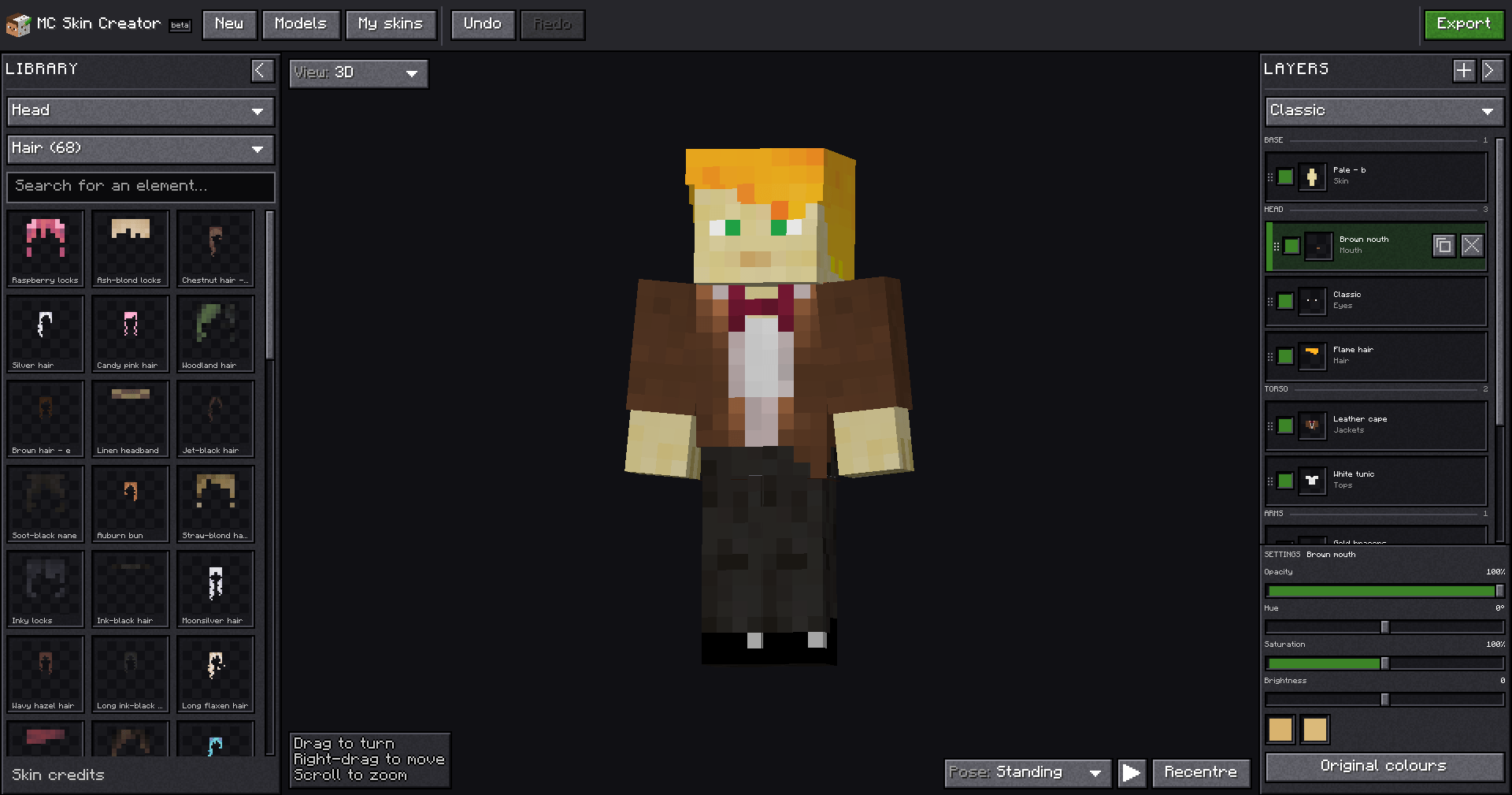
The editor inside the game: the piece library on the left, your character in the middle, and the layers on the right.
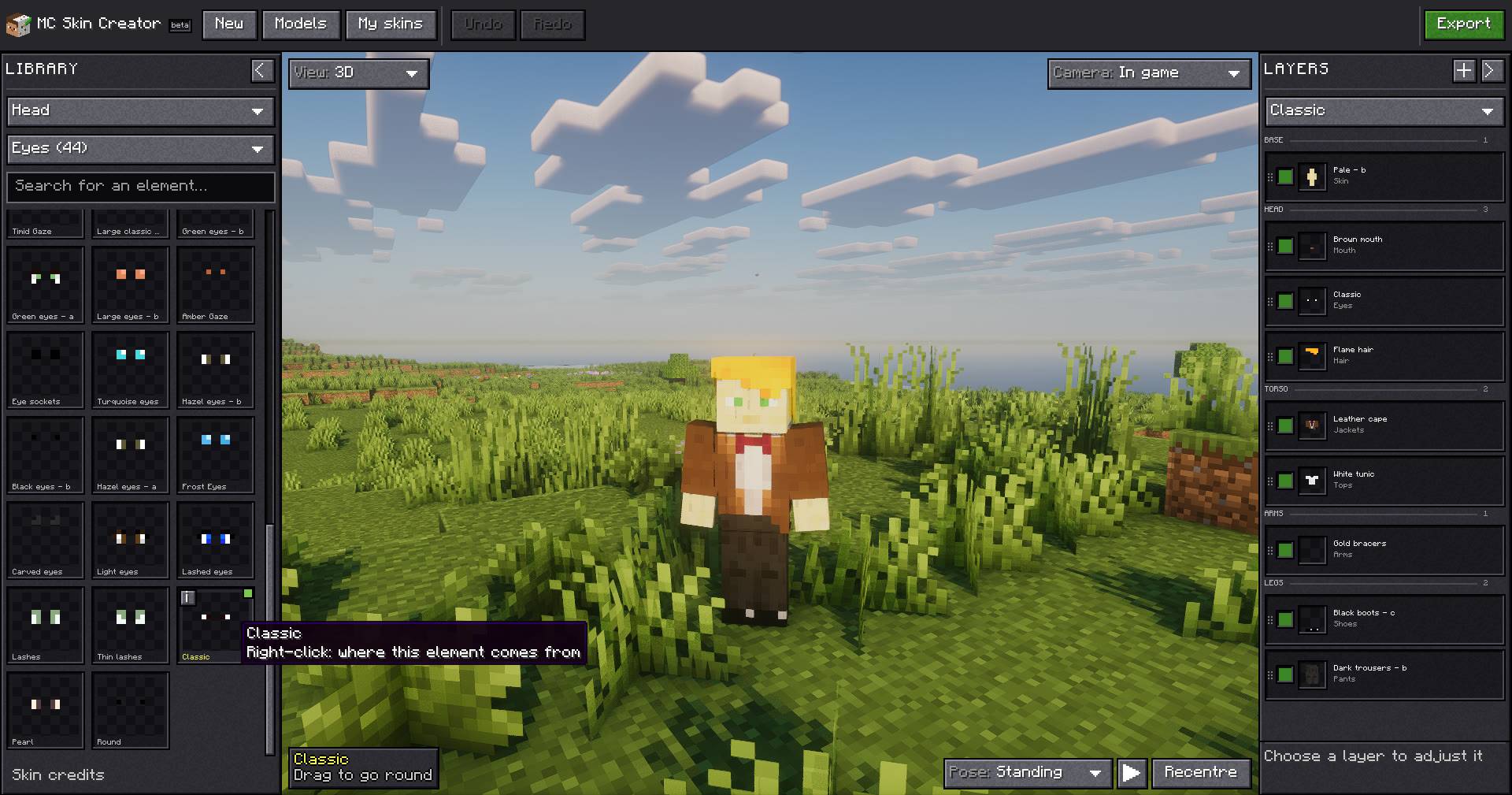
The in-game view puts your character in the world while you edit. Here the library is on the Eyes category, and a tooltip shows where an element comes from.
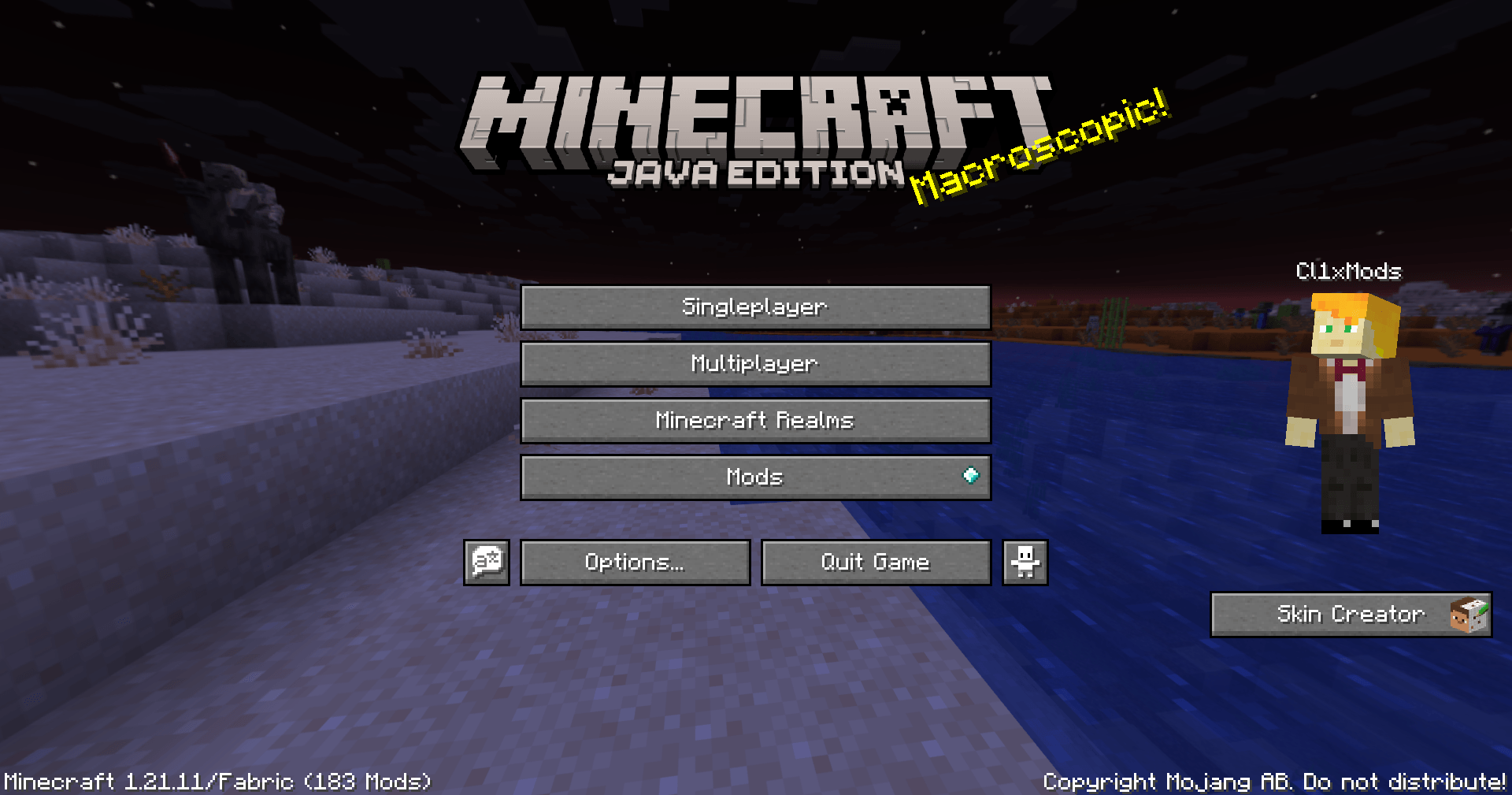
The Skin Creator panel on the right of the title screen, next to your character. The same panel is on the pause menu.
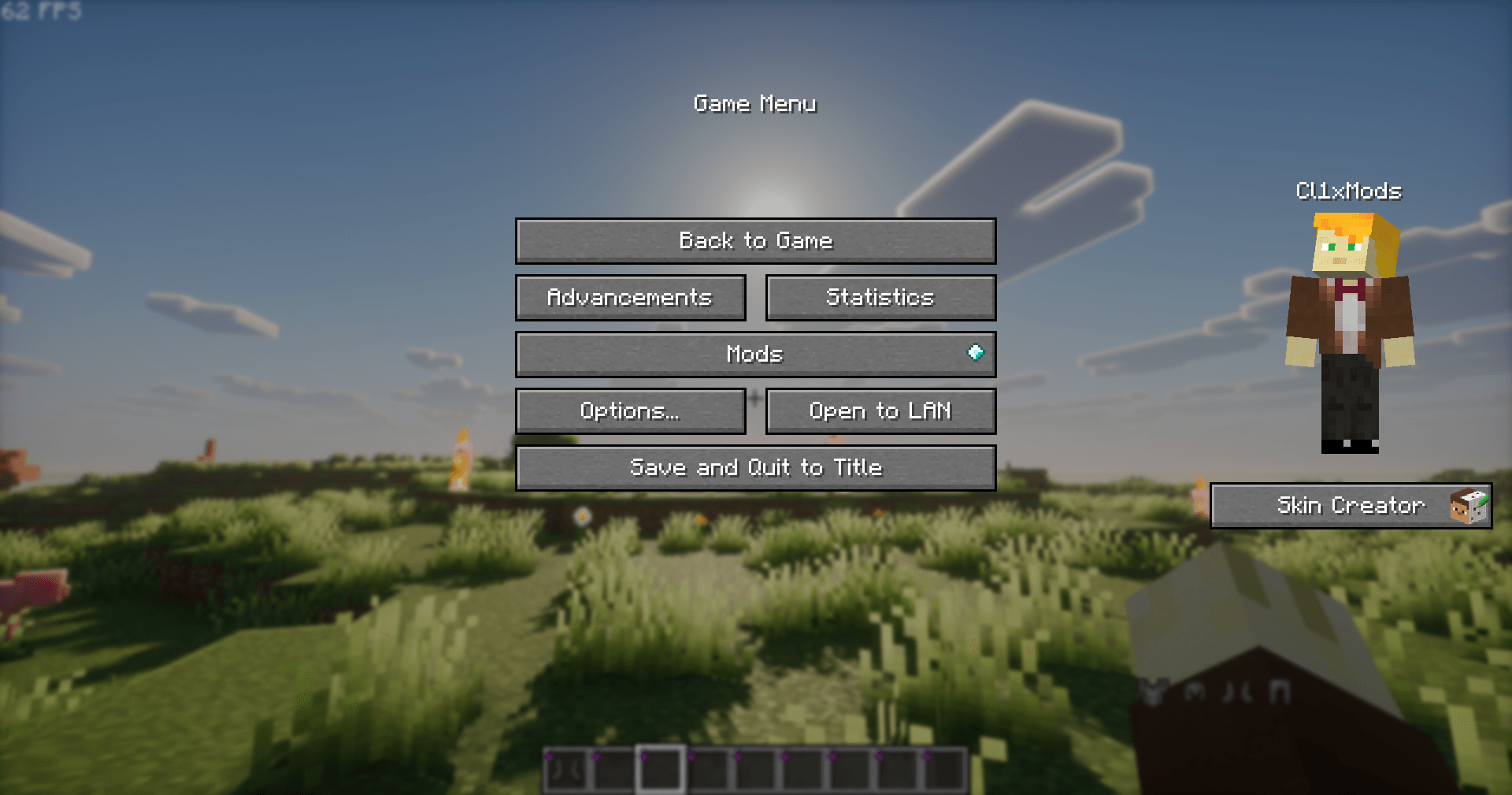
The same panel is one click away while you play: open the pause menu, then Skin Creator.
Description
Design your Minecraft skin without ever leaving the game.
Skin Creator adds a skin editor to Minecraft. Mix and match pieces, see the result on your character in real time, and put the skin on your account with a single button. No website, no file to download, no launcher restart.
What you can do
- Build a skin from pieces. Browse a library of hair, clothes, faces and more, and click anything to try it on your character before you keep it.
- Layer and tweak. Stack pieces, reorder them, hide them, and adjust their opacity and colours until it looks right.
- Start from something ready-made. Pick a full character or an outfit and make it yours.
- Undo anything. Changed your mind? Go back as many steps as you like.
- Save your skins. Keep them online and open them again later, including from the MC Skin Creator website.
- Wear it instantly. Press Apply and your character changes right away, without restarting Minecraft. Other players will see it once Minecraft's own servers catch up.
- Know where pieces come from. Every piece shows who made it and under which licence.
To open it, click the Skin Creator panel on the title screen or the pause menu. The mod is available in English, French and Spanish.
Good to know before you download
Your Minecraft account. Applying a skin is the only thing that needs your Minecraft login, and it happens only when you press Apply, after a confirmation. It is sent only to Mojang, exactly like the official launcher does, and never to us. The mod never applies a skin on its own. The full source code is public, so anyone can check this.
Internet connection. The mod downloads the piece library and saves your skins on the MC Skin Creator servers. Nothing else is sent.
Client-side only. Nothing to install on a server. It works in singleplayer and on any server.
Still to come. Drawing pixel by pixel and importing your own texture.
Links
The code is readable and auditable by anyone, but it is not open source: redistribution and forks are not allowed. See the license.
Minecraft is a trademark of Mojang Studios. This project is not affiliated with or endorsed by Mojang Studios or Microsoft.
Skin Creator Team