Living Horizon
- By
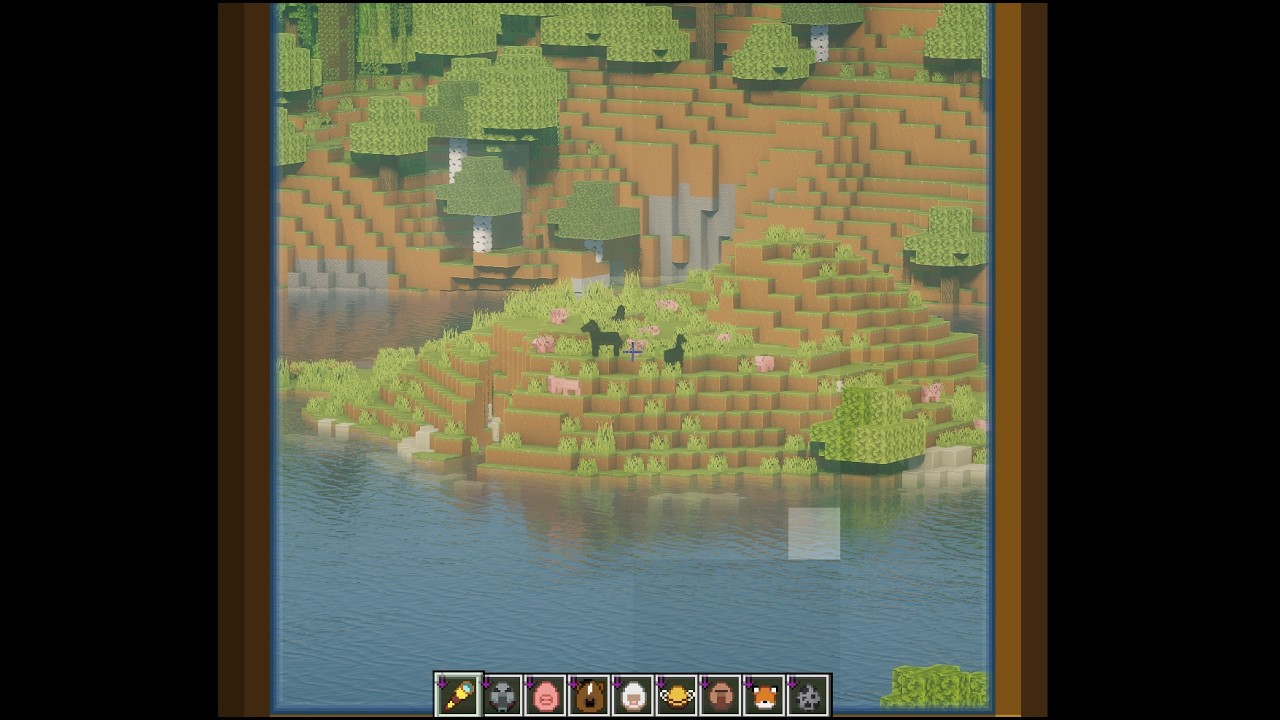
Shows mobs and players far past your render distance, on the game's terrain and on Voxy and Distant Horizons terrain, with birds in the sky.
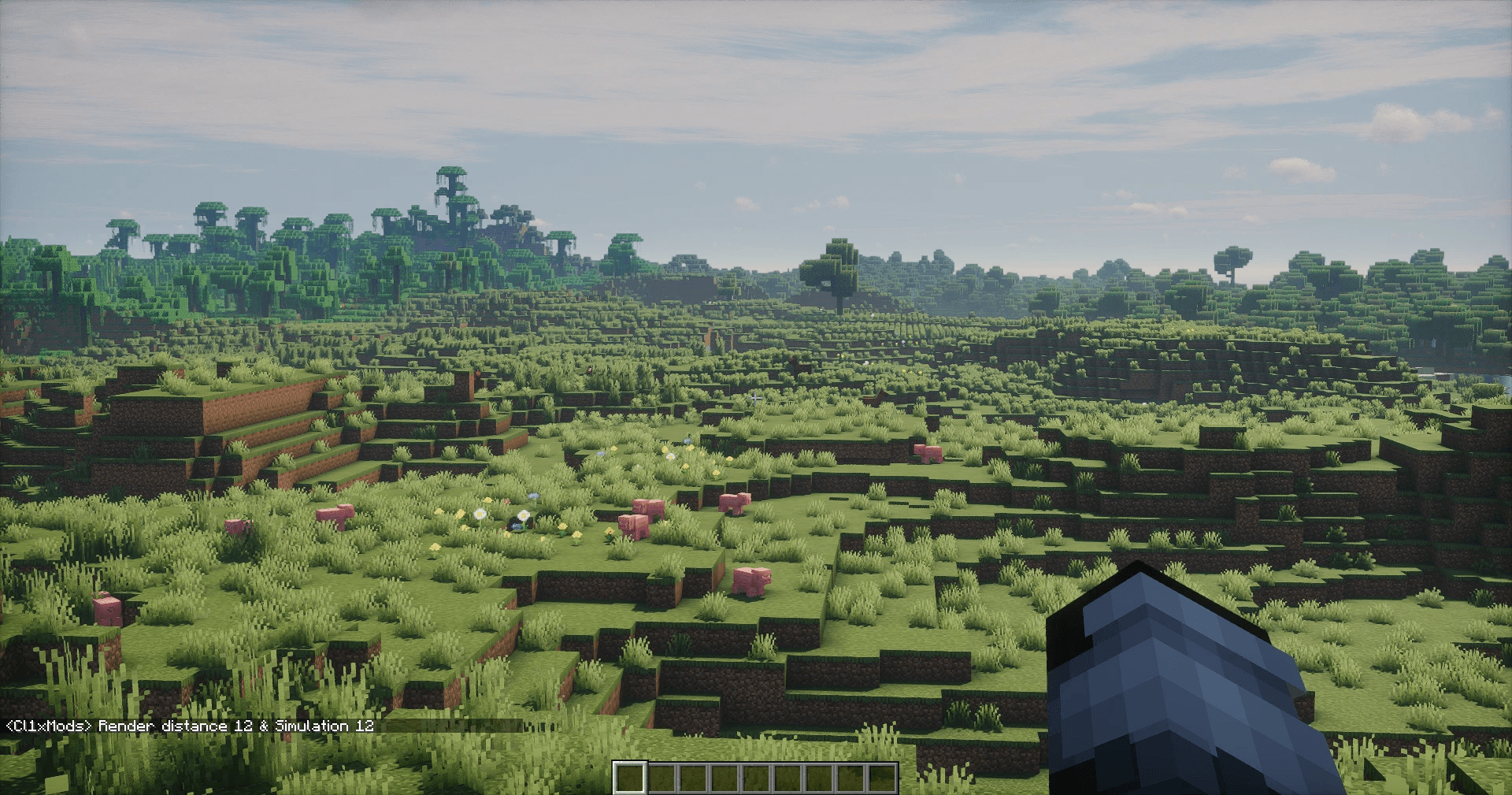
Render distance set to 12 Simulation distance set to 12 Without the mod
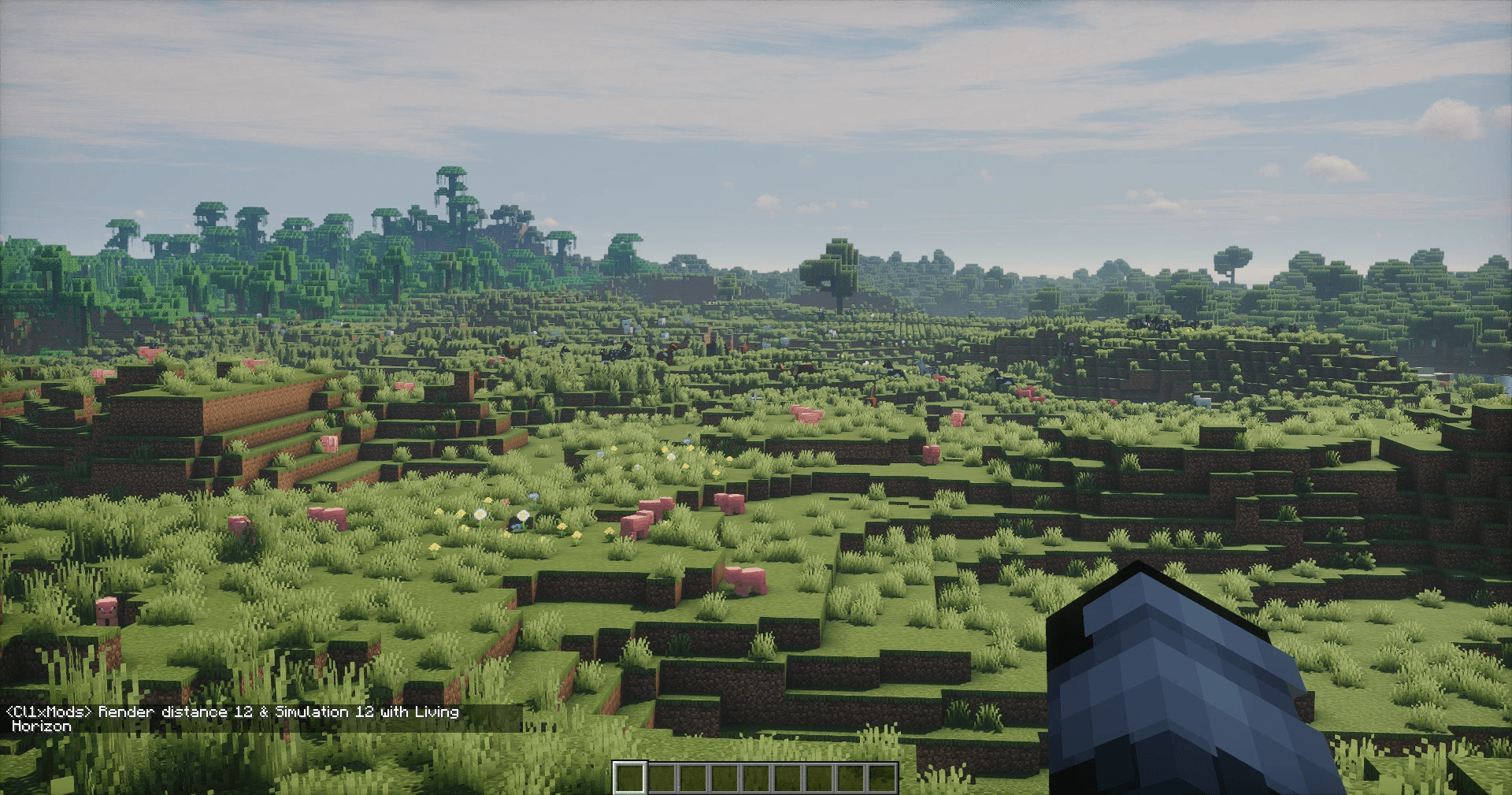
Render distance set to 12 Simulation distance set to 12 With the mod enabled
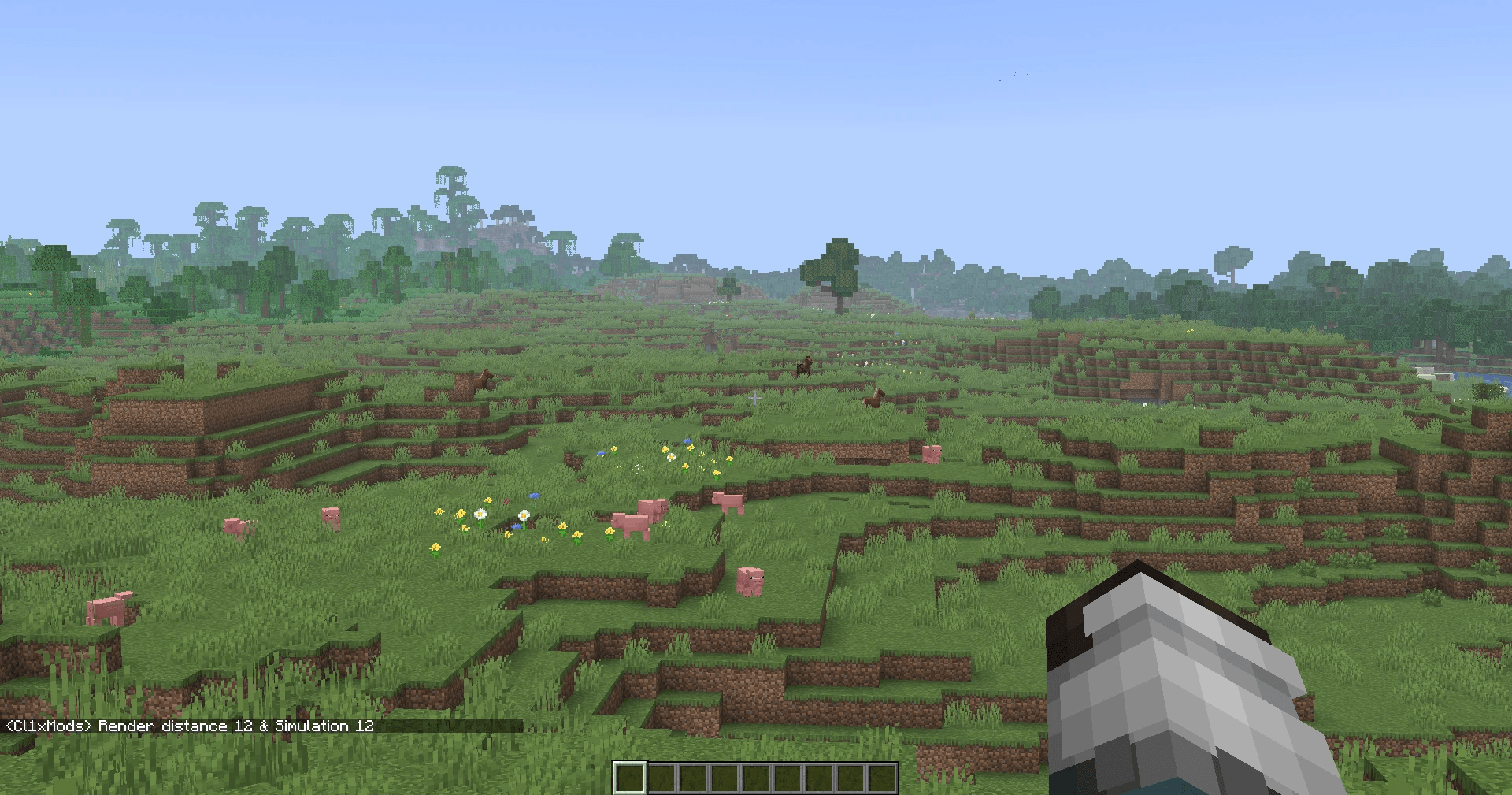
Render distance set to 12 Simulation distance set to 12 Without the mod
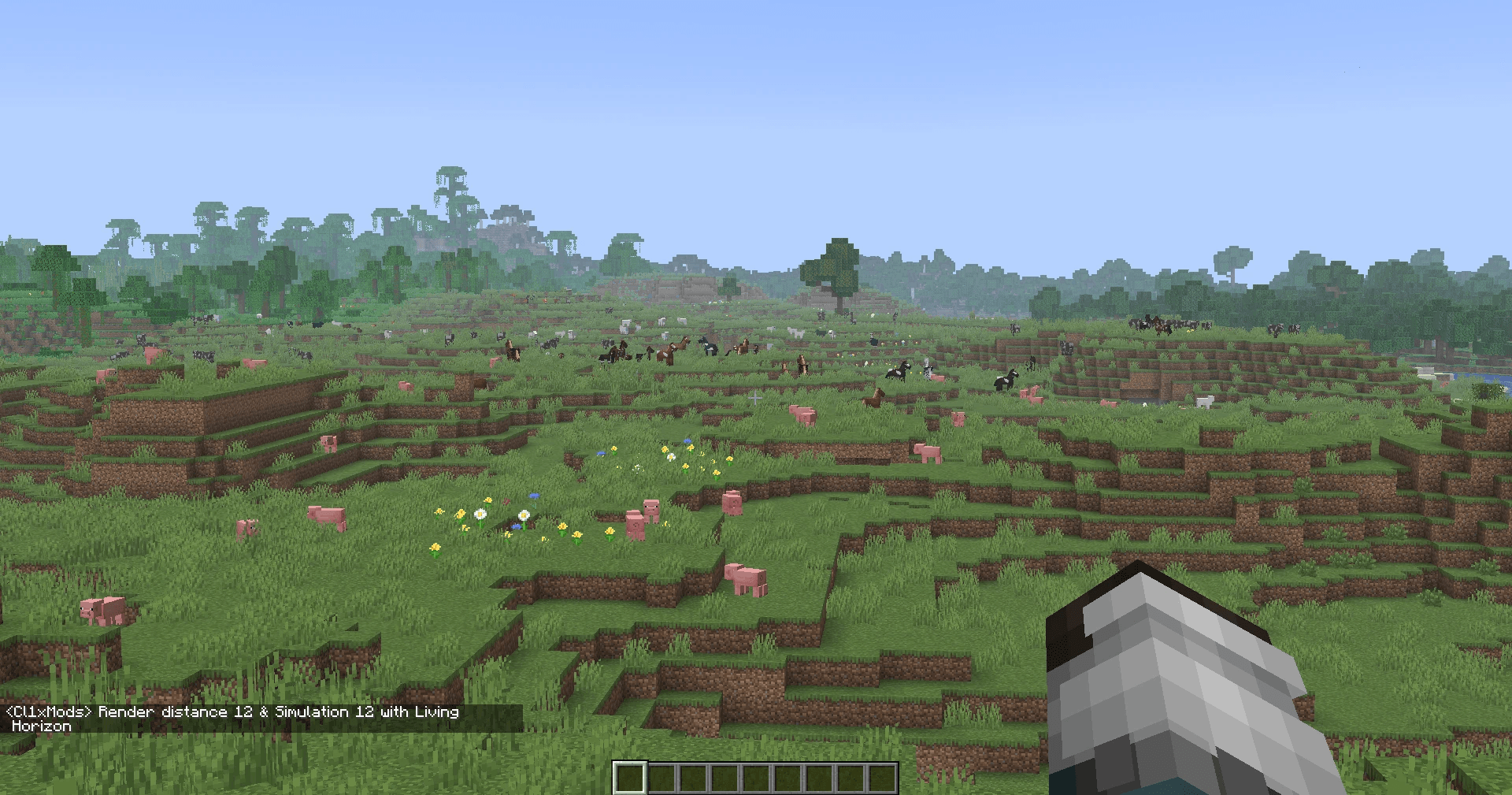
Render distance set to 12 Simulation distance set to 12 With the mod
Description
Living Horizon
Living Horizon shows mobs and players far past your render distance. It draws them on the game's terrain and on the terrain of Voxy and Distant Horizons. It can also help performance: you can lower your simulation distance and still see a living world.
⚠️ This is a beta, so expect bugs. I mainly play on 1.21.11 with Voxy, and it works there. I have not tested every loader and game version. Found a bug? Tell me on the issues page or on the Discord. Thanks to anyone who helps!
Features
Distant Mobs
Shows mobs far past your render distance. These distant mobs are light copies of the real ones, with no AI.
How distant mobs work
- They play ready-made animations that fit the ground around them: they walk, graze, hop and look around. Phantoms, ghasts and the ender dragon fly.
- A mob shows where your game or the server last saw it, and stays there from one session to the next. If it died or left since, it is forgotten when you come near.
- On a server with the mod, the server shares the mobs it knows, even those you never met. In single player, the mod reads the mobs around you the first time you open a world.
- Guessed mobs fill the land nobody has explored yet. The mod works out from the world's seed which mobs the game would put there, and where. They fill a world drawn far away by Distant Horizons, for example. They are a guess: they may be gone, or stand a little elsewhere, when you get there. This needs the mod on the server, and works in single player. Look through a spyglass to see them farther away, or press Guess Nearby Mobs to show them up to 1024 chunks around.
- They stand on the game's terrain, and on the terrain of far-terrain mods such as Voxy or Distant Horizons. Hills hide them.
- Far away, they become flat pictures instead of 3D models (Simplified Mobs). They cost much less to draw, so you can show many more.
- A mob in a boat or a minecart stays in it, and a rolling minecart keeps rolling. Pets told to sit stay seated.
- Boats stay where they were left, and so do vehicles from other mods, such as Immersive Aircraft's planes.
- Mobs & Entities… shows or hides each kind. Mobs with a name tag can always be shown. Hide Underground Mobs leaves out the mobs in caves and mines.
- They are only visual. Farms, spawning and the mob cap do not change, and you cannot hit a distant mob.
Distant Players
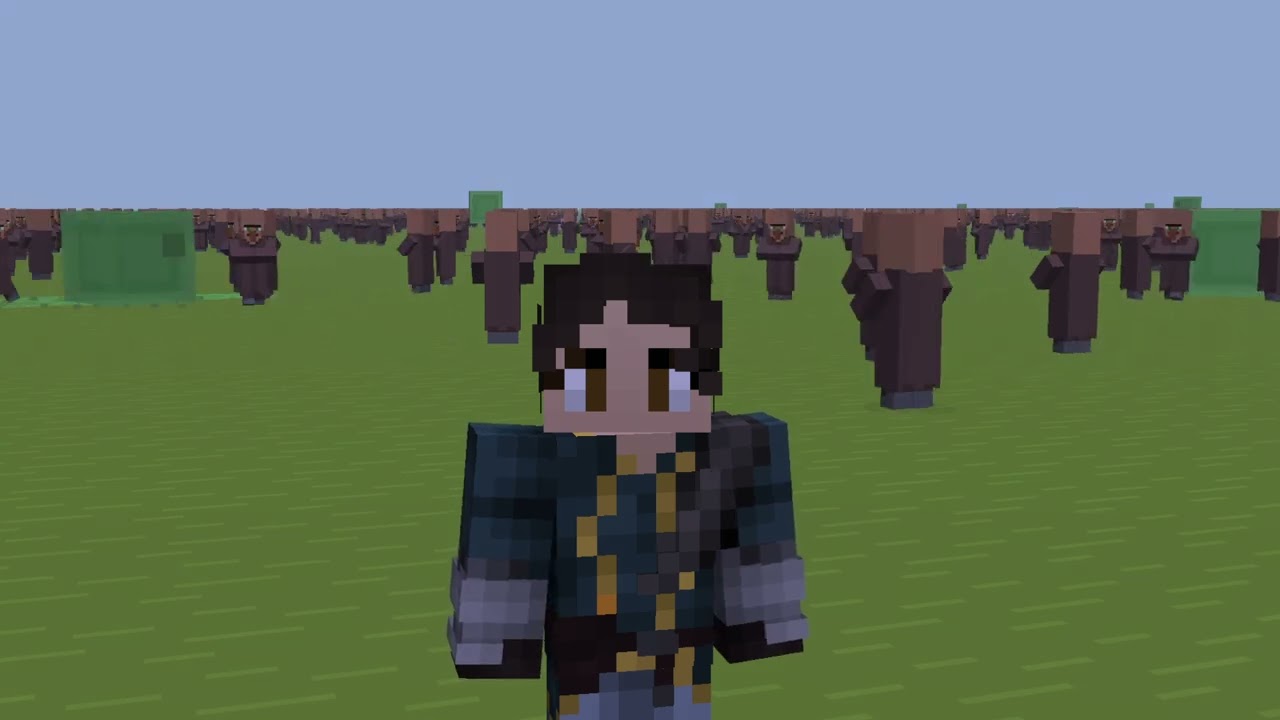
Shows other players at any distance, with their skin, gear and mount. This needs the mod on the server: it shares their positions with the players who have the mod.
How distant players work
- Your game draws each player where the server says they are. A player gliding with an elytra is shown gliding.
- Far away, they become flat pictures instead of 3D models (Simplified Players).
- The server's owner chooses what is shared: how far, with teammates only, and which players and dimensions stay hidden. Players in spectator mode or invisible are never shared.
- Player Render Distance limits how far you see them.
Offline Players
When a player logs off, a copy with their name stays where they left, until they come back. It is only visual: the world does not know it exists.
How offline players work
- Up close, they have a small AI. They stroll, sit, look in chests and use workstations. They sleep in a bed at night, gather by a campfire in the evening and take shelter from the rain. Two of them nearby may chat, and one near water may fish.
- Far away, they play ready-made animations.
- They look back at you when you look at them up close, crouch when you crouch, and raise a shield against monsters.
- You can push them out of your way. They cannot push you, and mobs ignore them.
- They keep their mount: a horse, a boat, a happy ghast. One who left swimming waits on the shore, or rows a boat.
- Their name shows with (offline). Look at one up close to see when they were last seen.
- On a server with the mod, you see those who left before you joined. In single player, the world's players show from the start, even those from before the mod was installed. Without the mod on the server, you only see those you saw leave.
- They keep the look another mod gave them, such as their Minecraft Comes Alive model.
- Max Offline limits how many show at once, and Roaming Radius how far they wander.
Birds
Adds birds to the Overworld's sky, visible from far away. They exist in your game only: two players do not see the same birds.
How birds work
- Up close, they have a small AI. They perch on trees, buildings, fields and beaches, ducks swim, and pigeons and bats fly off when you come close.
- Far away, they play ready-made flights.
- Flocks, geese flying in a V, birds of prey, seagulls over the coast, pigeons on tall buildings, robins, tits, ducks, parrots and bats at night. Bird Types… picks them.
- They are small 3D models that flap their wings, and flat pictures far away (Simplified Birds). Bird Style turns them into flat 2D birds.
- Bird Density, Bird Distance, Bird Size and Min. Flight Height set how many you see, how far, how big and how high.
Performance
Living Horizon draws less the farther away things are. You can lower your simulation distance and still see a living world.
How the mod stays light
- Simplified Mobs, Simplified Entities and Simplified Players: past the Simplification Distance, or when smaller on screen than the Simplification Size, a mob, a vehicle or a player is drawn as a flat picture instead of a 3D model. Simplified Birds does the same for far birds. Many games do the same with far objects, which they call impostors. It costs much less to draw, so you can show many more.
- With Smooth Simplification, a figure first turns to the angle of its picture, so the switch does not jump.
- The pictures are saved on your disk and reused in your next sessions. They are made again only after a change of resource packs, mods or game version. Mob Picture Memory and Player Picture Memory limit the video memory they take.
- Distant mobs have no AI: they play ready-made animations. Offline players and birds have a small AI only when you are close.
- Past the Animation Distance, or when smaller on screen than the Min. Animated Size, mobs stop walking and stand still.
- Skip Hidden Mobs does not draw the mobs that the terrain hides entirely. Hide Underground Mobs leaves out the mobs in caves and mines.
- Max Mobs, Max Entities and Max Offline limit how many are shown at once, nearest first.
- A Preset (Low, Normal, High, Ultra) sets all of this at once. Keep Simplified Mobs on if you raise Mob Render Distance or Max Mobs.
- Everything runs on your computer. The server only shares positions, so it stays light, and two players can see the same far mob doing different things.
- Careful: Max Mobs and Mob Render Distance both on Unlimited can crash the game.
Settings
Open them from the Options screen or /livinghorizon config.
What the settings offer
- A Preset (Low, Normal, High, Ultra) sets everything at once.
- When you change a distance, its limit shows in the world behind the menu.
- Right-click a slider that ends in Unlimited to type a value. The arrow keys move any slider one step.
- Keys of your choice switch distant players on and off, switch Hide Underground Mobs and open the settings.
- The mod and its in-game changelog are in 14 languages.
- The settings are also in other mods' menus, such as Sodium's Video Settings.
- Distant mobs are lit by shader packs, such as Photon.
Multiplayer
Everything works in single player. On a server, some features need the mod on the server:
| Feature | Single player | LAN | Server with the mod | Server without the mod |
|---|---|---|---|---|
| Distant Mobs | ✓ | ✓ | ✓ | Only the mobs you met |
| Distant Players | — | ✓ | ✓ | ✗ |
| Offline Players | ✓ | ✓ | ✓ | Only those you saw leave |
| Birds | ✓ | ✓ | ✓ | ✓ |
To set up a server, put the same file in its mods folder. Nothing else to set up. Players without the mod can still join. The server shares every player's position with the players who have the mod: tell your players. Players in spectator mode or invisible are never shared.
The server writes config/livinghorizon-server.json the first time it starts. Edit it to choose what it shares: players online, offline players, mobs, how far, with teammates only, and which players and dimensions are never shared. Changes apply after a few seconds.
Getting started
- Install the file for your game version and loader. Voxy, Distant Horizons, Lodistance, Ecstatic and Far View are optional.
- Keep the default settings. Restore Defaults puts them back.
Open the settings from the Options screen, Mod Menu, Sodium's Video Settings or /livinghorizon config.
Requirements
- Minecraft 1.20 to 1.21.11 and 26.1 to 26.3.
- Fabric or Quilt (with Fabric API), NeoForge or Forge.
- Voxy, Distant Horizons, Lodistance, Ecstatic or Far View: optional.
- Mod Menu: optional, on Fabric and Quilt.
Made with AI
AI is part of this project's workflow: Living Horizon is made with Claude.
Links
Living Horizon Team