Schematic/NBT Printer
- By
Schematic, Schem, and NBT Printer using only commands, compatible with every schematic type.
Description
Schematic Printer — How to use
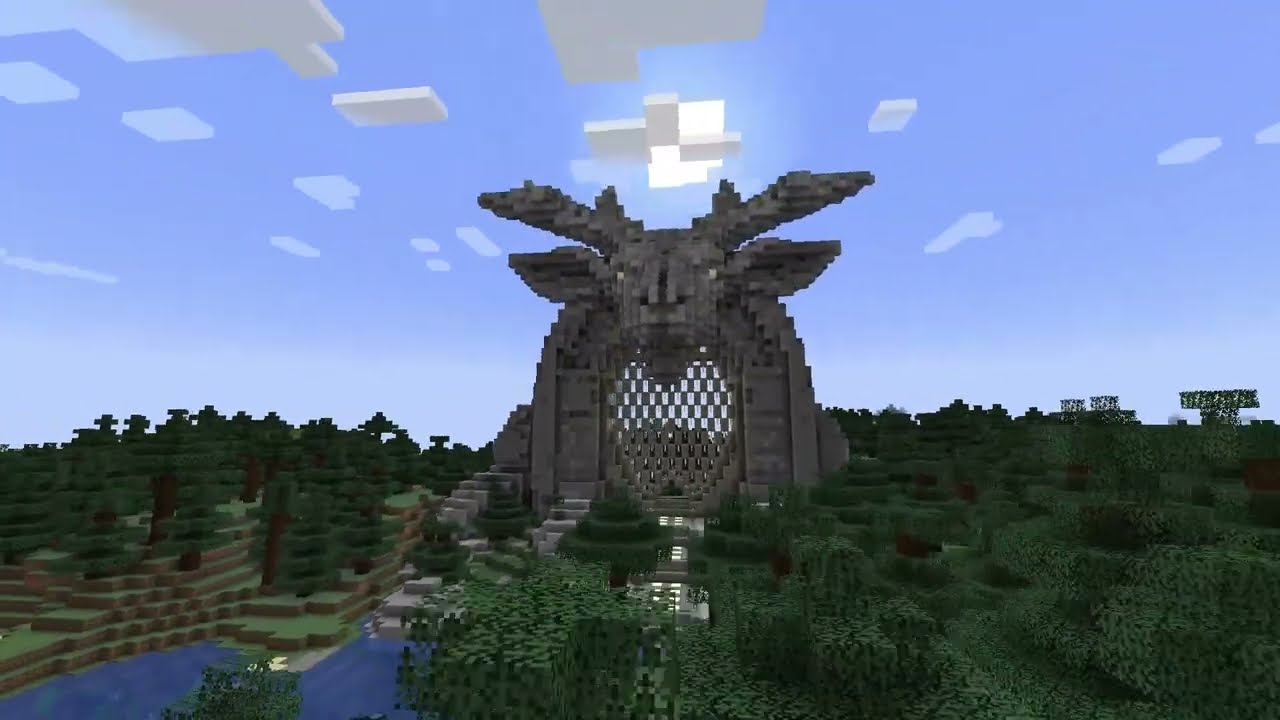
Schematic Printer is a server-side Forge mod for Minecraft 1.20.1 that loads a schematic from disk and places it in the world.
Requirements
- Minecraft 1.20.1
- Forge 47 or newer for Minecraft 1.20.1
- Java 17
- Creative mode, unless
requireCreativeModeis disabled in the config
The command permission is also checked. Operators with permission level 2 can use the commands even when creative mode is required.
Installation
- Install the matching Forge server or client.
- Put the Schematic Printer
.jarin themodsfolder. - Start Minecraft once so the mod can create its configuration and
schematicsfolder. - Copy schematic files into the
schematicsfolder in the server's working directory. On an integrated client, this is the game instance directory. - Run
/schematic listto confirm that the files were found.
The file name can be entered with or without its extension. The mod searches
for .schematic, .nbt, .litematic, and .schem files.
Basic workflow
- Stand at the position where the schematic should be placed.
- Run
/schematic listand note the file name. - Preview it first:
/schematic print house.litematic simulate- If the preview is correct, print it:
/schematic print house.litematicBy default, a schematic is placed at the player's position and aligned to the player's facing direction. If a saved location exists, that location is used instead.
Command reference
All commands use the /schematic root.
Find and choose a location
| Command | Description |
|---|---|
/schematic list |
List supported schematic files in the schematics folder. |
/schematic setlocation <x> <y> <z> |
Save a default location for your future prints. |
/schematic getlocation |
Show your saved print location. |
/schematic clearlocation |
Remove your saved print location. |
/schematic origin center |
Use the schematic's center-bottom as its origin. |
/schematic origin corner |
Use the schematic's minimum corner as its origin. |
Coordinates can be absolute or relative Minecraft coordinates, such as
~ ~ ~.
Print schematics
| Command | Description |
|---|---|
/schematic print <name> |
Print continuously using the configured master speed. |
/schematic print <name> simulate |
Preview placement without changing blocks. |
/schematic print <name> slow |
Print using the slow speed profile. |
/schematic print <name> pos <x> <y> <z> |
Print at an explicit position. |
/schematic print <name> rotation <degrees> |
Rotate around the Y axis by 0, 90, 180, or 270 degrees. |
/schematic print <name> pos <x> <y> <z> rotation <degrees> |
Combine an explicit position and rotation. |
/schematic printlayer <name> |
Start manual layer-by-layer printing. |
/schematic printblock <name> |
Start manual block-by-block printing. |
For manual modes, advance the operation with /schematic nextlayer or
/schematic nextblock.
Control an active print
| Command | Description |
|---|---|
/schematic pause |
Pause the current print. |
/schematic resume |
Resume a paused print. |
/schematic cancel |
Cancel the current print. |
/schematic nextlayer |
Print the next layer. |
/schematic nextblock |
Place the next block. |
/schematic speed <blocks> |
Change the active print speed in blocks per tick. |
/schematic speed slow |
Select the slow speed profile. |
/schematic speed normal |
Select the normal speed profile. |
/schematic speed fast |
Select the fast speed profile. |
/schematic speed ultra |
Select the ultra speed profile. |
/schematic speed acceleration <true|false> |
Enable or disable acceleration. |
/schematic masterspeed <blocksPerTick> |
Change the master speed used by new prints. |
/schematic cleararea <true|false> |
Enable or disable clearing before the current print. |
/schematic speed <blocks> affects an active print. Speed profiles use the
values configured in speedControl. A higher value places more blocks per
tick and may increase server load.
Clear an area
Clear operations remove blocks around the player before a print. A print must not already be active, and the dimensions are limited by the mod configuration and command argument ranges.
| Command | Description |
|---|---|
/schematic cleararea box <width> <height> <length> |
Clear a rectangular box. |
/schematic cleararea cylinder <height> <radius> |
Clear a solid cylinder. |
/schematic cleararea hollowcylinder <height> <radius> |
Clear a hollow cylinder. |
/schematic cleararea sphere <radius> |
Clear a sphere. |
/schematic cleararea pyramid <basesize> <height> |
Clear a pyramid. |
/schematic cleararea cancel |
Cancel an active clear operation. |
Configuration
Forge stores the common configuration at:
config/schematicprinter.tomlThe most useful settings are:
| Section | Setting | Default | Purpose |
|---|---|---|---|
general |
maxBlocksPerTick |
100 |
Maximum speed allowed by /schematic speed. |
general |
defaultLayerMode |
false |
Default layer-by-layer behavior. |
general |
requireCreativeMode |
true |
Restrict use to creative players and permitted operators. |
general |
enableSimulationMode |
true |
Enable simulation support. |
general |
maxSchematicSizeBlocks |
5000000 |
Maximum schematic size. |
| top level | masterBlocksPerTick |
5 |
Default speed for normal prints. |
speedControl |
speedProfileSlow |
1 |
Slow profile speed. |
speedControl |
speedProfileNormal |
20 |
Normal profile speed. |
speedControl |
speedProfileFast |
100 |
Fast profile speed. |
speedControl |
speedProfileUltra |
500 |
Ultra profile speed. |
speedControl |
enableAcceleration |
false |
Start slowly and accelerate toward the target speed. |
placement |
clearAreaDefault |
false |
Clear the area by default for new prints. |
general |
restrictedBlocks |
several protected blocks | Blocks the printer will not place. |
Edit the file while the game is stopped, or use the Forge configuration screen where available. Make backups before changing speed or size limits on a server.
Troubleshooting
- No schematics found: Confirm the file is in the instance/server
schematicsfolder and has one of the supported extensions. - File not found: Use the file name shown by
/schematic list; include the extension if two files have the same base name. - Command rejected: Check creative mode and operator permissions, then
review
requireCreativeMode. - Print is too slow or affects the server: Lower the active speed or
reduce
masterBlocksPerTick, the speed profiles, andmaxBlocksPerTick. - A print will not start: Only one print task can be active per player. Cancel or finish it before starting another.
- Blocks are missing: Check
restrictedBlocks; protected blocks such as bedrock, portals, command blocks, structure blocks, and jigsaws are blocked by default.
Use /schematic help in game for a compact command list.
The Schematic/NBT Printer Team