Recovery Chest
- By
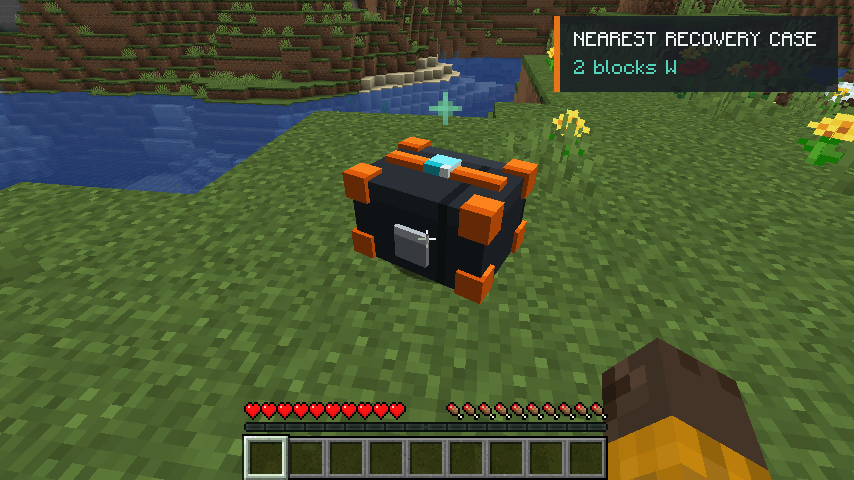
Recovery Chest is a Fabric inventory-recovery mod that securely stores a player’s items when they die. Instead of scattering drops, it deploys a durable recovery case at a safe nearby location.
2026-07-30_00.04.33.png
2026-07-30_00.03.38.png
2026-07-30_00.04.38.png
2026-07-30_00.05.43.png
Description
Recovery Chest
Death is punishment enough. Your inventory should not become a cloud of items waiting to despawn.
Recovery Chest keeps death tense without turning it into a race against scattered drops. When you die, your recoverable inventory is sealed inside a compact, owner-linked recovery case and deployed at a safe position near the place you fell.
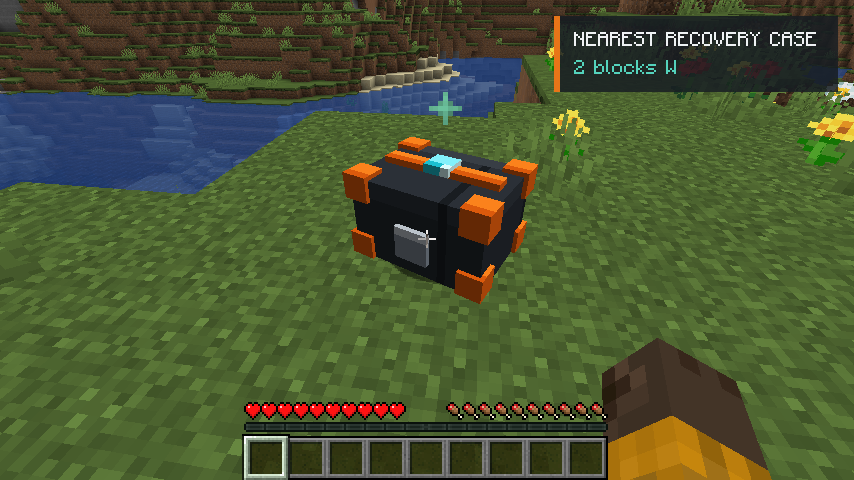
Die, regroup, recover
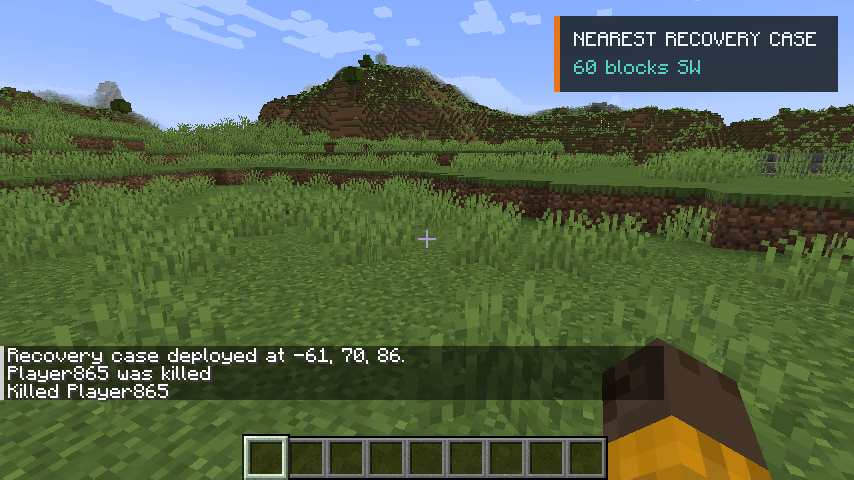
The moment a case is deployed, its coordinates appear in chat and the tracker points you toward it. The HUD updates as you travel, showing the live distance and compass direction without forcing you to reopen a menu every few seconds.
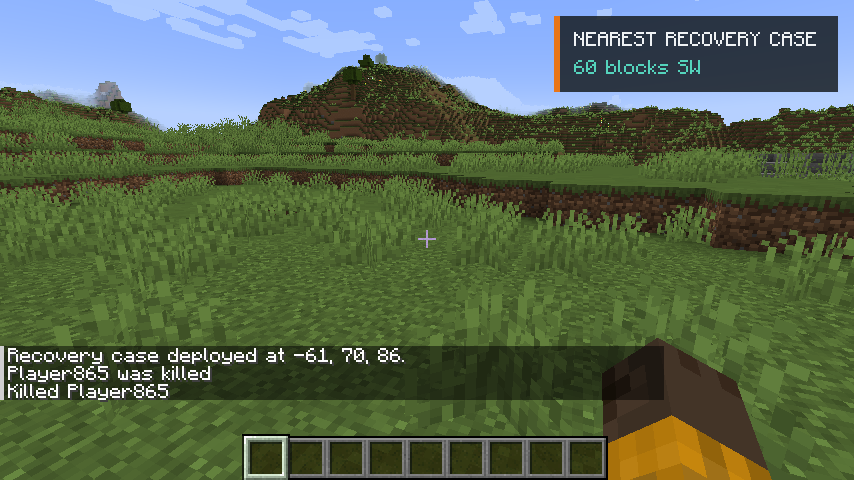
The closest active case is tracked automatically. If you have several deaths to clean up, open the Recovery Log with R and choose exactly which case you want to follow. The tracker can also be hidden whenever you want a clear screen.
Every active case, in one place
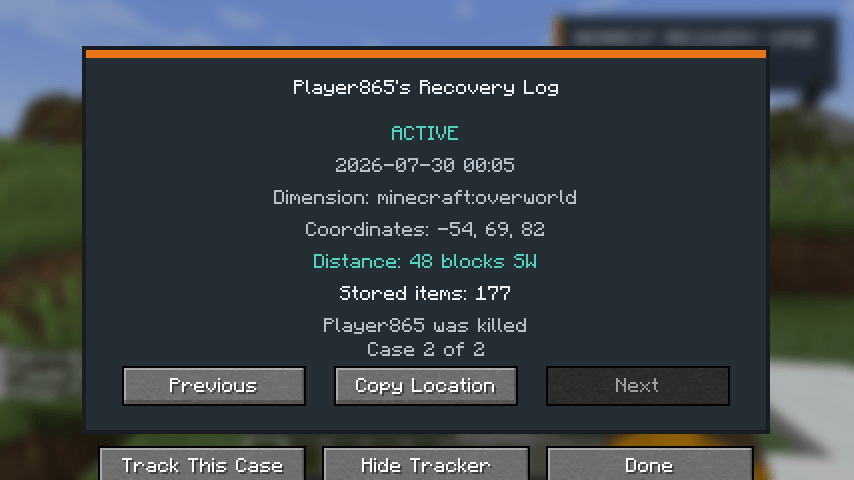
The Recovery Log records the cases that still matter—not a permanent list of old deaths. For each active case, it shows:
- Dimension and exact coordinates
- Live distance and compass direction
- Number of stored items
- Time and cause of death
- Controls for copying the location or tracking that specific case
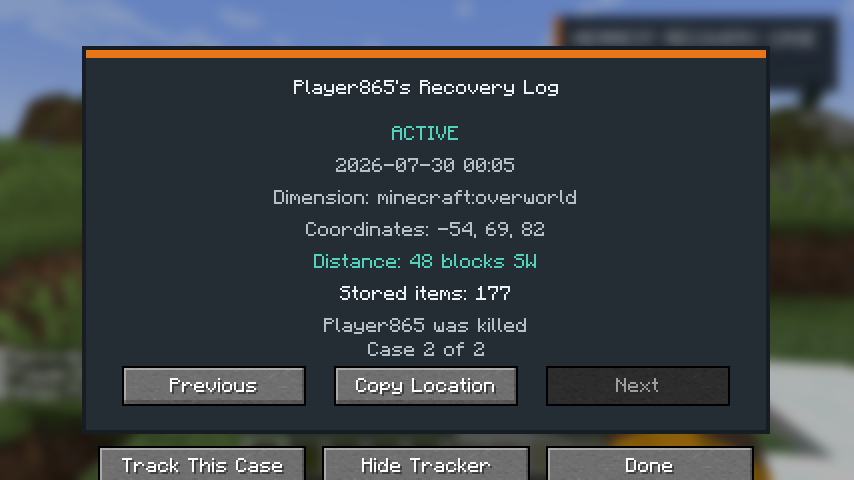
Once a case is emptied, it removes itself and disappears from the log.
Take your items back your way
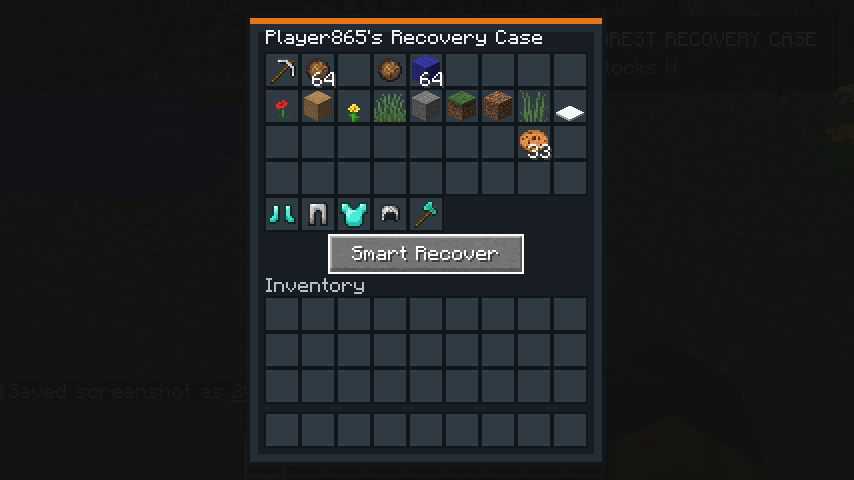
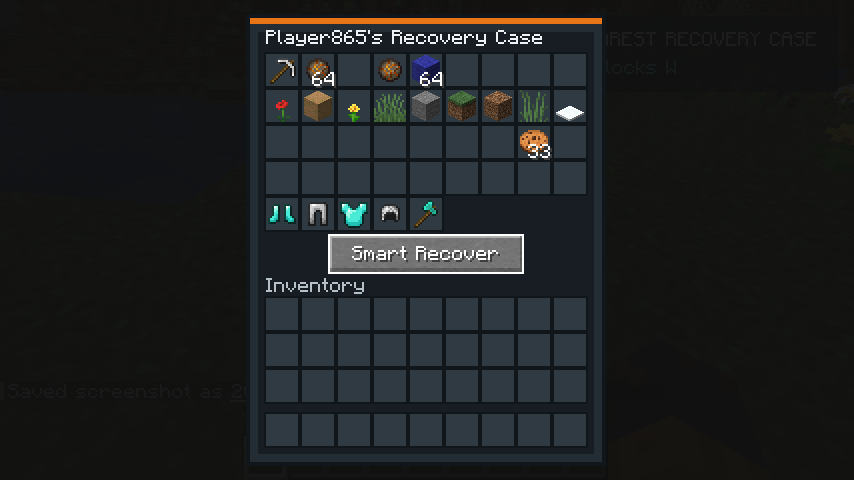
Right-click a case to open it and retrieve items normally, or press Smart Recover when you want to get moving again. Smart Recover equips empty armor and offhand slots, merges items into available inventory space, and leaves anything that does not fit safely inside the case. Nothing is thrown onto the ground just because your inventory filled up.
Protection without shortcuts
Recovery Chest protects your items from fire, lava, the void, despawning, and accidental pickup. Cases are owner-locked by default, with optional teammate or public access available through configuration.
The mod respects keepInventory and Curse of Vanishing. It does not add teleportation, item duplication, player corpses, skeleton stages, rituals, or supernatural mechanics. You still have to make the journey back—the mod simply makes that journey fair and readable.
Controls
- R: Open the Recovery Log
- Right-click a case: Open its inventory
- Smart Recover: Equip available gear and recover as many items as will fit
- Track This Case / Use Nearest: Choose a case or return to automatic tracking
- Hide Tracker / Show Tracker: Toggle the HUD tracker
Install Recovery Chest and Fabric API on both the server and connecting clients. The mod also works in single-player.
The Recovery Chest Team