Realistic Camera by adapts (shaking camera)
- By
Immersive camera motion for Minecraft: walking sway, breathing, strafe tilt, landing impact, damage and explosion shake. Client-side only!
2026-10-10_00.07.10.png
2026-10-10_00.07.21.png
2026-10-10_00.07.32.png
2026-10-10_00.07.43.png
Description
Realistic Camera (Join us on discord: https://discord.gg/B5sMcUThpv)
Make Minecraft feel more alive! Realistic Camera adds smooth, subtle camera motion that reacts to everything you do, for a much more immersive experience. Everything can be tuned live from an in-game menu.
✨ EFFECTS
🚶 Walking sway: your head shifts from one foot to the other with a small dip at each step (stronger when sprinting)
🌬️ Breathing: a slow, subtle motion when standing still
↔️ Strafe tilt: the camera leans when moving left or right
🔄 Turn inertia: the camera leans when turning quickly
🦶 Landing impact: your head dips when you hit the ground, and higher falls give a bigger impact
💥 Damage shake: the screen shakes when you get hurt, and can fully replace the vanilla hurt effect (first and third person)
🧨 Explosion shake: nearby TNT and creepers shake your view based on distance
All effects are smoothed every frame for fluid motion. They only affect the view: your aim and hitboxes are never changed.
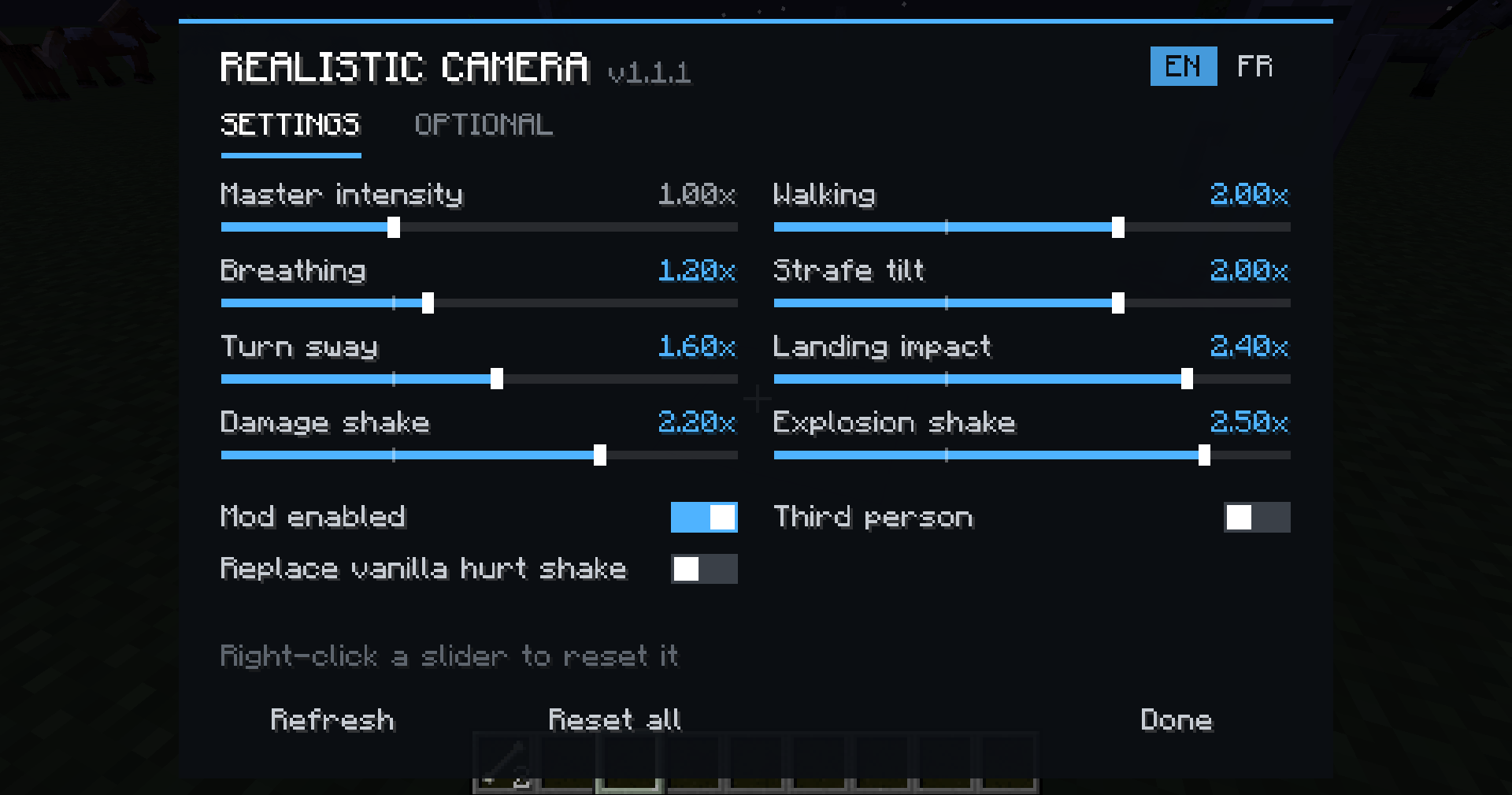
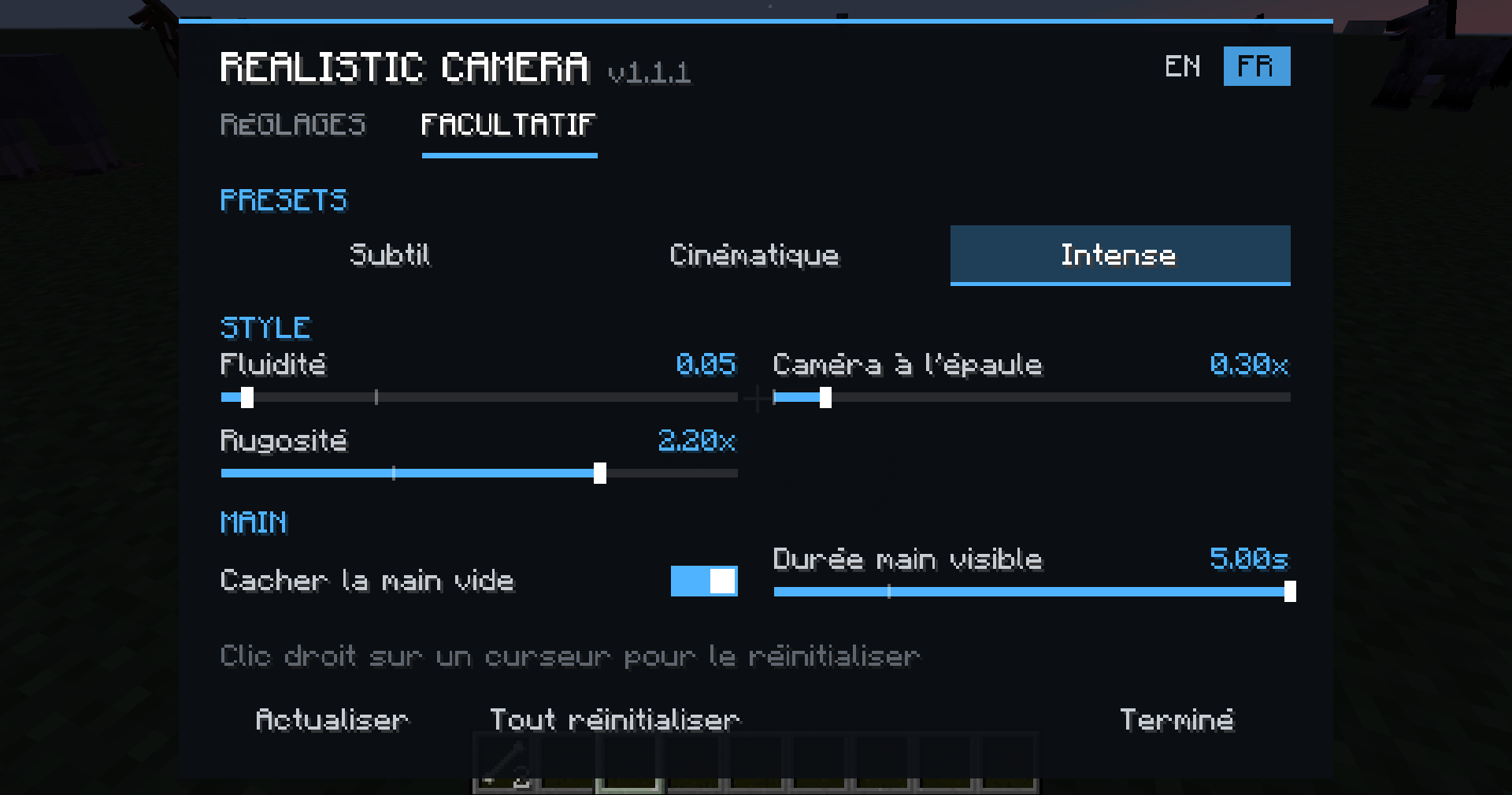
🎛️ IN-GAME MENU (K)
- Every setting with live preview: the game stays visible behind the menu, so you see each change instantly
- Everything is saved automatically
- Two tabs: Settings and Optional
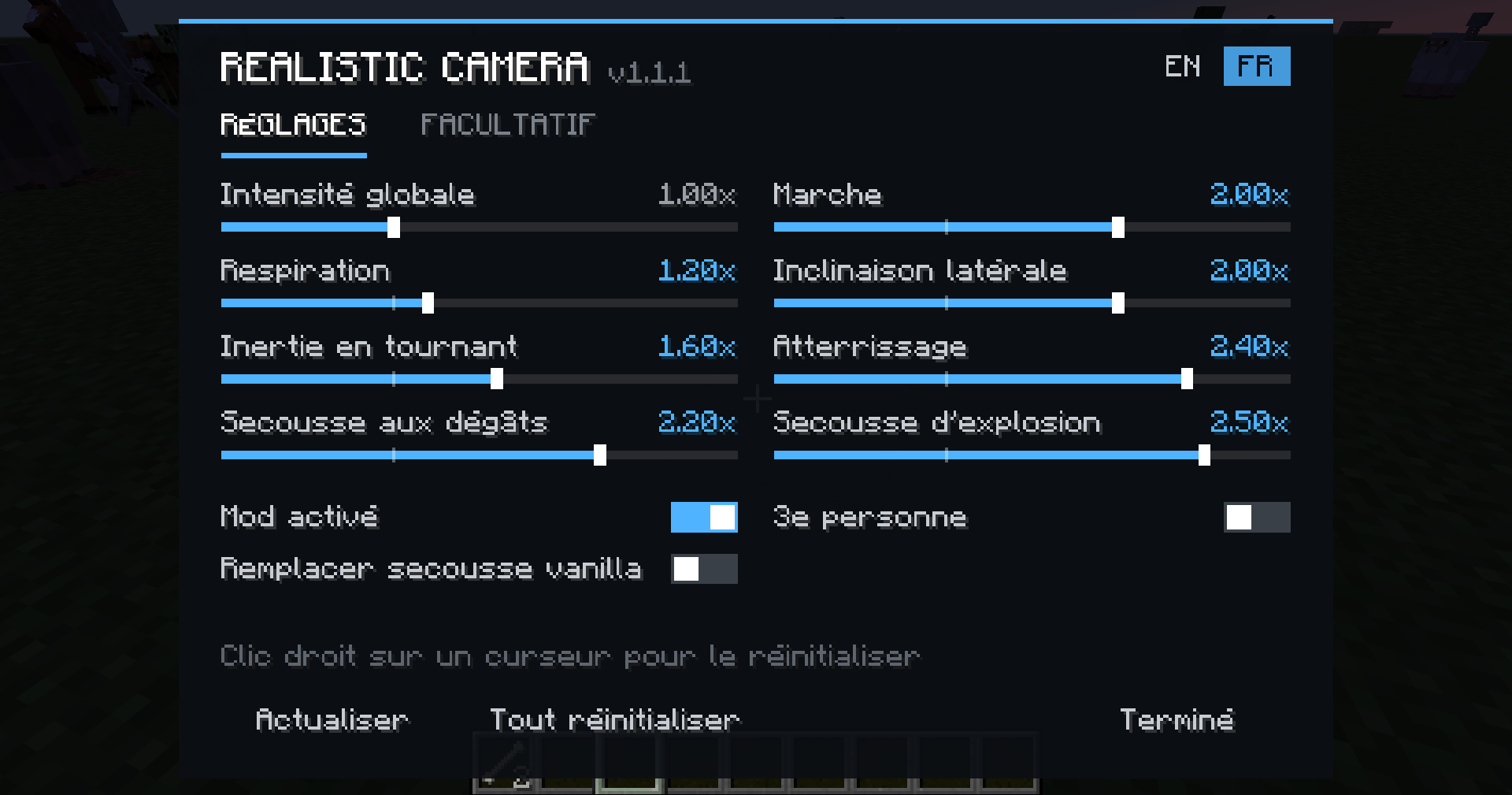
- English by default, with an EN/FR switch
- Mod on/off switch, Refresh button and Reset all button
- Right-click any slider to reset only that setting
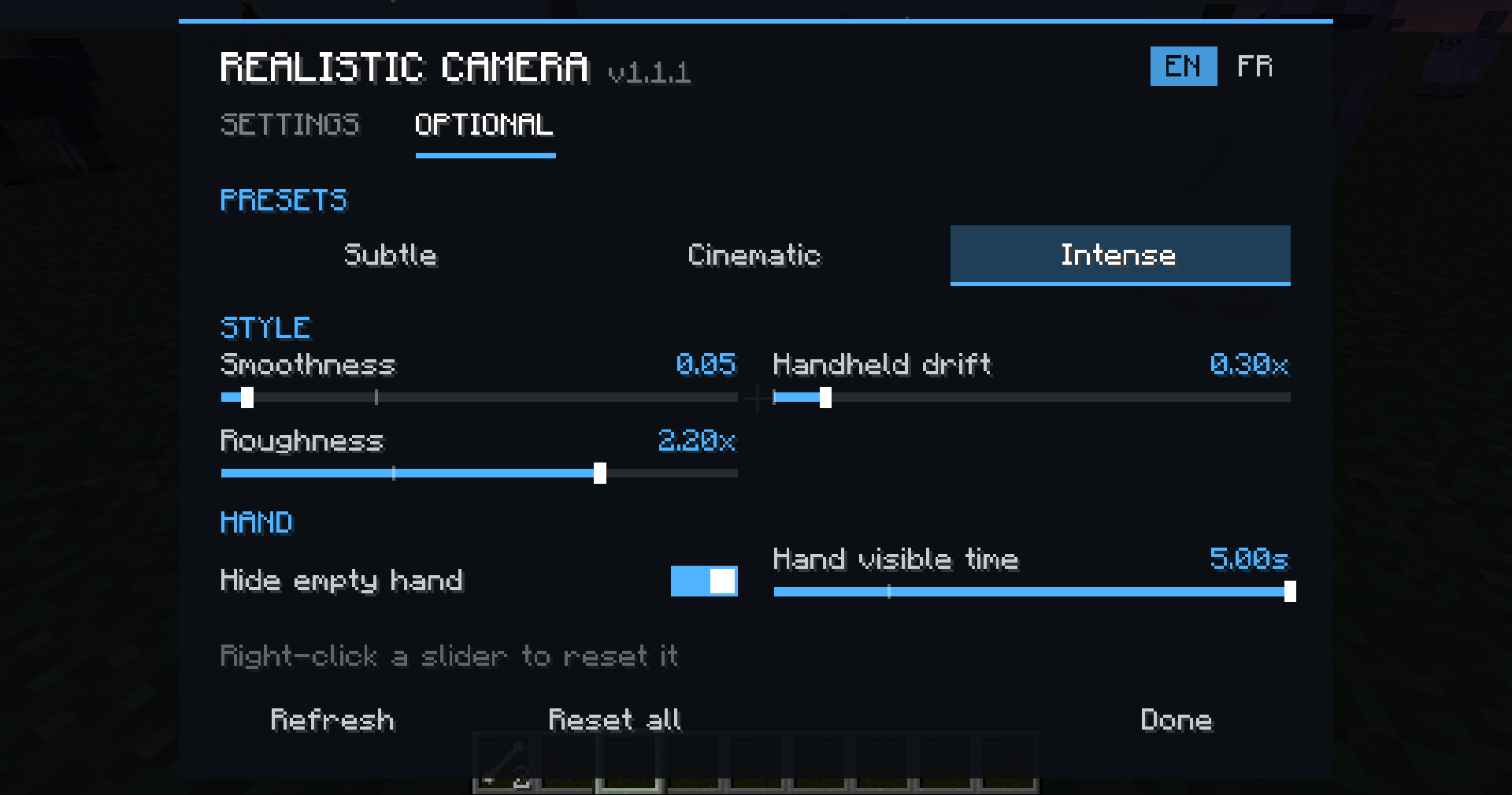
🎬 PRESETS
Each preset has its own style, not just a different strength:
- Subtle: light and quick, a small touch of realism
- Cinematic: floaty and delayed, with a hand-held movie camera drift
- Intense: snappy and strong, with sharp steps and shaky sprinting
Want your own feel? The Style section lets you tune Smoothness, Handheld drift and Roughness yourself.
✋ HIDE EMPTY HAND (optional)
Your empty hand stays hidden in first person and slides in smoothly when you mine, place, attack or use something, then slides back down after a delay you can adjust.
🎮 CONTROLS
- K: open the settings menu
- Toggle camera effects: quick on/off key (unbound by default, set it in Controls)
All keys can be changed in Options > Controls.
⚙️ CONFIGURATION
Use the K menu, or edit config/realisticcamera.cfg (also available in Mods > Realistic Camera > Config).
Each effect goes from 0.0 (off) to 3.0 (very strong), 1.0 by default.
💡 Tip: if the motion feels too strong, try the Subtle preset or turn off vanilla View Bobbing in Video Settings.
📦 INSTALLATION
- Minecraft 1.12.2 with Forge
- Drop the .jar into your mods folder
- Client-side only: works on any server, no need to install it server-side!
❓ FAQ
Does it work on multiplayer servers?
Yes, it's 100% client-side.
Discord: https://discord.gg/V3dGcFQmpt
Can I use it in a modpack?
Of course!
Does it affect PvP aim?
No, only the rendering is changed.
Can I remove the vanilla hurt shake?
Yes, the "Replace vanilla hurt shake" option is on by default.
Realistic Camera by adapts (shaking camera) Team