PlayerTrackerPlus
- By
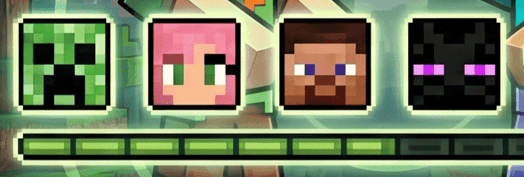
A client-side mod that enhances Minecraft's locator bar to display players' skin faces instead of generic dots.
PlayerTrackerPlus
Replace the boring locator-bar dots with each player's skin face.
Built for Minecraft Fabric. Pixel-perfect overlay, friends list, in-game UI.
✨ What it does
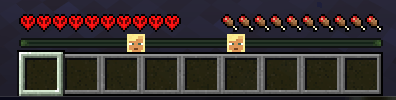
Minecraft's locator bar shows colored dots for nearby players, but you can't tell who's who at a glance. PlayerTrackerPlus replaces every dot with the actual skin face of that player, drawn pixel-perfect on top of the vanilla indicator.
- 🎭 Skin-face overlay on every locator-bar dot, aligned exactly with vanilla's position
- 👥 Friends list with a "friends only" mode — hide everyone else's face
- 🪟 In-game UI — button in inventory and pause menu opens a searchable player list
- ⌨️ Hotkey (default <kbd>F8</kbd>) instantly toggles between "all players" and "friends only"
- ↕️ Adjustable HUD spacing — lifts the health row a couple pixels so the faces have room to breathe
- 🌐 100% client-side — no server install required, works on any server
📸 Vanilla vs PlayerTrackerPlus
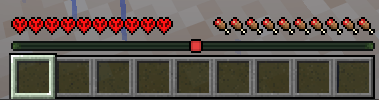
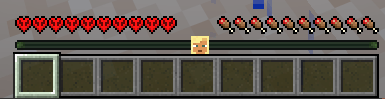
Left: vanilla colored dots. Right: same locator bar with PlayerTrackerPlus enabled.
🎮 How to use
Quick toggle (F8)
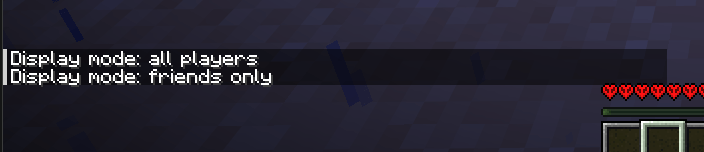
Press <kbd>F8</kbd> at any time to flip between show every player's face and show only my friends. A chat message confirms the change. The key is rebindable from Options → Controls → Misc.
In-game management UI
Open your inventory or the game menu (Esc). A new button labeled PlayerTrackerPlus appears in the bottom-right corner.
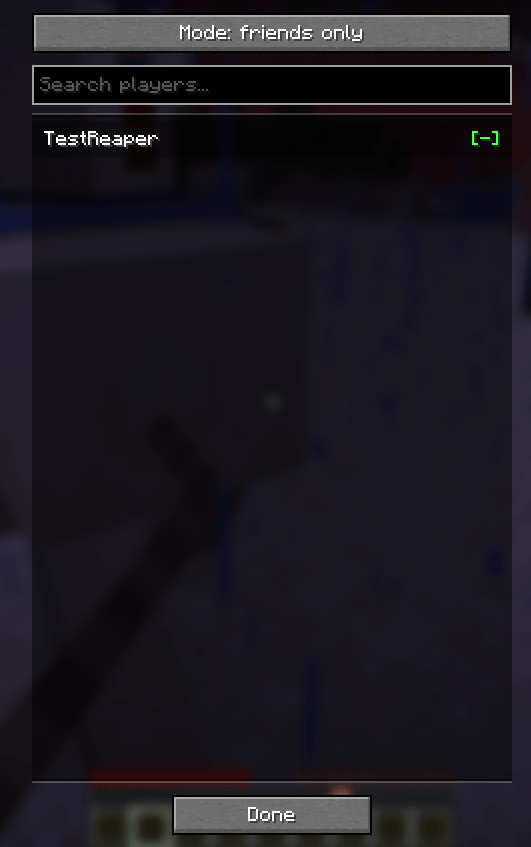
Clicking the button opens a modal with:
- A mode toggle at the top (all players / friends only)
- A search field to filter the player list
- A scrollable list of every online player — click a row to add/remove from friends.
[+]= not a friend yet,[-]= already in your list
Commands
For keyboard lovers, the /playertrackerplus command does the same things:
/playertrackerplus add <name>— add a player to your friends list/playertrackerplus remove <name>— remove a player/playertrackerplus list— show your current friends/playertrackerplus mode all— show face for every player/playertrackerplus mode friends— show face only for friends
⚙️ Configuration
All settings live in .minecraft/config/playertrackerplus.json. The file is created on first launch.
{
  "mode": "ALL_PLAYERS",          // or "FRIENDS_ONLY"
  "healthRowYOffset": 2,          // pixels to lift hearts/food/armor (0-40)
  "friends": [
    "vicxelcode",
    "reaperfxx"
  ]
}
Changes apply when you re-enter the world (no full Minecraft restart needed). Editing the JSON by hand is safe; the UI just writes the same file.
📦 Supported versions
| Minecraft | Loader | Fabric API | Java |
|---|---|---|---|
| 1.21.6 | Fabric ≥ 0.16.10 | ≥ 0.127.0+1.21.6 | 21+ |
| 26.1.2 | Fabric ≥ 0.19.2 | ≥ 0.149.1+26.1.2 | 25+ |
Download the JAR matching your Minecraft version and drop it in .minecraft/mods/. Requires Fabric Loader and Fabric API.
❓ FAQ
Does it work on servers I don't own?
Yes. The mod is 100% client-side, no server install needed. Faces show for any player visible on the locator bar.
Does it work for players whose skin hasn't loaded?
If a player's skin isn't loaded yet (rare — usually means they're not on the tab list), the vanilla colored dot stays visible as a fallback.
Will it conflict with other HUD mods?
The mod only touches the locator-bar render and the health-row position. It should coexist with most HUD mods, but report any conflicts as an issue.
Is the friends list shared across servers?
Yes — it's stored in your Minecraft client config, so the same list applies on every server you join.
🌟 In action
🛠️ Credits
Built by vicxelcode for the Fabric community.
Issues, suggestions and pull requests welcome on the source repository.
If you enjoy the mod, leave a ⭐ and share it with your friends!
PlayerTrackerPlus Team