ProtectionBlocks
- By
ProtectionBlocks allows players to secure their builds with customizable protection blocks and manage permissions with ease.
2025-09-22_20.54.19.png
2025-09-22_20.52.30.png
2025-09-22_20.54.37.png
2025-09-22_20.53.54.png
2025-09-22_20.54.50.png
Description
🛡️ Protection Blocks
Protect your builds · Catch every intruder · Get pinged on Discord
5 tiers of protection blocks safeguard your constructions against griefing, with a granular permission system for allies (build / break / interact), upgrade slots to extend range, an optional economy mode where blocks consume a configurable currency item over time, and a welcome bonus of 24 h free time on the first block of new players. And when something happens in one of your zones — intruder entering, blocked break attempt, TNT trying to nuke your base — a private Discord DM lands in your inbox, even when you're offline.
✨ What's inside
🛡️ Bulletproof protectionTier-based cubes from 5×5×5 up to 25×25×25. Anti-bypass built in: pistons, explosions, fluids and hoppers all blocked at the edge. Owner always retains full control. |
🔔 Real-time Discord alertsLink your Discord once and receive a private DM the moment someone enters, breaks, interacts or bypasses one of your zones. Available offline. Bot in 5 languages. |
🔑 Per-ally permissionsGrant build, break and interact independently to each ally. Live edits from the GUI — no commands, no NBT editing. |
⚙️ Hot configAll sizes, limits and tier toggles live in a TOML file (or via the new in-game GUI). A config change applies immediately to existing protections — no chunk regen, no restart. |
💰 Currency mode — economy-driven protectionOptional: each block holds a configurable currency item (any item from vanilla or any installed mod) and consumes it over time to stay active. Cost is "N items per M minutes" and supports fractional ratios like "1 iron ingot every 60 min". Master switch is OFF by default. |
📦 Upgrade slots — extend rangeEach block has 4 upgrade slots. Insert other protection blocks to expand the protected radius. Effective range = base + Σ(inserted ranges), effective cost scales the same way. Broken block returns all upgrades + fuel to the world. |
🎁 Welcome bonus for new playersOn their FIRST protection block, new players automatically get 24 h of free time (configurable, 0–720 h). Anchored to the player's UUID — break & replace the block within the window and the remaining time transfers to the new one. Awarded once per player forever — anti-cheat by design. |
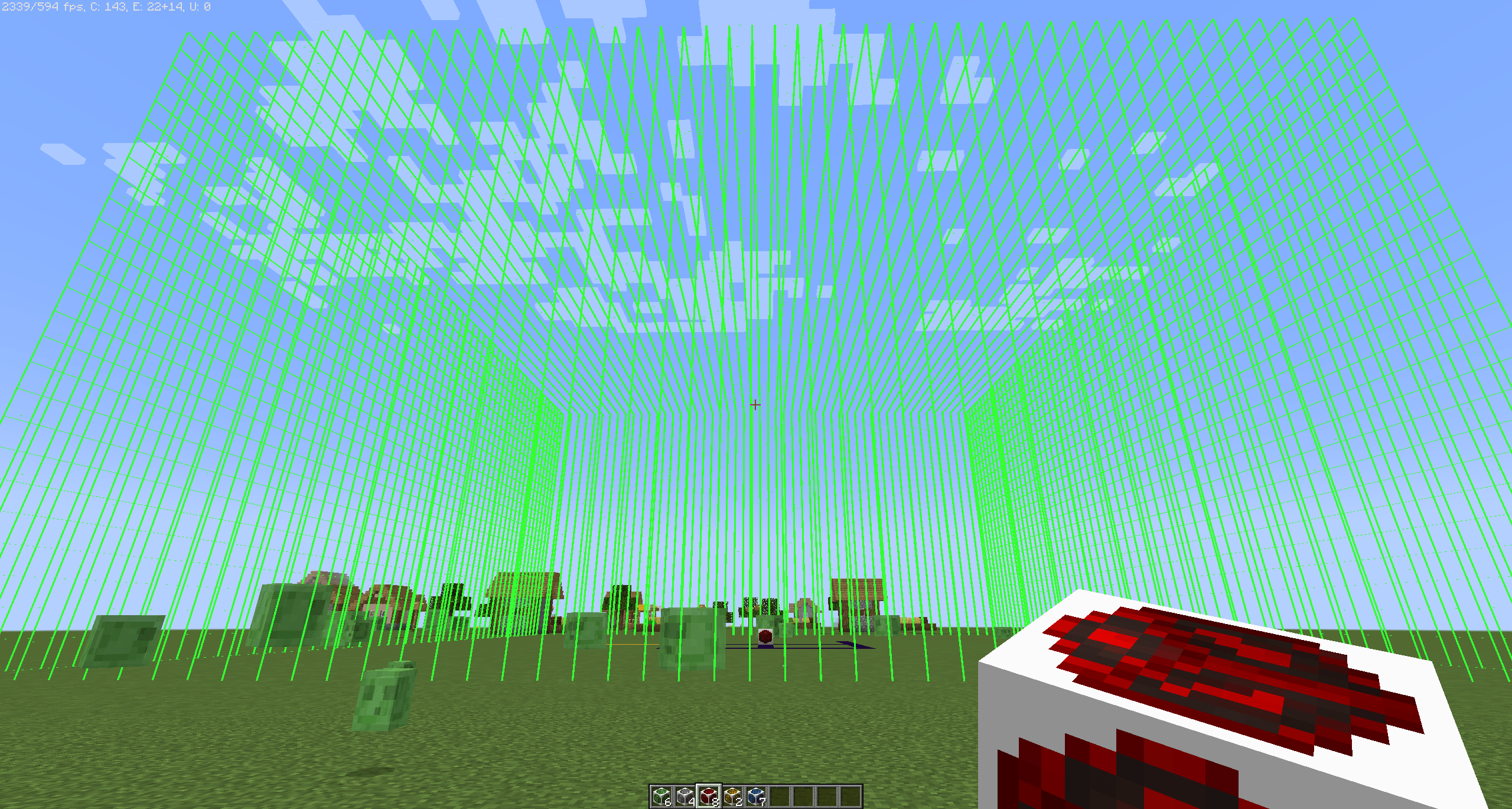
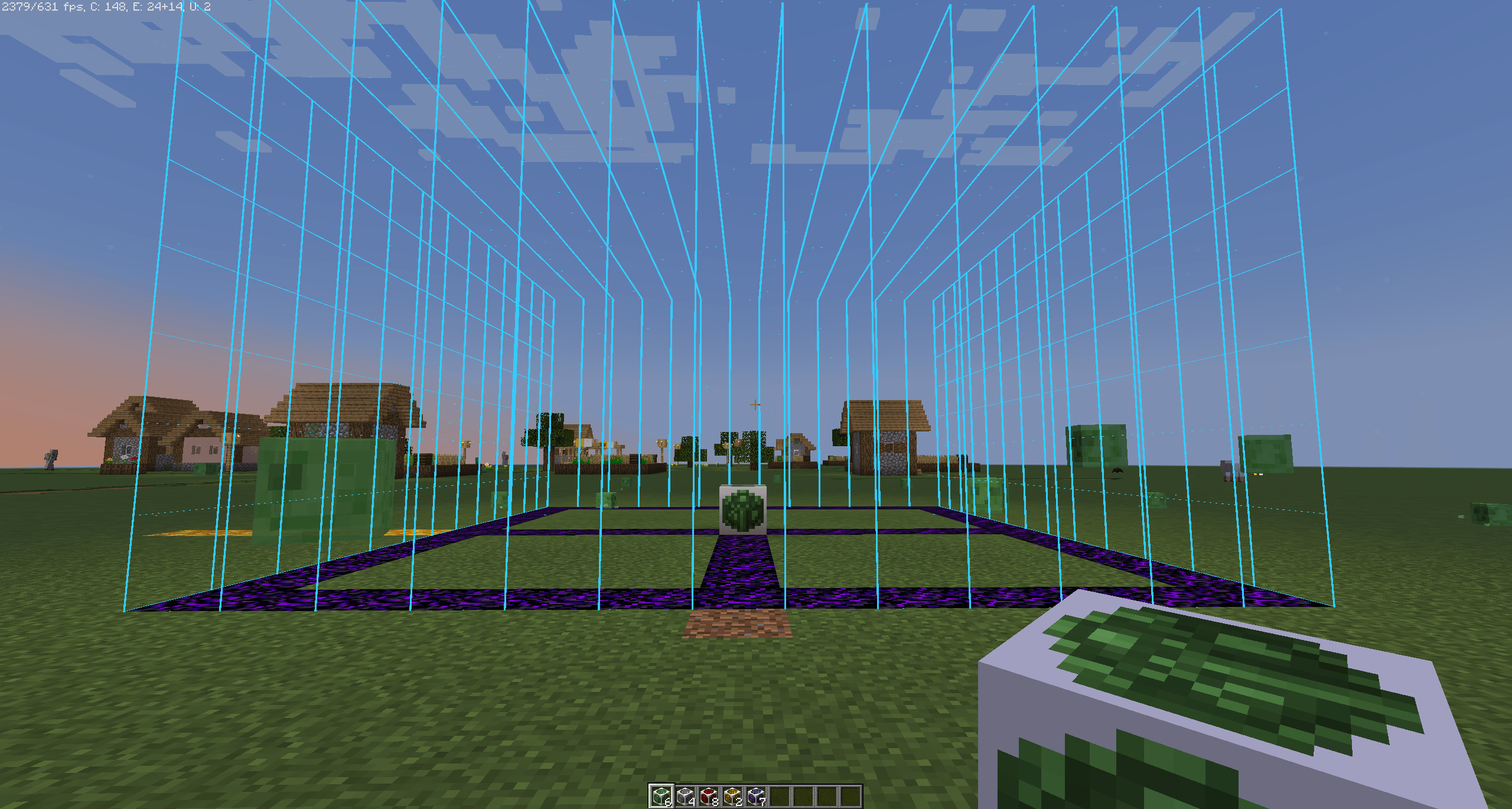
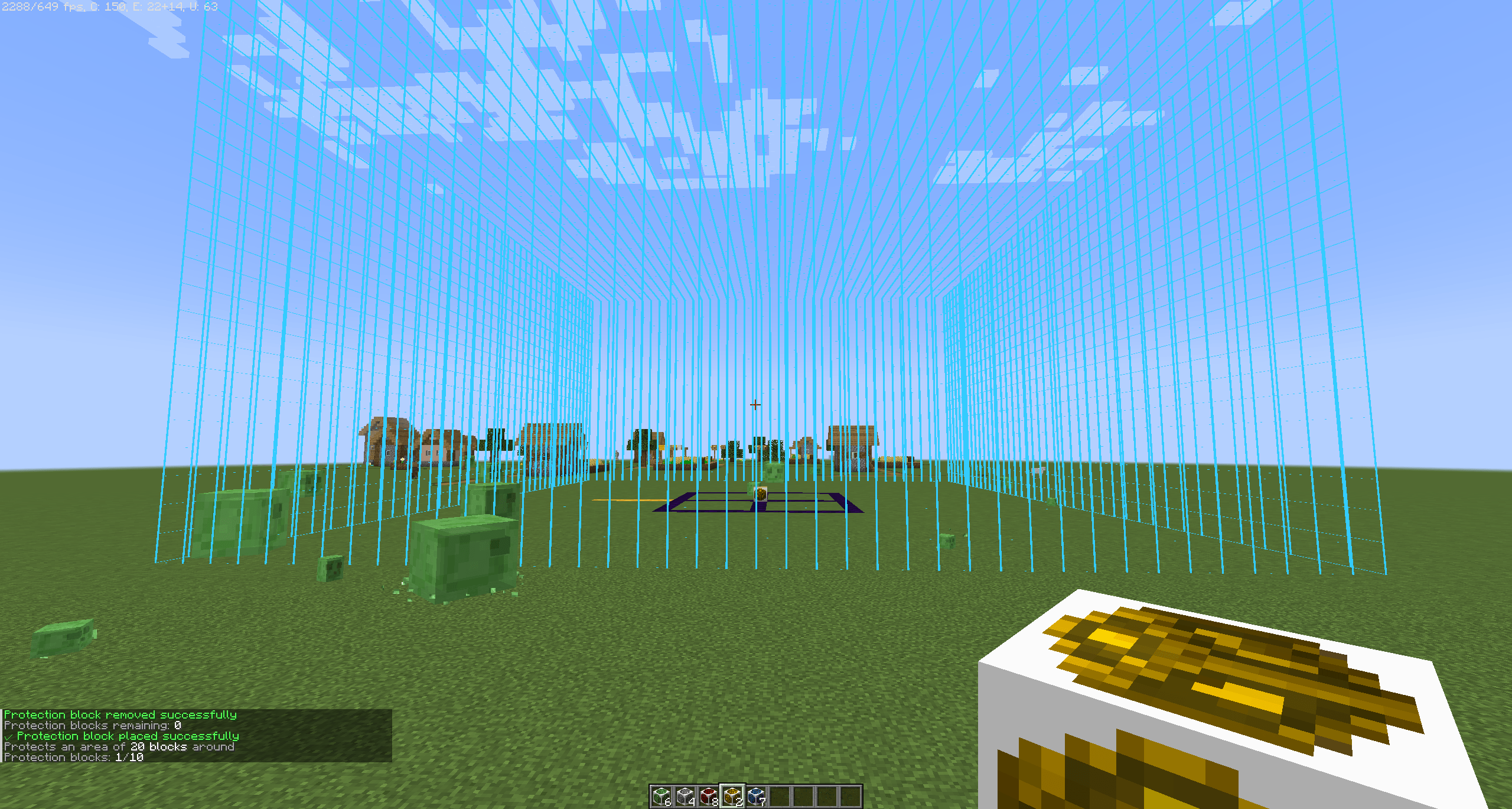
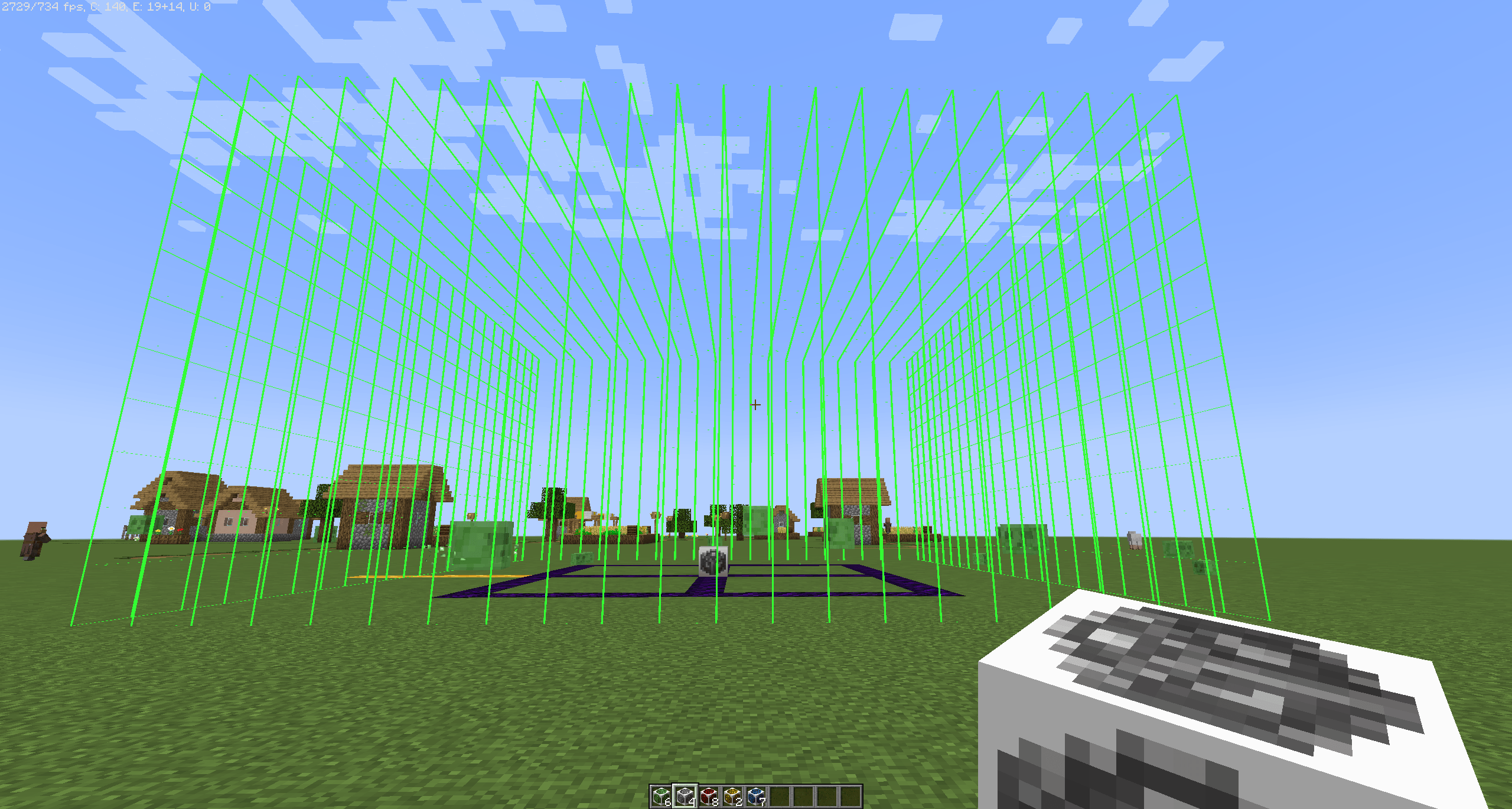
🔍 X-ray wireframe & HSV color pickerToggle "Show area" and see the protected volume rendered as a wireframe cube through walls, blocks and terrain. Pick any color via an inline HSV picker (60-segment hue bar + 40×16 SV grid). Session-persistent per block. |
🔔 Discord alerts — Free & Premium
100% opt-in. Leave the bot endpoint empty in the config and the mod runs as a pure protection mod with zero external dependencies.
| Feature | FREE — 0 €/forever | ⭐ PREMIUM — 4,99 €/month |
|---|---|---|
| Minecraft servers | 1 | Unlimited |
| All 4 alert types (enter / break / interact / bypass) | ✔ | ✔ |
| Cooldown between alerts | 10 min | Real-time |
| Bot in 5 languages (ES / EN / DE / FR / IT) | ✔ | ✔ |
| Self-service customer portal — cancel anytime | — | ✔ |
| Stripe payments — no card data stored | — | ✔ |
🚀 Get alerts in 3 steps
|
1
RegisterLog in with Discord on the panel, create your server, copy the token. |
2
ConfigurePaste the token in |
3
Link DiscordRun |
📖 Full tutorial: protectionblocks.infinixmc.es/dashboard/docs/link
🧊 Managing a placed block
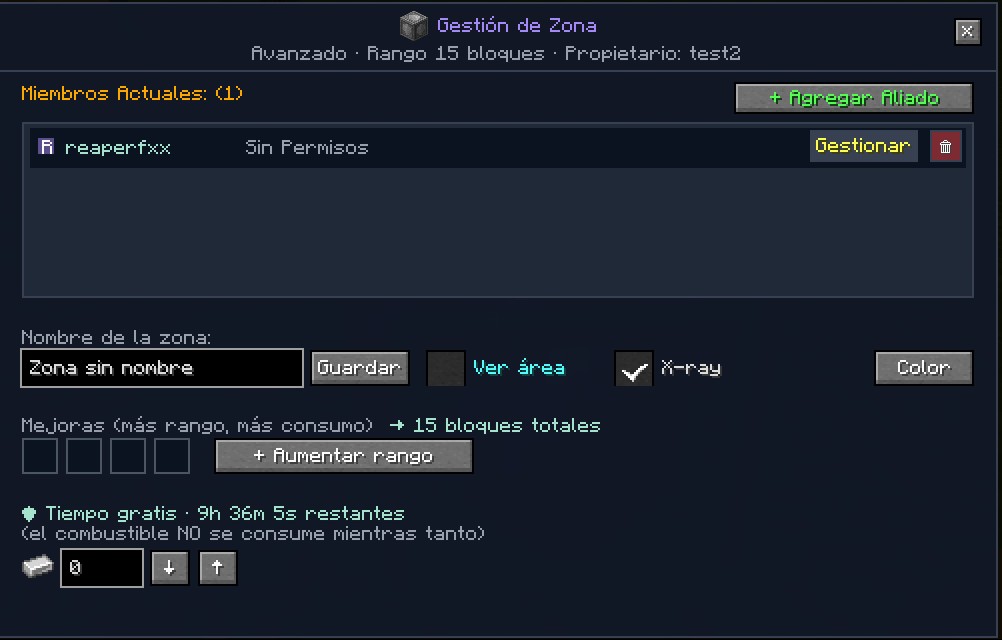
Place any tier of protection block, then right-click it as its owner to open the management GUI shown below. From a single panel you can:
- Add allies with an inline player picker (auto-focus + centered input) — no more separate screen.
- Tune each ally's build / break / interact grid live from the Gestionar dropdown.
- Toggle "Ver área" for the wireframe preview, cycle X-ray on/off, and pick any highlight color from the inline HSV picker.
- Drop items into the 4 upgrade slots to extend the range (the total is shown live next to the label).
- In currency mode: monitor the free-time countdown plus fuel state, and refill / withdraw the currency stack with the
↓/↑buttons in one click.
⚙️ In-game admin configuration GUI
Forget editing TOML files. The entire server config is now editable from inside Minecraft — one click in the pause menu and you get a clean GUI with every option grouped in tabs. All changes apply instantly, no restart (except crafting recipes, marked with a "⚠ requires /reload" badge).
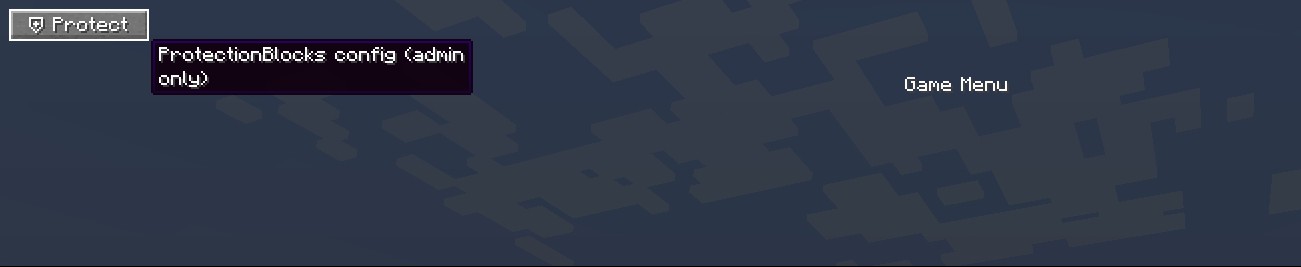
Opens via the new ⛨ Protect button in the pause menu (top-left, auto-positioned next to other admin-mod buttons like HeadRoles — never overlaps), or via your own keybind under the new "Protection Blocks" category in Options → Controls. Visible only to ops.
|
General 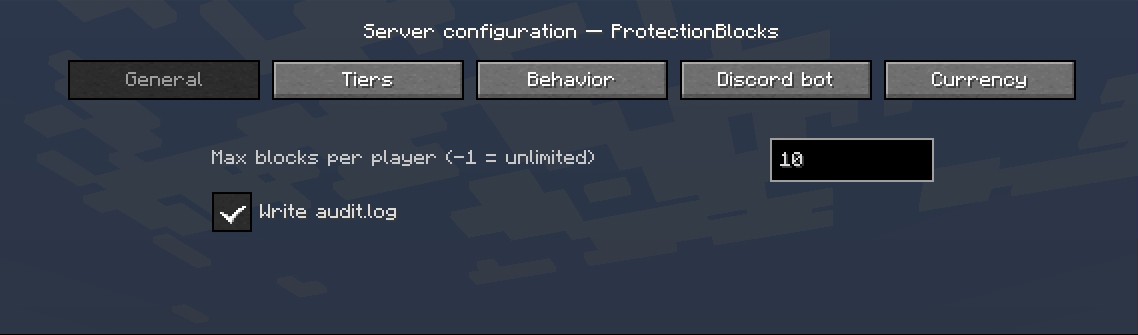 |
|
Tiers — radii & per-tier toggles 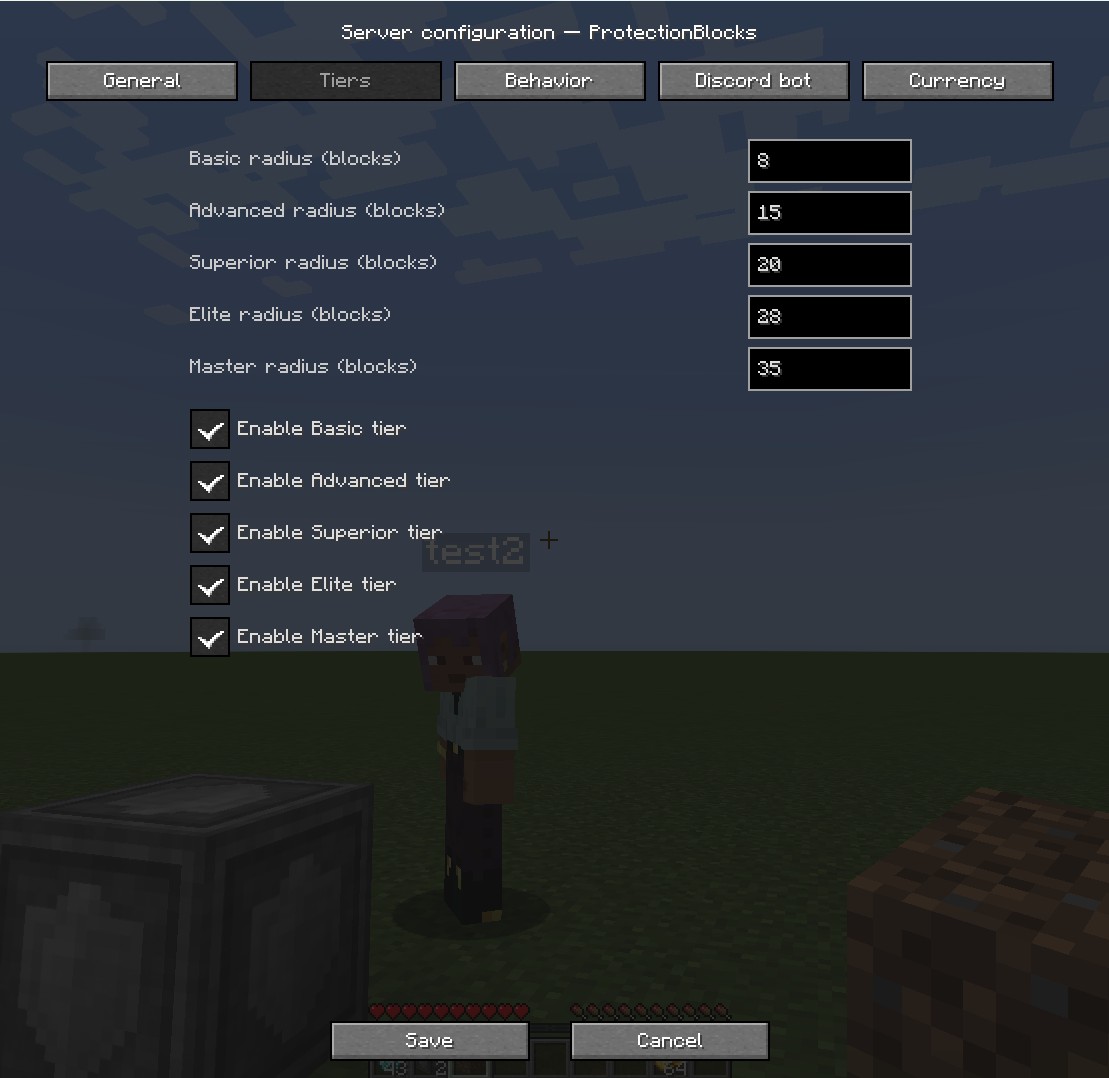 |
|
Behavior 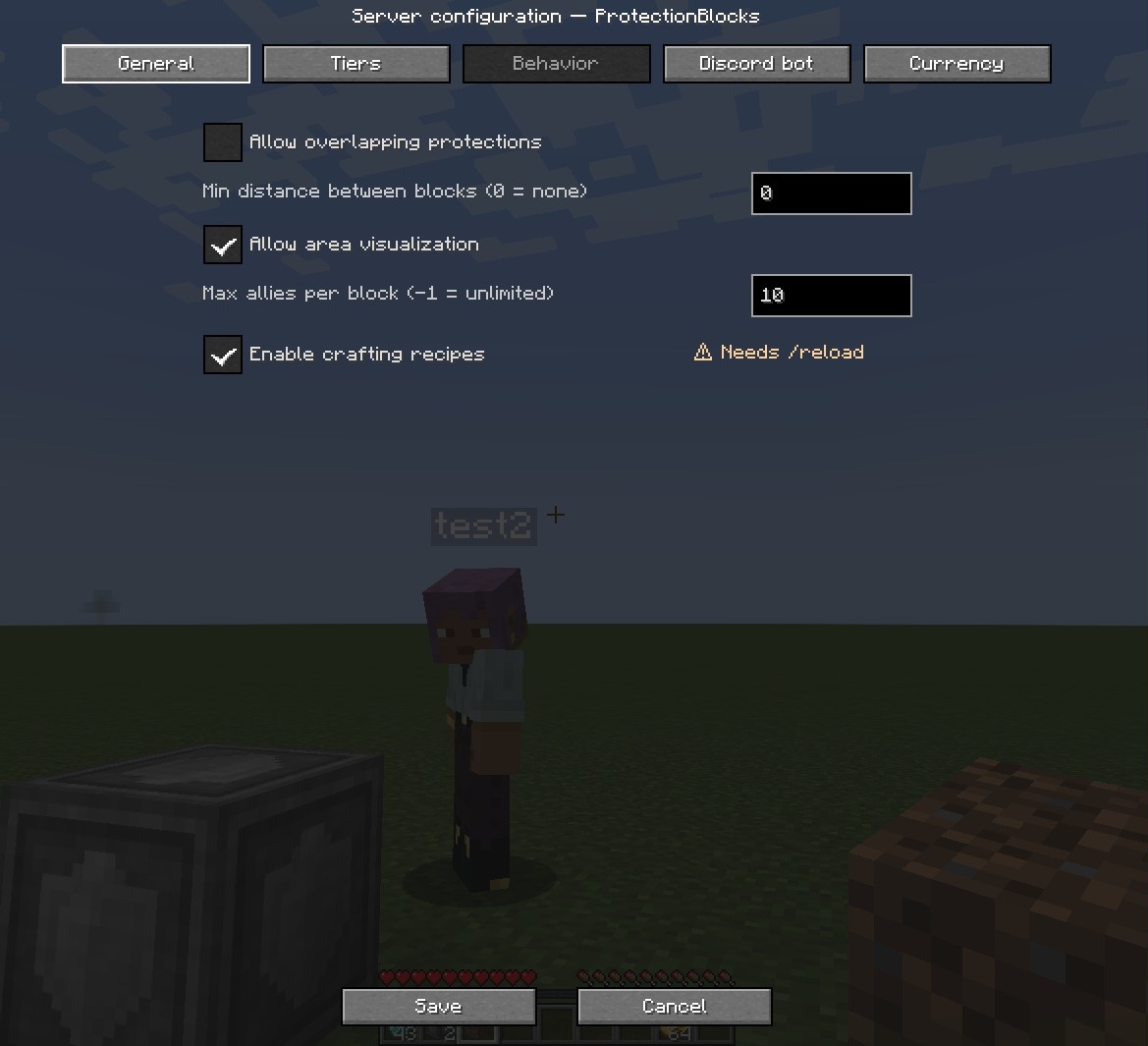 |
|
Discord bot 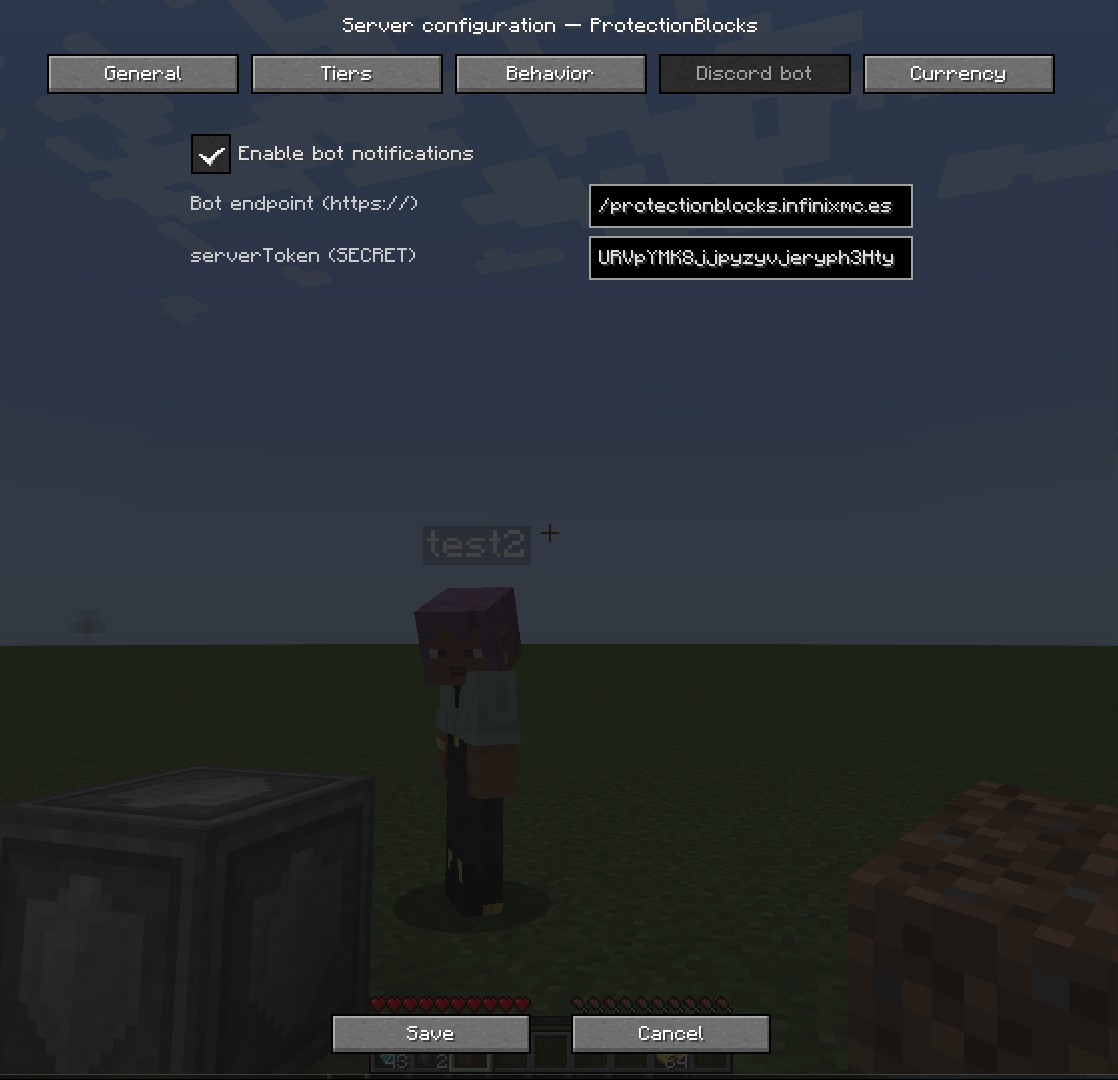 |
|
Currency — economy & free time 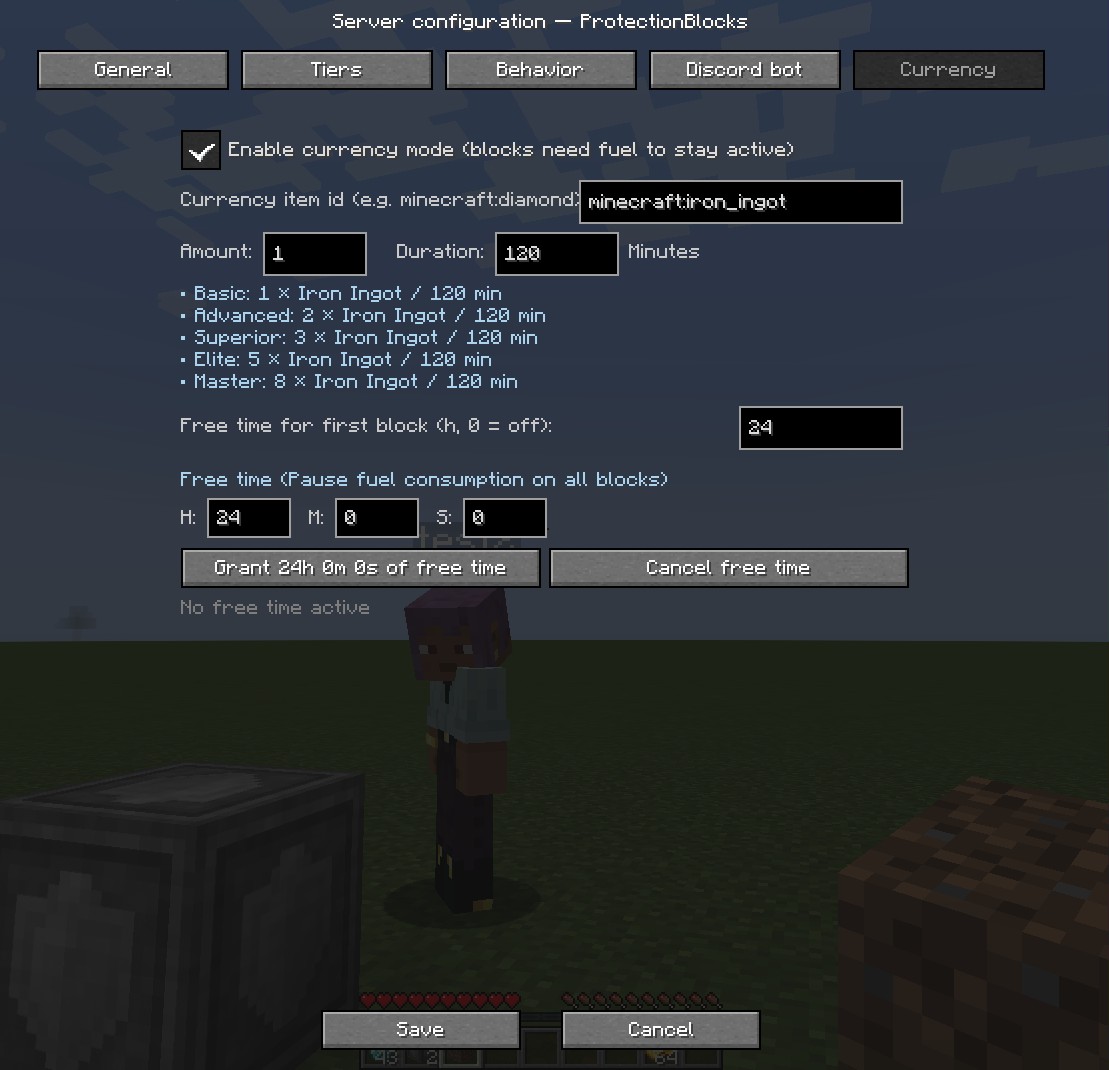 |
The Currency tab has live per-tier cost breakdown (updates as you type), an in-GUI toast card for save/grant/cancel confirmations (so the chat stays clean), and greys out the whole section when the master switch is OFF so admins don't accidentally edit values that don't matter.
📏 Protection tiers
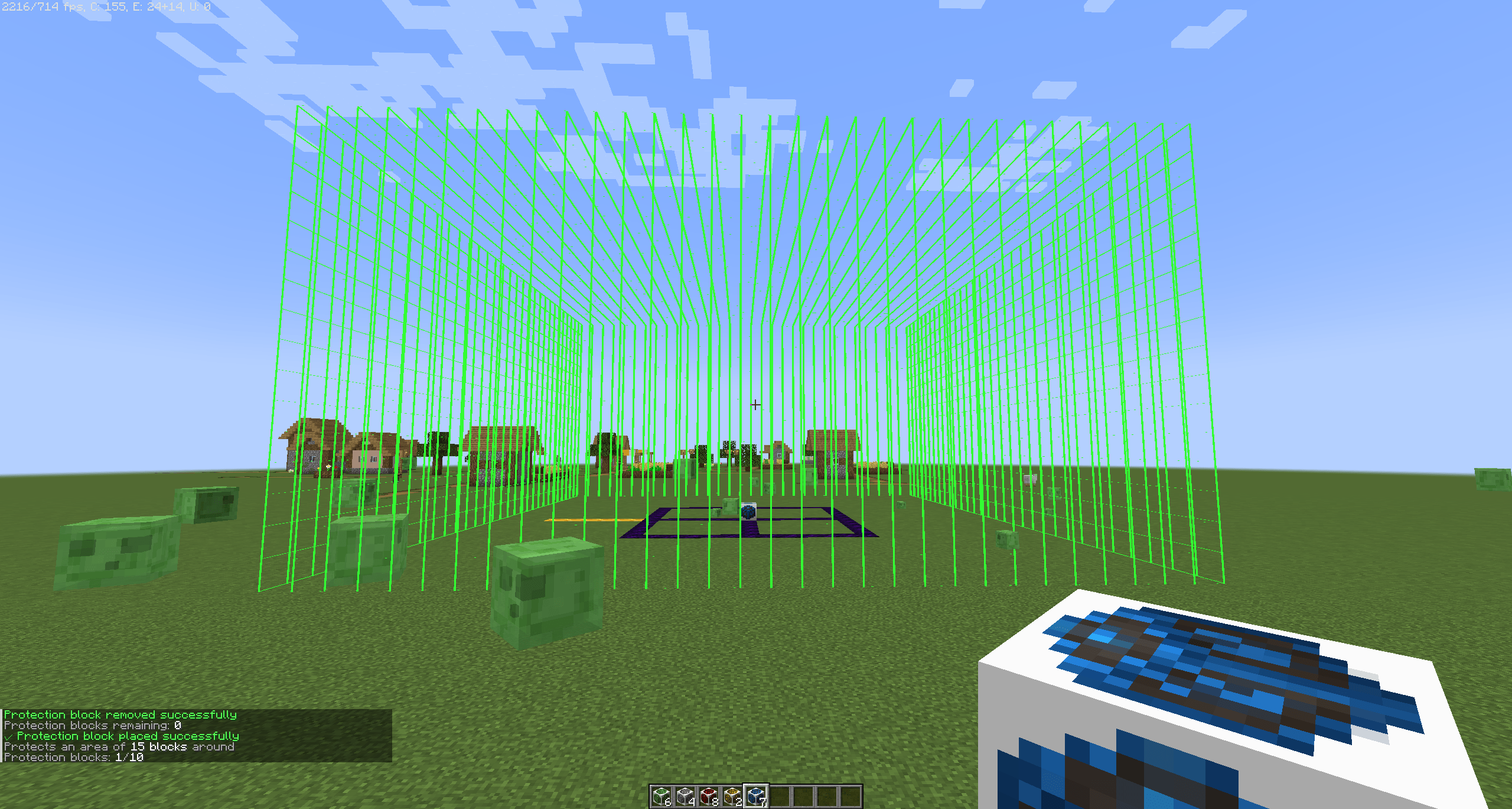
Each block protects a cube of (radius × 2 + 1)³ centered on it. All sizes are configurable.
| Tier | Radius | Area | Preview |
|---|---|---|---|
| Basic | 2 | 5×5×5 | 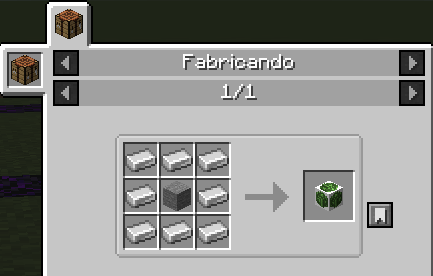 |
| Advanced | 5 | 11×11×11 | 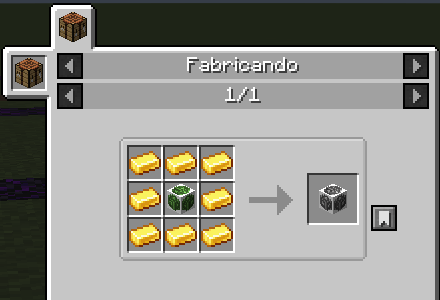 |
| Superior | 7 | 15×15×15 | 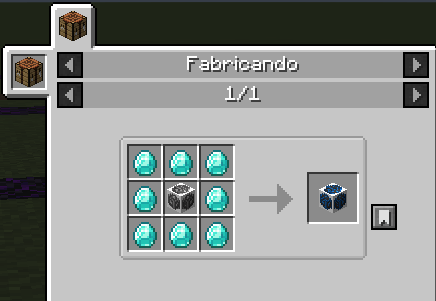 |
| Elite | 10 | 21×21×21 | 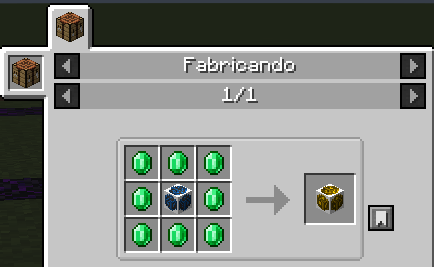 |
| Master | 12 | 25×25×25 | 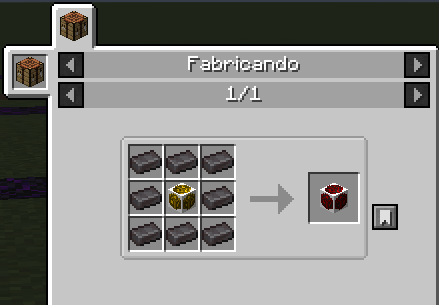 |
⚙️ Server configuration
Fully tunable via config/protectionblocks/protectionblocks-server.toml or via the in-game GUI. A config change applies immediately to existing protections.
| Key | What it does |
|---|---|
maxProtectionBlocksPerPlayer |
Max blocks per player (-1 = unlimited). |
basicProtectionRadius … masterProtectionRadius |
Radius (in blocks) of each tier's cube. |
allowOverlappingProtection |
Whether two protections can overlap. |
minDistanceBetweenBlocks |
Min distance between same player's blocks. |
enableProtectionVisualization |
Toggle the in-game outline preview. |
maxAlliesPerBlock |
Limit allies per block (-1 = unlimited). |
enableProtectionBlockRecipes |
Enable/disable crafting recipes (requires /reload). |
enableBotNotifications |
Master switch for Discord alerts. |
botEndpoint |
Endpoint of the bot. Leave empty to disable. |
serverToken |
⚠ Secret. Per-server token from the panel. Don't share it; rotate from the panel if leaked. |
enableCurrencyMode |
Master switch for the economy layer. When OFF (default), blocks work as before with no fuel needed. |
currencyItem |
Item id used as currency, e.g. minecraft:diamond or modid:custom_coin. Any stackable item works. |
costItemCount & costDurationMinutes |
Base cost expressed as "N items last M minutes" (M is a decimal). Multiplied by the per-tier weight (Basic ×1, Advanced ×2, Superior ×3, Elite ×5, Master ×8). |
newPlayerGraceHours |
Free-time hours awarded on the FIRST protection block of a new player (0–720, default 24, 0 disables it). Once per player forever. |
💬 In-game commands
| Command | Who | What it does |
|---|---|---|
/protection link |
Player | Generates a 6-char code to pair the account with the Discord bot (/link <code> on Discord). |
/protection diag |
OP | Inspects the block the OP is aiming at and prints owner, tier, range, isActive, fuel, per-block grace state, cache membership — everything needed to answer "why is / isn't this action allowed?". |
/protection grantfreetime <player> <hours> |
OP | Overwrites the target player's free-time pool. 0 cuts their remaining grace; any value 1–720 re-grants that many hours (bypasses the "once per player" rule for testing). |
📦 Compatibility
Minecraft 1.20.1 · Forge 47.x · Java 17 · Client & Server
© 2026 vicxelcode · MIT License · GitHub · Panel & tutorial
ProtectionBlocks Team