


Particle Filter
- By
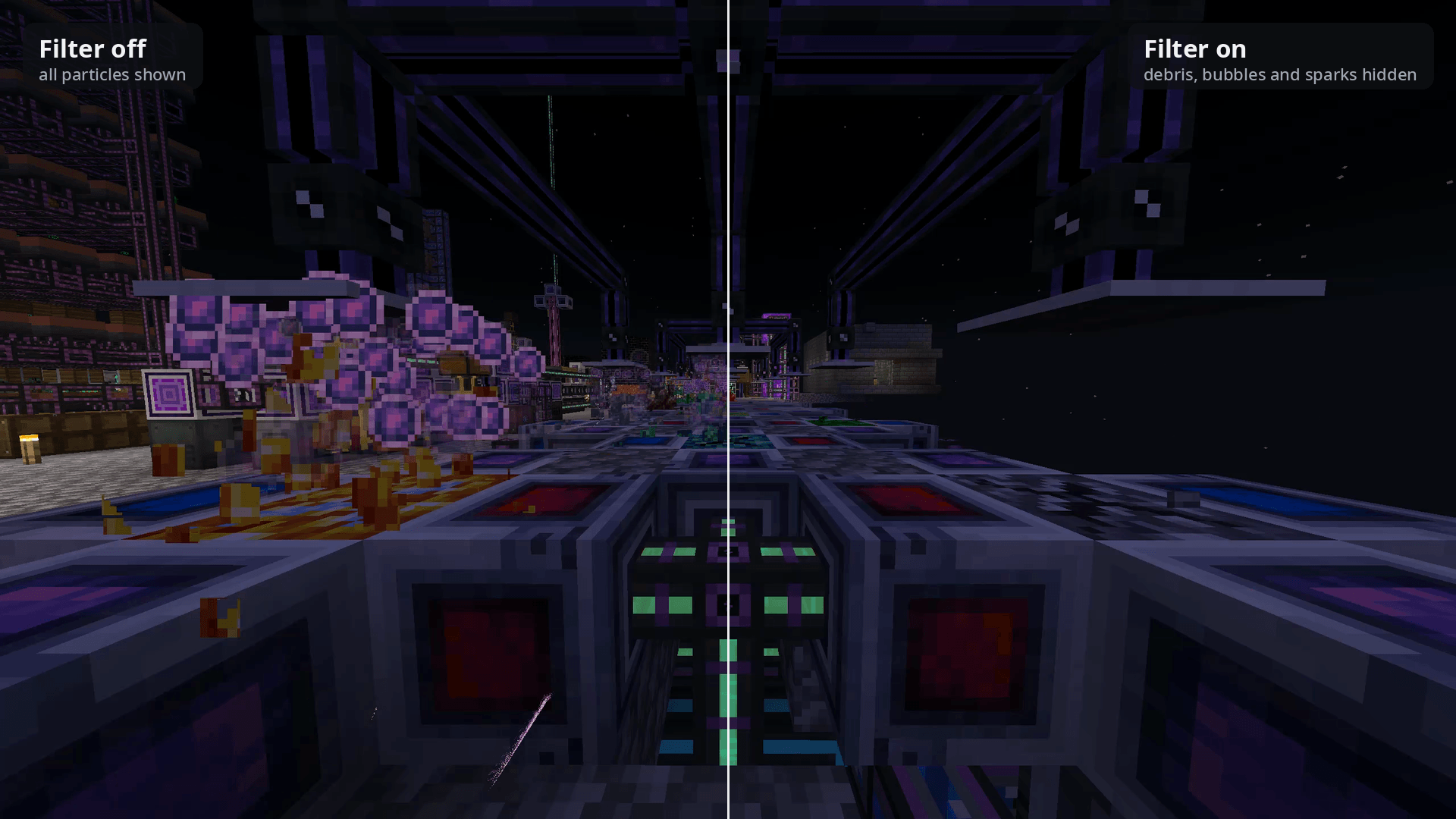
The same spot on a crystal farm at the same moment: all particles shown (left), and with block-breaking debris, AE2 bubbles and sparks hidden (right). Blocks and machines are untouched.
Description
Too many particles on screen? A farm or base spamming effects, blocks that burst into debris every time you mine them, a modded effect you can't stand, or particles dragging your FPS down? The usual fix is setting Particles to Minimal, which removes almost all of them everywhere.
Particle Filter lets you hide exactly the particles you don't want, exactly where you don't want them. Everything else stays.
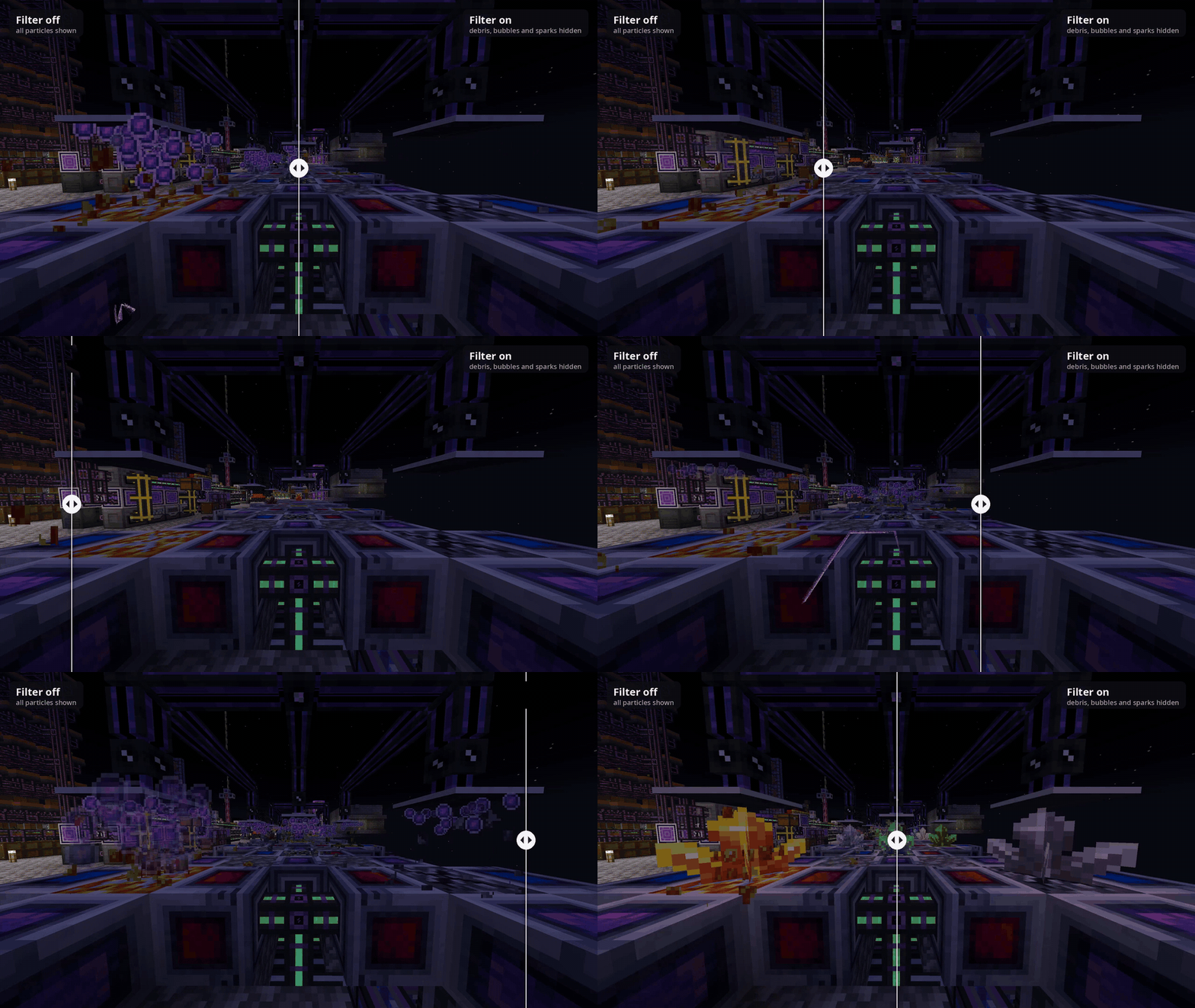
A crystal farm with all particles shown (left) and with its block-breaking debris, AE2 bubbles and sparks hidden (right). Same spot, same moment; the blocks are untouched.
AI disclosure: this mod's code was written by an AI, Claude by Anthropic. The author, Minihercules317, came up with the idea, made the design decisions, tested it in game and drew the icon, but did not write the code. A detailed breakdown of who did what is linked at the bottom of this page.
Use it to
- Calm down busy bases, farms and automated setups
- Stop particular blocks from showing breaking and mining particles
- Remove one annoying particle from a mod without uninstalling the mod
- Win back FPS when particles pile up
- Clean up the view for screenshots, recording or streaming
- Cut visual noise if certain effects are distracting or uncomfortable to look at
How it works
- Look at where the particles are coming from (or just stand near them) and open the menu with
/particles(or a keybind). - Press Scan. For 5 seconds, every particle that appears within 6 blocks is recorded and listed by ID, with how many showed up.
- Switch on the one you want gone:
- Everywhere: gone in every world.
- Here: gone only inside a zone around that spot. If there's no zone yet, one is created, and you see a preview of it in the world first.
That's it. You don't need to know what a particle is called, and there are no config files to edit. Works with vanilla and modded particles.
Features
- Scan: find out exactly which particles are appearing anywhere you look, vanilla or modded. Particles that mods create without a particle type are listed by class name and can still be hidden.
- Zones: named boxes (width × height × length) that you can move and resize by typing, with −/+, or by snapping them to your position or crosshair. Outlines update live in the world while you edit, and hovering a zone in the list highlights it.
- Block particles: hide the breaking, mining and dust particles of specific blocks, whole mods (
geore:*), or block tags (#c:ores). There's also a keybind that toggles the block you're looking at. - Hidden list: everything you've hidden in one place, showing where (everywhere, which zone, or block breaking), with one-click Unhide.
- Active rules: switch between all your rules, only the everywhere ones, only zones, or none, from the menu or a keybind. Great for a quick before/after comparison; your rules are kept. Or hold the Hold to Show All Particles key to see everything just while it's held.
- Works on any server: client-side only, so nothing needs installing on the server. Zones are saved per server and per dimension.
- Actually saves work: hidden particles are never created, rather than being drawn invisibly.
Commands
/particles: open the menu/particles scan: scan at your crosshair and show the results/particles hidden: show everything hidden/particles zones: show zones in this world
Keybinds (unbound by default, under Controls → Particle Filter): Open Particle Filter, Scan Particles at Crosshair, Hide/Show Breaking Particles of Targeted Block, Always Show Zone Outlines, Cycle Active Rules, Hold to Show All Particles.
Compatibility
- Minecraft 1.21.1, NeoForge 21.1+. No dependencies.
- Install on the client only.
- Works alongside particle optimization mods such as Particle Core and Sodium.
- Tested on All the Mods 10: To the Sky and in a minimal setup. If something misbehaves with another mod, please report it on the issue tracker (linked below).
Limitations
- Zones are tied to the server address you connect with.
- Effects that a mod draws with its own renderer, rather than the particle system, can't be filtered.
Modpacks
You're welcome to include Particle Filter in modpacks (MIT License).
Links
- Source code and the full AI disclosure ("Who did what"): https://github.com/Minihercules317/particle-filter#who-did-what
- Issue tracker: https://github.com/Minihercules317/particle-filter/issues
- Interactive before/after comparison: https://minihercules317.github.io/particle-filter/compare/
Particle Filter Team
