PackIdentity
- By
A lightweight client-side UI utility that displays the modpack name and version in the top-left corner of the screen.
Play Minecraft Modpacks with Friends!
Create a server, get 25% off your first month

PackIdentity
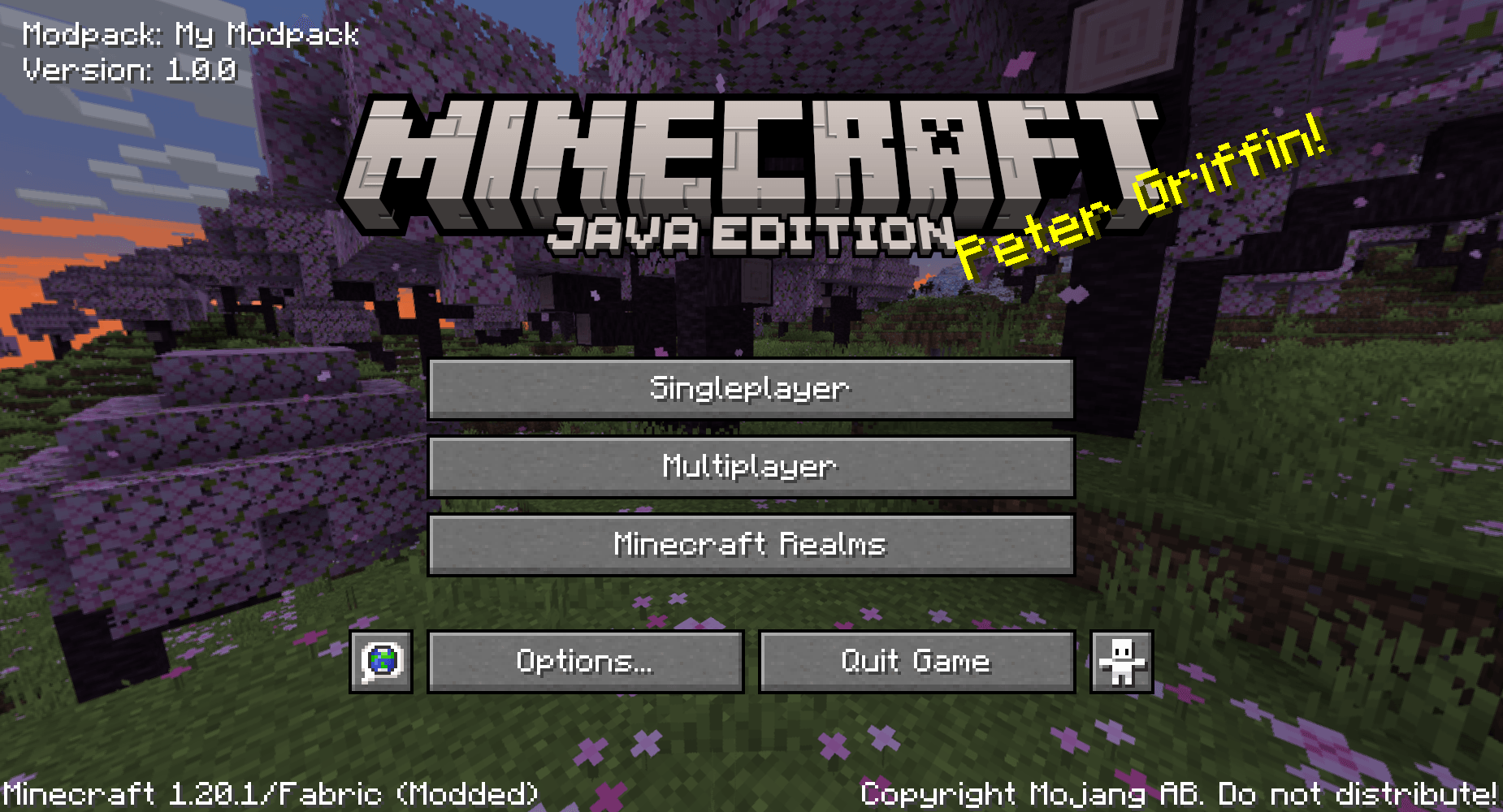
PackIdentity is a lightweight client-side mod that displays your modpack's name and version in the top-left corner of Minecraft's main menu. Your vanilla experience will be further improved thanks to this quality of life feature.
It's designed for modpack creators who want a simple way to show players which modpack and version they're running, without adding unnecessary features or modifying the rest of the game.
Everything is controlled through a small configuration file, making it easy to customise the display to suit your modpack.
Features
- Displays your modpack name and version on the main menu.
- Customisable modpack name and version number.
- Option to show or hide the "Modpack:" and "Version:" labels independently.
- Adjustable text positioning.
- Option to disable the display entirely.
- Automatically hides its display if a DarkRPG Tweaks configuration is detected, preventing duplicate version information.
- Client-side only. No server installation required.
Configuration
On first launch, PackIdentity automatically generates a configuration file:
config/packidentity-menu.properties
Default configuration:
modpack_name=My Modpack
modpack_version=1.0.0
show_modpack_label=true
show_version_label=true
enabled=true
x=8
y=8
You can change the modpack name, version, labels and positioning by editing this file.
For example, setting both label options to false will display:
My Modpack
1.0.0
With labels enabled, it will display:
Modpack: My Modpack
Version: 1.0.0
Restart Minecraft after making changes to the configuration.
Compatibility
- PackIdentity is designed to work with Minecraft's standard main menu.
- The mod does not include any FancyMenu integration or additional menu customisation features.
- If DarkRPG Tweaks is installed and its menu configuration file exists, PackIdentity automatically disables its own display to avoid showing duplicate information.
PackIdentity Team

Owner