A library mod for adding ocean biomes, water colors, and entity buckets!


If you're a modpack developer wanting to add Ocean API to a modpack distributed outside of CurseForge or Modrinth, use File Director to avoid reuploading Ocean API's files.
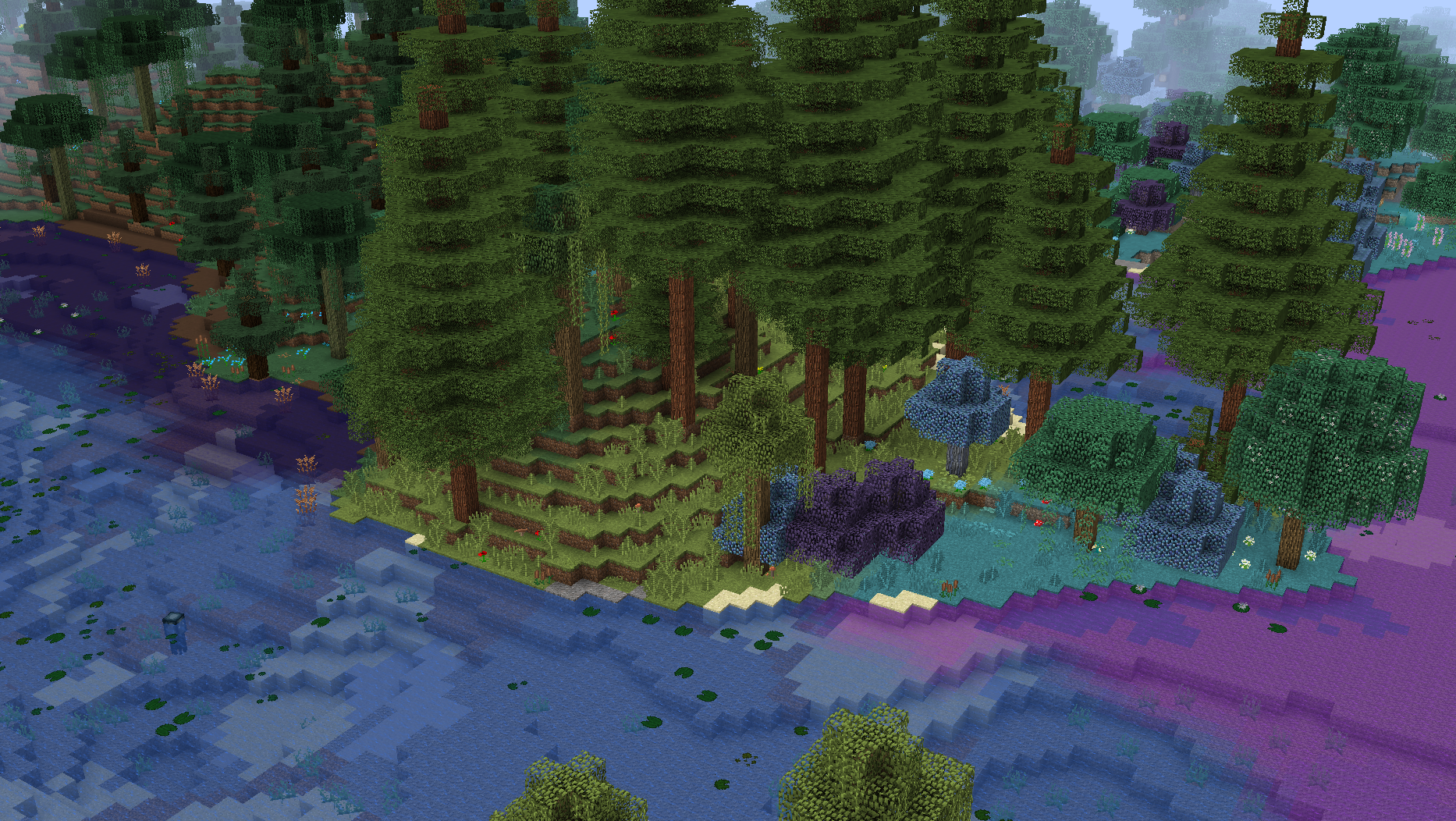
The new grayscale water textures used by Ocean API are generated dynamically at runtime and change depending on your resource packs! Screenshots shown below are using the Faithful 32x and Tropical Waters resource packs.
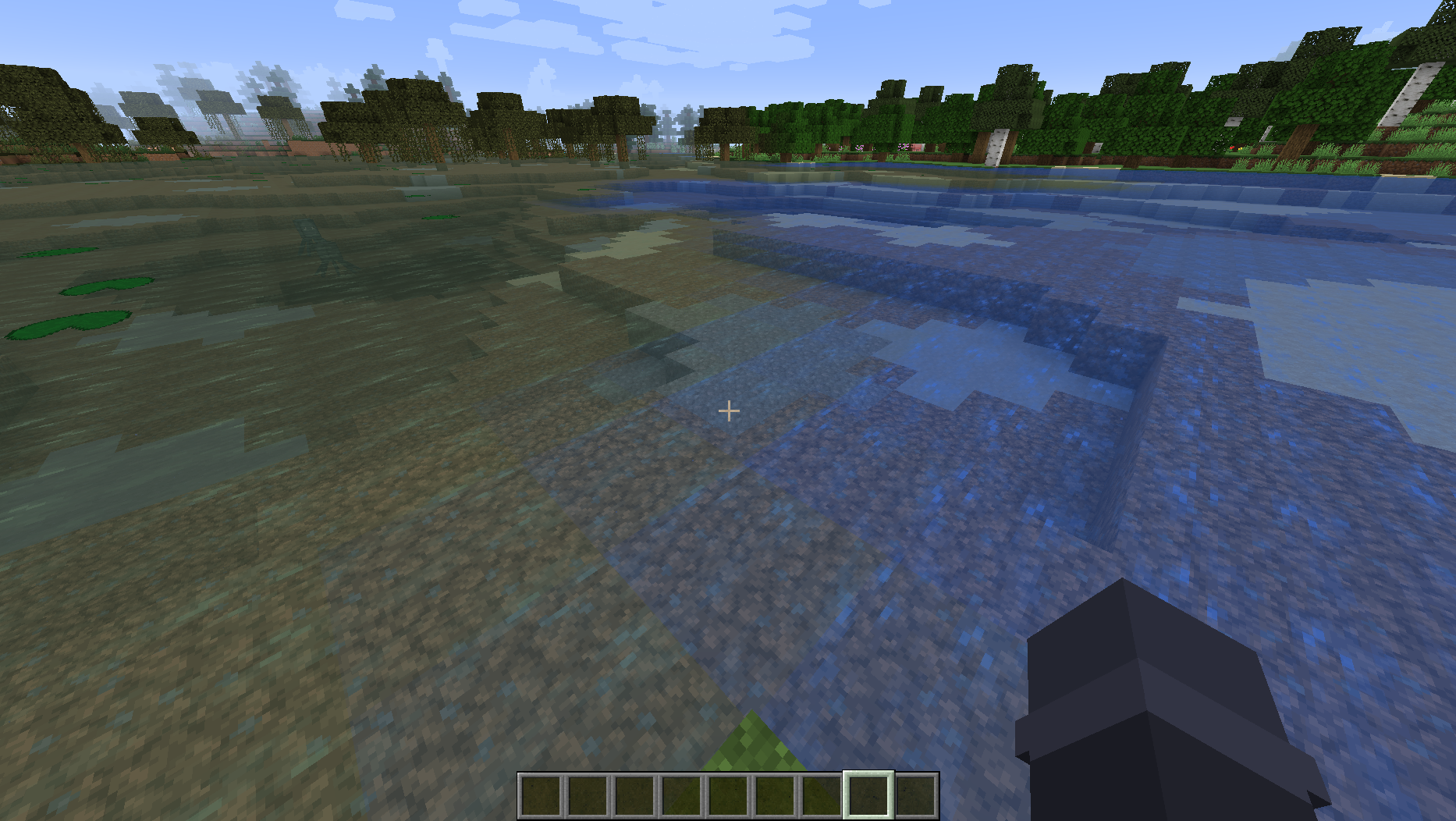
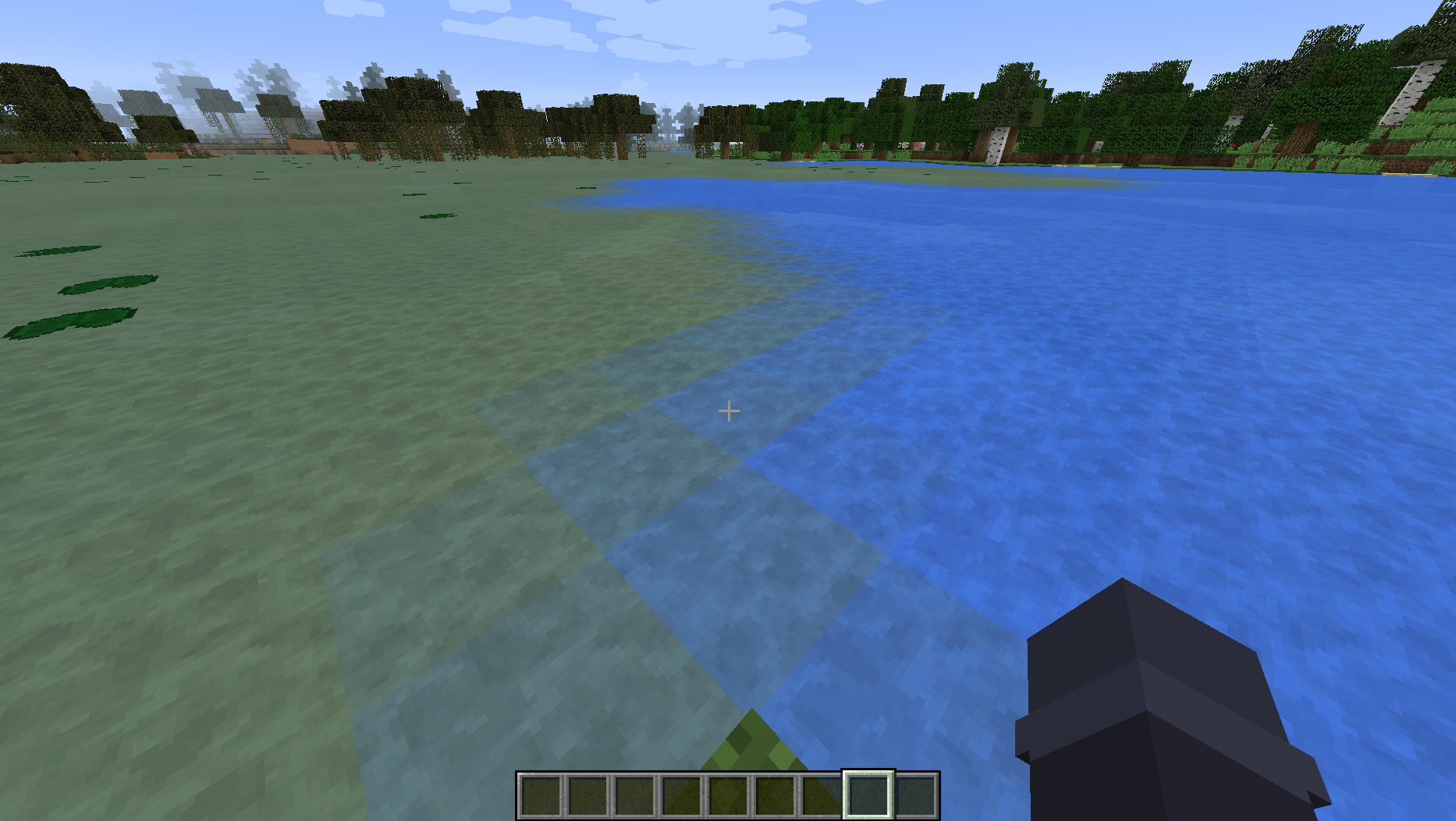
If you want to use explicit textures instead of auto-generated grayscale ones, place your textures at the following paths: assets/ocean_api/textures/minecraft/blocks/water_still, assets/ocean_api/textures/minecraft/blocks/water_flow, and assets/ocean_api/textures/minecraft/blocks/water_overlay.
Ocean API also provides a config setting (disabled by default) to enable the modern water textures used by newer Minecraft versions! Note: This config setting requires AssetMover or Aqua Acrobatics to be installed, because those mods provide a way for Ocean API to grab the modern water textures.
The water fluid references the new textures and colors, so any mods that have a system for rendering any fluid will work properly with the new textures. The new water textures are registered to new sprites, and do not replace the Vanilla water sprites. This means that any mods referencing the old textures outright will correctly continue to do so. If you find any mods that render an uncolored grayscale water texture, report it to Ocean API's bug tracker so I can add special support for it!
Biome water colors can be added by editing the config/ocean_api/fog_colors.cfg and config/ocean_api/surface_colors.cfg files directly, or by using the config gui. Here's what that looks like with the default entries:
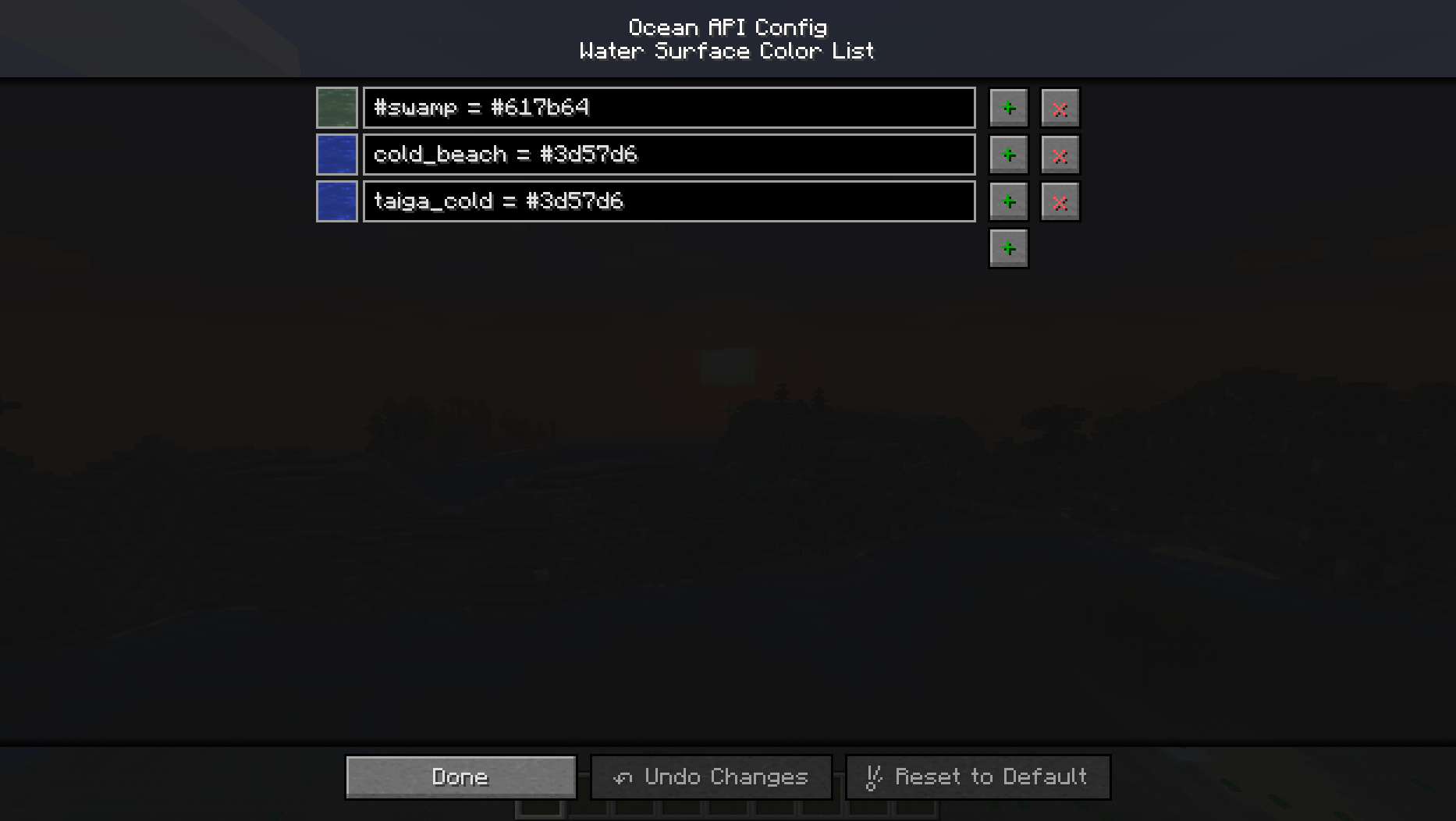
This has a cool render of your new water colors, and uses the format biomeId = color or #biomeTag = color, where biome tags must be prefixed with the pound (#) character.
If you have an entry that isn't complete or improperly formatted (bad biome id, unrecognized color, etc), the renderer will show a missing texture to signify that the entry will be skipped. This is in the hopes of making it easy to troubleshoot bad entries!
This mod has full support for Aqua Acrobatics's biome water colors, and will automatically register them if they're enabled! Support also exists for the water fluids from Simple Difficulty and SimpleDifficulty for Underdog.
Ocean API adds a couple of ways for other mods to register custom water colors for their biomes:
- The first way is through code, by invoking
OceanAPI.registerWaterFogColor(biome, color)andOceanAPI.registerWaterSurfaceColor(biome, color)before or duringFMLPreInitializationEventorFMLInitializationEvent. Alternatively, you can use the newGetWaterFogColorEventevent for water fog color and Forge's existingBiomeEvent.GetWaterColorevent for water surface color, but those events should only be used as a last resort because they override user configs. - The second way is by creating new
assets/ocean_api/fog_colors.txtandassets/ocean_api/surface_colors.txtfiles in your mod, which have the same format as the config files (biomeId = coloror#biomeTag = color). These support double-slash (//) comments, and will never override or conflict with files that other mods may add!
Note that Vanilla allows biomes to have custom water colors. Since mods using that system don't expect grayscale water textures, those water colors are automatically color-corrected by Ocean API with an additional blue tint to simulate how they would appear when rendered onto the Vanilla water textures!
Ocean API applies its ocean biome generation by "masking" over Vanilla ocean biomes in the layer before its finalized, using Forge's WorldTypeEvent.InitBiomeGens event to inject a new GenLayer. This means that any modded world types using the event will be supported automatically!
Registering ocean biomes for generation through Ocean API can be done by invoking OceanAPI.registerOceanBiome(type, entry, deepOcean, shoreOcean) during or before FMLPostInitializationEvent, where:
type= The ocean temperature type. Ocean biomes with the same temperature type will be grouped together when they generate. For example, warm and cold ocean biomes will never generate next to each other.entry= ABiomeManager.BiomeEntrycontaining the shallow ocean biome for ocean biome generation along with its generation weight.deepOcean= The deep ocean biome to be paired with the shallow ocean biome. The deep ocean biome will generate in-place of the shallow ocean biome if a deep ocean biome would normally generate there. Any deep ocean biome may only be paired with one shallow ocean biome and vice versa.shoreOcean= The shore ocean biome, if present, will generate in-place of the shallow ocean biome if it's generating very close to a land biome. May be null.
This will also add the shallow ocean, deep ocean, and shore ocean to Forge's internal ocean biome list and to the "ocean" biome dictionary entry.
Ocean API provides other miscellaneous methods for changing other properties of your ocean biomes, which are:
OceanAPI.registerOceanMonumentSpawnBiome(biome)OceanAPI.registerOceanMonumentWaterBiome(biome)OceanAPI.setOceanFloorBlock(biome, blockState)
If Biomes O' Plenty is installed and its ocean biomes are enabled, Ocean API will automatically register them for ocean biome generation and give them new deep ocean biomes!
The entity bucket system added by Ocean API is controlled entirely through nbt and is called "Bucketable Entity Behavior", which does not add any new items! This means that buckets containing any fluid (or even no fluid) can be supported!
Bucketable Entity Behaviors control everything related to entity buckets for any given entity, including valid fluids, how the item overlay renders, creative tab variants, etc. Each one is paired to an entity class when created, and comes with a new Forge registry. No changes need to be made to entities themselves to support a Bucketable Entity Behavior. See the api.BucketableEntityBehavior class for more information.
By default, Ocean API adds support for Buckettable Entity Behaviors to the following items:
- minecraft:bucket
- minecraft:lava_bucket
- minecraft:water_bucket
- forge:bucketfilled
- ceramics:clay_bucket
- erebus:bambucket
If you find other modded bucket items that should support Bucketable Entity Behaviors, request it on Ocean API's bug tracker!
If you have a custom bucket item, and want to add Bucketable Entity Behavior support, create a new assets/ocean_api/bucketable_info.jsonc file in your mod. See the file in Ocean API as an example (linked here). Then just make sure the item uses Forge's FluidUtil class to place its contained fluid, and that it manages fluid capabilities correctly.
Ocean API also comes with many entity classes related to fish entities! (see the api.entity package).
List of general config settings added by Ocean API:
Cauldron Fluid Collision(disabled by default) = Fluids inside of cauldrons interact with entities properly. This allows entities to swim inside of filled cauldrons, lets entities extinguish themselves if they're on fire, etc.Cauldron Nether Vaporize(disabled by default) = Any fluid placed inside of a cauldron will vaporize if placing it in the current dimension would normally cause it to vaporize. For example: Water placed in a cauldron while in the nether.Fix Bucket Models(disabled by default) = Replaces the vanilla bucket models with Forge's own dynamic bucket model. Unifies bucket visuals.Fix Water Potion Color(disabled by default) = The water potion type color matches the water fluid color.Modern Water Textures(disabled by default) = Searches for, or attempts to download, the water textures from newer Minecraft versions. Reloading the resource packs (F3 + T) is required to visually apply any changes made to this setting.Ocean Biome Size(6 by default) = This number represents the size of the ocean biomes generated by Ocean API. Making this number bigger will result in larger ocean biomes. Making this number 0 will prevent ocean biomes from generating. This number does not change the size of oceans, only the size of the biomes that generate inside oceans.Water Fog Color Fallback(disabled by default) = Biome water fog color will use the biome water surface color if the biome does not have a water fog color.
Direct contact: jbred.dev@gmail.com
This mod will not be ported
Ocean API Team

Owner