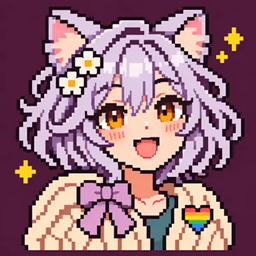
NoopsNet Outfits
NoopsNet Outfits adds a free wardrobe of pride accessories for your Minecraft character: a heart pin and a stitched patch. Pick each slot independently, mix designs, or leave either one empty. The accessories are cosmetic and do not occupy an inventory or armor slot.
Choose an outfit
Run /outfits to open the wardrobe. Both the pin and the patch offer eight designs: rainbow, trans, nonbinary, bi, pan, lesbian, ace, and genderfluid. Choose None for either slot when you want to remove it.
For example, you can wear a trans heart pin with a rainbow patch, then change just the patch later. Use third-person front view to see the accessories on your character.
You can also choose directly with commands:
/outfits pin trans
/outfits patch rainbow
/outfits pin none
/outfits clear
The first two select designs for the two slots. The third removes only the pin; /outfits clear removes both accessories. All choices are free, available to normal players, and can be changed whenever you like. There are no items to craft, recipes, unlocks, or gameplay stats to manage.
Playing together
Your choices are saved with the world and synchronized to other compatible clients in multiplayer. A friend using the matching mod can see your selected pin and patch on your character. Choices start empty, so each player decides whether to wear anything.
The accessories follow the player's body and adjust outward for vanilla chest armor. They are hidden while the player is invisible or in spectator mode. Appearance can vary with skins, armor, and other rendering mods.
Installation
This file targets Minecraft Java 1.21.1 with NeoForge 21.1.265. Install the matching mod on the server and on clients that want to use the wardrobe and see accessories. For singleplayer, install it in the NeoForge client instance.
NoopsNet Outfits Team