MX Secondary Keys
- By
Gives every key binding a second, independent key or mouse button, for vanilla and modded actions.
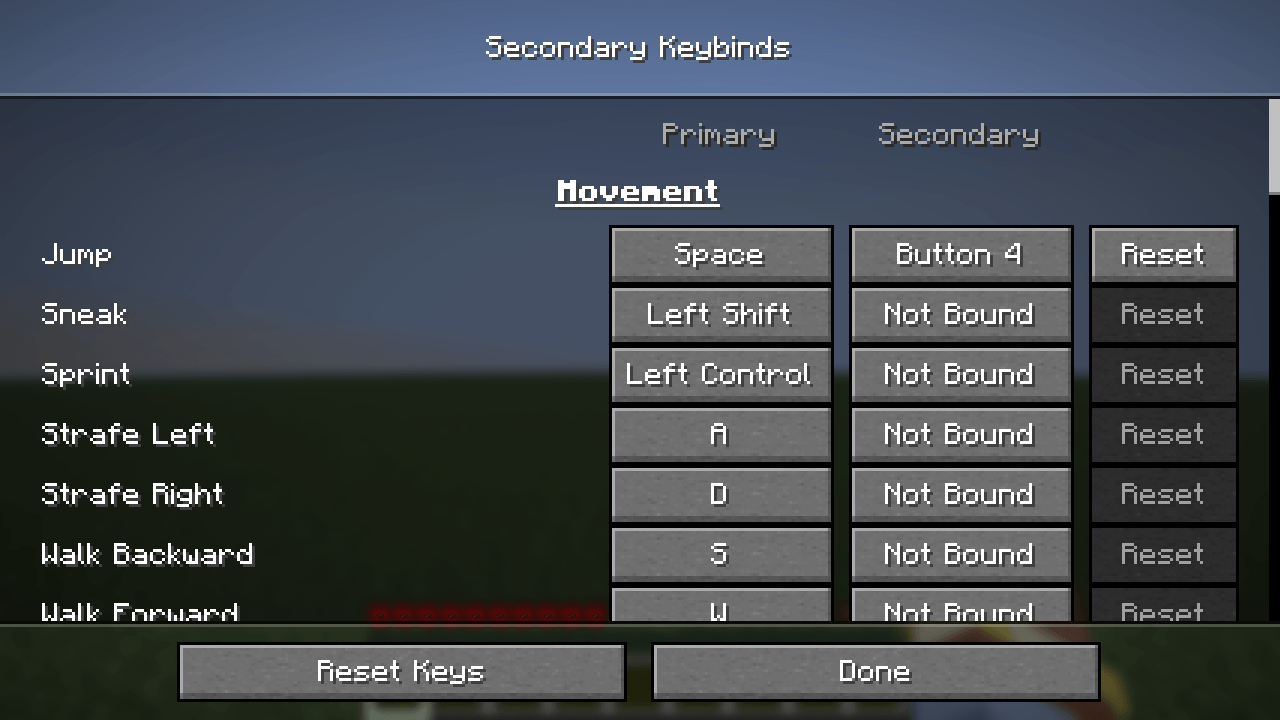
secondary-keys-editor.png
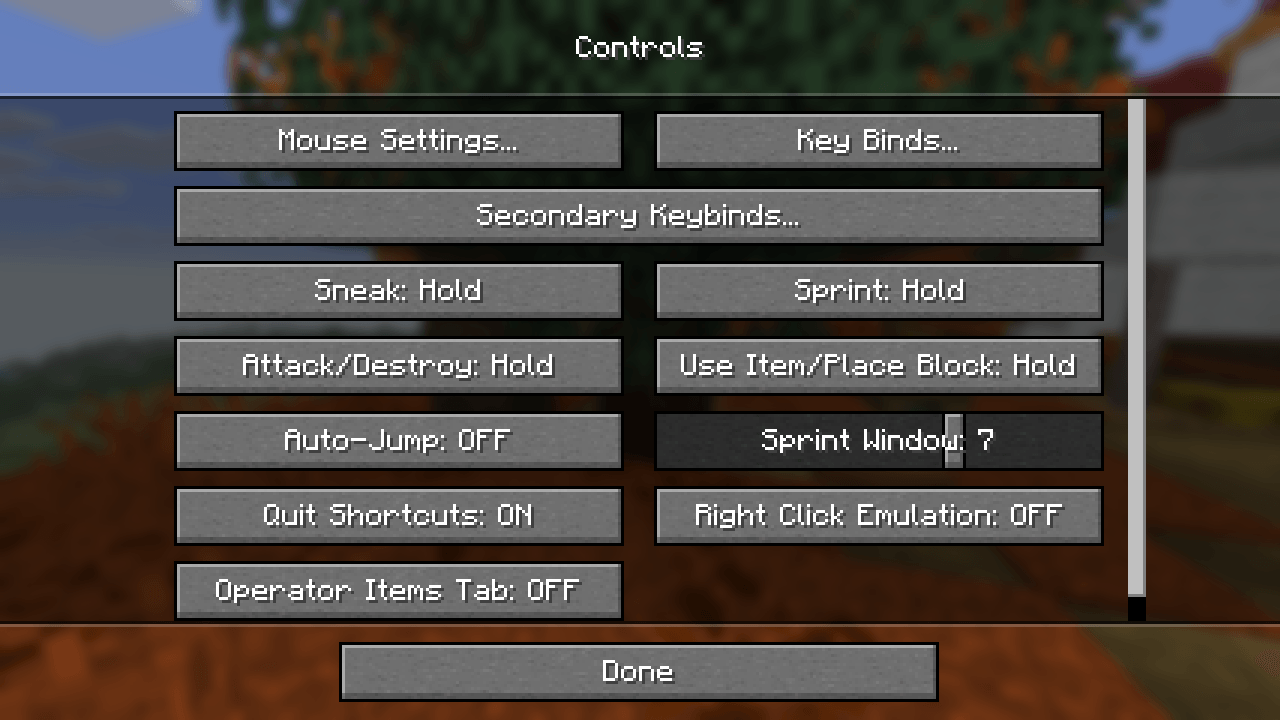
secondary-keys-controls.png
Description
MX Secondary Keys gives every key binding a second, independent key. It works for vanilla actions and for actions added by other mods.
The second key does not replace the primary one: both keys trigger the action, and you can bind keyboard keys and mouse buttons to either slot. Bind Jump to Space and Mouse 4, Sneak to Shift and a side button, and so on.
Features
- A second key for every action, vanilla and modded.
- Combined editor: one screen shows each action with columns for Primary, Secondary and Reset, so you can change both bindings in one place.
- Behaves like vanilla:
- Holding an action (walking, sneaking, attacking) works with either key.
- Releasing one key keeps the action pressed while the other key is still held.
- Toggle sneak and toggle sprint work as usual.
- The secondary key also works inside screens, e.g. closing the inventory or using hotbar keys in containers.
- Conflict warnings: keys used by more than one action are marked yellow, like in the vanilla screen.
- Safe to remove: your primary bindings stay in
options.txt, untouched. Secondary bindings are stored in a separate file, so if you uninstall the mod all your normal key bindings stay exactly as they were.
Usage
- Open Options → Controls → Secondary Keybinds...
- Click the button in the Primary or Secondary column, then press a key or mouse button. Esc removes a binding.
- Reset sets the primary key back to its default and clears the secondary key.
- You can also assign a key that opens the editor in game under Key Binds → Secondary Keys (unassigned by default).
Requirements
- Minecraft 26.3, Fabric Loader 0.19.0 or newer
- Fabric API
- Client-side only, no server installation needed
Links
- Source code and issues: GitHub
MX Secondary Keys Team