MX Crafting Chest
- By
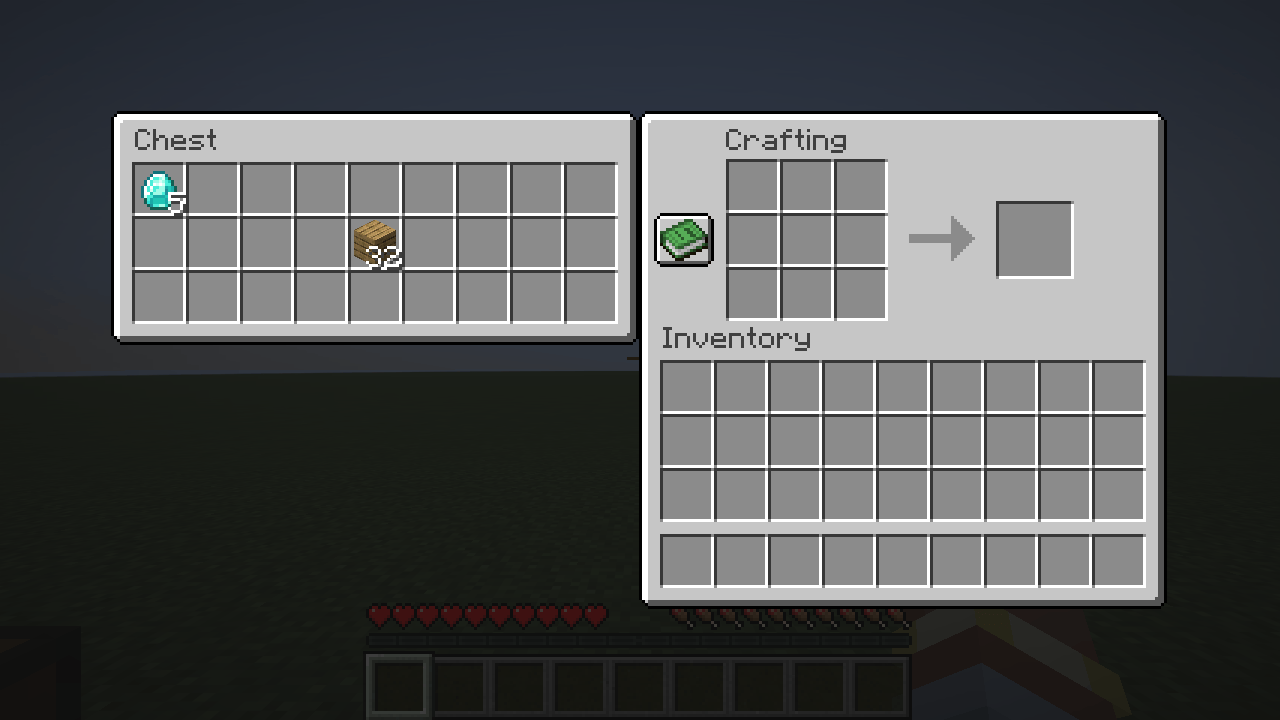
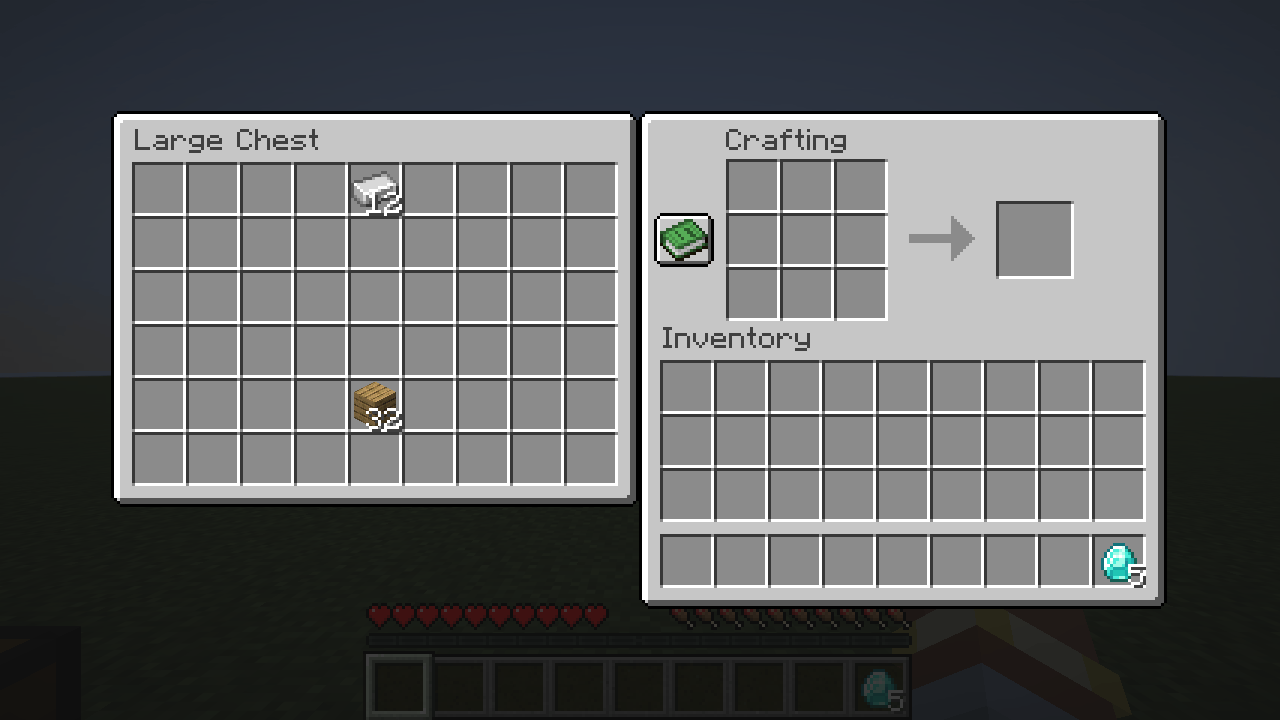
Place a chest next to your crafting table and its inventory opens right beside the crafting grid.
crafting-chest-single.png
crafting-chest-double.png
Description
MX Crafting Chest: place a chest next to your crafting table and its inventory opens right beside the crafting grid. Take out what you need, craft, and put the rest back without ever closing the screen.
Features
- When a chest stands directly next to a crafting table (north, east, south or west), its inventory is shown to the left of the crafting screen.
- Single chests, double chests, trapped chests, copper chests and barrels work.
- Click, drag and shift-click items between the chest, the crafting grid and your inventory. Shift-clicking an item in the chest moves it to your inventory.
- The recipe book uses the same space, so the chest panel hides while the recipe book is open and comes back when you close it.
- Chests that are locked or can't be opened (a block or a cat on top) are skipped, just like when you click them.
- Players without the mod see the normal crafting table. Nothing breaks for them.
Where it works
The server decides which slots a menu has, so the chest slots have to be added on the server side too:
| Where you play | What you need |
|---|---|
| Singleplayer, LAN world you host | Just this mod |
| Fabric server | This mod on the client and on the server |
| Paper server (or a fork like Purpur) | This mod on the client, and the CraftingChestPaperBridge plugin on the server (GitHub releases) |
| Vanilla or other servers | Not supported, you get the normal crafting table |
On Paper the bridge respects protection plugins (WorldGuard, GriefPrevention, Lands, ...): a chest is only shown if the player could also open it by right-clicking.
Requirements
- Minecraft 26.3, Fabric Loader 0.19.0 or newer
- Fabric API
Links
- Source code, issues and the Paper bridge: GitHub
MX Crafting Chest Team