Mob Album: Bestiary & Mob Collection
- By
A bestiary for every mob you meet: each one becomes a sticker in your album - faded until you find it, a page for every server, gold stickers for rare sights. Client-side.
album.png
album-douradas.png
album-visuais.png
album-vergonha.png
Description
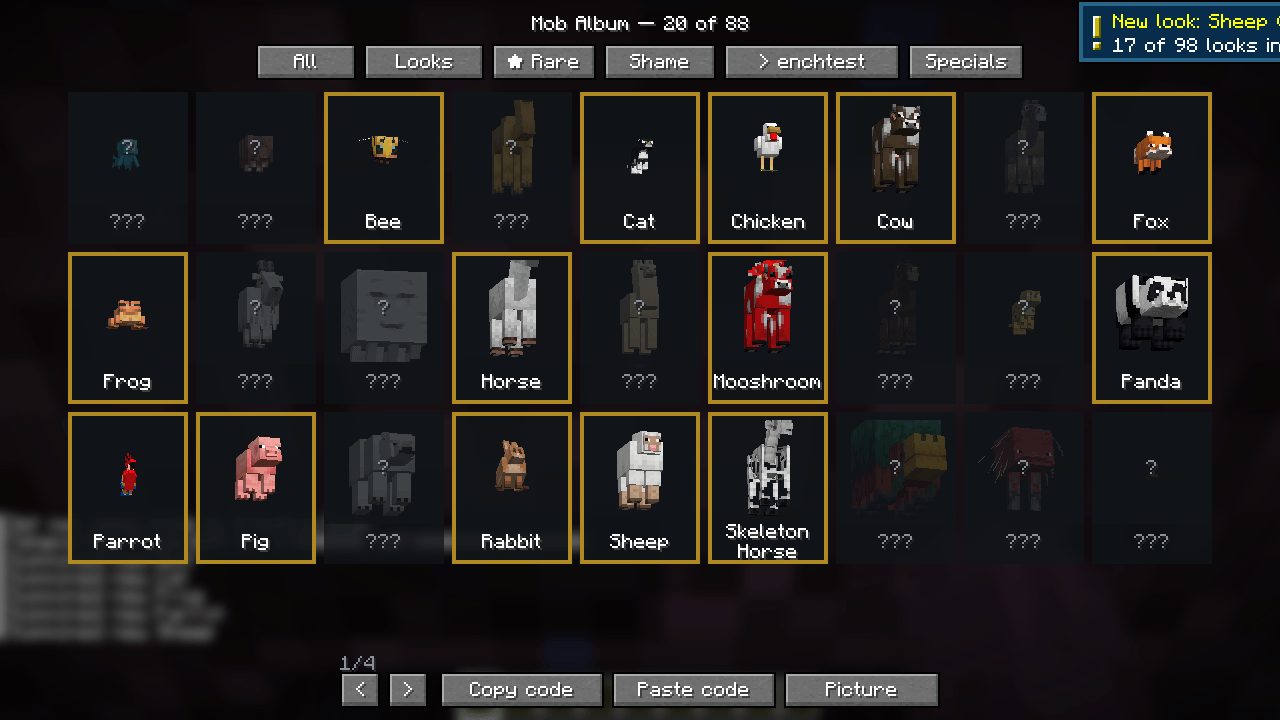
Every mob you meet becomes a sticker in your album.
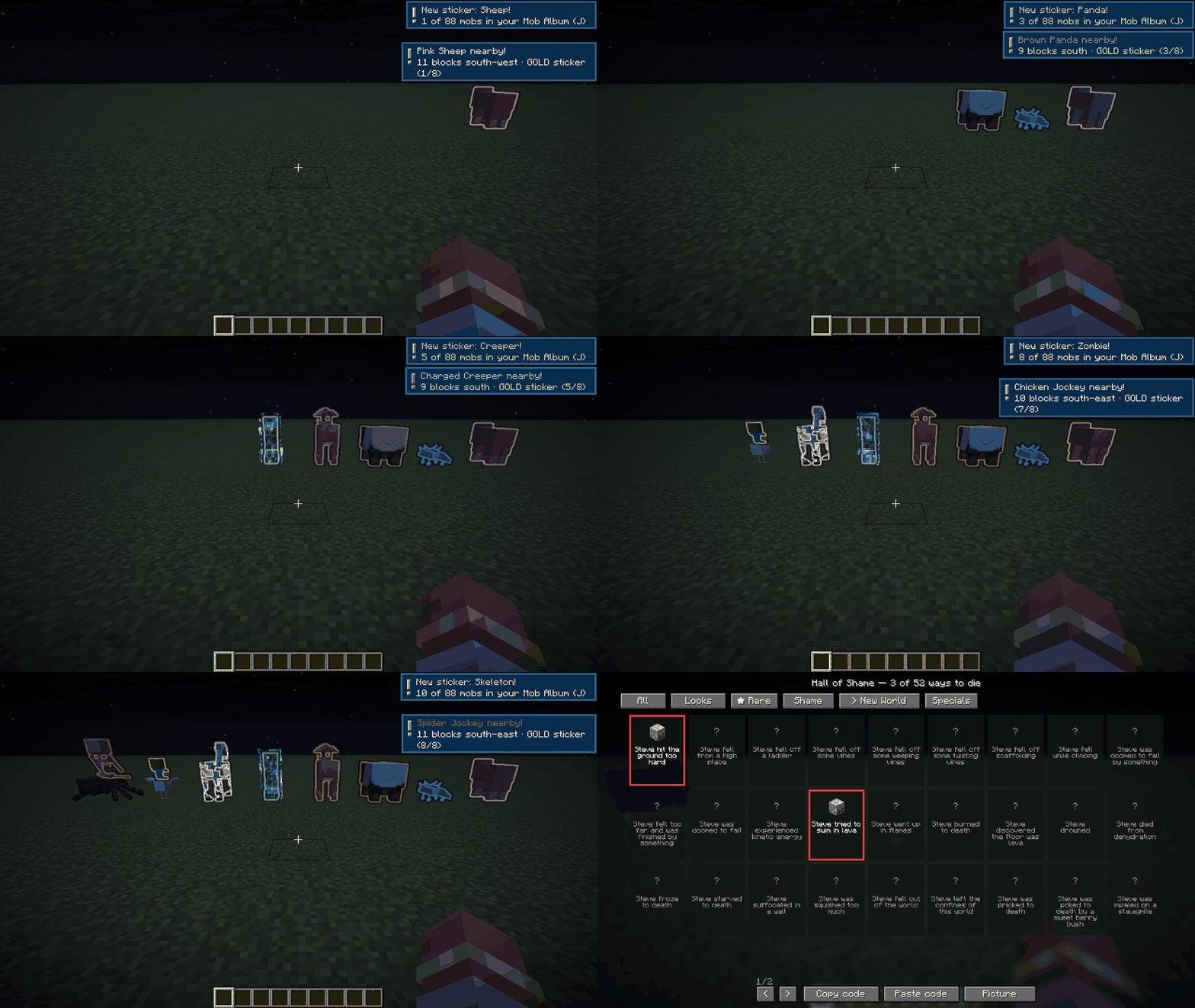
Press J and your Mob Album opens: every mob in your game is there - other mods' mobs too - faded, waiting. Meet one and its sticker comes to life in full colour, with a chime and a "New sticker!" message.
- A page for every server and world you play, and one page with everything you have ever met.
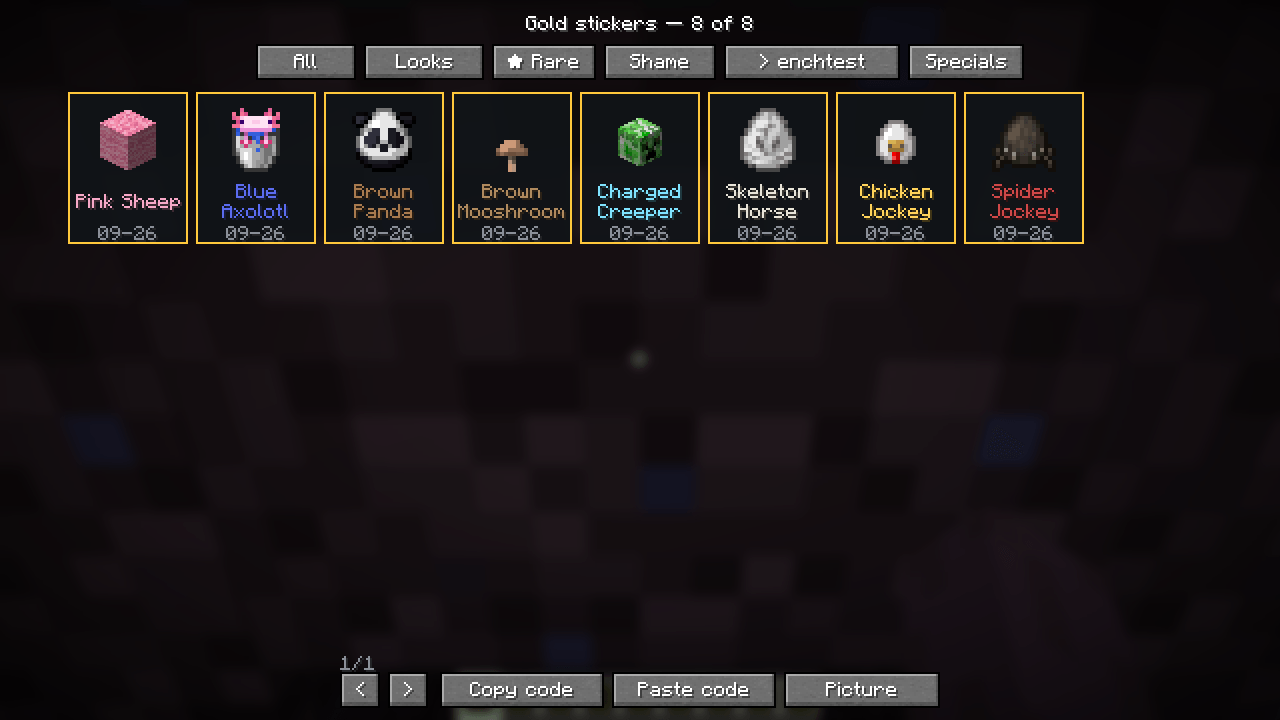
- Gold stickers for the rare sights: pink sheep, blue axolotl, brown panda, brown mooshroom, charged creeper, skeleton horse, chicken jockey and spider jockey. When one is near you hear a chime, you are told which way, and it glows in its colour for 30 seconds.
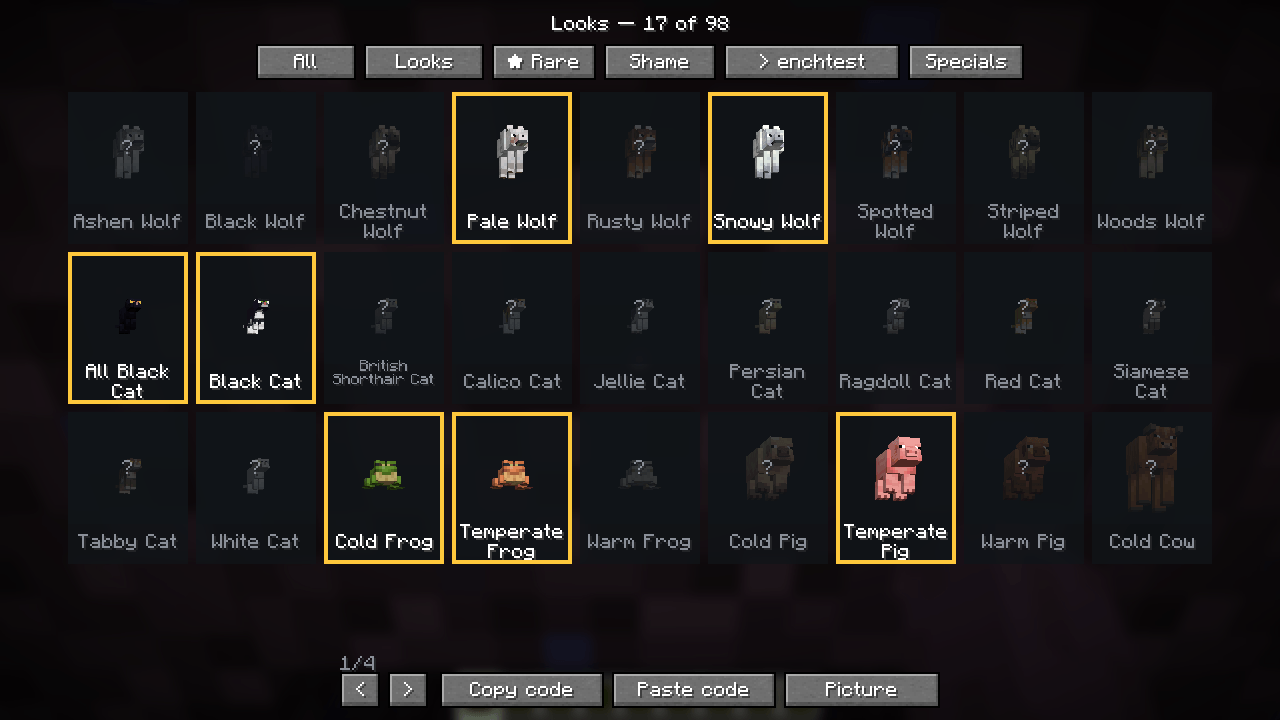
- Looks: every look of every mob is a sticker too - nine kinds of wolf, every cat, cold and warm pigs, villagers from each biome, sheep colours, tropical fish patterns… 98 in all.
- It remembers: mobs you already fought on a server fill in by themselves, from the game's statistics.
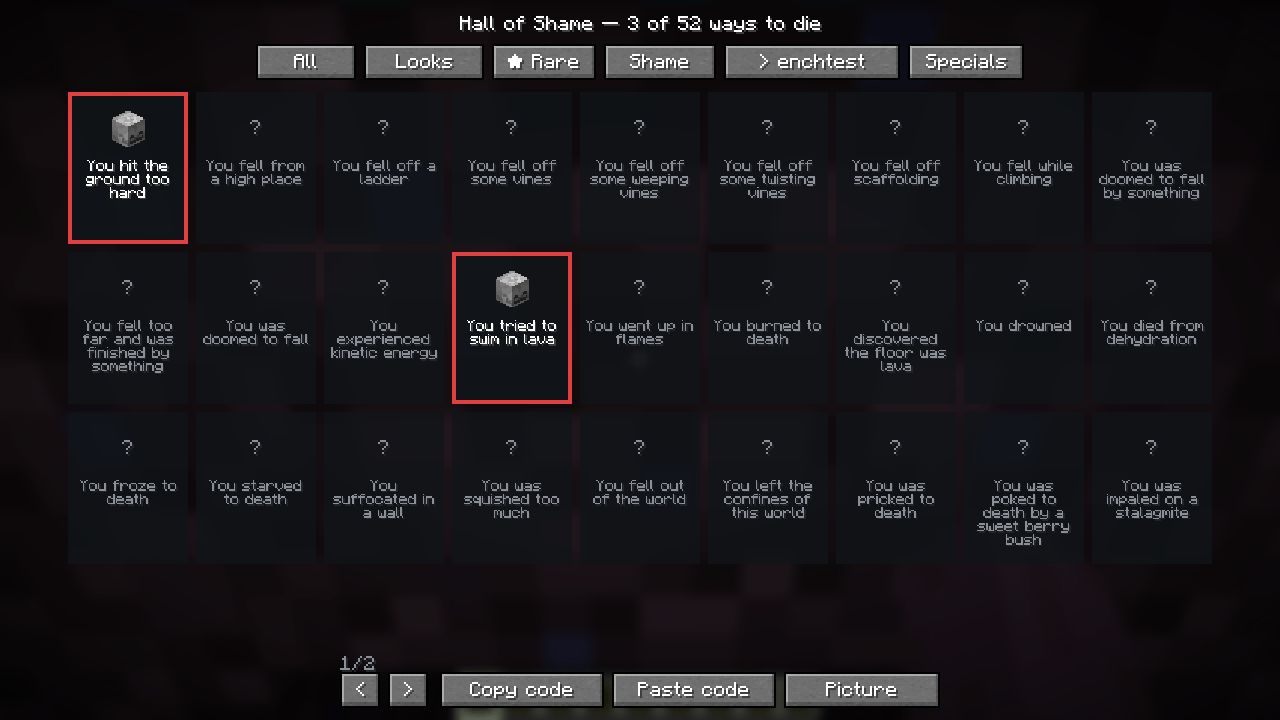
- Hall of Shame: every way you have died is collected too, and the mobs that killed you get a skull on their sticker. "Steve tried to swim in lava": 1 of 52.
- Server specials: the bosses and custom creatures a server names for itself (the "Goblin King" that is really a zombie underneath) get their own stickers on that server's page.
- Your album, not your save: one album per Minecraft account, across every world and server.
- New computer? Press Copy code, then Paste code on the other one. No account, no website.
- Picture button to share your album.
Client-side
Nothing to install on the server, nothing sent anywhere. Works on any server, in single player and on Realms.
English and Portuguese.
Settings
By default a mob becomes a sticker when it is within 16 blocks and you can actually see it (walls and the cave under your feet block it; glass and water do not). Rare sights alert you from 32 blocks.
Prefer to collect on purpose? Switch to observe mode: nothing counts just by being near; look at a mob through a spyglass or click it (hit or use). Rare sights still chime and glow, and their gold sticker comes when you observe them.
In game: /mobalbum config shows everything, then /mobalbum config range 8, rareRange 24, lineOfSight false, mode observe, spyglassRange 96, reset. Or edit config/vitral_album-client.json.
The Mob Album: Bestiary & Mob Collection Team