Metal Upscaler
- By
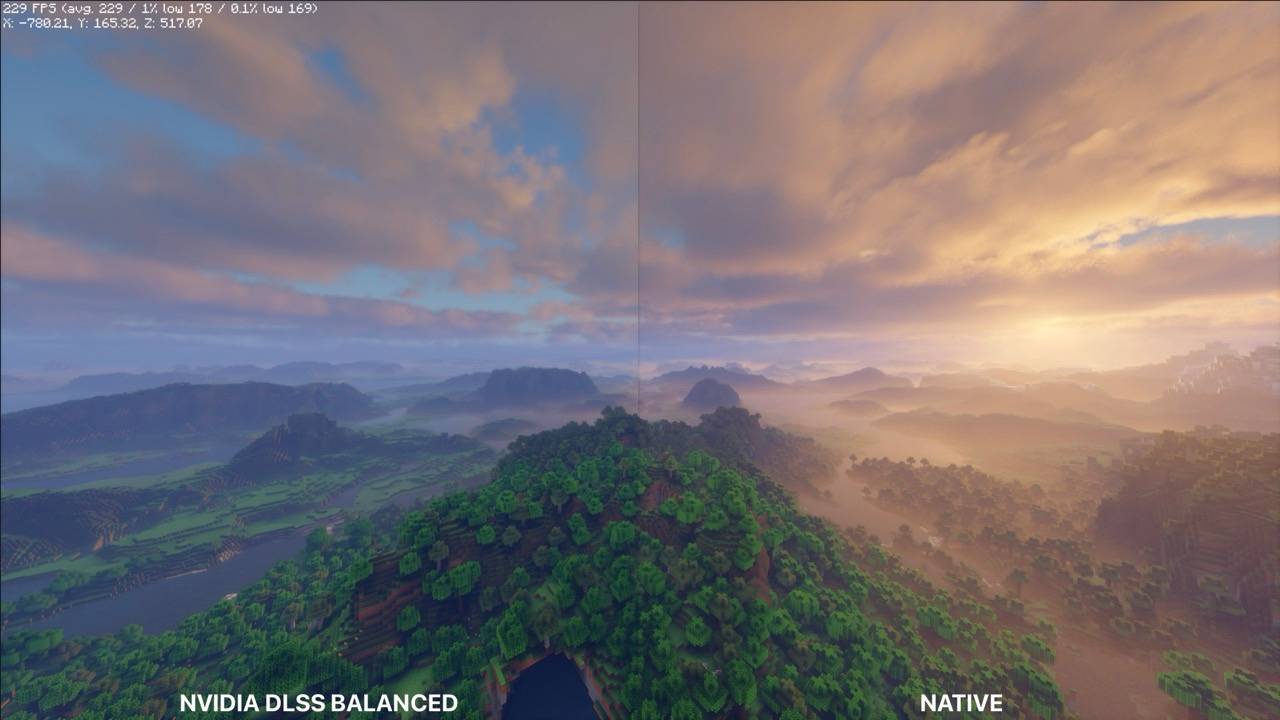
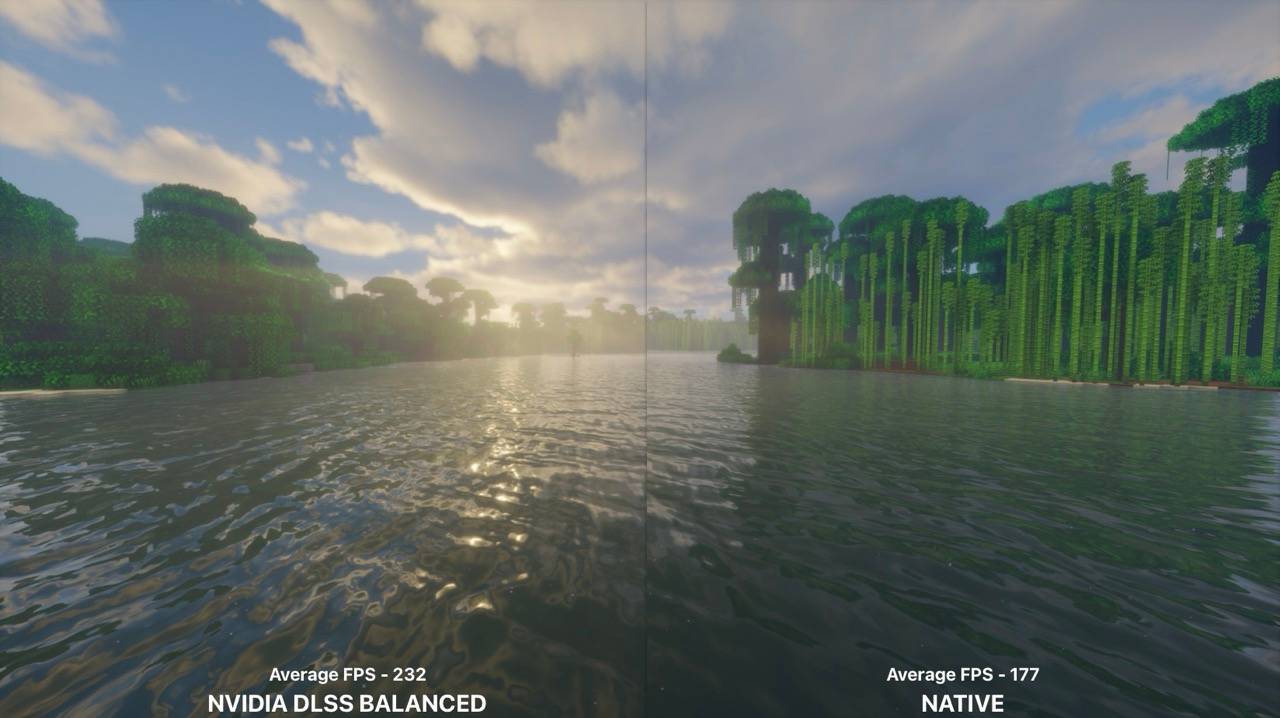
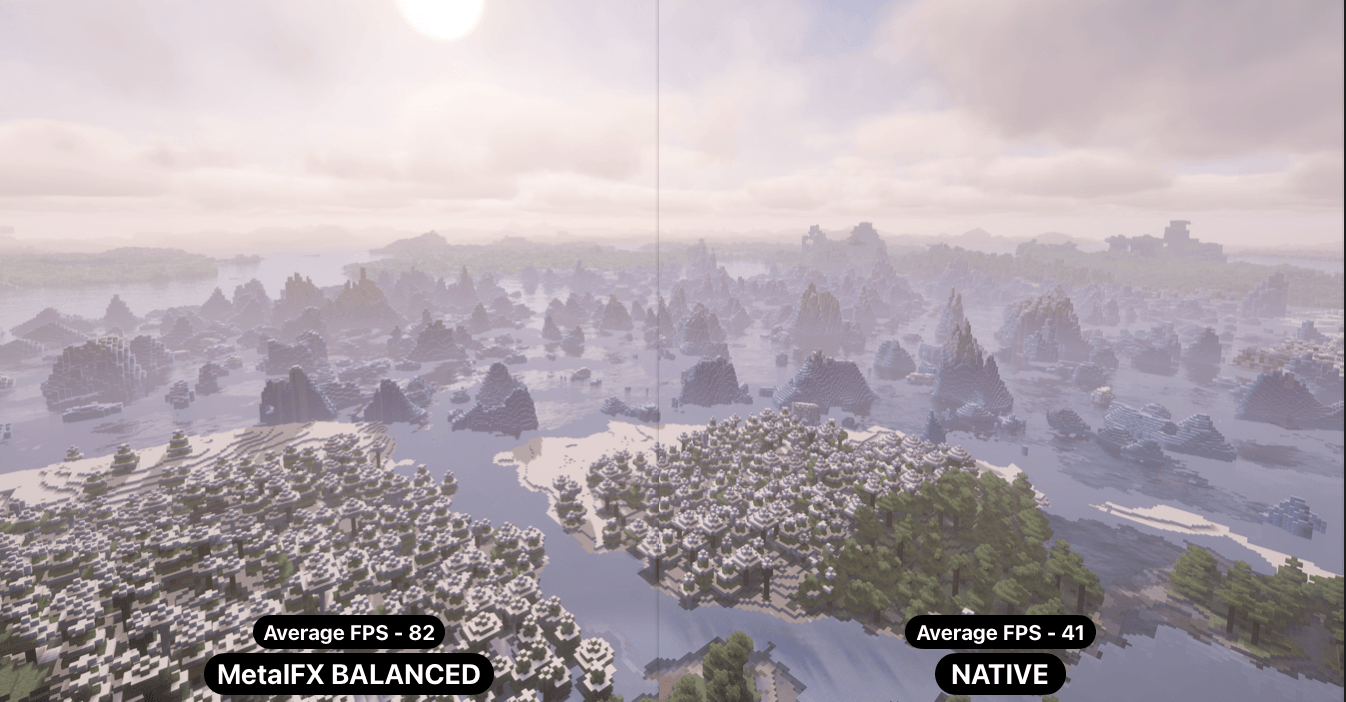
A 2x FPS boost!!!
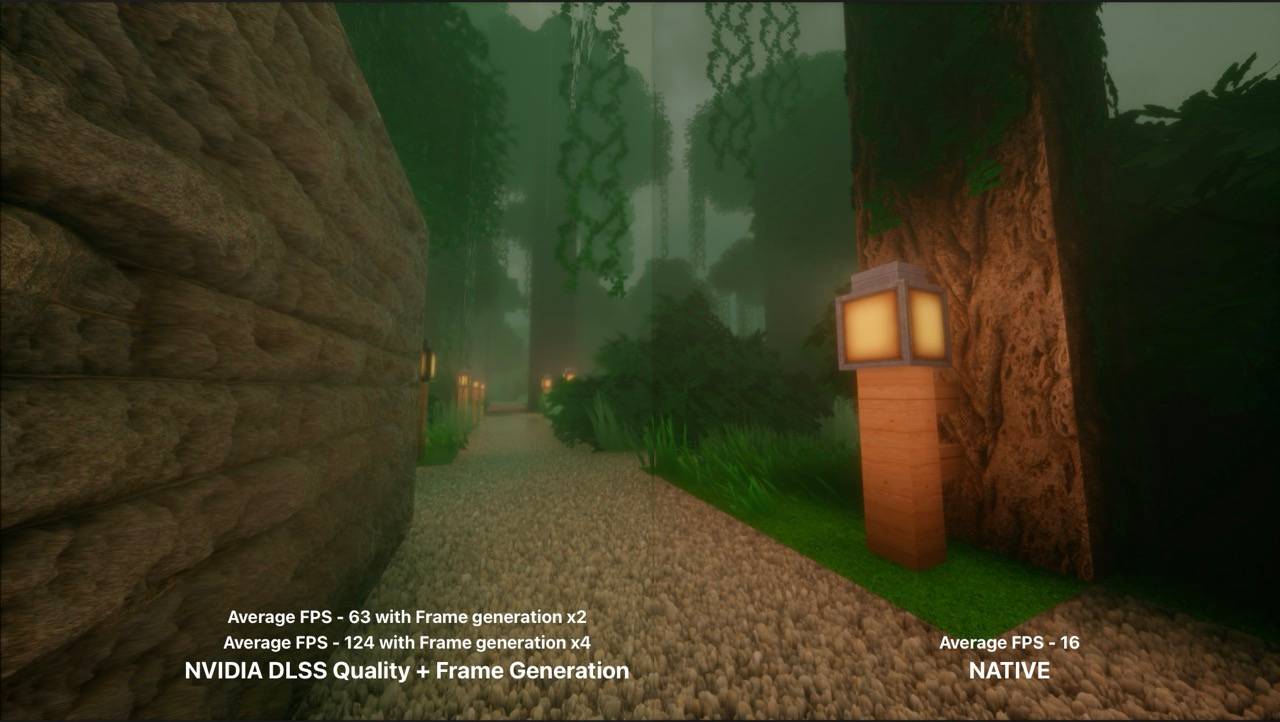
Frame Generation at a glance. Makes the decisive decision. Up to more than 7x FPS boost with frame generation x4.


Description
Metal Upscaler
More frames, without the blurry mess.
Minecraft draws the world smaller than your screen, and the mod rebuilds it to full size using the same technology modern games use — NVIDIA DLSS, Apple MetalFX, or AMD FSR, whichever your computer has. Your menus, text and inventory are never touched. They stay perfectly sharp.
The short version
Drawing fewer pixels is faster. Drawing fewer pixels normally looks worse.
Upscalers fix the second part. They rebuild the missing detail intelligently instead of just stretching the image, so you get most of the speed of a lower resolution and most of the look of a full one. Pick how hard you want to push it and the mod handles the rest.
On an RTX card or an Apple Silicon Mac it can also invent extra frames between the real ones, which can make everything feel considerably smoother.
How hard do you want to push it?
| Preset | What it does |
|---|---|
| Native AA | No speed-up. Just cleans up jagged edges. |
| Ultra Quality | A little faster. Hard to tell apart from normal. |
| Quality | Noticeably faster. The one most people should start with. |
| Balanced | Faster again. Slight softness on fine detail. |
| Performance | Much faster. Visible on thin things like fences and leaves. |
| Ultra Performance | For when you need frames more than you need looks. |
There's a custom slider too, if you want something in between.
What your computer can do
| Upscaling | Extra frames | |
|---|---|---|
| NVIDIA RTX 50 series | DLSS | up to 6x |
| NVIDIA RTX 40 series | DLSS | 2x |
| NVIDIA RTX 20–30 series | DLSS | — |
| AMD or Intel graphics | FSR 1 | — |
| Apple Silicon Mac | MetalFX | 2x |
| Anything else | FSR 1 | — |
The mod picks for you on first launch: DLSS on an RTX card, MetalFX on an Apple Silicon Mac, FSR 1 on AMD and Intel. Lanczos and Bilinear are still in the menu if you prefer them. Things your hardware can't do don't appear at all, so there's nothing to get wrong.
The upscalers
NVIDIA DLSS — the sharpest option, on any RTX graphics card. It looks at several recent frames together to work out detail that isn't in any single one of them. This is the same DLSS you'll have seen in other games.
Apple MetalFX — Apple's own, on Apple Silicon Macs. Comes in two flavours: Spatial is quick and dependable, Temporal looks at several frames like DLSS does and resolves more detail.
AMD FSR 1 — works on absolutely everything, including AMD and Intel graphics. This is FSR 1, the spatial one: it sharpens as it scales rather than combining several frames, so it isn't in DLSS's league. It is still a real improvement over plain stretching, and it costs almost nothing.
Lanczos — the built-in fallback, and a good one. Keeps Minecraft's crisp block edges instead of smudging them.
Extra frames
Your graphics card can create brand new frames in between the ones the game actually draws, so motion looks smoother than your framerate would suggest. Off by default.
RTX 50 cards can do up to 6x. RTX 40 cards and Apple Silicon Macs can do 2x. Older cards can't do it at all.
Two honest warnings:
Don't go above 4x. The more frames it invents between each pair of real ones, the more it's guessing, and past 4x you'll start to see it.
It can't beat your monitor. A 120 Hz screen shows 120 frames a second no matter what. If the game already runs at 60, then 2x fills your screen completely and asking for more just slows things down.
Extra frames also add a tiny bit of input delay, and fast-moving things like mobs and particles can look smeary. It's a trade, not a free win — try it and see if you like it.
Automatic quality
Set a framerate you want to hold, and the mod adjusts quality on the fly to keep you there. It changes gradually rather than flickering between settings.
With a shader pack loaded it stays put at your chosen preset instead, because constantly changing resolution makes shader packs rebuild themselves and costs more than it saves.
What to expect
This helps when your graphics card is the bottleneck — big monitors, shader packs, long render distances. If Native AA and Ultra Performance give you the same framerate, your processor is the limit and this mod can't help with that. Sodium can.
Moving things can smear a little. Mobs, particles, waving grass and the item in your hand. The mod works out how the world moved by comparing frames, which is exact for scenery and an educated guess for anything moving on its own.
Everything that could cost you performance is off until you turn it on.
Works with
Sodium, Iris and shader packs, and Distant Horizons. Settings live in Video Settings, and in Sodium's own settings screen if you have it. Press F3 to see what resolution you're actually running at.
With a shader pack and Distant Horizons together, scaling takes a different route: Minecraft's own render target is resized rather than swapped for a smaller one, because under a shader pack Iris owns the buffers Distant Horizons draws into. It works — you just stay at whichever preset you picked, since changing the size mid-session makes Iris rebuild its entire pipeline.
Modpacks
Yes — CurseForge and Modrinth modpacks may include Metal Upscaler. No permission needed, no need to ask, public or commercial. Both platforms list mods rather than copying them, which is all that's required.
What isn't allowed is re-uploading the file somewhere else, or bundling it into a download that ships the jar itself (server packs included). That's not us being protective — the mod contains NVIDIA's DLSS libraries, and we're allowed to include them in our own download but not to hand anyone else the right to pass them on.
Minecraft versions support
| Version | NeoForge | Fabric | Status |
|---|---|---|---|
| 26.2 | ✅ 0.5.0 | ✅ 0.5.0 | Supported and being updated |
| 1.21.1 | ✅ 0.5.0 | ✅ 0.5.0 | Supported and being updated |
| 1.20.1 | Planned | Planned | Release date unknown. |
For the curious: how it actually works.
Minecraft renders through OpenGL, while DLSS wants D3D12 and MetalFX wants Metal. Rather than copying the image between them every frame, the mod hands both APIs the same memory — shared NT handles on Windows, an IOSurface on macOS.
Temporal upscalers need motion vectors: a per-pixel record of where everything was last frame. Minecraft doesn't produce them, so the mod reconstructs them from the depth buffer and the camera matrices the world was actually drawn with. That's exact for static geometry and approximate for anything moving under its own power, which is why mobs and particles are the things that smear.
Where the mod generates frames it also presents them, compositing the world and the HUD in a single draw through its own swap chain — a DirectComposition visual on Windows, a CAMetalLayer on macOS. That removes the copy back into OpenGL entirely, which at 4K is the larger of the two an upscaler would otherwise pay.
Metal Upscaler Team