ME Access
- By
Access AE2 and Mekanism machine GUIs from ME terminals, with machine status and crafting-order diagnostics.
ME Access
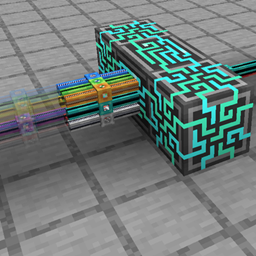
Open registered machine GUIs directly from your existing Applied Energistics 2 terminal. ME Access adds a Machine Access Card and Machine Registration Tool, not a separate replacement terminal.
Features
- Install one Machine Access Card in a wired terminal view-cell slot, or a supported wireless terminal upgrade slot.
- Register up to 256 machines per card with the registration tool.
- Search the machine list, open the original machine GUI, and return to the terminal.
- Show supported Mekanism operating states, recipe warnings and output-side settings.
- Distinguish machine output-buffer shortage from a confirmed full supported destination.
- Show related crafting-order targets and CPU display names. Native AE2 jobs can also be associated through their intermediate patterns.
Getting started
- Install ME Access and AE2 on both client and server. Mekanism is optional.
- Insert the Machine Access Card into a supported AE2 terminal.
- Open the Machines view and bind the Machine Registration Tool using its toolbar icon.
- Right-click a supported machine connected or adjacent to the same ME network.
- Select the machine from the terminal list to open its original GUI.
Supported versions
- Forge 1.20.1: AE2 15.4.10 or newer; optional Mekanism 10.4.16 or newer.
- NeoForge 1.21.1: AE2 19.2.18 or newer; optional Mekanism 10.7.19 or newer.
Scope and safety
Initial machine support covers AE2 Inscribers and Molecular Assemblers, plus ordinary Mekanism TileEntityMekanism single-block machine menus. This does not mean every mod or multiblock GUI is supported. Targets must be in the same dimension and already loaded on the server; no chunks are force-loaded. Native wireless range, power, machine ownership and access checks remain in effect.
Diagnostics inspect visible rows only, at 20-tick intervals. They do not submit crafting orders or move items. Related orders are candidates, not proof of exclusive assignment. Unknown causes remain unknown. Destination-full detection is limited to supported vanilla single chests, barrels and shulker boxes; arbitrary pipes and modded storage are not guessed.
Updating from the old name
Previously called ME Remote Machine Terminal. Remove its old JAR before installing ME Access. The mod ID remains me_remote_machine, preserving existing cards and registrations. Do not install both names together.
This is an independent alpha addon, not an official AE2 or Mekanism project. Source: https://github.com/syarukasu/me-access
日本語
既存のME端末へ「機械アクセスカード」を入れ、登録した機械の元のGUIを遠隔で開きます。通常端末は表示セル枠、ワイヤレス端末は対応するアップグレード枠を使用します。機械の稼働状態、対応する停止原因、関連するクラフト注文・CPUを一覧で確認できます。
クライアントとサーバーの両方に導入してください。任意MODの全機械やマルチブロックへの対応ではありません。未ロードの機械を強制ロードせず、元の機械のGUI・権限・アイテム処理を利用します。
License
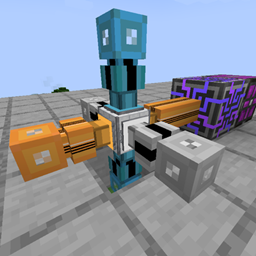
Original addon code: LGPL-3.0-only. AE2, Mekanism and other third-party artwork retain their own copyrights and licenses. The project logo is an in-game screenshot supplied by the author.
ME Access Team