

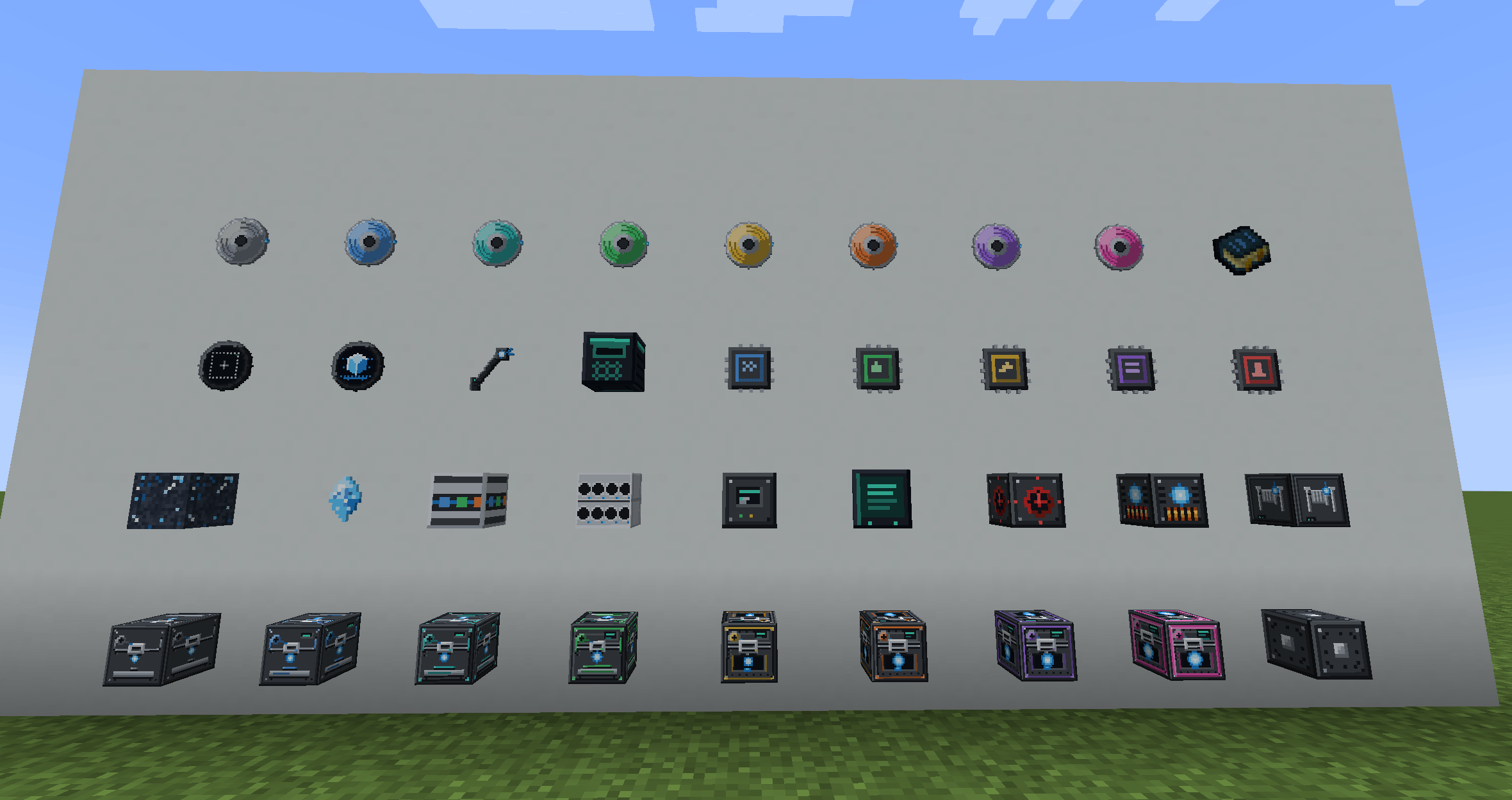
All the items (Part 1 of 2)
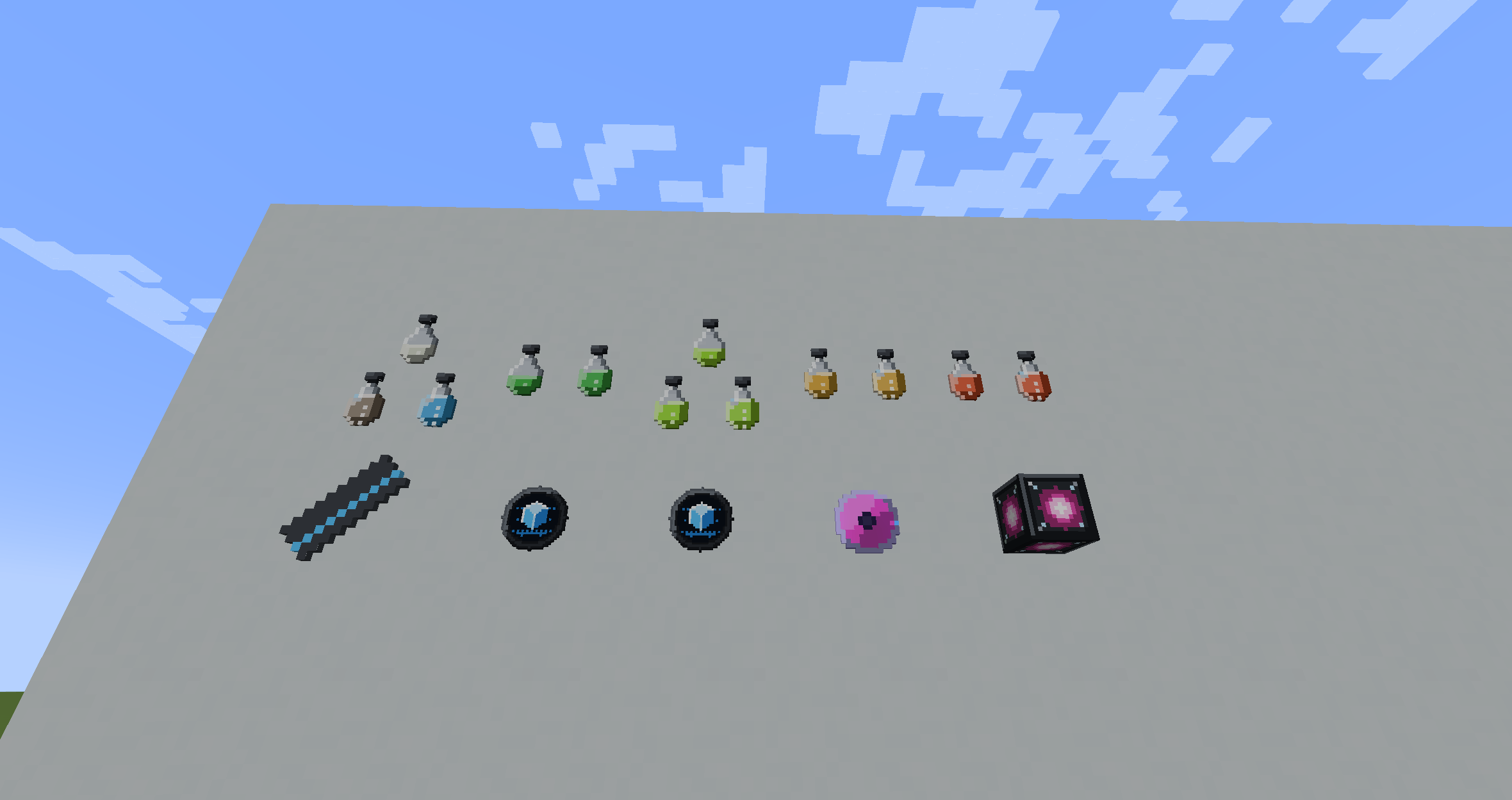
All the items (Part 2 of 2)
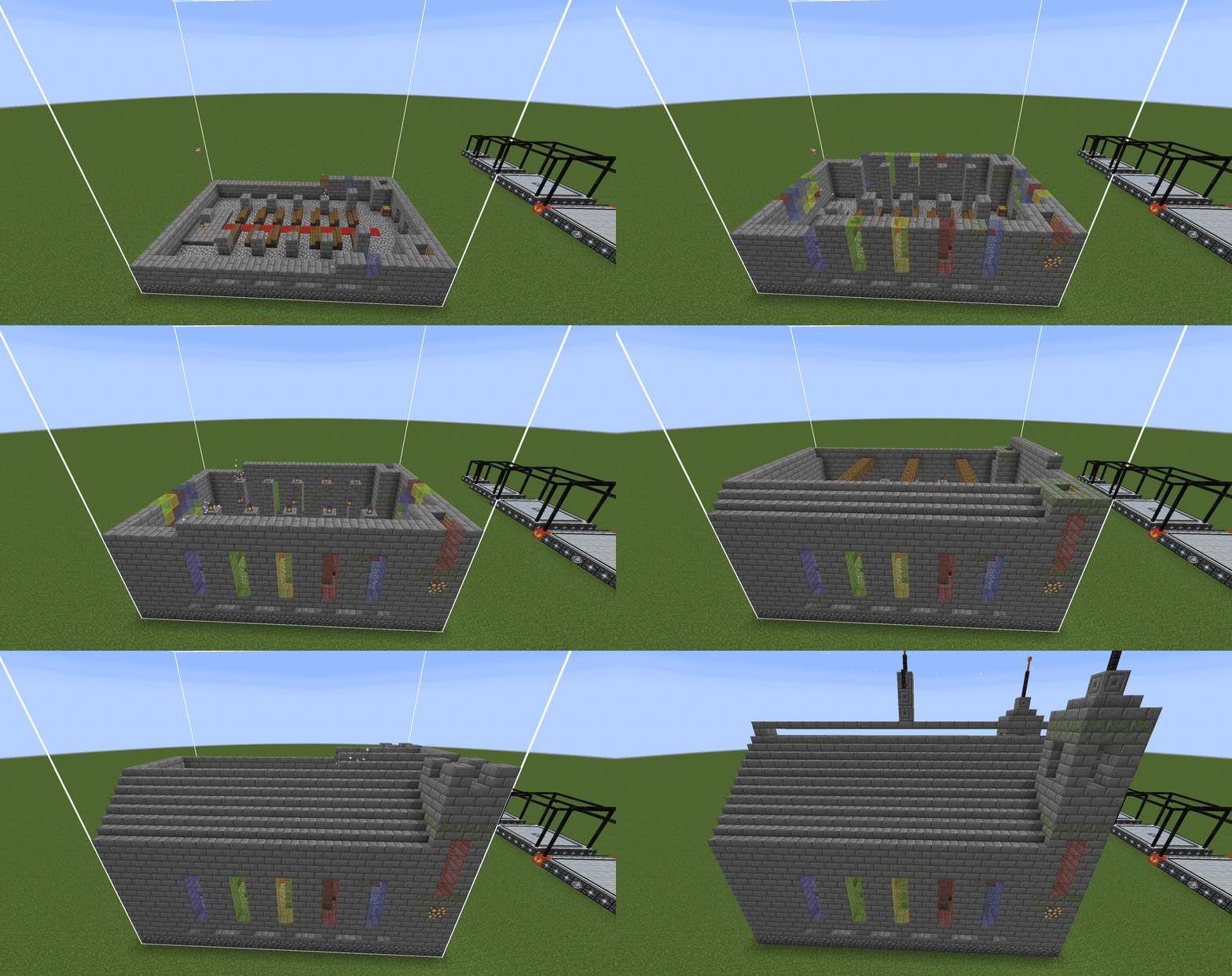
2026-09-06_17.00.11.png
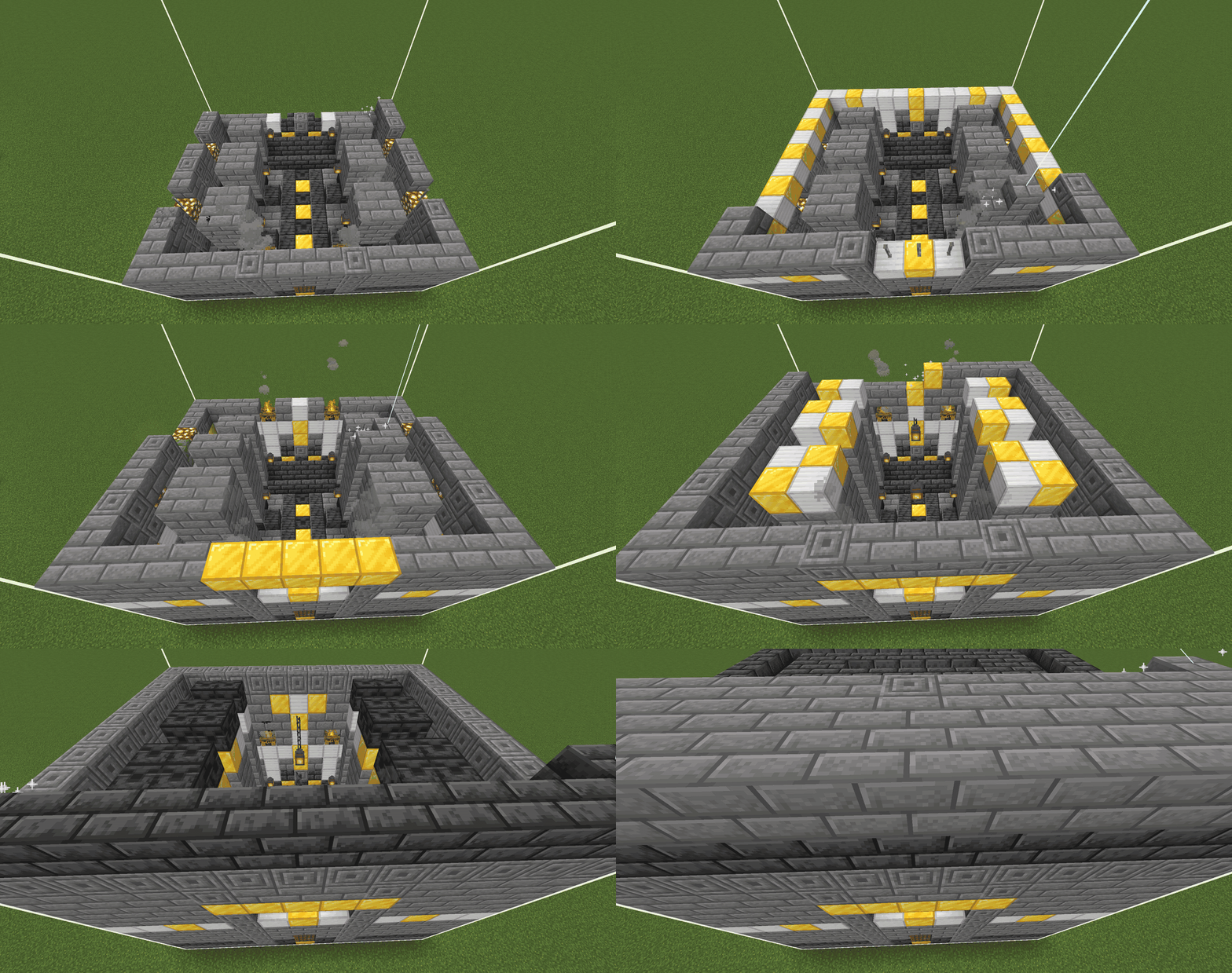
Dwarven Castle being built
Description
MC3DPrint
Wind anything. Print anything.
MC3DPrint turns matter into Filament Units, and filament back into matter. Wind copper, print gold. Wind sculk, print diamonds. Scan a whole castle and print that too.
No creative mode. No commands. Everything is a machine you build, power, and feed.
The exchange rate
Filament Units are denominated by tier, not by item. Wind a material and you get filament at that material's tier. Spend it and you can print anything at that tier or below. Within a tier, matter is interchangeable.
| Wind this | Print this | Tier |
|---|---|---|
| 3 copper ingots | 2 gold ingots | T2 |
| 4 end stone | 1 iron ingot | T2 |
| 5 redstone | 1 glowstone | T3 |
| 5 blaze rods | 4 emeralds | T4 |
| 10 sculk | 3 diamonds | T5 |
| 1 spare elytra | 4 netherite ingots | T6 |
This is not a duplication exploit, and the economy is built so it can never become one. Filament spends downward, never up, and winding is strictly exact-tier. Printing carries a markup, so a print costs a little more than the matter is worth. The ratios above are break-even, which takes four Efficiency modules and therefore a Tier 4 or higher machine.
Print structures, not just items
Point the Structure Scanner at anything you have built. Every block, every state, every connection gets captured to a Blueprint Disc. Drop the disc into a printer, give it power and filament, and the build reconstructs block by block exactly as scanned: stair shapes, fence connections, chest contents, the lot.
Blueprints come from three places:
- Scan your own builds with the Structure Scanner
- Find them as loot throughout the world
- 130+ curated builds ship with the mod: castles, farms, libraries, towers
You can also import WorldEdit .schem, Litematica .litematic, and vanilla or Create .nbt files straight onto discs.
Eight tiers of machine
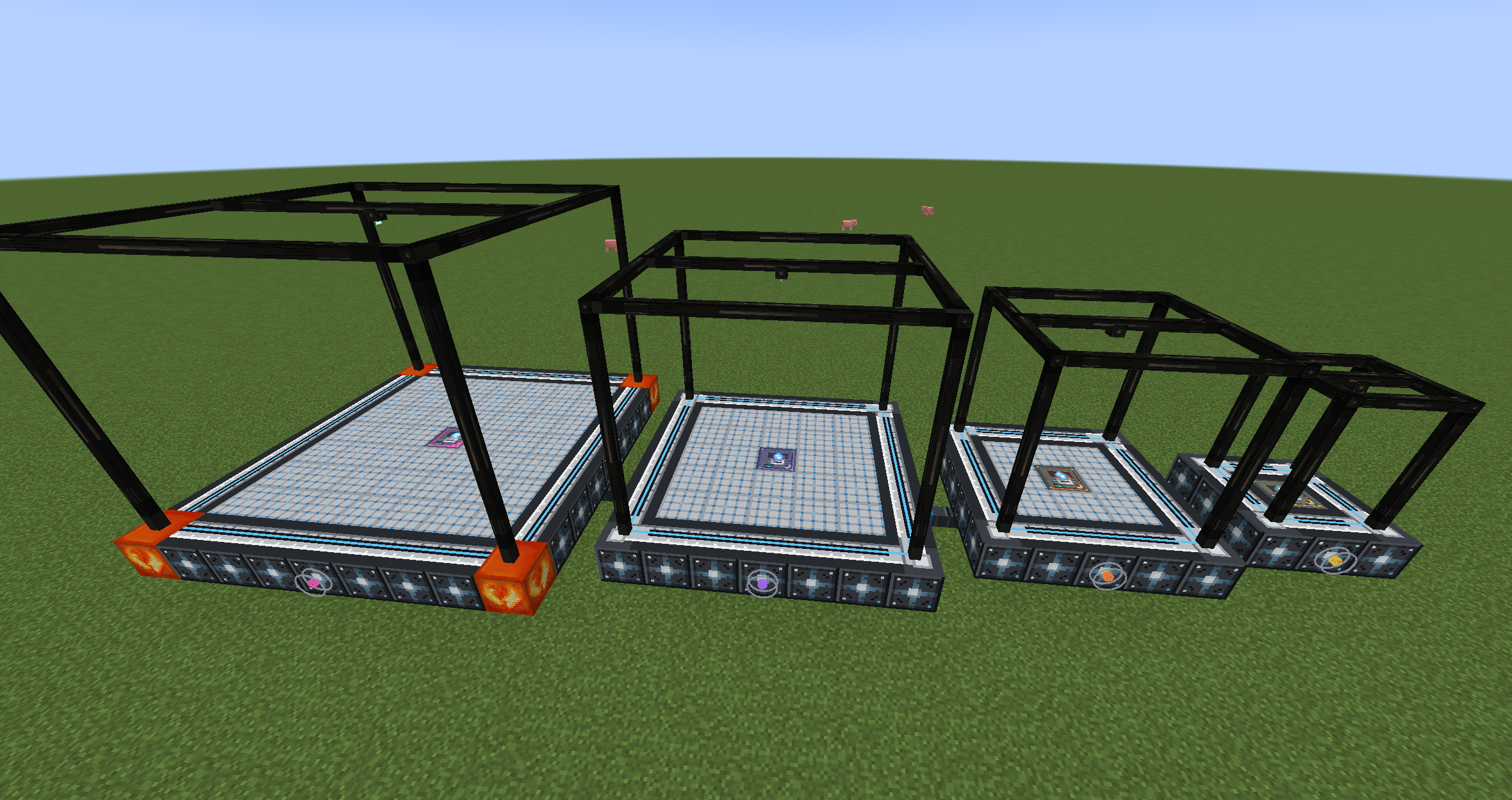
Tiers 1 to 4 are single-block desktop printers. Tiers 5 to 8 are N×N multiblock fabricators that lay down entire bases in one job. Upgrade modules tune speed, efficiency and capacity, or wire a machine's busy signal into redstone. Every machine also reports job progress to a comparator.
What else is in the box
- Filament Winder, Rack and Cable for storing and moving FU
- Filament Item Sorter that routes items to the matching-tier winder
- Blueprint Repository to catalogue your discs and re-burn copies
- Resins: consumable modifiers that grow crops, fill chests, or speed a print
- Deconstruct Mode: run a print in reverse and take a build back as filament
- MC3DPrint Terminal: with Applied Energistics 2 installed, order prints from your ME network paid in Filament Units
- Filament Unit values for modded materials: AE2, Mekanism, Thermal, Tinkers' Construct, Create, Botania, EnderIO, Immersive Engineering, Draconic Evolution and Mystical Agriculture, all soft dependencies that are completely invisible when the mod is absent
- In-game guide via Patchouli, and full JEI integration showing whether any item prints, winds, or neither
Supported versions
| Minecraft | Minimum loader |
|---|---|
| 1.20.1 | Forge 47.4.10 |
| 1.21.1 | NeoForge 21.1 |
| 1.21.8 | NeoForge 21.8 |
| 1.21.9 | NeoForge 21.9 |
| 1.21.10 | NeoForge 21.10 |
| 1.21.11 | NeoForge 21.11 |
| 26.1 | NeoForge 26.1.2.77 |
| 26.2 | NeoForge 26.2.0.16-beta |
Optional: Patchouli for the in-game guide, JEI for recipe and FU lookup.
Integrations
Every mod below is a soft dependency. If it's installed, MC3DPrint knows about it; if it isn't, nothing happens at all: no crash, no warnings, no stray config. MC3DPrint has no required dependencies.
- Applied Energistics 2 — 10 materials, plus the deepest integration in the mod: the MC3DPrint Terminal, an ME cable part that lists what your networked machines can make and orders it, paid in Filament Units. It dispatches a real job to a real machine and the finished items land in ME storage.
- Mystical Agriculture — 35 materials (the essence ladder, ores, gemstones), plus 4 more from Mystical Agradditions. The most conservative pricing in the mod, because essence crops turn mining into farming and that's the fastest way to break an economy.
- Mekanism — 23 materials (mined ores and alloys, up to the Tier 8 antimatter pellet).
- Immersive Engineering — 19 materials (mined metals plus Arc Furnace and Crusher output).
- Thermal Series — 19 materials (mined metals plus the Induction Smelter alloys: signalum, lumium, enderium).
- Tinkers' Construct — 16 materials (Smeltery alloys, plus cobalt because it's mined).
- Botania — 11 materials (mana infusion and ritual altar output, manasteel up to life essence).
- Ender IO — 9 materials (the Alloy Smelter ladder, redstone alloy up to end steel).
- Draconic Evolution — 6 materials, and the gate on the biggest machine in the mod: the 9x9 Tier 8 Fabricator needs Awakened Draconium corners, so without Draconic Evolution installed Tier 7 is the ceiling.
- Create — 6 materials (zinc, andesite alloy, brass, rose quartz).
Two optional tools on top of that:
- JEI — two extra recipe categories: what an item costs to print (price and tier), and what's inside a Blueprint Disc.
- Patchouli — the in-game
Fabricator's Handbook, craftable from an Extrudium Crystal and a Book, or handed out with
/mc3dprint guide.
Shared materials are priced to match across mods: steel costs the same in Tinkers', Mekanism and Immersive Engineering, so no pack can arbitrage one mod's steel into another's.
More
mc3dprint.dev has the full guide, a browsable blueprint gallery, and an interactive 3D viewer for every curated build.
Built something great? The Submit a Build page lets anyone contribute a blueprint to the mod. No GitHub account and no coding required.
Free and open source, MIT licensed. No paywalls, ever.
The MC3DPrint Team
