Log Hush
- By
Keeps known start-up warnings (perf counters, offline lookups) and phrases you pick out of latest.log.
listing-image-1-command.png
listing-image-2-log-before-after.png
listing-image-3-top.png
Description
You open latest.log to find out why the game crashed or a mod misbehaves, and the first screen is a wall of warnings that have nothing to do with it: Windows performance counters the game cannot read, each with a page of stack trace. The line you are looking for is somewhere below.
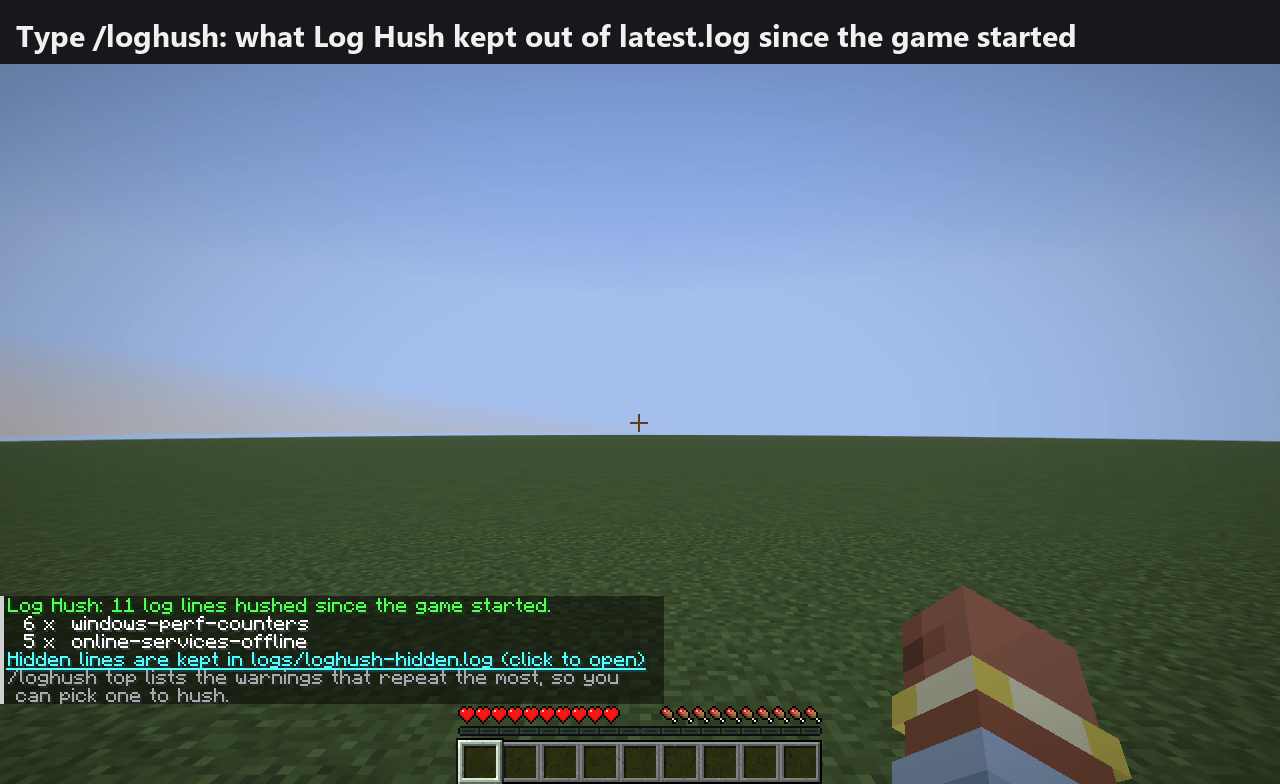
Where: the game's log files (logs/latest.log and logs/debug.log). In the game, type /loghush in chat.
What it does: from the moment the game starts, Log Hush keeps a short list of known, harmless messages out of the log files, and lets you add more.
- Built-in rule, on by default, made from lines seen in a real Minecraft 26.3 start on Windows:
windows-perf-counters("Unable to locate English counter names in registry Perflib...", "Invalid registry value type detected for PerfOS counters...", "Failed to get system info for Process ..."; the game cannot read the Windows performance counters on this PC). - Built-in rule, off by default (switch on with
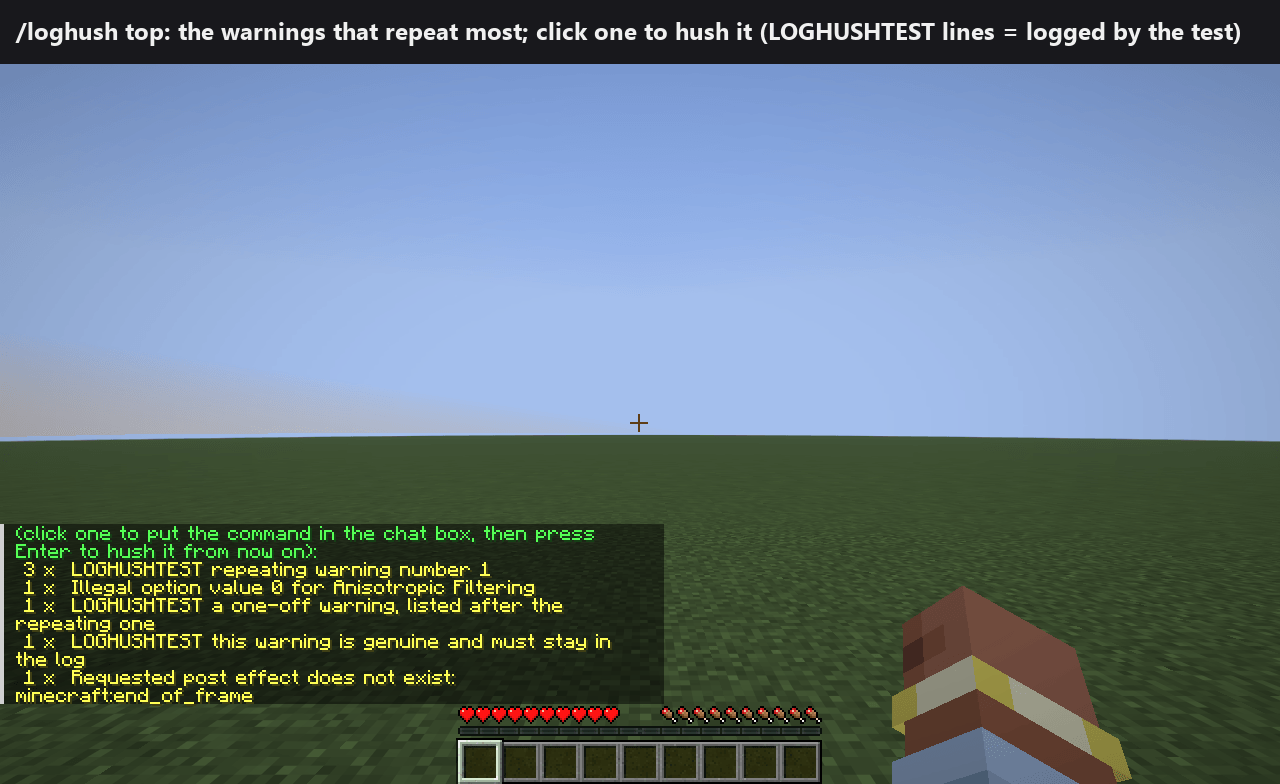
rule.online-services-offline=true):online-services-offline("Couldn't connect to realms", "Failed to fetch Realms feature flags", "Failed to fetch user properties", "Could not authorize you against Realms server"). Off by default because it would also hide a real sign-in or Realms problem from latest.log. /loghush: how many lines each rule hushed. The last line is clickable and opens the hidden file./loghush top: the warnings and errors that repeated most this session and were NOT hushed. Click one and/loghush add <text>appears in your chat box; press Enter and it is hushed from then on (works at once, saved inconfig/loghush.properties, no restart). Lines that come with a stack trace are not listed, because your own phrases never hush those.- Nothing is deleted. Every hushed line, with its stack trace, goes to
logs/loghush-hidden.log(the previous run's file is kept asloghush-hidden.log.1). Once the game has started, latest.log itself gets one INFO line: how many lines were hidden by which rules and where the full text is, so whoever reads the log later knows. - Safety: FATAL lines are never hushed (unit-tested); a line with a stack trace is only hushed by a built-in rule, never by your own phrases; your phrases must be at least 8 characters.
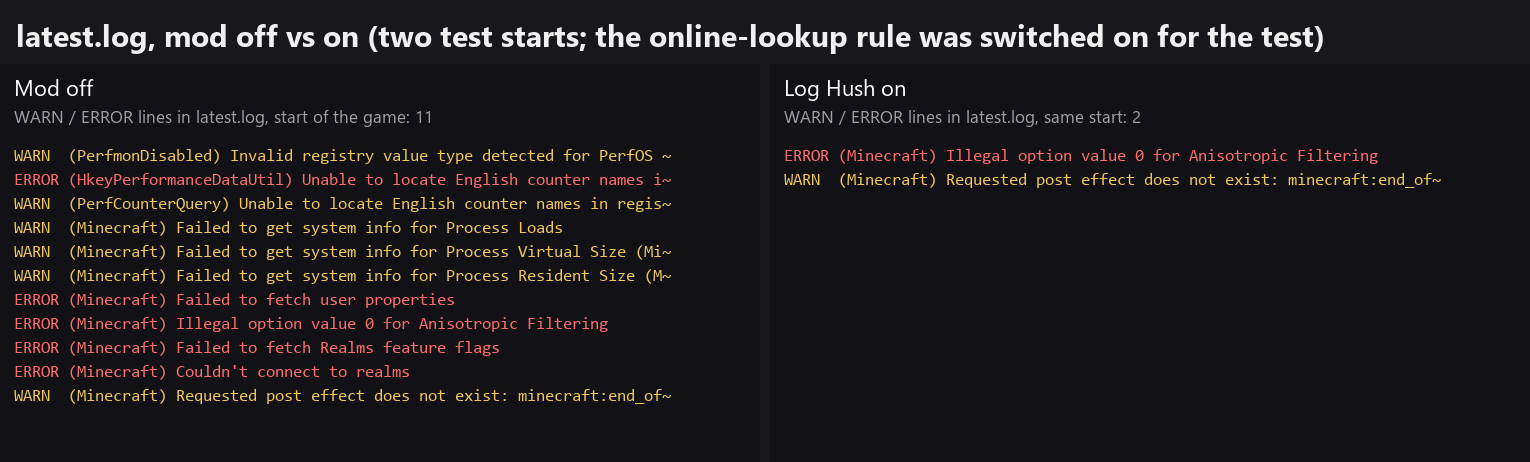
Result: latest.log starts with the lines that matter. In the automated test (two separate game starts of the same test world, mod off vs on, online rule switched on for the test) latest.log had 11 WARN/ERROR lines without the mod and 2 with it (a loader warning that only appears in the development setup is not counted); the 9 missing ones were perf-counter and online-lookup lines, and every one is in the hidden file.
Log Hush Team