Limn - Colored Block Outlines
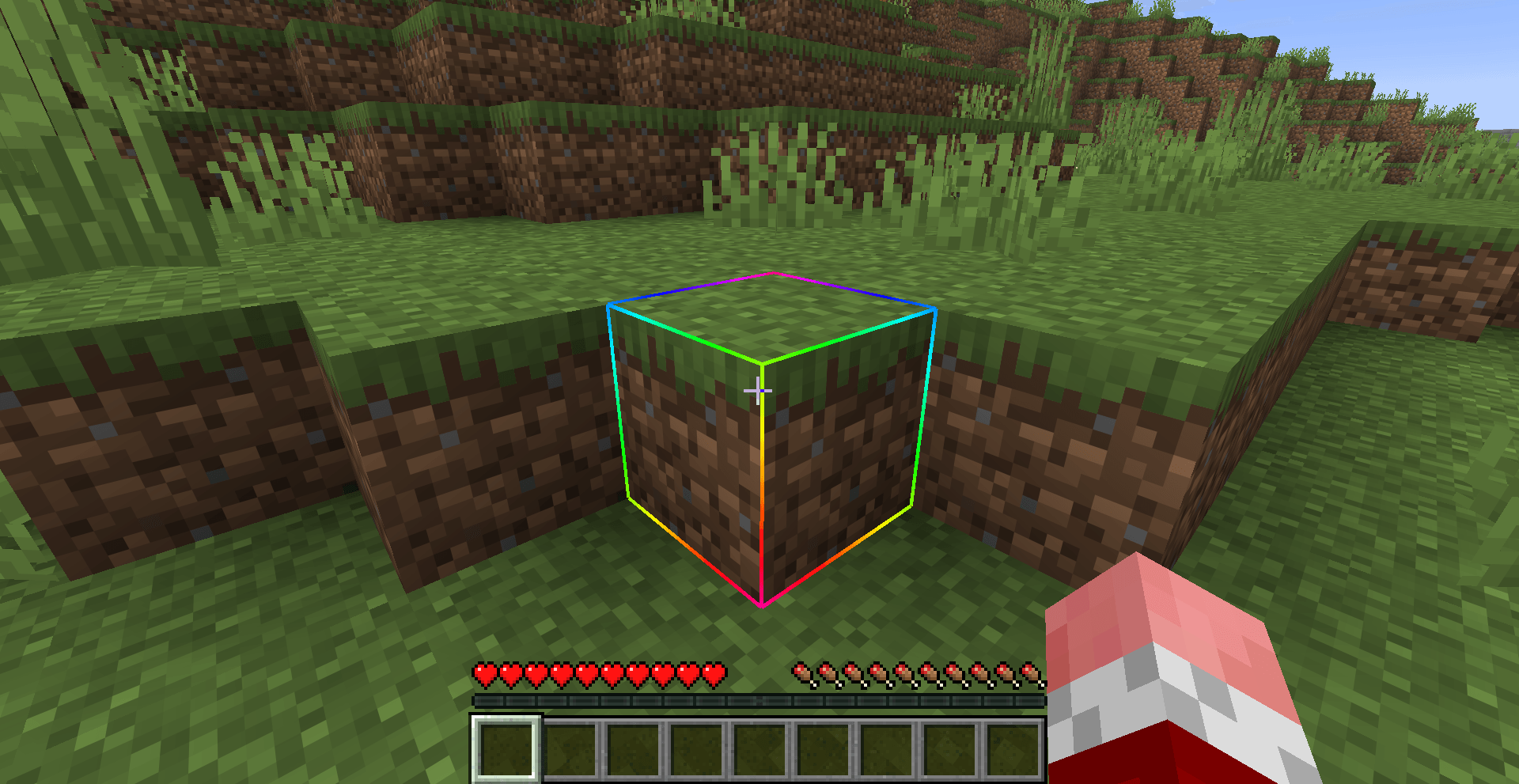
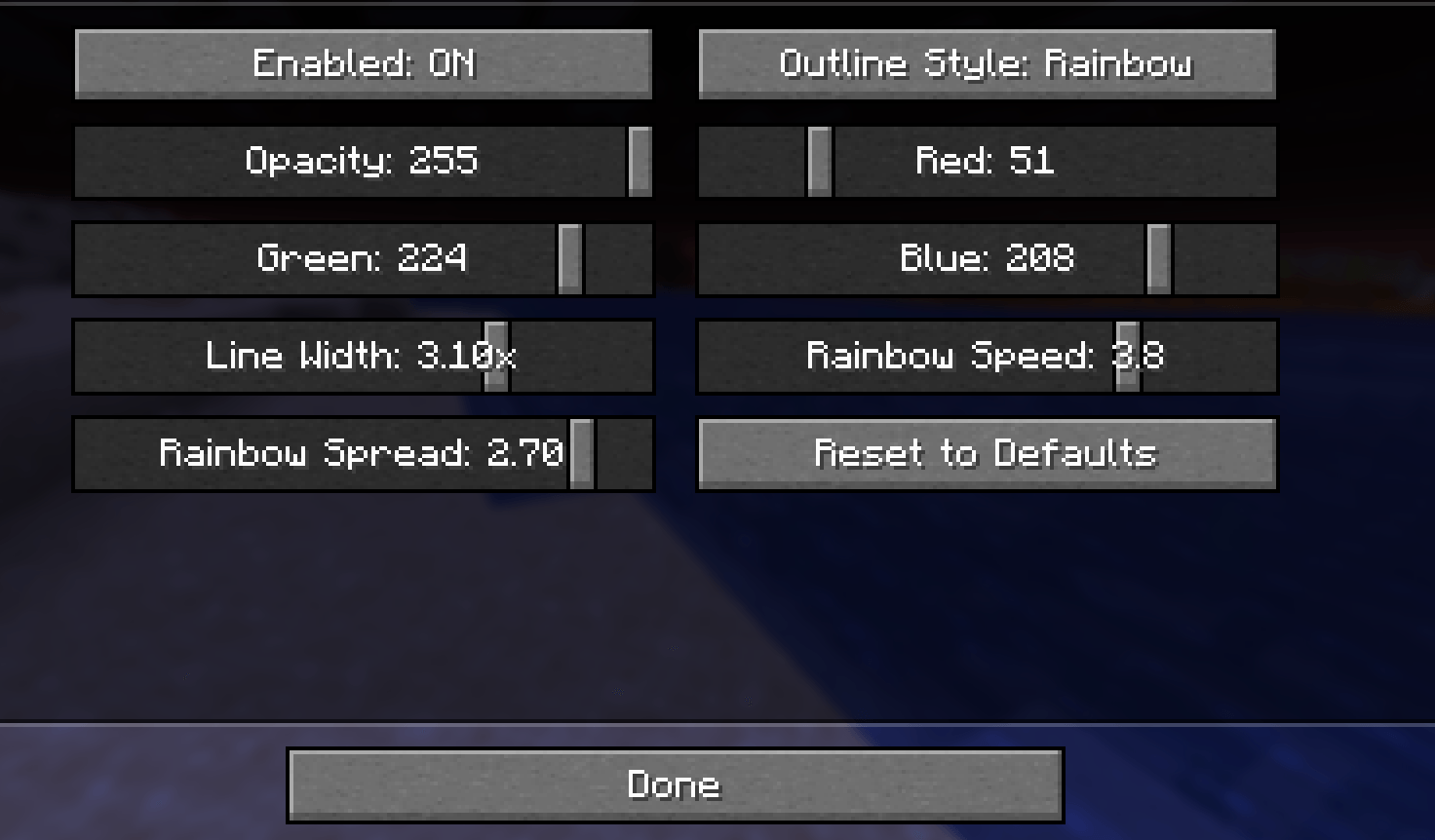
Recolor the box drawn around the block you're looking at: any solid color you like, or a Rainbow that flows along the edges. Adjust opacity and line thickness . Client-side only, works with Mod Menu.
Screenshot 2026-09-22 212126.png
Description
Limn
Recolor the box drawn around the block you are looking at. Pick any color with the RGB sliders, or switch to Rainbow for hues that flow along the edges.
Limn is a small client-side Fabric mod for Minecraft, compatible with Mod Menu.
Supported versions: 1.21 to 26.2.
Features
- Solid Color - pick any color and opacity for the outline.
- Rainbow - the outline cycles through every hue and flows along the edges. Speed and spread are both adjustable.
- Line Width - make the outline thicker or thinner than vanilla.
- Visual only - it changes how the outline is drawn, not what you can target.
- Client-side only - there is nothing to install on a server.
Install
- Install Fabric Loader for your version of Minecraft.
- Put Fabric API and the Limn jar for your version in your
modsfolder. - Start the game.
Optional: add Mod Menu to get a settings screen (Mods > Limn > Configure).
Settings
| Setting | Range | Default | What it does |
|---|---|---|---|
| Enabled | on / off | on | Whether the custom outline replaces vanilla's |
| Outline Style | Solid Color / Rainbow | Solid Color | Which look is drawn |
| Opacity, Red, Green, Blue | 0 - 255 | teal, fully opaque | The Solid Color outline color. Rainbow keeps the opacity but ignores the RGB sliders |
| Line Width | 0.5x - 4x | 1x | Thickness compared with vanilla |
| Rainbow Speed | 0.1 - 5 | 1 | How fast the rainbow cycles |
| Rainbow Spread | 0 - 3 | 1 | How much the color changes across one block |
With Mod Menu, changes apply straight away and are saved when you close the screen. The screen also has a Reset to Defaults button.
Without Mod Menu you can edit config/limn.json in your game folder and restart the game:
{
  "enabled": true,
  "mode": "Solid Color",
  "color": -13108528,
  "width": 1.0,
  "rainbowSpeed": 1.0,
  "rainbowSpread": 1.0
}
Values that are out of range are corrected automatically. If the file is broken, the game still starts with the defaults and your old file is kept as limn.json.broken.
License
The Limn - Colored Block Outlines Team