Reticle
A fighter-jet style HUD for elytra flight — flight instruments, a real flight-path marker, line-of-sight target boxes, a pull-up warning, and night vision. Client-side only.
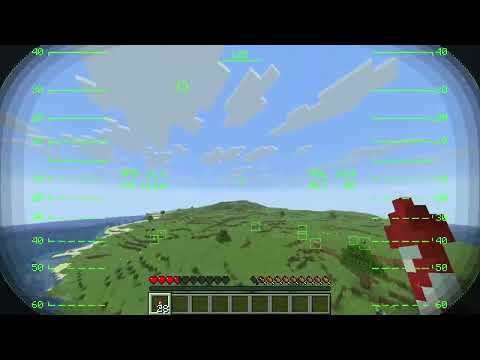
Screenshot 2026-09-23 175840.png
Description
Reticle is a small client-side only mod. The HUD only appears while you're actively gliding with an elytra.
Features
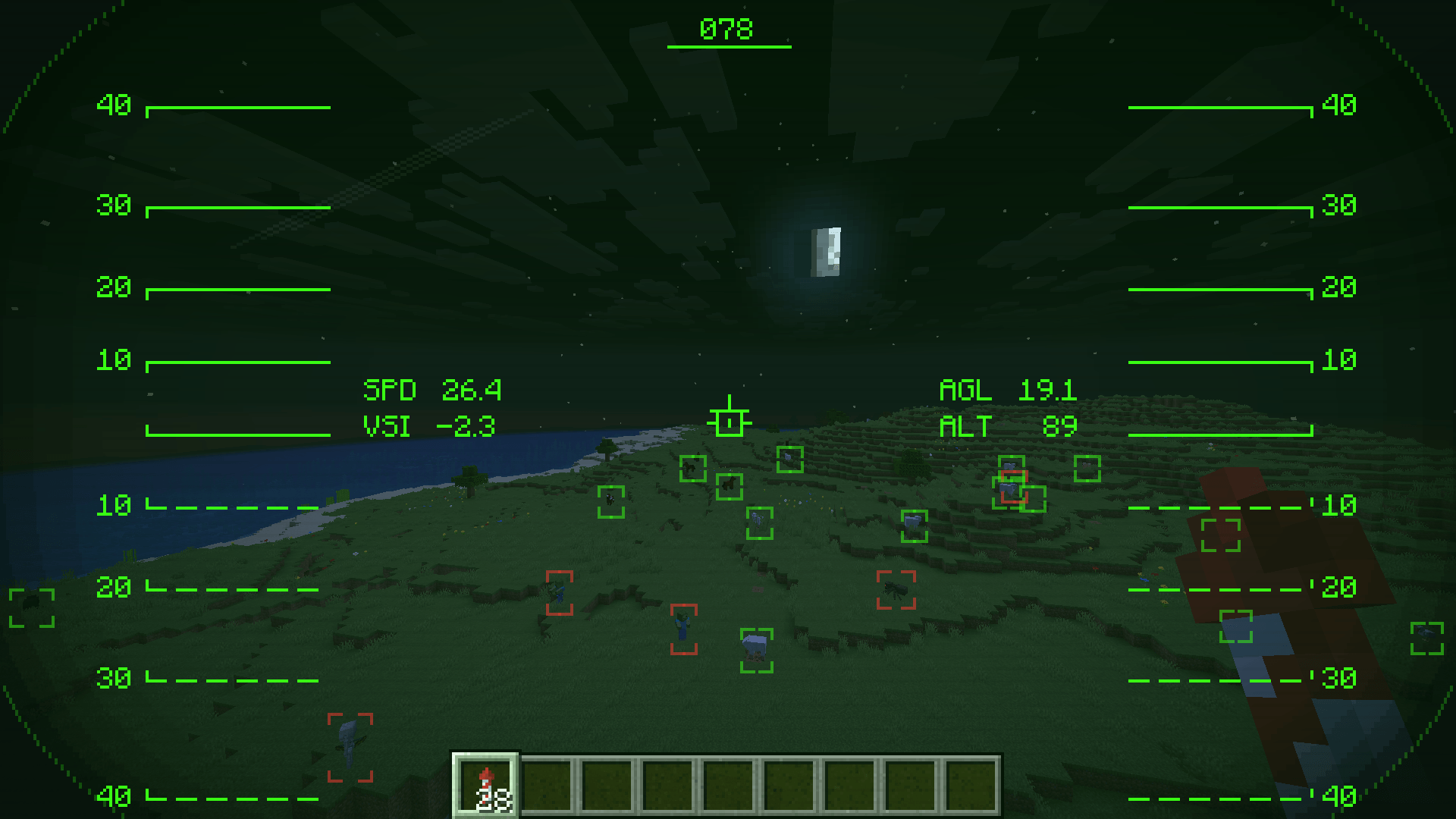
- Flight instruments — horizontal speed, vertical speed, height above ground (AGL), and altitude.
- Flight-path marker — a separate marker from the crosshair showing your actual velocity direction, projected through the camera's real orientation and FOV. Diving, firework boosts, and strafing send you somewhere other than where you're looking — this shows where you're going.
- Heading tape — your compass heading across the top of the screen.
- Pitch ladder — an artificial horizon with climb/dive rungs, like a real attitude indicator.
- Helmet visor — a rounded, shaded viewport frame so the HUD reads like you're looking out through a helmet, not a flat overlay.
- Target boxes — boxes nearby entities in your direct line of sight (no wallhacks — anything blocked by terrain is skipped), sized to each entity's actual hitbox and color-coded hostile / passive / player.
- Gradual lock-on — hold your reticle on a target and its box builds from white to a solid red as the lock completes, with a lock-on tone once it does — not an instant snap.
- Pull-up warning — flashes and plays a "Terrain, terrain — pull up, pull up" voice warning before your descent rate and altitude would put you into fall damage. Stops the instant you've pulled out, and the warning lead time is configurable.
- Night vision — automatically tints the visor green and gives your brightness a temporary boost when it's dark, so you're not flying blind at night. Switches off again once it's bright enough.
- Cockpit sounds — HUD on/off, lock-on, and pull-up warning, all toggleable.
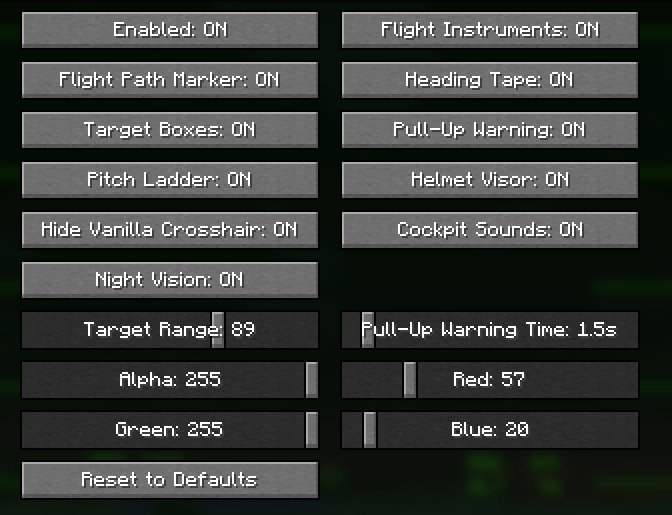
- Fully recolorable — the primary HUD color is adjustable via RGBA sliders; classic HUD green by default, with separate colors for hostile / passive / player target boxes.
- Configurable — every element (instruments, flight-path marker, heading tape, target boxes, pitch ladder, visor, night vision, pull-up warning, sounds) can be toggled independently, plus sliders for target range and pull-up warning time.
Configuration
Install Mod Menu for an in-game settings screen: Mods > Reticle > Configure. Without Mod Menu, settings still persist to config/reticle.json and can be edited by hand.
Install
- Install Fabric Loader for your version of Minecraft.
- Put Fabric API and the matching Reticle jar for your version in your
modsfolder. - Start the game. The HUD appears automatically the moment you start gliding with an elytra.
Optional: add Mod Menu for the in-game settings screen above.
Supported versions
26.1.2, 26.2, and 26.3 on Fabric and NeoForge. Requires Fabric API. Java 25.
Notes
- Client-side only — no server installation, safe on vanilla and modded servers alike.
- The projection accounts for the camera's field of view but not camera roll, since vanilla Minecraft doesn't have any.
- Night vision's brightness boost is capped at vanilla's own maximum brightness setting — it's a real boost, not a "fullbright" hack.
Links
- Source / issues: https://github.com/comedy01/Reticle
- License: MIT
The Reticle Team