Identify
Shows what you are looking at. Point at a block or an entity and a panel at the top of the screen shows any block or mob's name, health, owner, villager level, beacon effects, food saturation and much more. Client-side, for Fabric and NeoForge.
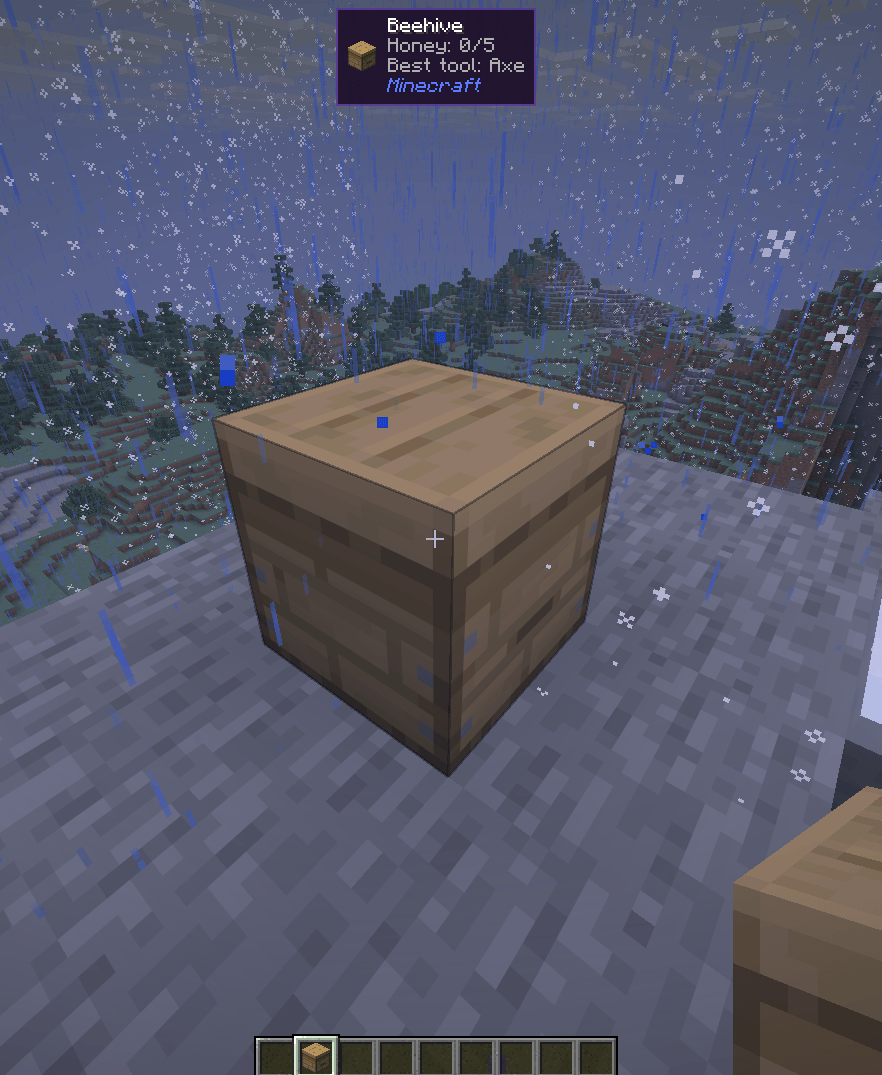
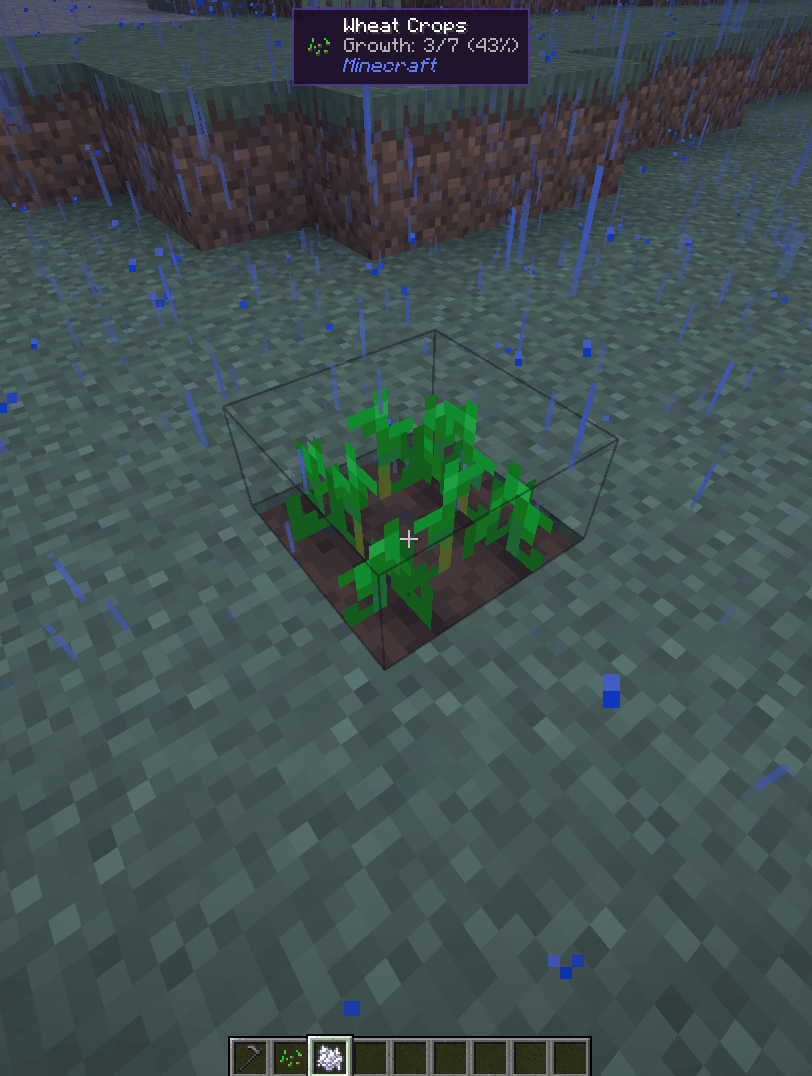
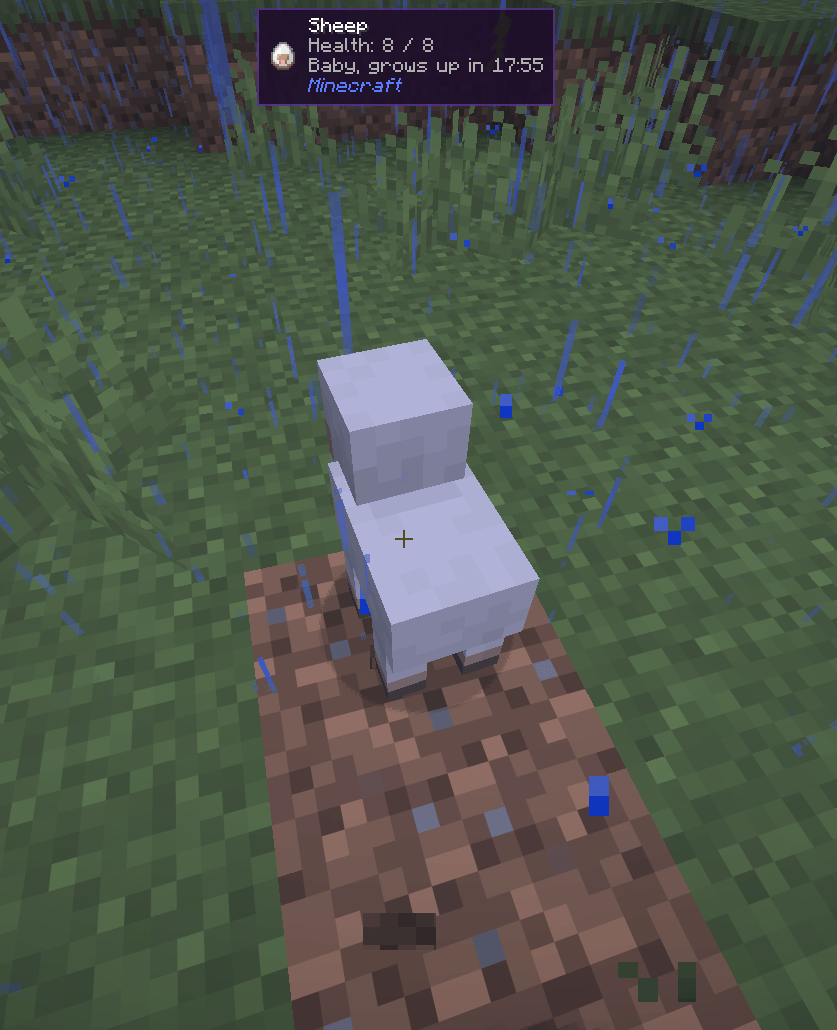
Screenshot 2026-09-23 215736.png
Description
Identify is a small client-side mod for Minecraft on Fabric or NeoForge, compatible with Mod Menu (Fabric) / the built-in config screen (NeoForge).
Supported versions: 26.1 to 26.3.
Features
- Block and entity panel - the icon, name, and owning mod of whatever is under your crosshair, out to a configurable range.
- Mob intel - health with armor, baby grow-up and breeding timers, a pet's owner, a villager's profession and level, a horse's speed and jump height, active effects, and the item a mob is holding. The panel shows at most four detail lines, so it stays compact.
- Block details - crop growth, redstone power, the best tool (and tier) to mine the block, what a spawner spawns, a beacon's tier, range and effects, and a beehive's honey level.
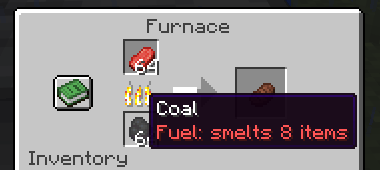
- Item tooltips - remaining durability with a percentage, hunger and saturation for food, and how many items a fuel smelts.
- Equipment comparison - hold Shift over armor or a weapon to see how it compares with what you have equipped, such as
+2 Armor, +2 Toughness. - Placement - two sliders move the panel anywhere on screen, from the top-left corner to the bottom-right corner, at any GUI scale.
- Configurable - toggle blocks, entities, icon, details, mod name, and item comparison, and adjust range and position.
- Client-side only - there is nothing to install on a server.
Some information depends on where you play:
- Exact grow-up and breeding timers, and fuel values on 26.3, come from the integrated server, so they are available in singleplayer and on a LAN host. On other servers a baby animal is shown as just "Baby".
- Servers do not send other mobs' active effects to clients, so the effects line only appears in singleplayer (and for yourself).
- A pet's owner is looked up in the player list, so the name only shows while the owner is online. Otherwise the panel shows "Tamed".
Install
Fabric
- Install Fabric Loader for your version of Minecraft.
- Put Fabric API and the Fabric Identify jar for your version in your
modsfolder. - Start the game.
Optional: add Mod Menu to get a settings screen (Mods > Identify > Configure).
NeoForge
- Install NeoForge for your version of Minecraft.
- Put the NeoForge Identify jar for your version in your
modsfolder. - Start the game. The settings screen is available from the mod list (Mods > Identify > Config).
The Identify Team