Learn or Die: Language Teacher
- By
Learn English, Chinese, Spanish, German, Portuguese or Japanese while you play: a language learning mod with a strict teacher who says everything you do out loud, then quizzes you. Right answers give buffs, wrong answers give debuffs.
01-narration.jpg
02-quiz.jpg
03-spoken-question.jpg
04-new-word-and-buffs.jpg
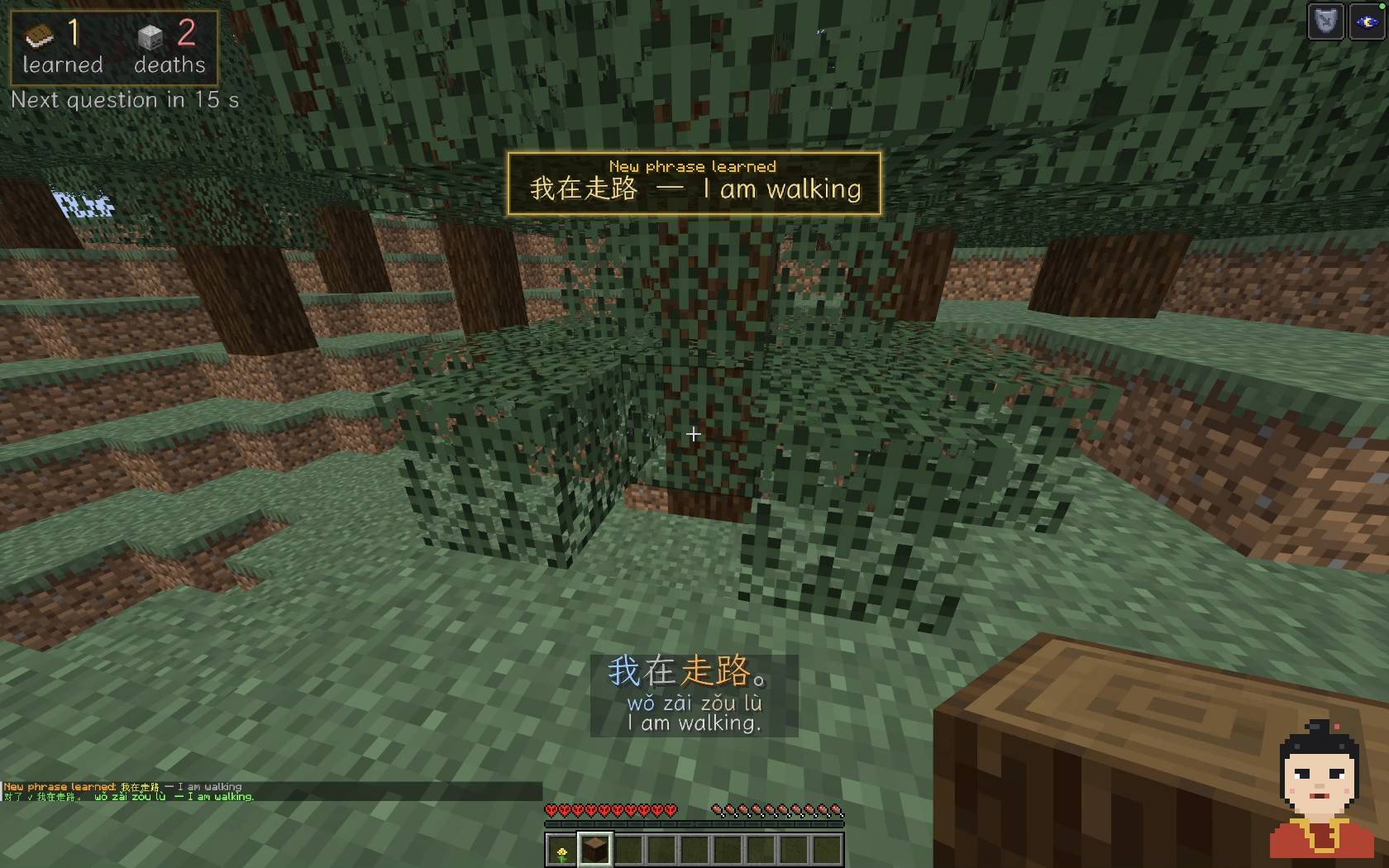
05-new-phrase-learned.jpg
Description
Learn English, Chinese, Spanish, German, Portuguese or Japanese while you play Minecraft.
Easiest: download one file, the language you want to learn: Learn Chinese, Learn Spanish, Learn German, Learn Portuguese, Learn Japanese, Learn English. Learn or Die is inside each of them, and you can install several languages together. The files on this page are Learn or Die alone: you need them only with the older language packs (0.3.0 and earlier). Right now: the newest files are waiting for review; they appear under Files as soon as they are approved.
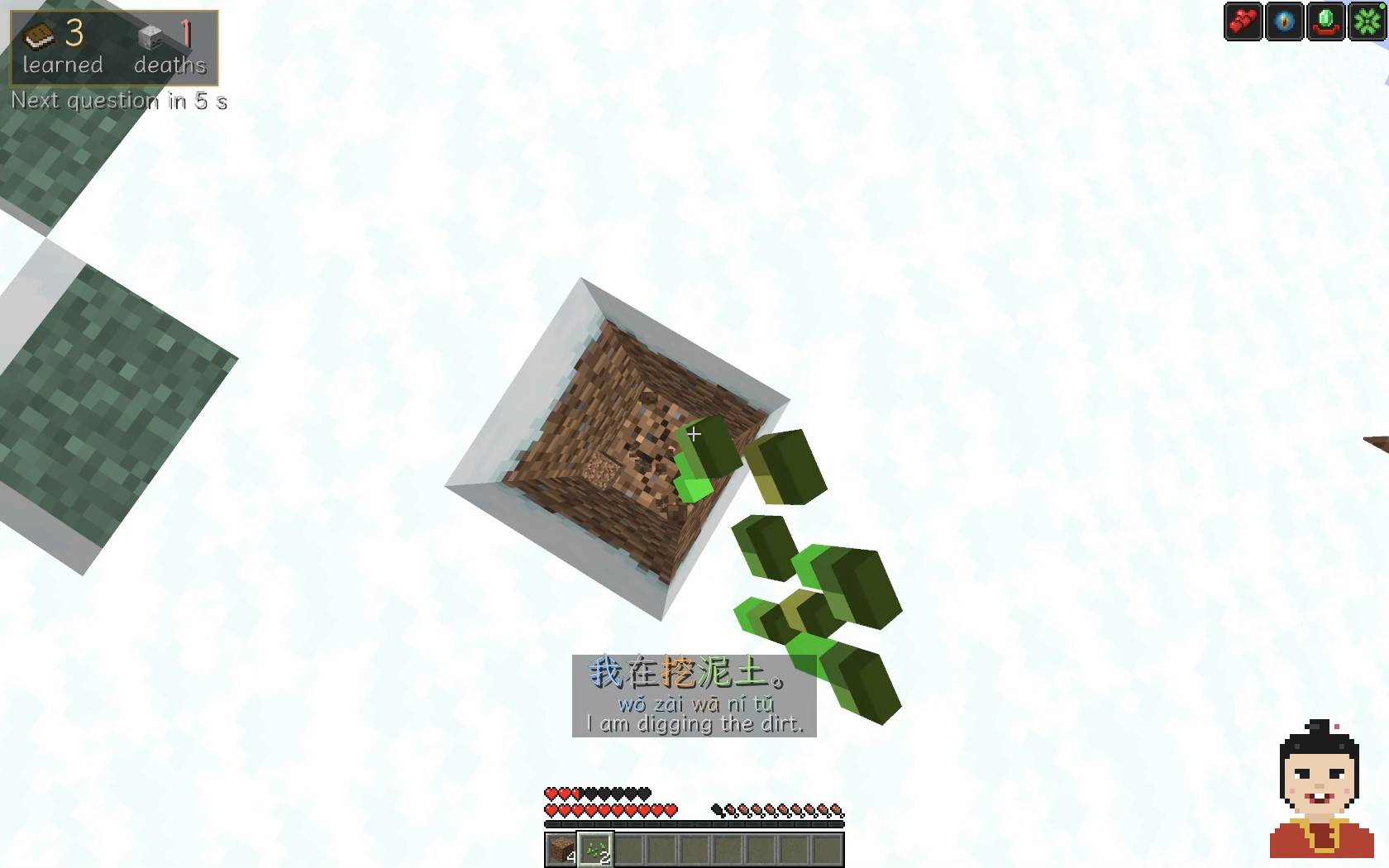
Your teacher watches what you do and says it out loud in the language you learn: 我在挖泥土 wǒ zài wā ní tǔ in Chinese, Estoy cavando la tierra in Spanish, Ich grabe die Erde in German, Estou cavando a terra in Portuguese, 私は土を掘っています watashi wa tsuchi o hotte imasu in Japanese: "I am digging the dirt". The sentence shows up on screen with English (and pinyin for Chinese, romaji for Japanese), so you hear it, see it and understand it at the same time.
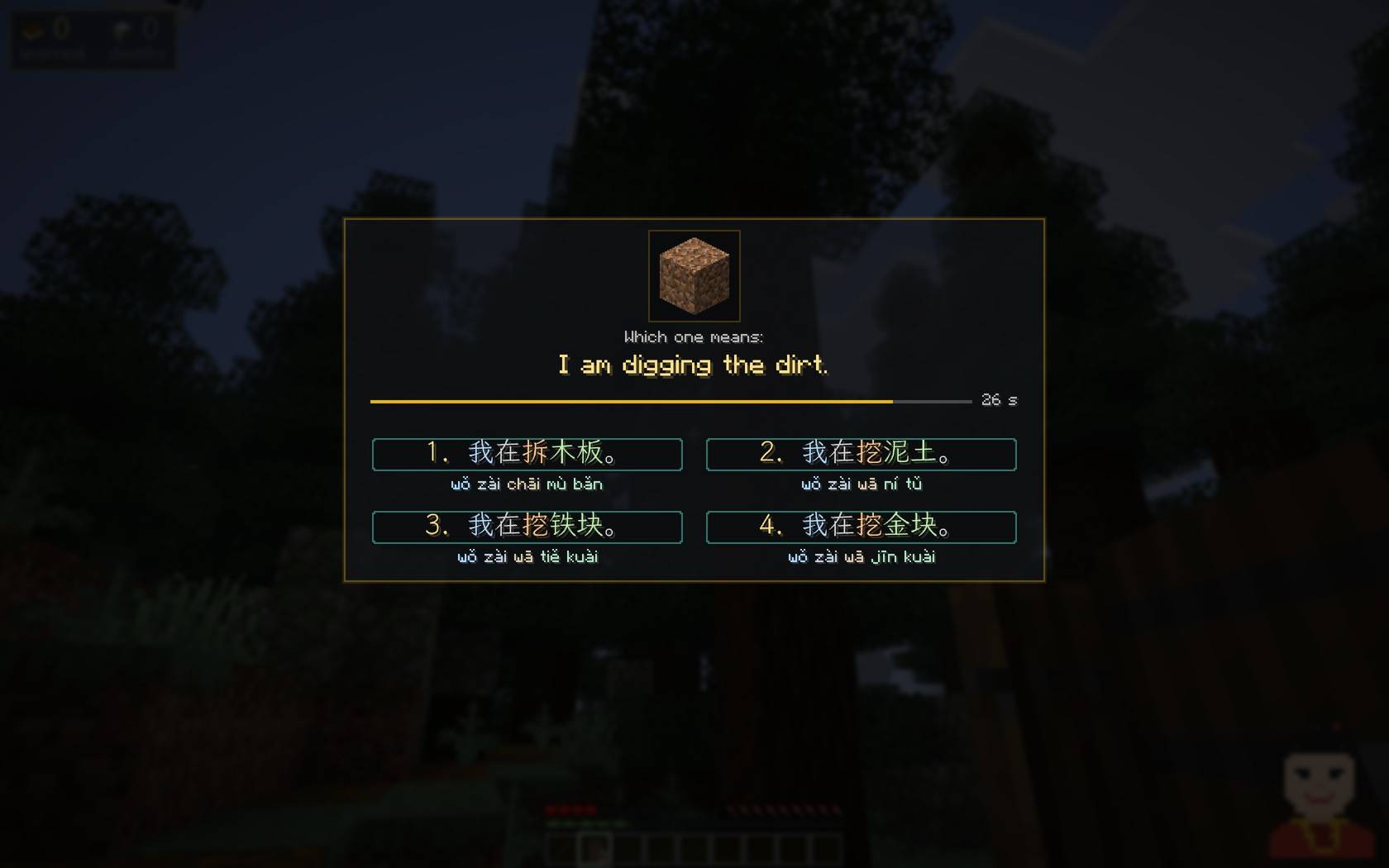
Then she quizzes you. Answer right and you get buffs. Answer wrong and you get debuffs. Three wrong answers in a row and she gets angry and empties your inventory. In a Hardcore world, one wrong answer is game over.
What's inside
- Six languages. English, Mandarin Chinese, Spanish, German, Brazilian Portuguese and Japanese, each in its own file. Install the ones you want and switch between them in the settings. The English teacher shows the translation in your own language, taken from your Minecraft language setting (Spanish, Portuguese, German, Chinese or Japanese).
- Thousands of spoken phrases about what you do: walking, mining, chopping trees, placing blocks, eating, fighting, sleeping, the weather and more (2,700+ in English, 3,100+ in Chinese, 2,700+ in Spanish, 2,800+ in German, 2,700+ in Portuguese, 2,900+ in Japanese), 500+ words per language. Studio-quality voices that play offline, no account or API key.
- The sentence on screen with its English translation, Chinese with characters and pinyin, Japanese with its script and romaji. Words are coloured by their role in the sentence: pronoun, verb, object. Hold Right Shift to show pinyin.
- Quizzes about phrases the teacher has already said. Four answers in the language you learn: pick one with the keys 1–4 or the mouse.
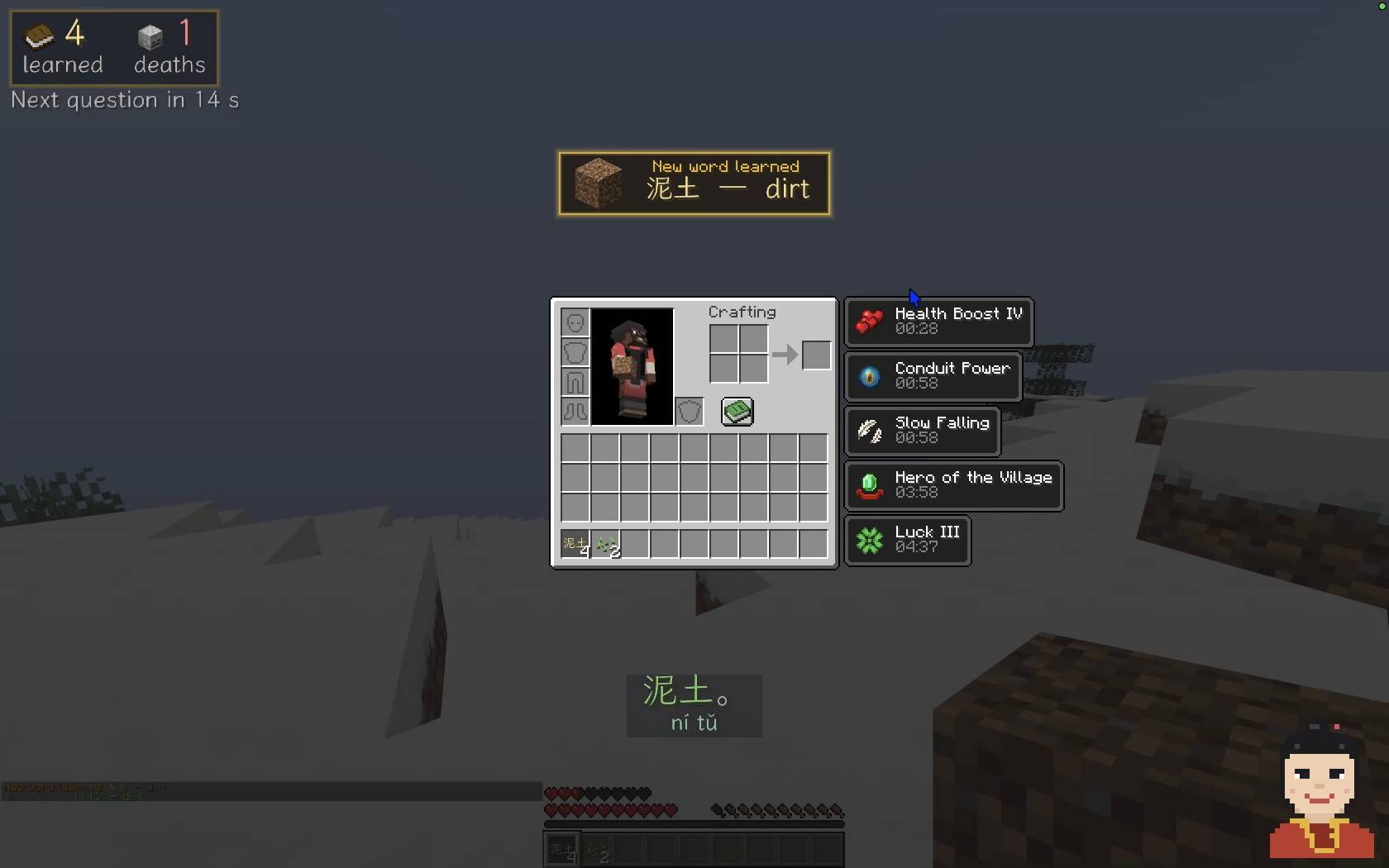
- Rewards and punishments. Regeneration, speed, haste, strength... or slowness, blindness, nausea, poison...
- An angry teacher. Three wrong answers in a row wipe your inventory. You can turn this off.
- Hardcore. In a Hardcore world one wrong answer kills you.
- Progress on screen. Learned words and deaths are counted, for each language separately. A word you got right is learned: the teacher stops saying it in that world. In the settings you can make learned words come back after death or after an hour instead.
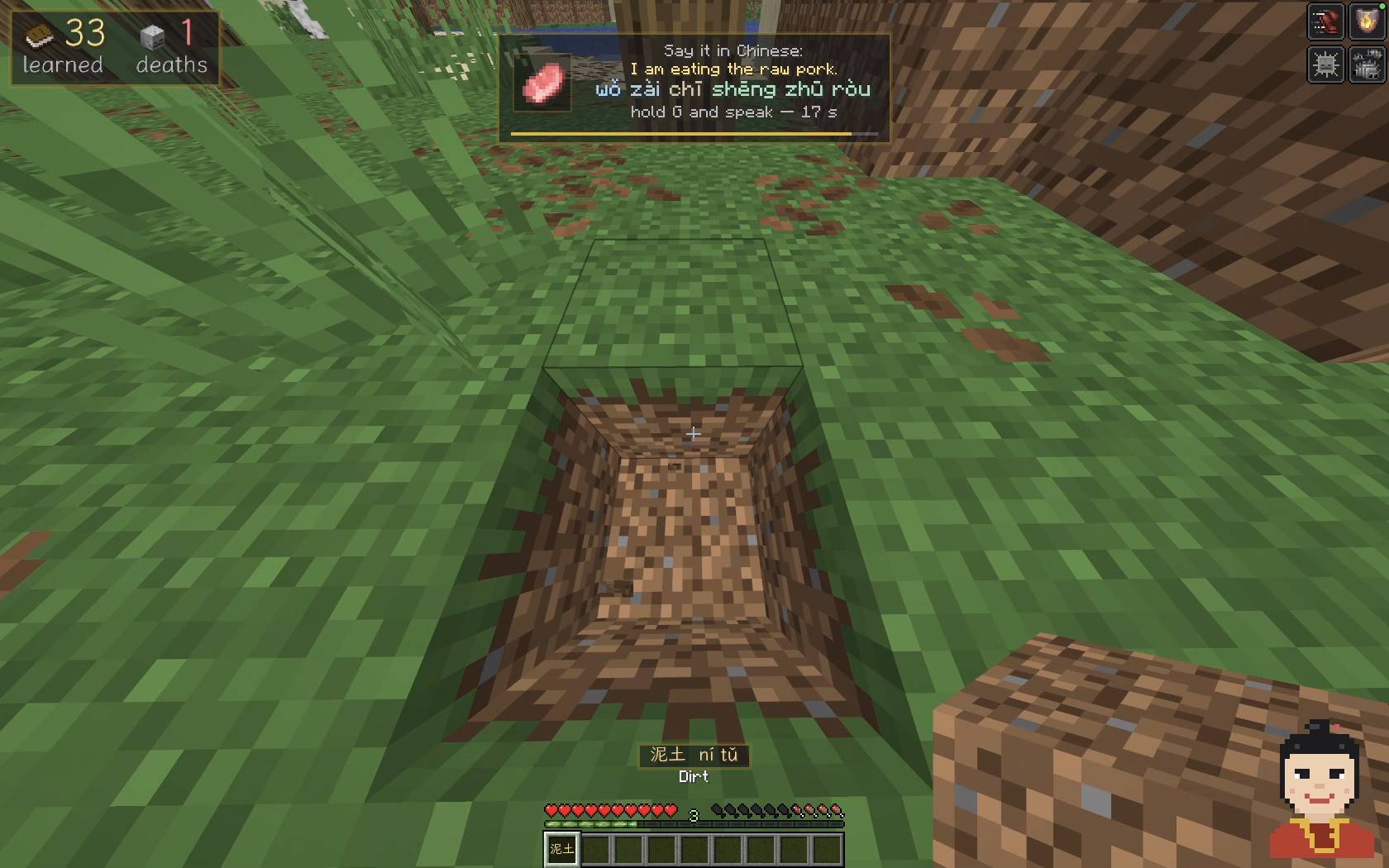
- Voice answers. Some questions you answer by saying the phrase into your microphone. A free helper program listens on your own computer; you set it up with one click in the settings.
- "What is this?" Look at a block or creature and press V to hear its name.
- Item names in the language you learn in the tooltips.
- Settings for everything: speech speed, how often she talks and asks, answer time, penalties, text size and position.
Controls
| Key | What it does |
|---|---|
| N | Teacher on / off |
| Right Shift (hold) | Show pinyin |
| V | Say the name of the block or creature you are looking at |
| K | Normal / slow speech |
| I | Settings |
| 1–4 or mouse | Answer a question |
| B (hold) | Answer a spoken question |
You can change every key in Options → Controls → Key Binds → Learn or Die: Language Teacher.
How to install
Download the language you want to learn (Learn Chinese, Learn Spanish, Learn German, Learn Portuguese, Learn Japanese, Learn English) for your Minecraft version, 1.21.1 or 26.3; the same file works on Fabric and NeoForge. That one file is the whole mod: Learn or Die and, for Fabric, Fabric API are inside. Several languages can be installed together.
The easy way: the CurseForge App
- Install the CurseForge App and open Minecraft in it.
- Create a custom profile with Minecraft 1.21.1 or 26.3 and the Fabric or NeoForge loader.
- Find the language you want (Learn Chinese, Learn Spanish, Learn German, Learn Portuguese, Learn Japanese, Learn English) in the app and add it.
- Press Play.
With the official Minecraft Launcher
Fabric
- Download the Fabric installer, open it, choose Minecraft 1.21.1 or 26.3 and click Install.
- Download the file of the language you want for that version. Fabric API is inside it.
- Put the file into the
modsfolder (see below). - Open the Minecraft Launcher, pick the fabric-loader profile of your version and press Play.
NeoForge
- Download the NeoForge installer for your Minecraft version (1.21.1 or 26.3), open it and install the client.
- Put the file of the language you want for that version into the
modsfolder. Nothing else is needed. - Open the Minecraft Launcher, pick the NeoForge profile and press Play.
The mods folder (create it if it does not exist): - Windows: %appdata%\.minecraft\mods - macOS: ~/Library/Application Support/minecraft/mods - Linux: ~/.minecraft/mods
If an installer does not open on your computer, use the CurseForge App instead.
Settings: press I in the game. They also open from the mod list: on NeoForge from the built-in Mods screen, on Fabric with Mod Menu (optional). The Language setting switches between the installed packs.
Voice answers
- Open the settings (I) and press Voice answers: set up…, then Yes.
- A helper window opens. The first start downloads about 1.5 GB (Python, PyTorch and a speech recognition model) into
.minecraft/learn-or-dieand takes a few minutes. Keep the window open. - When the chat says the voice answers are ready, spoken questions appear at the top of the screen: hold B and say the phrase.
From then on the helper starts with the game by itself and closes when you quit.
Switching languages. Every language has its own speech model. The first time you choose a language, its model downloads once (about 1.2 GB, a minute or two). After that, switching takes 10–15 seconds while the model loads. You see how far it is in the top left corner; spoken questions come back when it is ready.
- Private. Your voice is recognised on your computer and never leaves it.
- Systems: Windows 10 or 11 (64-bit), Linux, or a Mac with Apple Silicon and macOS 14 or newer. About 3 GB of free disk space, plus 1.3 GB for each more language; 8 GB of RAM recommended.
- Mac: allow Terminal to use the microphone when macOS asks.
- Windows: if the helper window shows an error about a missing DLL, install the Microsoft Visual C++ Redistributable (x64).
- Linux: the helper needs PortAudio, for example
sudo apt install libportaudio2. - Uninstall: delete the
learn-or-diefolder inside your.minecraftfolder. - Beta. Voice answers are new. If the helper does not start on your computer, let me know (links below).
Good to know
- Singleplayer. Rewards, punishments and the angry teacher only work in singleplayer. On a server the teacher still talks and asks questions, but nothing happens to you.
- Client-side. Install it in your own game only, not on a server.
- No internet needed to play. All the teacher's speech is inside the language file, which is why each is 60–90 MB. Only the voice answers setup downloads once.
- No punishments: Settings → Penalty → none.
- Keep your inventory safe: Settings → Advanced settings → Angry after N wrong → 0.
- More languages are planned. Tell me which one you want next in the comments under my videos (links below)!
Credits
- Made by Laren.
- Font: LXGW WenKai, SIL Open Font License 1.1.
- License: MIT.
Follow me
Updates, new languages and videos:
Learn or Die: Language Teacher Team