Journal O' Journeys
- By
A scrapbook of your adventures: turn screenshots into Polaroids, decorate with interactive collectible stickers, and find memories by date. All in one book.
Description

Nameplate font: Minecraft Pixel Font 5x5 by Withered Emperor 2006
Journal O’ Journeys, part of the Almanac O’ Adventures modpack utility series.
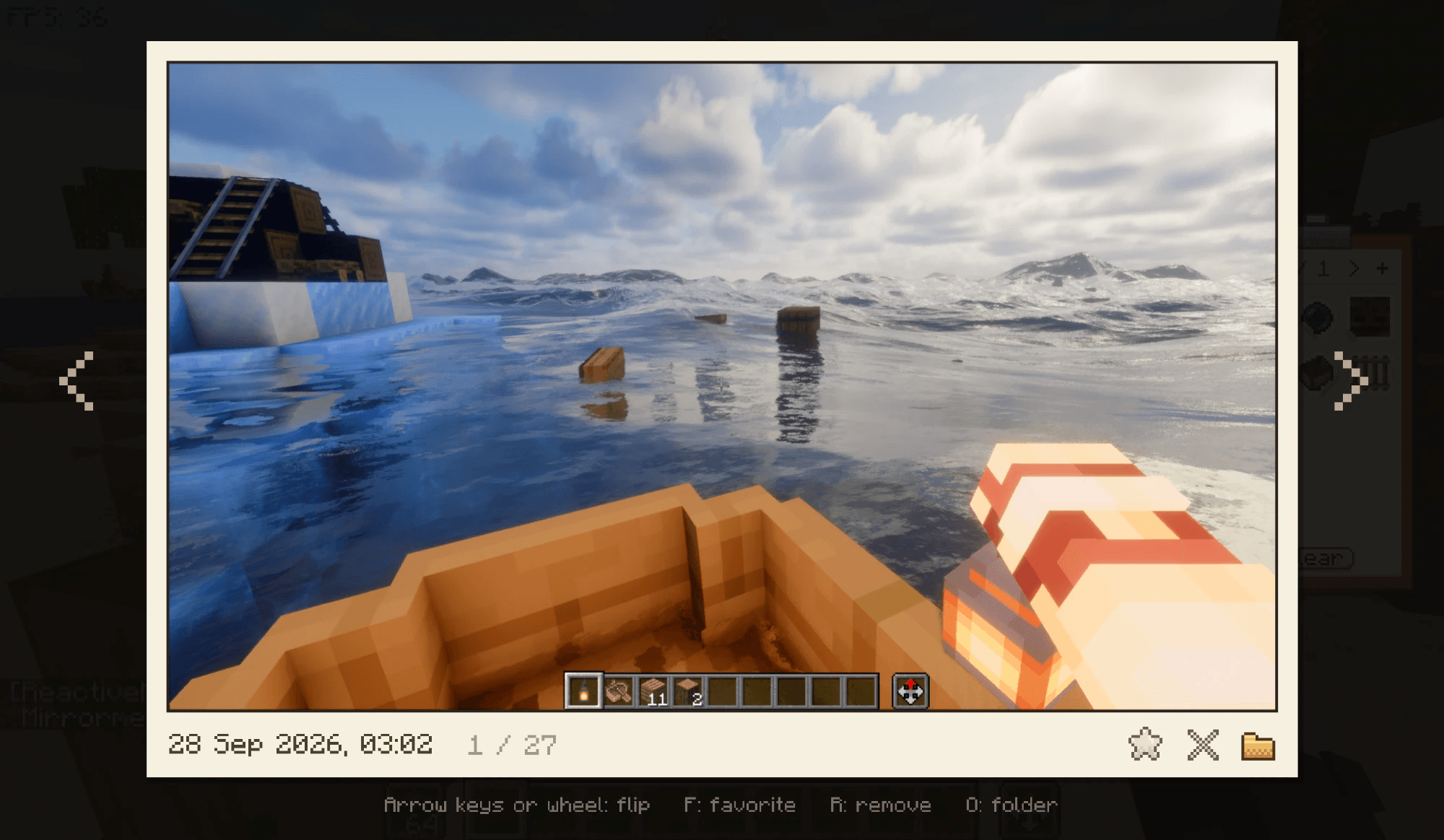
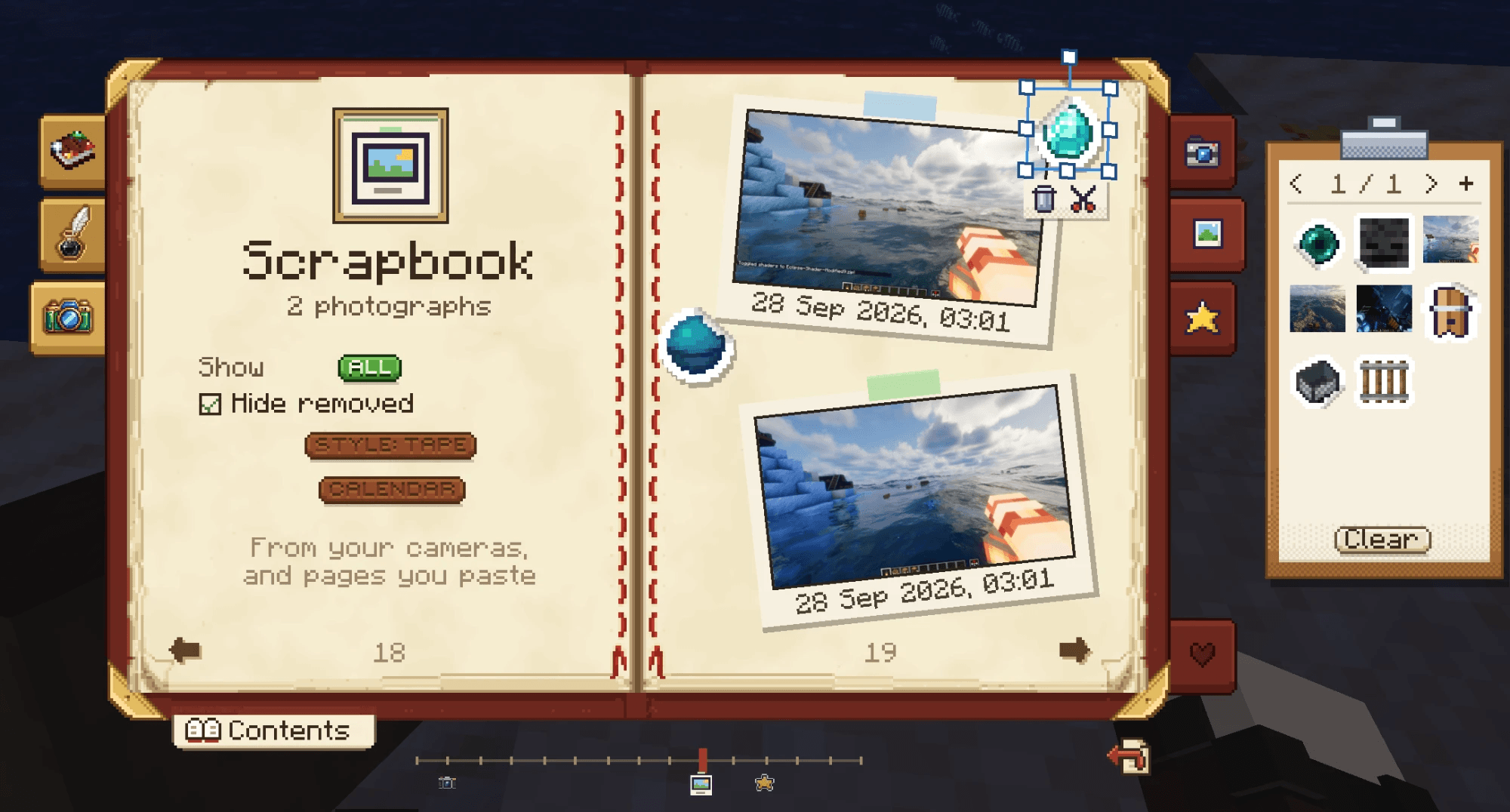
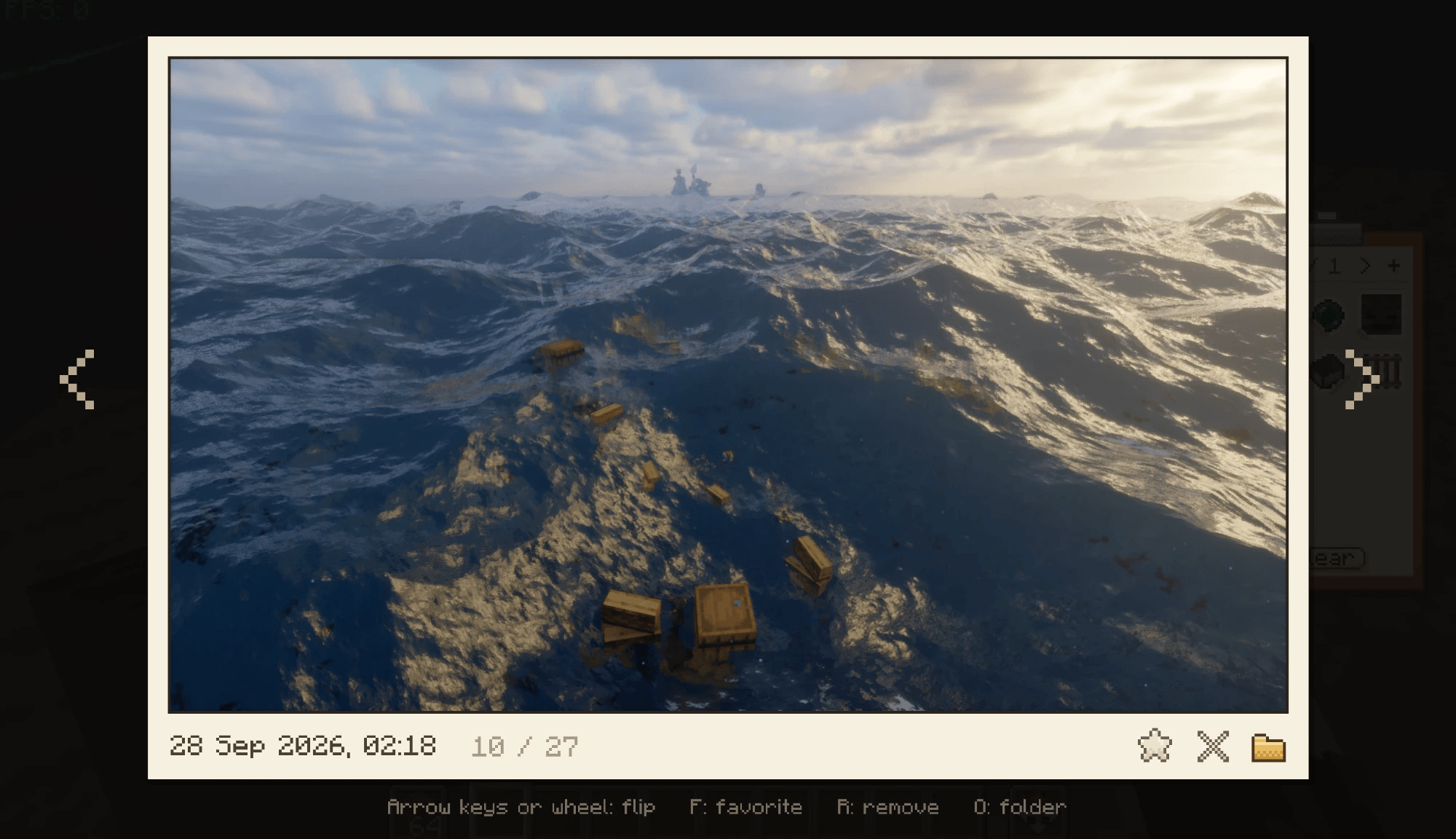
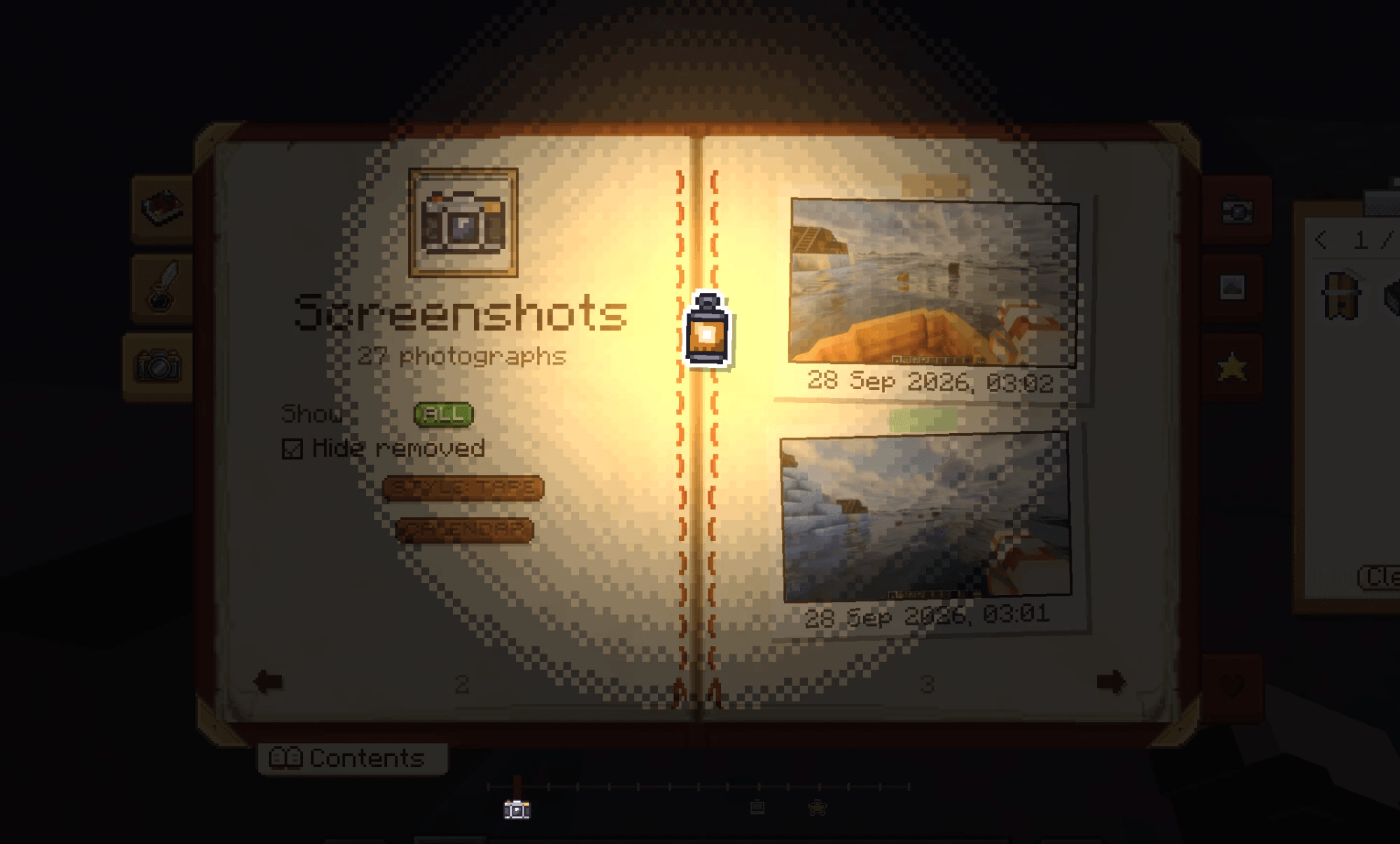
Journal O’ Journeys turns the pictures you take into a scrapbook you keep inside the book. Every screenshot in your game’s screenshots folder is stuck in as a photograph, two to a page, and stays where it landed: a new picture finds a place among the old ones, and the old ones never move.
Open it from the book button on the pause menu, next to Back to Game, then its tab on the left of the book.
What it does
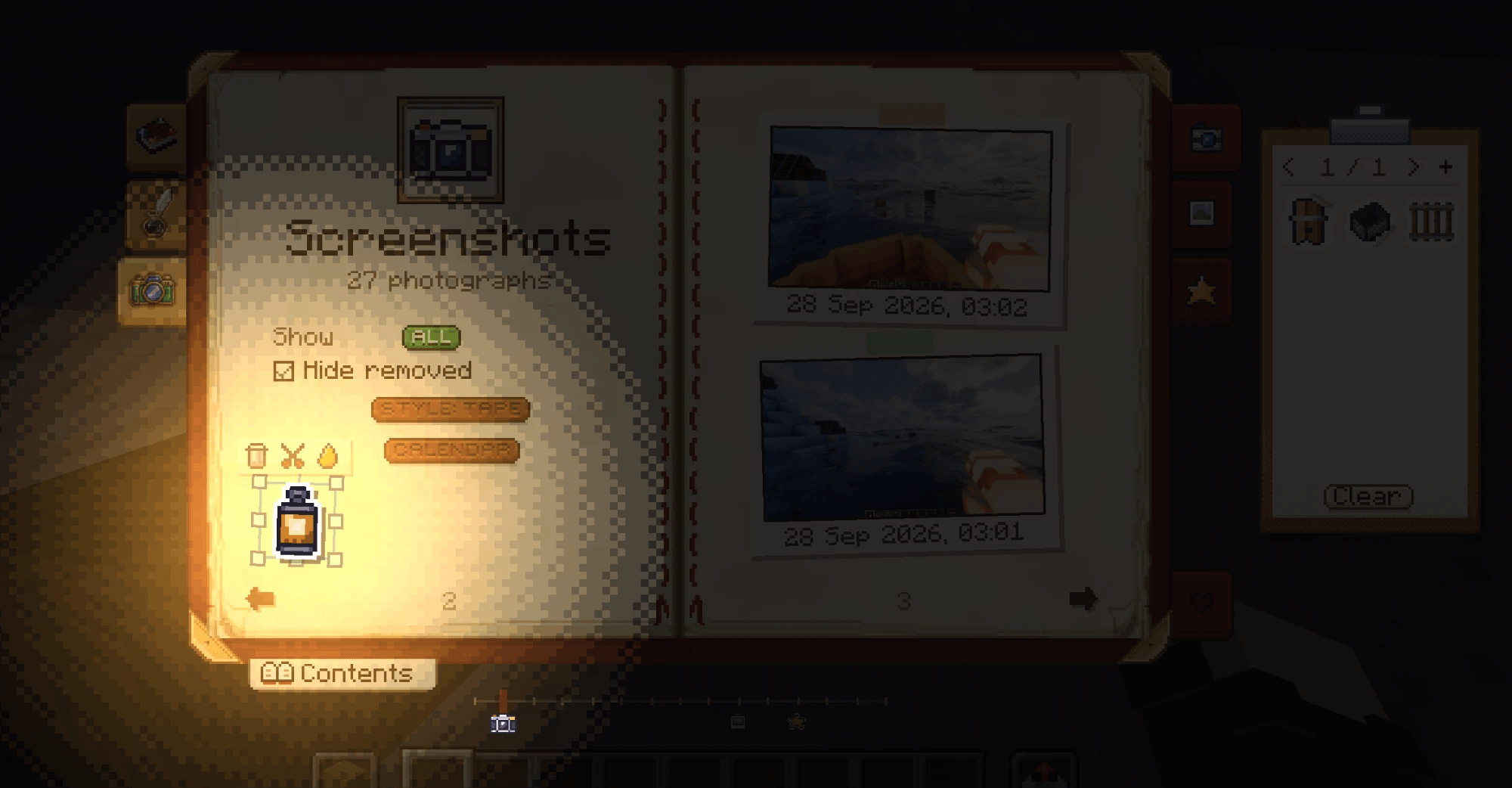
- Screenshots become polaroids: move a photograph about its page, turn it, resize and crop it by its corners and edges, and tape it down.
- Name them or date them: write your own caption under a photograph, or let it show the day you took it.
- Keep your favourites: mark the ones you love and show only those; mark others to remove and hide them. A calendar finds a picture by the day it was taken.
- Make pages of your own: paste photographs onto new pages of the scrapbook, as many as you like.
- With Exposure (and its Polaroid addon), the photographs you take in the game join the scrapbook, in the order you took them.
- Earn stickers in the world: hold an item and it becomes a sticker for your pages, cut from the game’s own textures, so your resource pack’s art is the art it shows. Some give light, some have eyes that glow in the dark, and some grow on the page.
- Copy a photograph to your clipboard to paste into anything else.
How it changes your game
It adds no blocks, items or creatures. It reads your screenshots folder (and Exposure’s, if you have it) and never deletes or changes a picture: every move, mark and caption is kept in the journal’s own file.
Requirements
- Lore O’ Libs: required. It is the book itself, shared by every O’ series mod. Today the Journal comes inside Lore O’ Libs, so installing Lore O’ Libs (or any O’ series book) gives you the Journal already; this page is its new home, ahead of it moving into a download of its own.
- Exposure: optional, for in-game photographs.
- Currently for Minecraft 1.20.1 on Forge.
Found a problem? Report it from the book
Open the close-up of anything that looks wrong and press the ! button. Pick what the problem is, and the book takes a screenshot of the page and opens our GitHub page with the report already written for you. The screenshot is waiting on your clipboard: click the box, press Ctrl+V, then Submit. You need a free GitHub account, and nothing is sent until you press Submit yourself.
Reports turn into fixes for everyone. When you join a world the book reads one small public list of fixes, so a creature, structure or item that was reported gets put right without waiting for a new download. Nothing about you is sent, and it can be switched off in the config.
⭐ Add to favorites to remember the mod ⭐


The other books on their own:
with love and intention.
-Shrine.
Journal O' Journeys Team