ItemSearch: Ctrl+F
- By
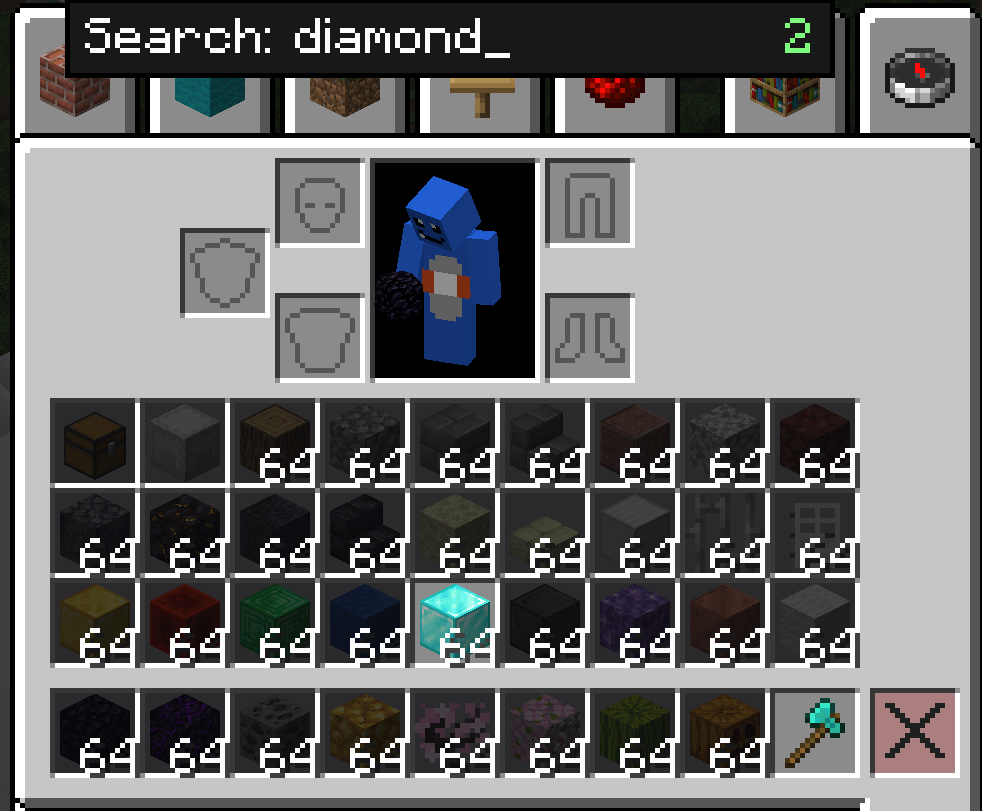
Press Ctrl+F inside any chest, shulker box, or inventory to instantly filter items by name.
ã¹ã¯ãªã¼ã³ã·ã§ãã 2026-07-01 222436.png
ã¹ã¯ãªã¼ã³ã·ã§ãã 2026-07-01 222511.png
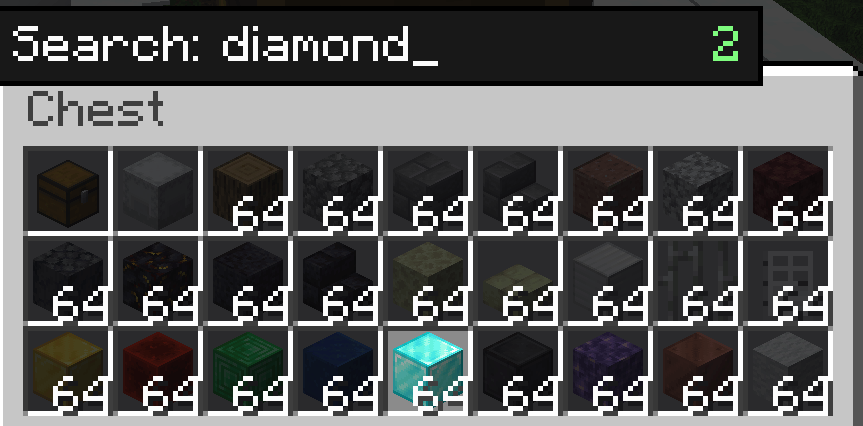
ã¹ã¯ãªã¼ã³ã·ã§ãã 2026-07-01 222404.png
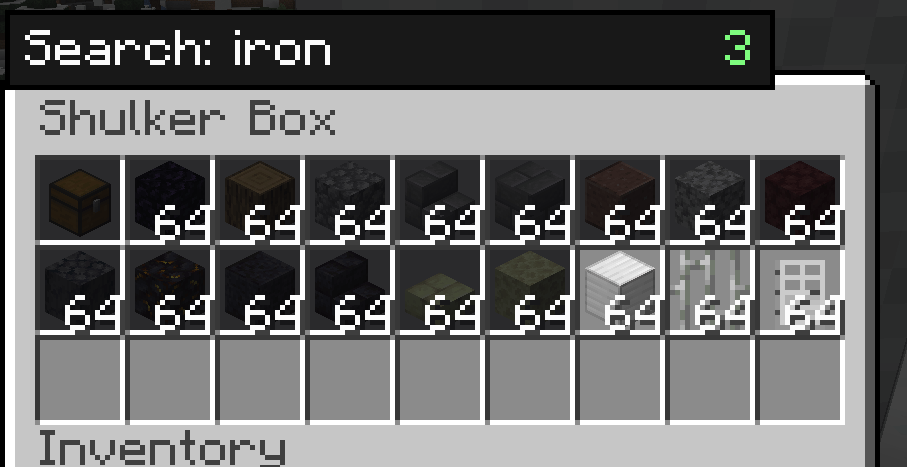
ã¹ã¯ãªã¼ã³ã·ã§ãã 2026-07-01 222454.png
Description
Description (Markdown body — same for both platforms)
ItemSearch
Press Ctrl+F inside any container to instantly filter your items.
Tired of scrolling through a packed shulker box or storage chest looking for one item? ItemSearch adds a lightweight Ctrl+F search bar to every container screen — inventory, chests, barrels, shulker boxes, and more — so you can find what you need at a glance.
Features
- Ctrl+F to search — opens a small search box inside any
AbstractContainerScreen. Type to filter; matching items stay highlighted, everything else dims. - Works everywhere — chests, barrels, shulker boxes, your own inventory, and other inventory-style screens.
- Smart Creative Mode handling — on the Survival/Inventory tab, ItemSearch dims your own items just like everywhere else. On the Creative item-palette tabs, ItemSearch stays out of the way so vanilla's own creative search keeps working.
- Match by item ID (optional) — toggle whether the search also checks the item's registry ID (e.g.
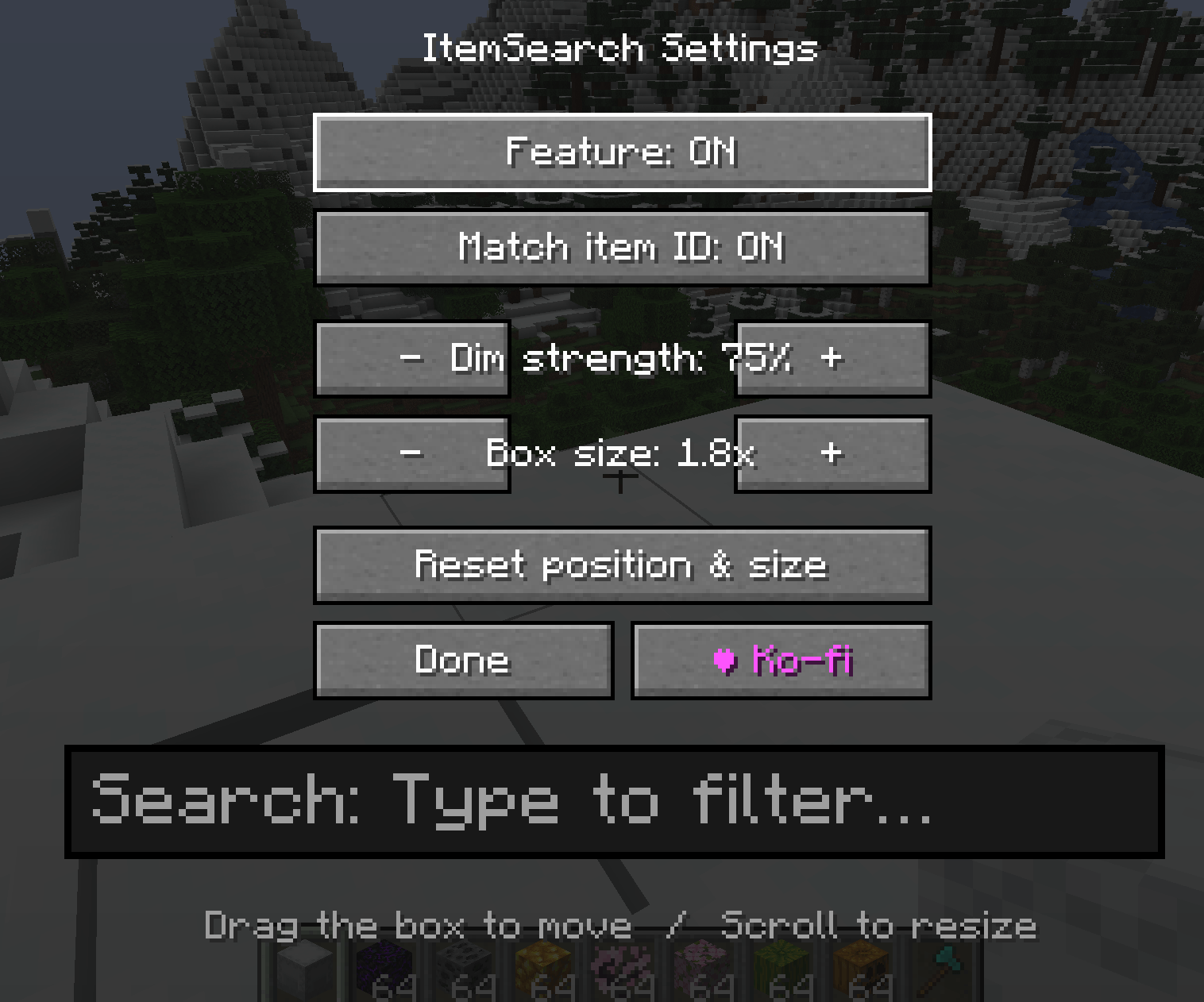
minecraft:diamond_sword), not just its display name. - Fully repositionable search box — open the settings screen, then drag the search box anywhere on screen and resize it with scroll or +/- buttons.
- Adjustable dim strength — control how strongly non-matching items are darkened.
- Lightweight & client-side only — no server install required, safe for singleplayer and any multiplayer server.
Controls
| Key | Action |
|---|---|
Ctrl + F |
Open/close the search box (while a container screen is open) |
| (typing) | Filter items live as you type |
Esc / Enter / Ctrl + F |
Close the search box and clear the query |
K |
Open ItemSearch settings |
Settings are also available from the Mods list → Config.
Settings
- Enable/disable the feature
- Match item ID toggle
- Dim strength (−/+)
- Search box size (−/+ or scroll)
- Drag-to-move search box position
- Reset position & size
Support
If you find ItemSearch useful, consider supporting development on Ko-fi (link in-game via the settings screen, and shown once on first join).
Compatibility
Client-side only — install on the client; no server-side requirement. Available for Forge, NeoForge, and Fabric across a wide range of Minecraft versions (see version list below).
Supported Versions / Loaders (for reference when filling out the version picker)
Forge: 1.20.1, 1.20.2, 1.20.4, 1.20.6
NeoForge: 1.20.2, 1.20.4, 1.20.6, 1.21.1, 1.21.3, 1.21.4, 1.21.5, 1.21.8, 1.21.10, 1.21.11, 26.1
Fabric: 1.20.1, 1.20.2, 1.20.4, 1.20.6, 1.21.1, 1.21.3, 1.21.4, 1.21.5, 1.21.8, 1.21.10, 1.21.11
Side: Client only
ItemSearch: Ctrl+F Team