InvisSee Detector

Shows each player's game mode above their name and draws spectators and invisible players as translucent holograms.
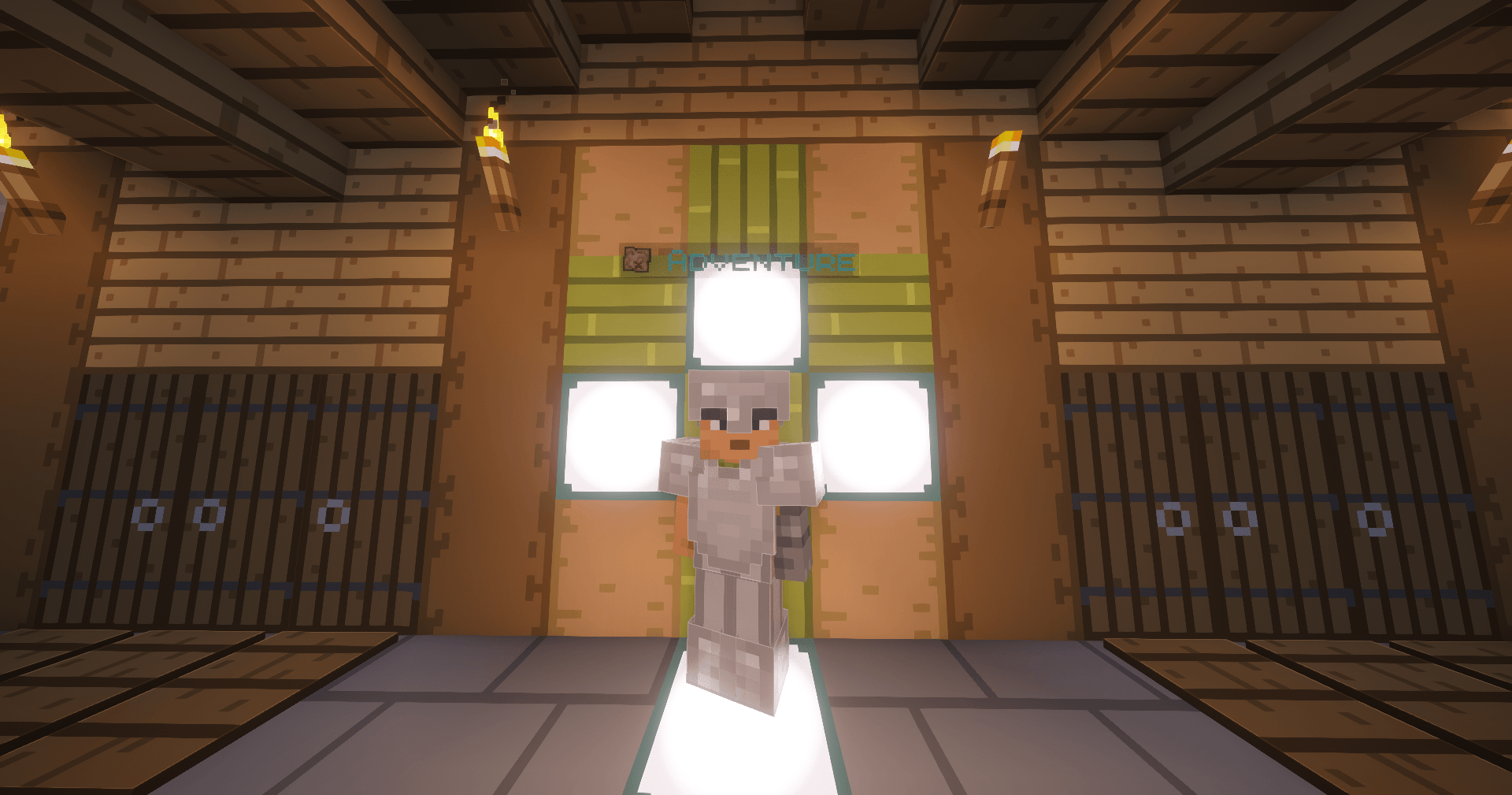
Adventure players get an aqua label with a map icon above them.

Adventure players get an aqua label with a map icon above them.

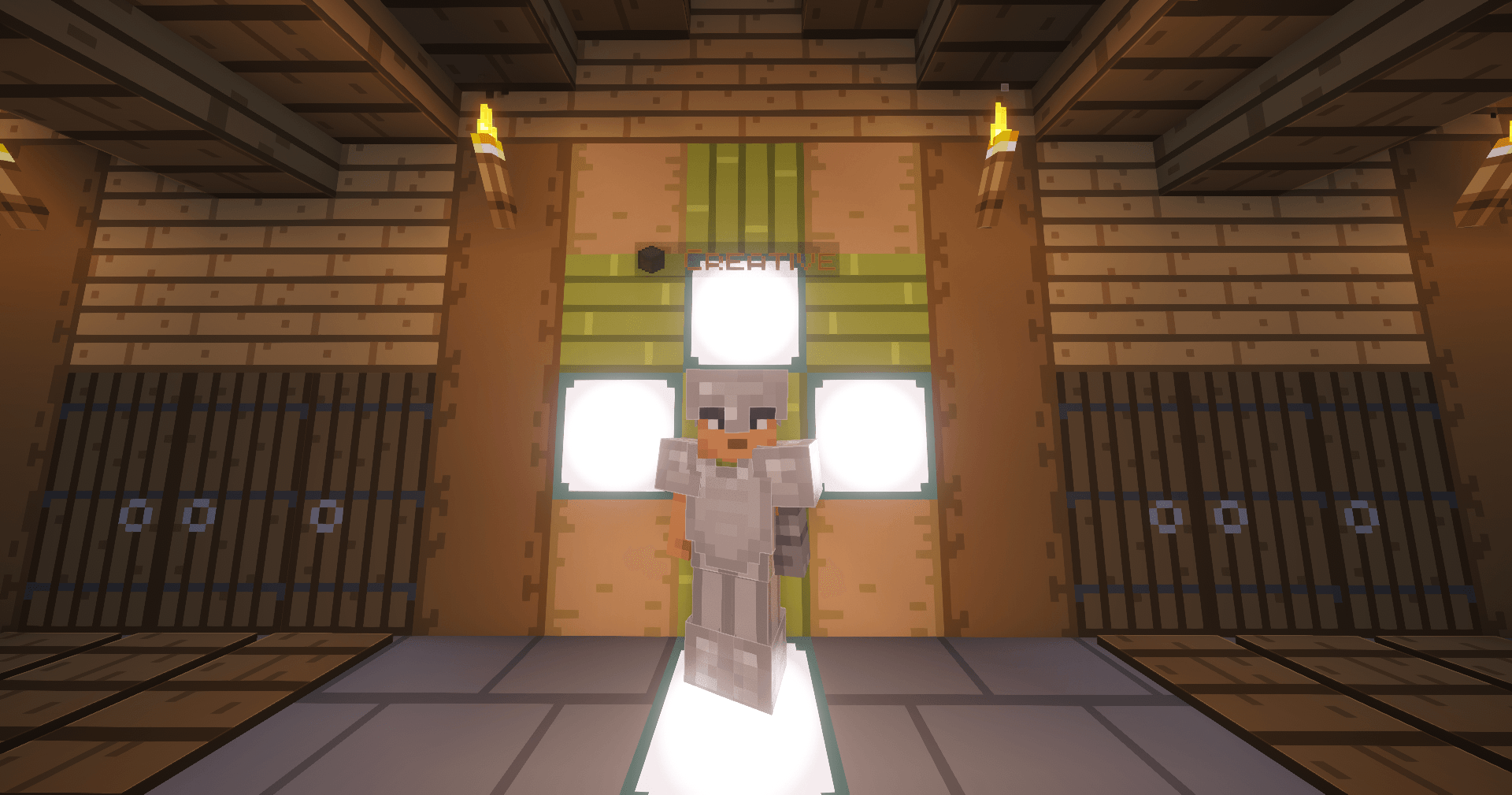
Description: Creative players get an orange label with a block icon above them, so builders are easy to spot.

Description: Creative players get an orange label with a block icon above them, so builders are easy to spot.

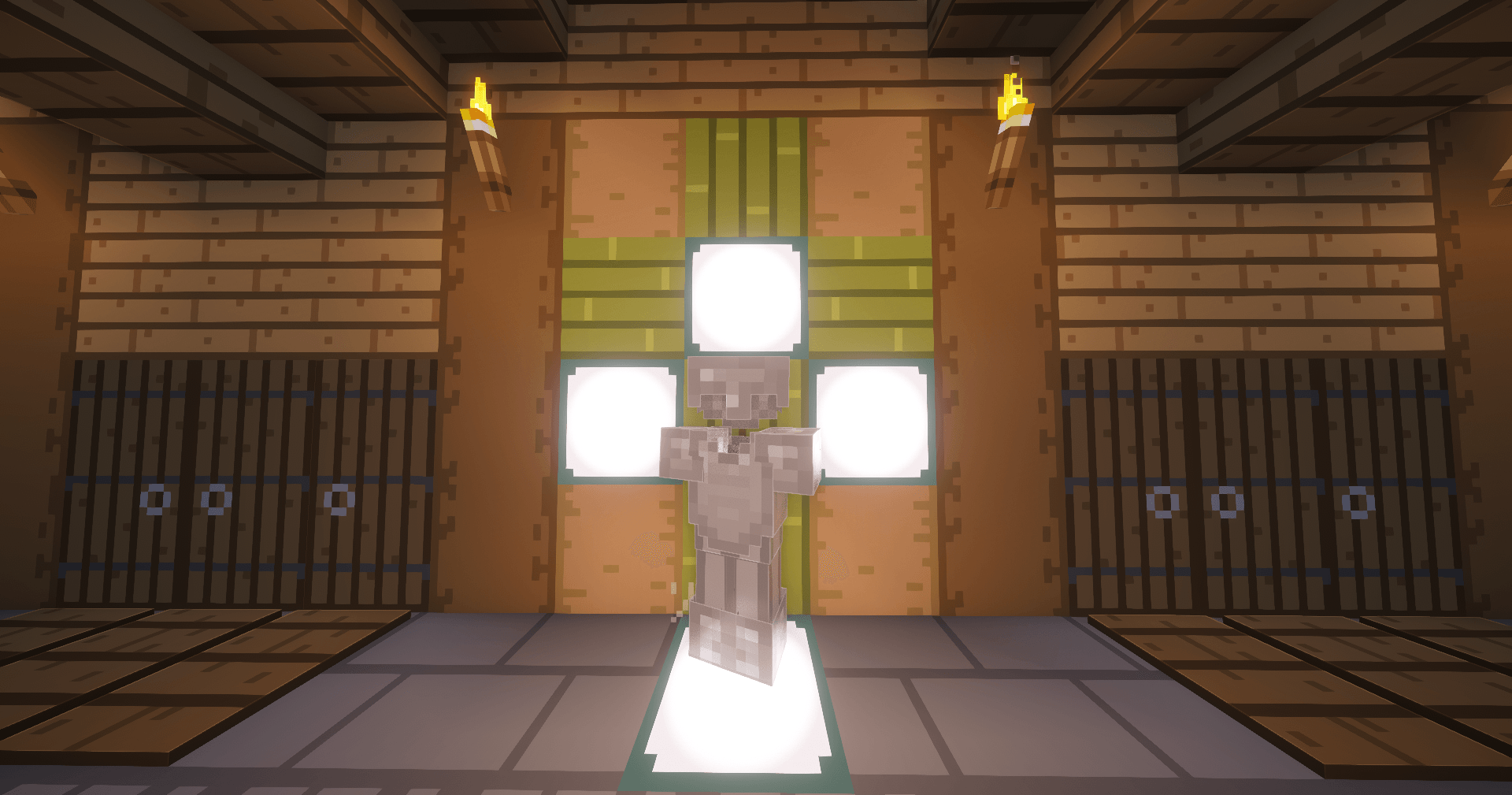
With invisibility off, the player looks normal, with their regular skin and armor. Only the game mode label appears above them.

With invisibility off, the player looks normal, with their regular skin and armor. Only the game mode label appears above them.

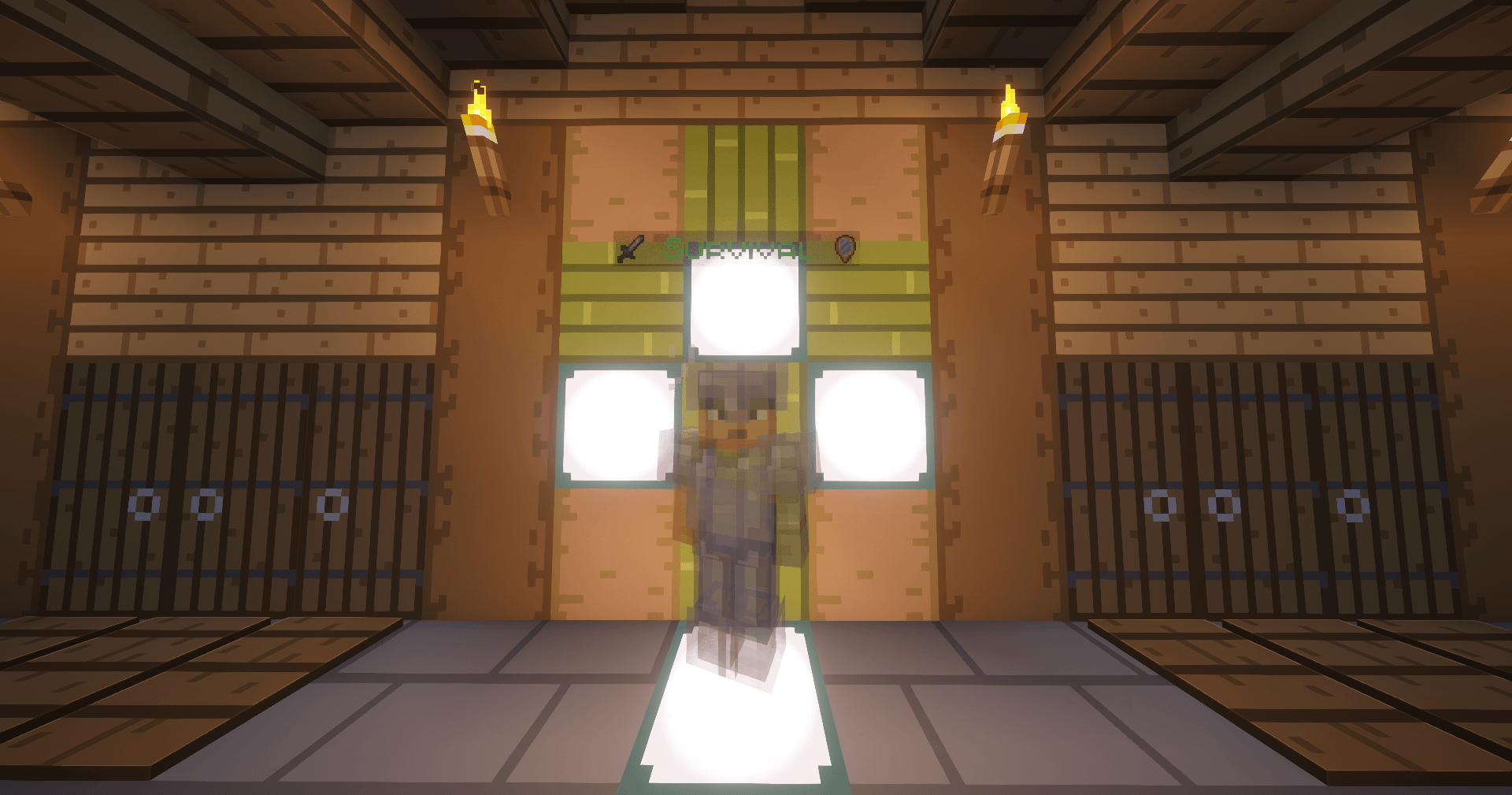
Invisible players also appear as translucent holograms, with armor and held items visible. An invisibility icon appears next to their mode label.

Invisible players also appear as translucent holograms, with armor and held items visible. An invisibility icon appears next to their mode label.

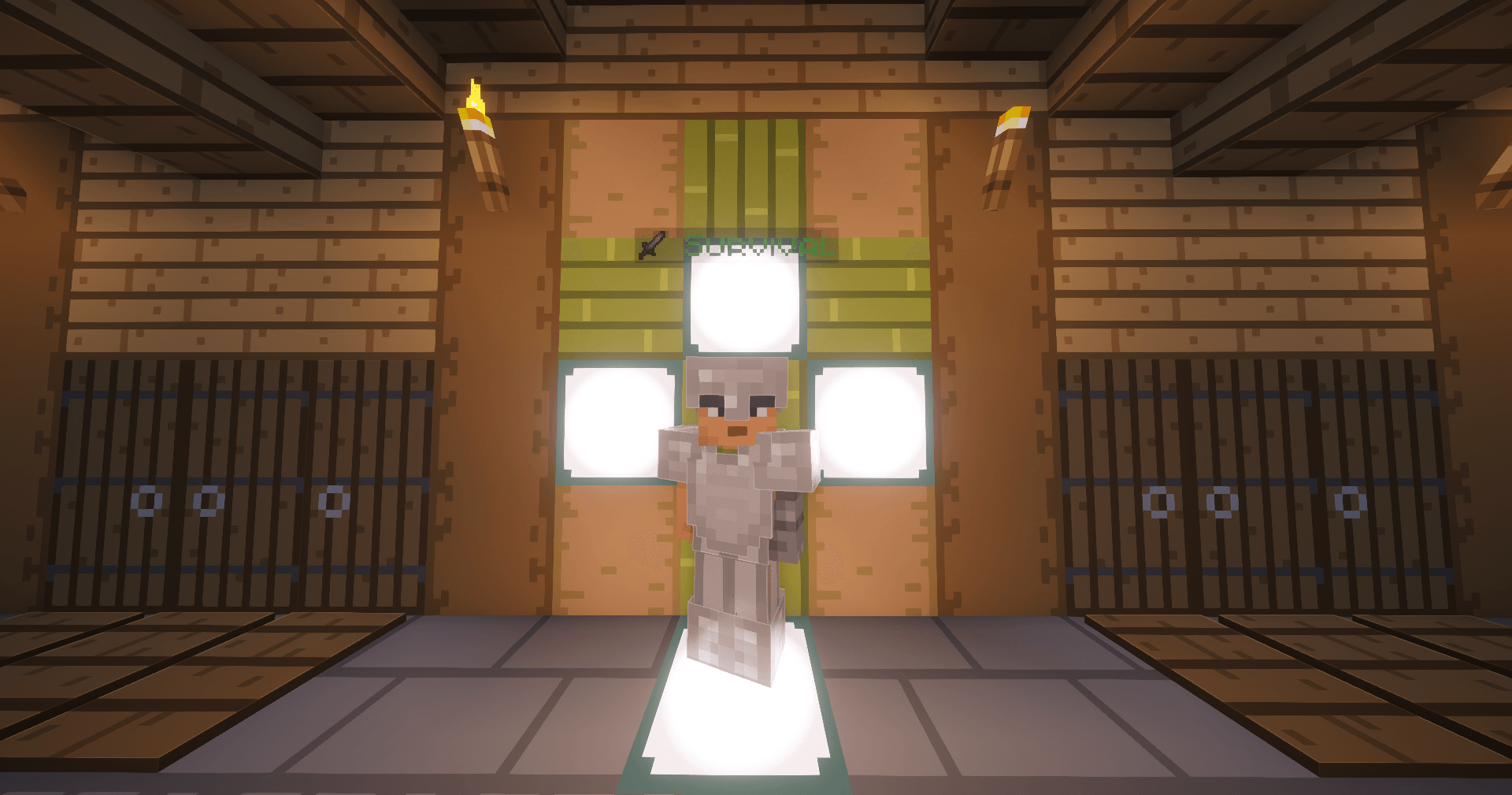
 Survival players get a green label with a sword icon above them, so you can tell at a glance who’s in Survival.

Survival players get a green label with a sword icon above them, so you can tell at a glance who’s in Survival.

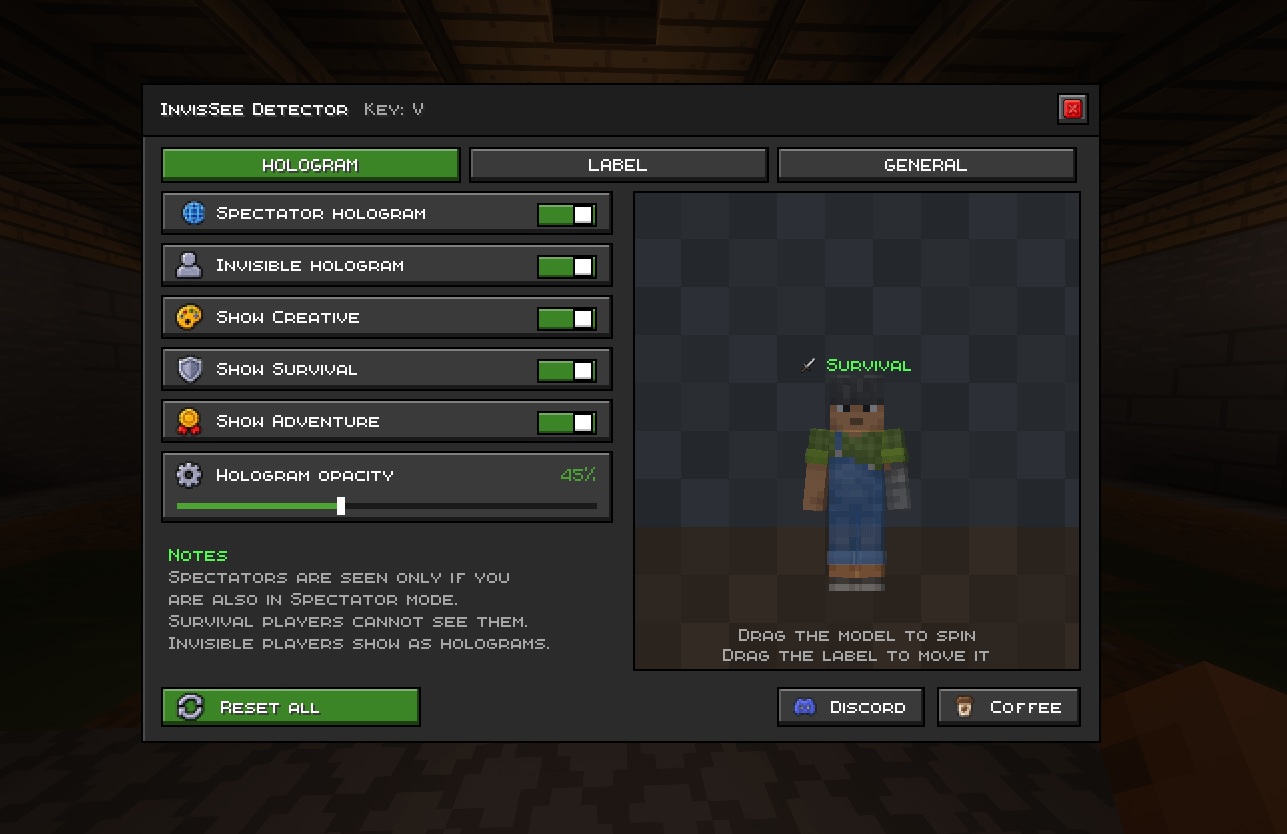
Choose when spectator and invisible players show as holograms, and which modes stay visible. Adjust hologram opacity (default 60%). A short note explains that spectators are only seen by other spectators, and survival players can’t see spectators at all.

Choose when spectator and invisible players show as holograms, and which modes stay visible. Adjust hologram opacity (default 60%). A short note explains that spectators are only seen by other spectators, and survival players can’t see spectators at all.

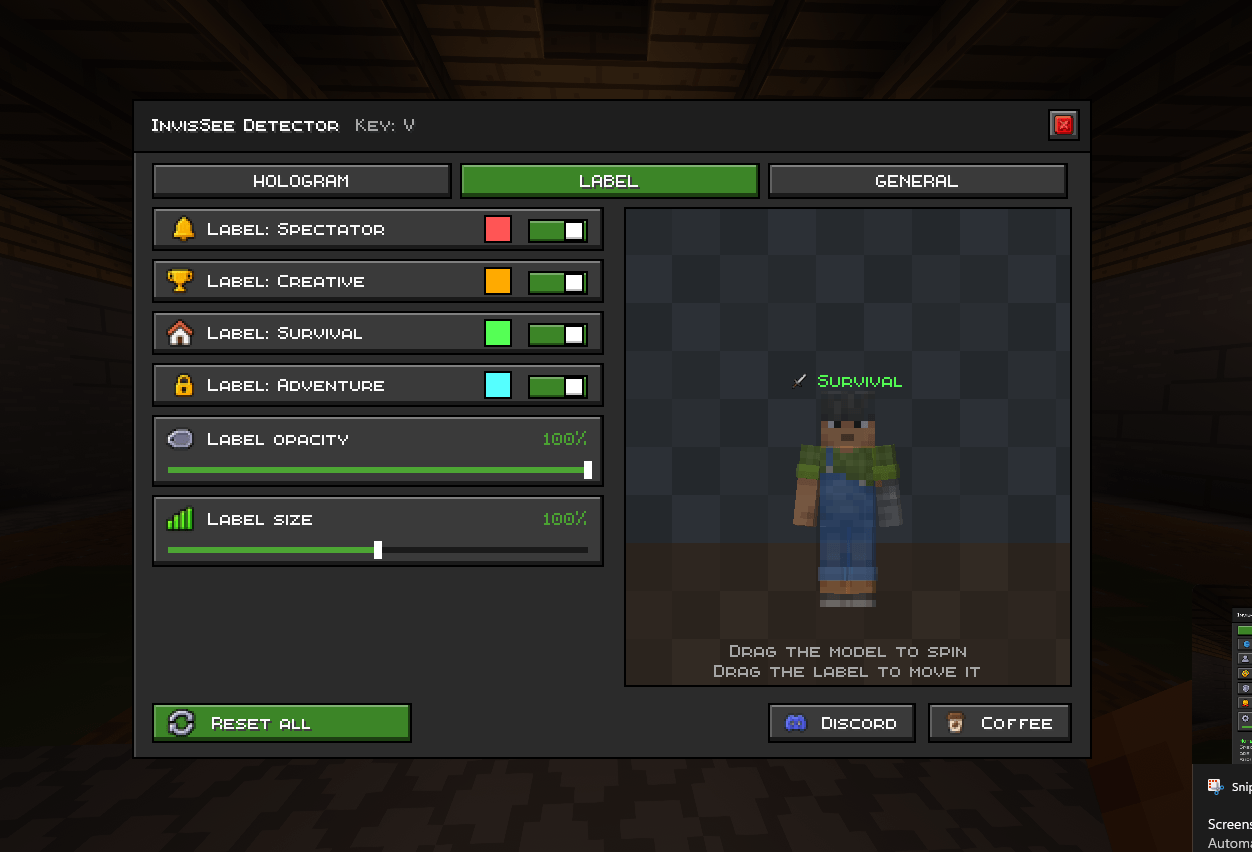
Turn the game mode label on or off for Spectator, Creative, Survival, and Adventure. Pick each label’s color, and adjust its opacity and size. Drag the label in the preview to move it.

Turn the game mode label on or off for Spectator, Creative, Survival, and Adventure. Pick each label’s color, and adjust its opacity and size. Drag the label in the preview to move it.

krish202 | Vanilla holotag
Create a server, get 25% off your first monthaffiliate logo
Create Server
affiliate banner image

Description

✦ InvisSee Detector
See every player's game mode at a glance, and never lose track of invisible players again.

InvisSee Detector is a client-side Fabric mod that adds a game mode label above every player's name tag and draws spectators and invisible players as translucent holograms.

━━━━━━━━━━━━━━━━━━━━━━
✨ FEATURES
━━━━━━━━━━━━━━━━━━━━━━

🏷️ Game Mode Labels
• Shows Survival, Creative, Adventure or Spectator above each player's name
• Every mode has its own icon and color, and you can change the colors
• Turn labels on or off for each mode separately
• Works on multiplayer servers

👻 Hologram Rendering
• Spectators and invisible players appear as translucent holograms
• Full player model with armor, held items, cape and elytra
• Choose which game modes keep the hologram (Creative, Survival, Adventure)
• Adjustable hologram opacity from 10% to 100%

🎨 Label Customization
• Label opacity and size sliders (60% to 140%)
• Drag the label in the live preview to move it
• Label settings are separate from hologram settings

📋 Player List
• Spectators are highlighted in bold yellow in the tab list

🔄 Extras
• Mirror Mode: when you are invisible or in Spectator mode, other players also appear as holograms on your screen

━━━━━━━━━━━━━━━━━━━━━━
⚙️ SETTINGS MENU
━━━━━━━━━━━━━━━━━━━━━━
• Press V in a world or on a server to open it
• Live 3D preview of your skin with instant changes
• Tooltips on every option and a Reset All button
• Change the key anytime in Options → Controls

━━━━━━━━━━━━━━━━━━━━━━
ℹ️ GOOD TO KNOW
━━━━━━━━━━━━━━━━━━━━━
• Fully client-side: nothing is sent to the server, and other players do not see your effects
• The server does not send spectators to non-spectator players, so spectator holograms and labels show only while you are in Spectator mode too. The tab list highlight always works.

━━━━━━━━━━━━━━━━━━━━━
📌 REQUIREMENTS
━━━━━━━━━━━━━━━━━━━━━
Minecraft 26.3 • Fabric Loader • Fabric API • Java 25

✦ InvisSee Detector — Clearer Player Identification. Better Visual Awareness.

InvisSee Detector Team

profile avatar
  • 3
    Projects
  • 521
    Downloads

More from krish202