Vanilla Tree
- By
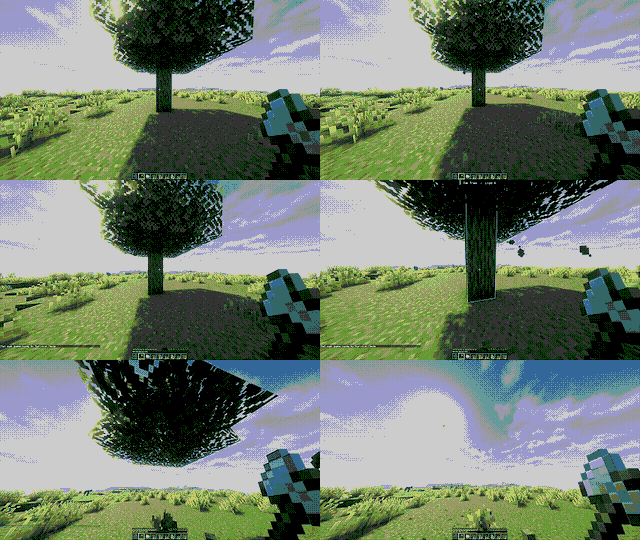
Chop a tree with one log and watch the connected logs break automatically while the leaves quickly disappear.
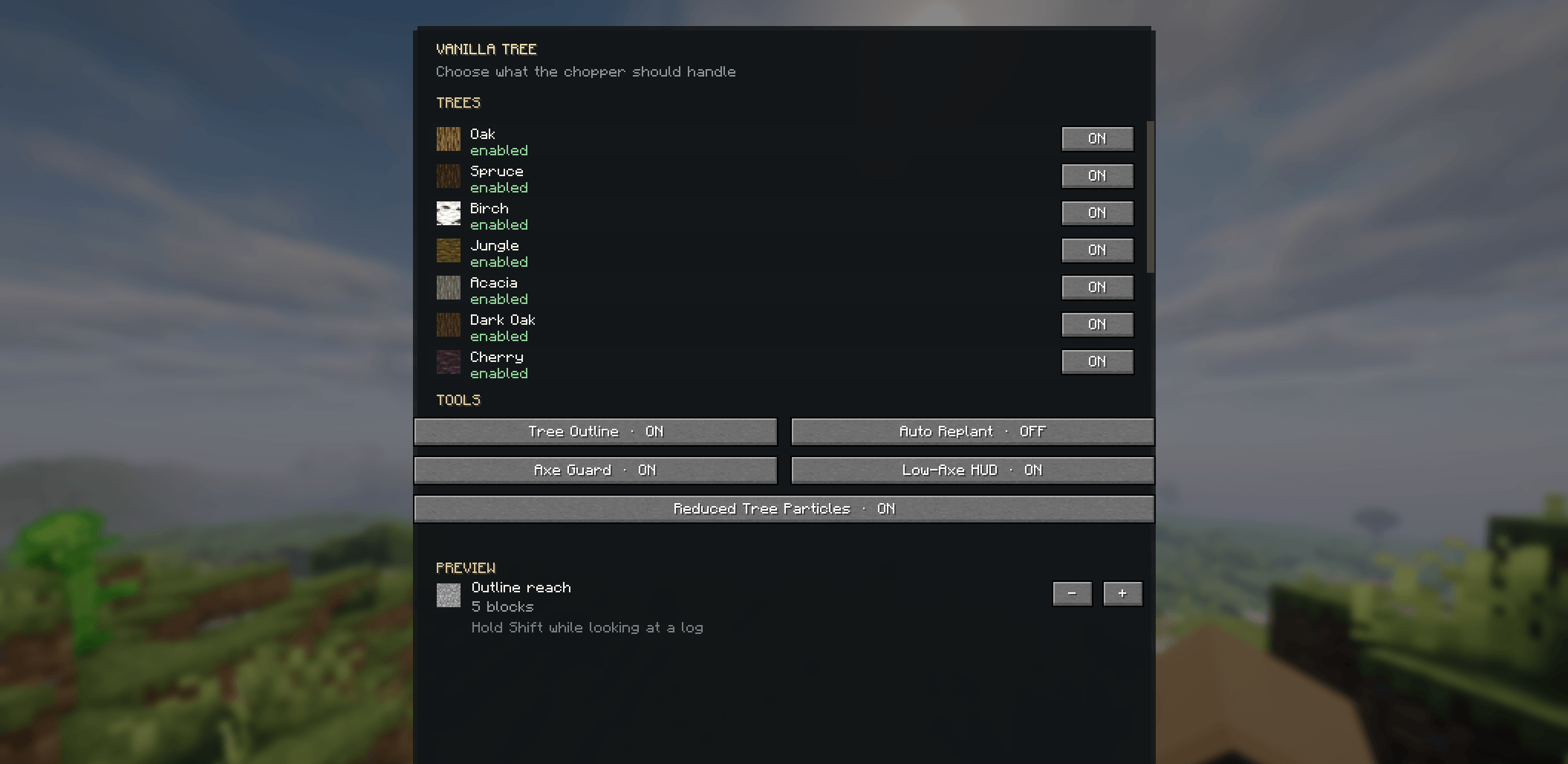
🌳 Vanilla Tree makes tree chopping faster and easier. Chop connected logs with one break, protect player-placed logs, auto-replant trees, fast leaf decay, Axe Guard, Tree Outline, and simple in-game settings for Minecraft 26.3 Fabric.
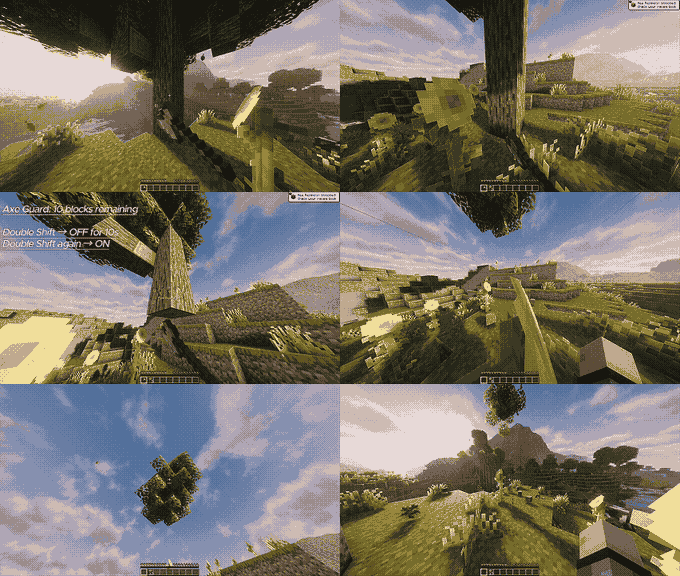
Axe Guard activates when 10 blocks of durability remain. Double Shift → OFF for 10 seconds Double Shift again → ON

Description
🌳 Vanilla Tree
Cut the tree, not every log.
Vanilla Tree is a lightweight and customizable tree-chopping mod for Minecraft 26.3 Fabric. Break one natural log with an axe and the connected logs of the tree can be chopped automatically.
🪓 Tree Chopping
-
Supports 12 tree types, including Overworld and Nether trees.
-
Detects connected logs, including diagonal connections.
-
Uses your axe durability for every extra log.
-
Supports normal vanilla and properly tagged modded axes.
-
Automatically protects player-placed logs from accidental tree chopping.
-
Supports up to 128 extra logs per tree chop.
🍃 Fast Leaf Decay
After chopping a tree, its natural leaves disappear much faster than vanilla.
-
Leaves clear gradually over a few seconds.
-
Vanilla-style drops are preserved.
-
Persistent and player-placed leaves are protected.
-
Nearby separate trees are protected where possible.
🌱 Auto Replant
Automatically replaces harvested trees with the correct sapling or propagule.
-
Supports normal tree replanting.
-
Supports 2×2 tree bases when applicable.
-
Can be turned ON or OFF from the settings.
🛡️ Axe Guard
Axe Guard helps protect your axe when its durability gets very low.
-
The safety zone starts at 11 blocks of remaining durability.
-
The player-facing warning starts at 10 blocks.
-
The counter continues down to 1.
-
0is never shown.
You can temporarily bypass the protection with a double-tap keybind for 10 seconds. The bypass works per axe and disappears when the axe is repaired or broken.
👁️ Tree Outline
Hold SHIFT while looking at a tree log to preview the connected tree.
See:
-
Tree type
-
Number of connected logs
-
Highlighted tree outline
The outline reach can be adjusted in the settings.
⚙️ Simple Settings
Press B to open the Vanilla Tree menu.
You can:
-
Enable/disable individual tree types
-
Toggle Auto Replant
-
Toggle Tree Outline
-
Toggle Axe Guard
-
Toggle Low-Axe HUD
-
Adjust Outline Reach
-
Reset to Default
-
Apply and save your settings
🚀 Performance
Vanilla Tree is designed to stay lightweight, especially when handling large trees.
-
Limited tree scanning
-
Controlled leaf processing
-
Reduced unnecessary updates
-
Optional reduction of tree-chopper particle bursts
-
Normal Minecraft particles remain unaffected
🎮 Multiplayer
Core tree-chopping and gameplay logic is handled server-side, while the settings menu, keybinds, outline and HUD are handled client-side.
📥 How to Install
-
Install Minecraft Java Edition 26.3.
-
Install Fabric Loader for Minecraft 26.3.
-
Install Fabric API for the same Minecraft version.
-
Download the Vanilla Tree Fabric
.jarfile. -
Put the
.jarfile into your Minecraftmodsfolder. -
Launch Minecraft using your Fabric profile.
-
Join your world and press B to open Vanilla Tree settings.
✅ First Setup
After installing, the default configuration is already ready to use.
You can simply:
Equip an axe → find a natural tree → break one log.
For customization, press B and adjust the tree types and features you want.
🎮 Keybinds
-
B → Open Vanilla Tree Settings
-
Double-tap the configured Guard key → Temporarily bypass Axe Guard for 10 seconds
Both keybinds can be changed from:
Options → Controls → Key Binds
☕ Support
Enjoying Vanilla Tree?
Buy Me a Coffee:
https://buymeacoffee.com/krish202
📦 Version
Minecraft: 26.3
Loader: Fabric
Version: 1.2.0
Author: krish202
The Vanilla Tree Team