1000043942.png
1000043941.png
Description
🎒 InventoryHUD
See your whole inventory at a glance — no more opening your bag mid-fight.
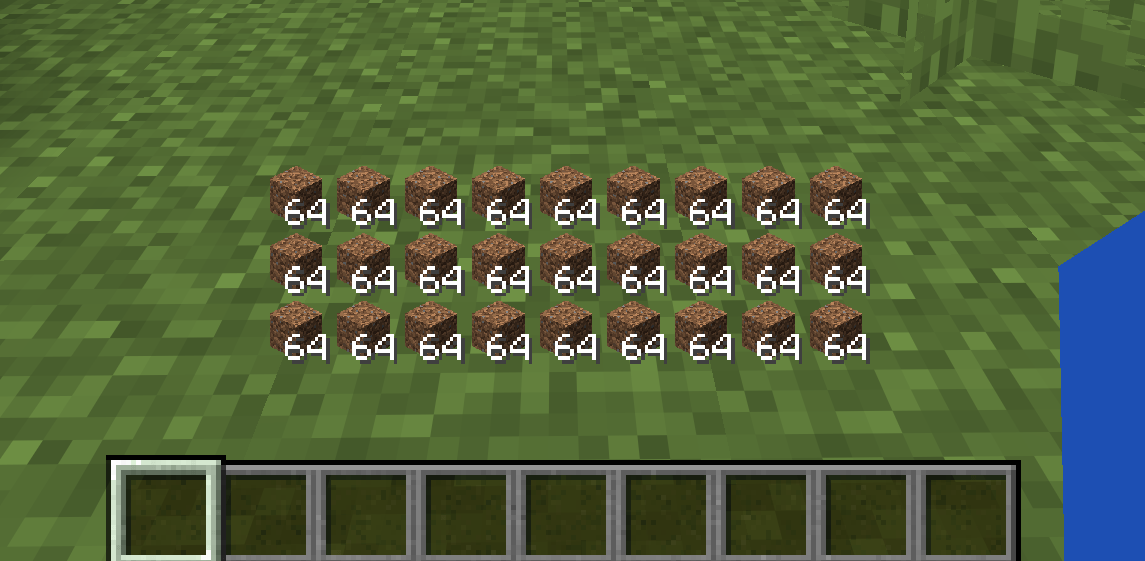
InventoryHUD shows your main inventory (the 27 backpack slots) as a clean, always-on overlay, so you can keep an eye on your items, food and blocks without ever pressing E. Lightweight, fully configurable, and completely client-side.
✨ Features
- 🎒 Live inventory overlay — your 3 main inventory rows rendered right on the HUD, with stack counts
- 🖱️ Drag to move — place it anywhere on screen
- 🔍 Resize freely — scroll or use buttons (25% – 300%)
- 👁️ Instant toggle — show/hide with a single key
- 💬 Renders behind chat — your chat and hotbar stay fully readable
- 💾 Settings are saved — position, size and on/off persist across restarts
- 🌐 English & Japanese built in
- 🪶 Client-side only — works on vanilla servers, Realms and multiplayer; nothing to install server-side
⌨️ Controls
Rebindable in Options → Controls → "InventoryHUD".
| Key | Action |
|---|---|
| K | Open the InventoryHUD settings screen |
| N | Toggle the HUD on / off |
⚙️ Configuration
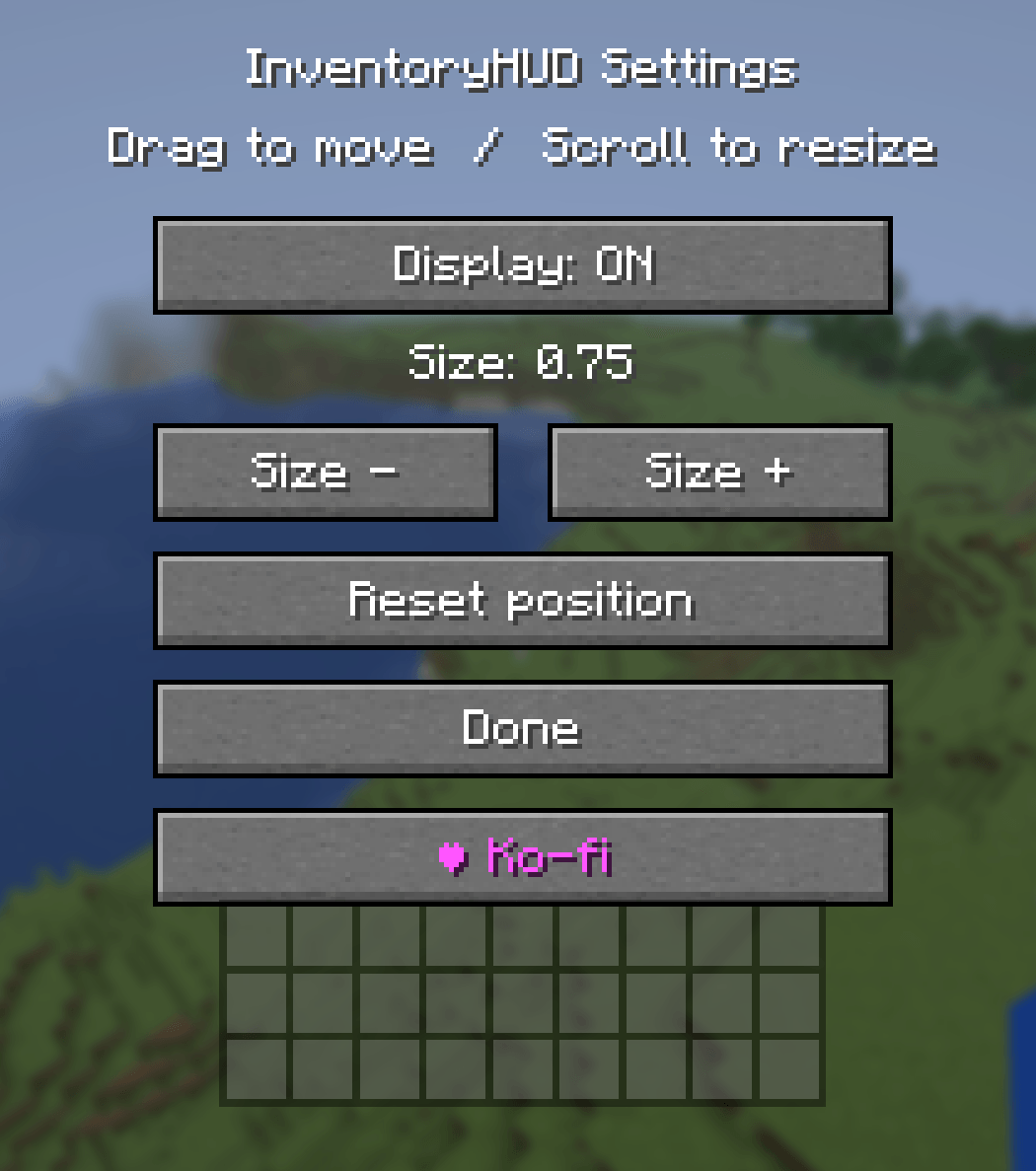
Press K to open settings, where you can:
- Toggle the display ON / OFF
- Change the size (− / +)
- Drag the inventory grid to reposition it
- Scroll over it to resize
- Reset the position to default
📦 Requirements
- Fabric builds require Fabric API.
- Forge / NeoForge builds have no dependencies.
⚠️ Download the file that matches both your Minecraft version and your mod loader.
🧩 Supported versions
- Fabric: 1.20.1 / 1.20.2 / 1.20.4 / 1.20.6 / 1.21.1 / 1.21.3 / 1.21.4 / 1.21.5 / 1.21.8 / 1.21.10 / 1.21.11
- Forge: 1.20.1 / 1.20.2 / 1.20.4 / 1.20.6
- NeoForge: 1.21.1 / 1.21.3 / 1.21.4 / 1.21.5 / 1.21.8 / 1.21.10 / 1.21.11 / 26.1
❤️ Support
If you enjoy InventoryHUD, you can support development on Ko-fi — thank you!
The InvHUD Team