Base Invasion - Siege Core
- By
Defend your base with the Siege Core against waves of monsters, boss battles, and air strikes. Collect rewards, repair the Core, play as a team, and customize wave difficulty, loot, threat, and overall difficulty in the settings.
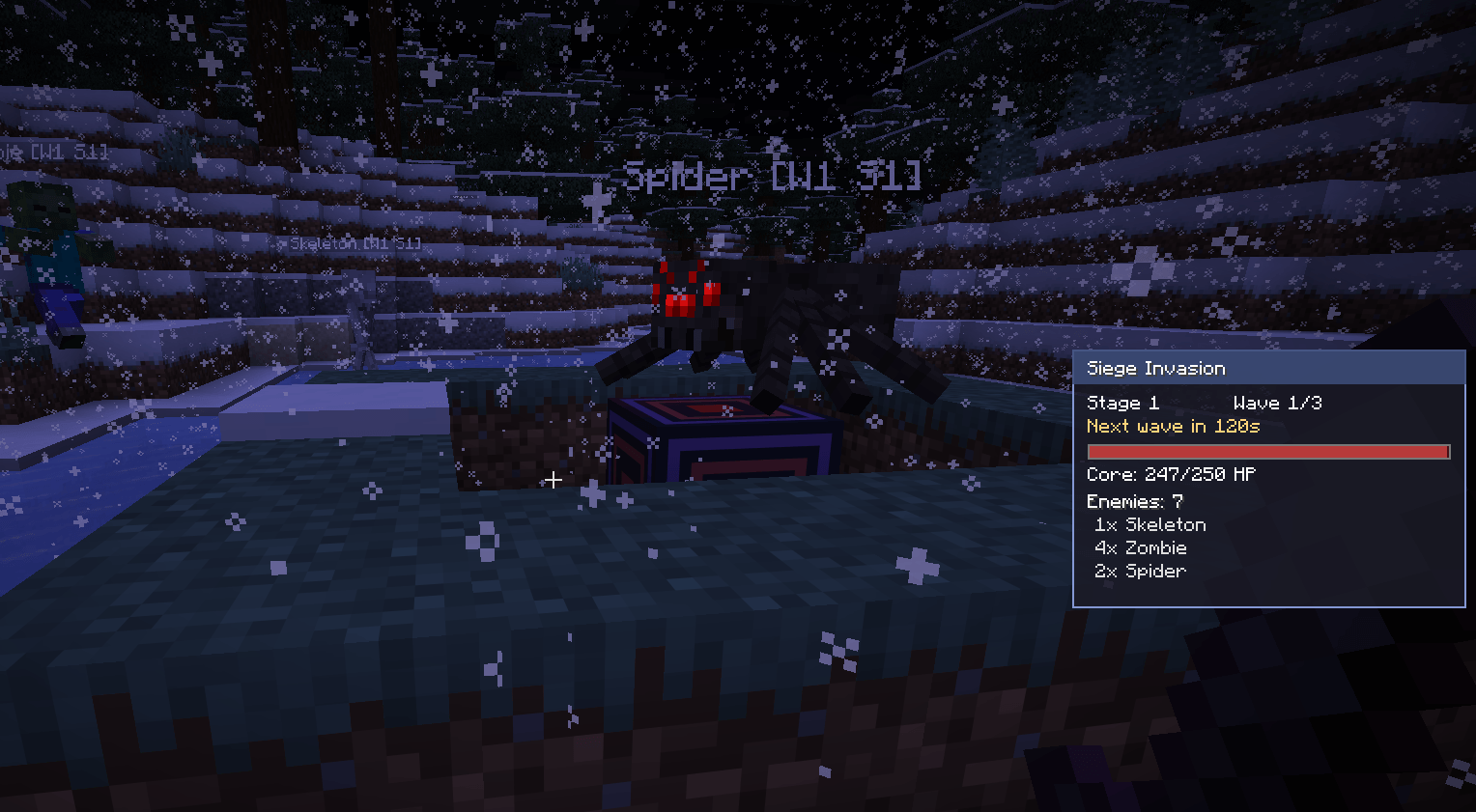
Overview, how many enemies are still in. Also visible who is your enemy, caused by nametags.
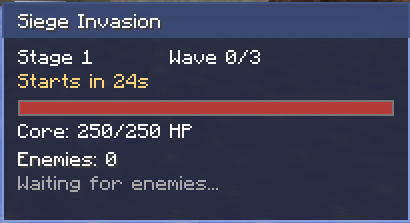
Sidebar, after Invasion started.
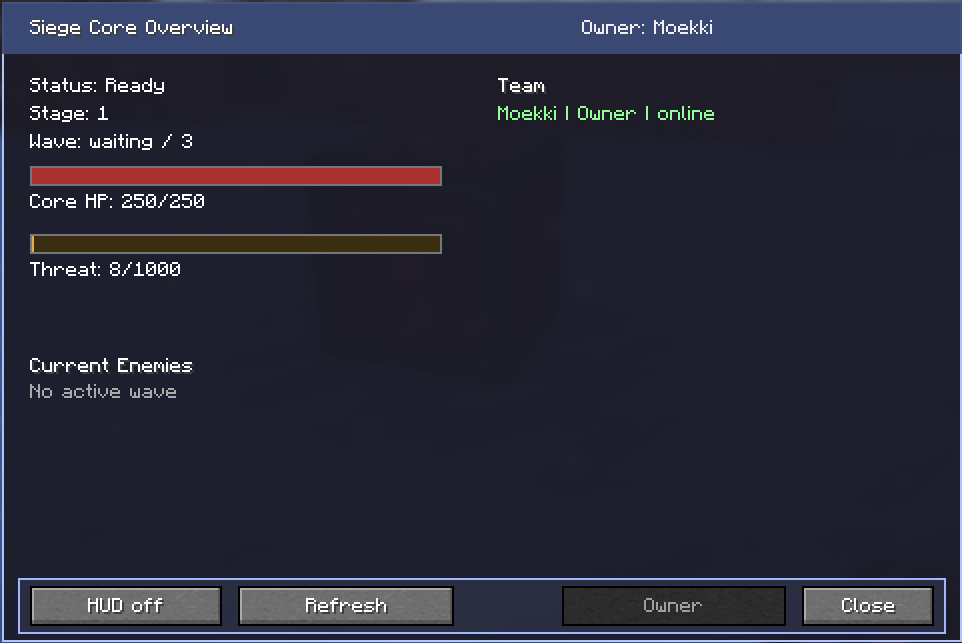
The overview of the Core UI
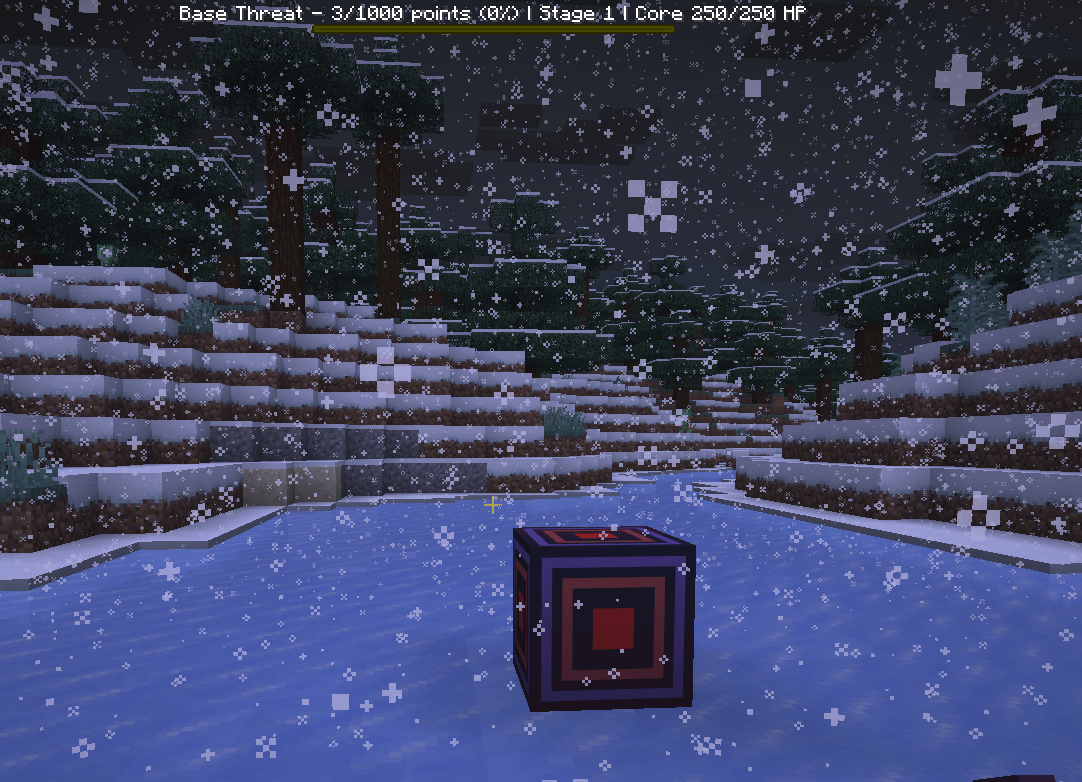
This is the Base Core, you need to defend.
Description
⚔️ Siege Core: Base Invasions ⚔️
Defend your base. Survive the waves. Protect the Core.
Siege Core: Base Invasions turns your Minecraft base into the target of dangerous monster invasions, boss waves, elite enemies, traps, defense blocks, special events and long-term progression.
🏰 What is Siege Core?
Siege Core: Base Invasions adds a full base-defense system to Minecraft. Craft and place a powerful Siege Core, build defenses around it, invite your team and prepare for enemy waves.
Your base generates Threat Points. Once the threat level is full, an invasion is prepared. Enemies will attack your base and try to destroy your Siege Core.
Survive all waves to progress.
If the Core falls, the invasion is lost.
💬 Informations and Support
Would you like to be the first to hear about updates or share new ideas? Then why not join our Discord server so we can communicate more quickly?
✨ Main Features
- 🔮 Custom Siege Core block with progression and team data
- 📖 Siege Codex with visual recipe icons
- 💎 Siege Tokens and permanent Token Upgrades
- 🛡️ Defense Shop and craftable defense blocks
- 🌊 Wave-based invasions with Wave Preview
- 📈 Core Level / Base Level progression
- 🌘 Special invasion events and Infinity Mode combinations
- 👑 Boss waves and Boss Rush support
- 👥 Team system with members and managers
- 🧩 Custom mob support for modpacks and servers
- 🔔 Optional update checker
- 🌍 English, German, French, Spanish and Turkish support
📖 Siege Codex
The mod includes a custom Siege Codex. Players receive it once when joining or creating a world.
- Siege Core basics
- Threat and invasions
- Core Level progression
- Siege Tokens and upgrades
- Defense blocks
- Invasion events
- Boss waves
- Visual crafting recipes
Recipes are displayed with item icons instead of plain text.
💎 Siege Tokens & Token Upgrades
Successful invasions reward Siege Tokens. Spend them in the Core UI to upgrade your base or buy defense blocks.
- ❤️ Increase Core strength
- 💚 Unlock Core Regeneration
- ⏳ Increase Preparation Time
- ⭐ Reduce Elite pressure
- 🛡️ Buy defense blocks
- 📈 Improve long-term base progression
Upgrade success and error messages use clean toast-style notifications.
🛡️ Defense Blocks
🪵 Siege Barricade
A defensive blockade used to slow down enemies, create chokepoints and protect the Core. Siege mobs can attack barricades, giving players time to react.
🩸 Spike Trap
Damages Siege mobs that step on or move across it.
🐌 Slow Trap
Slows Siege mobs and helps control enemy movement.
🔥 Flame Trap
Deals area damage to Siege mobs and is useful against groups.
❄️ Frost Totem
Slows nearby Siege mobs in a radius.
💚 Repair Pylon
Supports your defense by helping repair the Core during active invasions.
⚠️ Threat System
Your base builds up Threat through time, activity, monster kills and ore mining.
Default invasion threshold: 3500 Threat Points
🌊 Stages, Waves & Wave Preview
| Stage | Waves |
|---|---|
| Stage 1 | 3 Waves |
| Stage 2 | 6 Waves |
| Stage 3 | 9 Waves |
| Stage 4 | 12 Waves |
| Stage 5 | 15 Waves |
The HUD and Core UI can show Wave Preview information such as enemy count, boss wave status, event chance and possible Infinity Mode combinations.
📈 Core Level / Base Level
Completing waves and invasions grants Core XP. Higher Core Levels improve long-term base strength, durability and reward scaling.
♾️ Infinity Mode
- ♾️ Progress beyond Stage 5
- 💀 Fight stronger enemies
- 🌘 Face difficult event combinations
- 👑 Survive dangerous boss waves
- 🏆 Compete through leaderboard progression
🌘 Invasion Events
| Event | Effect |
|---|---|
| 🌕 Blood Moon | More dangerous enemy pressure |
| 🌫️ Dark Fog | Darker and more chaotic combat |
| 🦇 Sky Attack | More aerial pressure |
| 🐗 Siege Breaker | More Core-focused pressure |
| 🏹 Arrow Rain | Ranged pressure and disruption |
| ⭐ Elite Surge | Increased Elite Mob chance |
| 👑 Boss Rush | Special boss wave with additional bosses |
👹 Enemies
- 🧟 Zombies
- 🏹 Skeletons
- 🕷️ Spiders
- 🏴 Pillagers
- 🪓 Vindicators
- 🐗 Ravagers
- 🦇 Phantoms
- 💀 Wither Skeletons
- 🧩 Custom mobs from config
Siege mobs scale with stage, Infinity Level, active events, elite modifiers and boss waves. Siege mobs do not burn in daylight during active invasions.
🧭 Smart Core Access Protection
The Core must remain accessible. Siege Core uses a smart path check to prevent players from sealing the Core completely.
- Supports normal paths
- Supports labyrinth-style paths
- Configurable access range up to 15 blocks
- Ignores grass, flowers, traps and barricades
🖥️ Custom Core UI & HUD
Right-click the Siege Core to open the custom Core UI.
- Core health
- Threat progress
- Current wave
- Wave Preview
- Core Level
- Siege Tokens
- Token Upgrades
- Defense Shop
- Active events
/siege hud on
/siege hud off
👥 Team System
/siege team
/siege team add <player>
/siege team remove <player>
/siege team promote <player>
/siege team demote <player>
/siege accept
🧩 Custom Mob Support
Server owners and modpack creators can add custom mobs through config with weights, wave requirements, scaling multipliers, elite flags, boss behavior and allowed events.
🛡️ Offline Protection & Session Recovery
- Pending invasions can pause if minimum players are not online
- Active invasions can pause if no team member is online
- Active invasions can recover after server restarts or singleplayer reloads
- The HUD is restored after a recovered invasion
🔔 Update Checker
The mod includes an optional update checker. If no internet connection is available or the check fails, no warning is shown.
🌍 Languages
- English
- German
- French
- Spanish
- Turkish
📦 Installation
- Install Fabric Loader.
- Install Fabric API.
- Place the mod file into your mods folder.
- Start Minecraft.
- Craft and place a Siege Core.
- Build your defenses and prepare for invasions.
Because the mod includes a custom UI and HUD, it must be installed on both the server and the client.
💬 Why Siege Core?
Siege Core is designed to make Minecraft bases matter again. Instead of building a perfectly safe home, your base becomes something you must actively defend.
Build. Defend. Survive. Upgrade. Repeat.
The Base Invasion - Siege Core Team