InSight Chests
- By
A client-side mod providing smooth camera transitions, semi-transparent menus, and physical 3D item rendering inside chests.
Development Status & Future Ports
Please Note: InSight Chests is an active, ongoing project. Support for additional Minecraft versions, as well as ports to NeoForge and Fabric, is planned. While I cannot promise immediate release dates for these ports due to a very packed work and study schedule, I am committed to maintaining and refining this project long-term before moving on to other mod projects.
Temporary Notice: I will not be able to update or fix this project until September 28, 2026, due to a heavy school and work schedule. This does not mean the project is abandoned — all comments, bug reports, and suggestions will be reviewed, and fixes will resume as planned once I'm back.
Overview: InSight Chests modifies standard chest interaction by replacing the default opaque interface with a clean, semi-transparent slot layout, accompanied by a camera transition and physical 3D item rendering inside the chest cavity.
Key Features
- Camera Transition: Smoothly pans the camera down toward the chest cavity when opened, and transitions back to the player's original perspective upon closing.
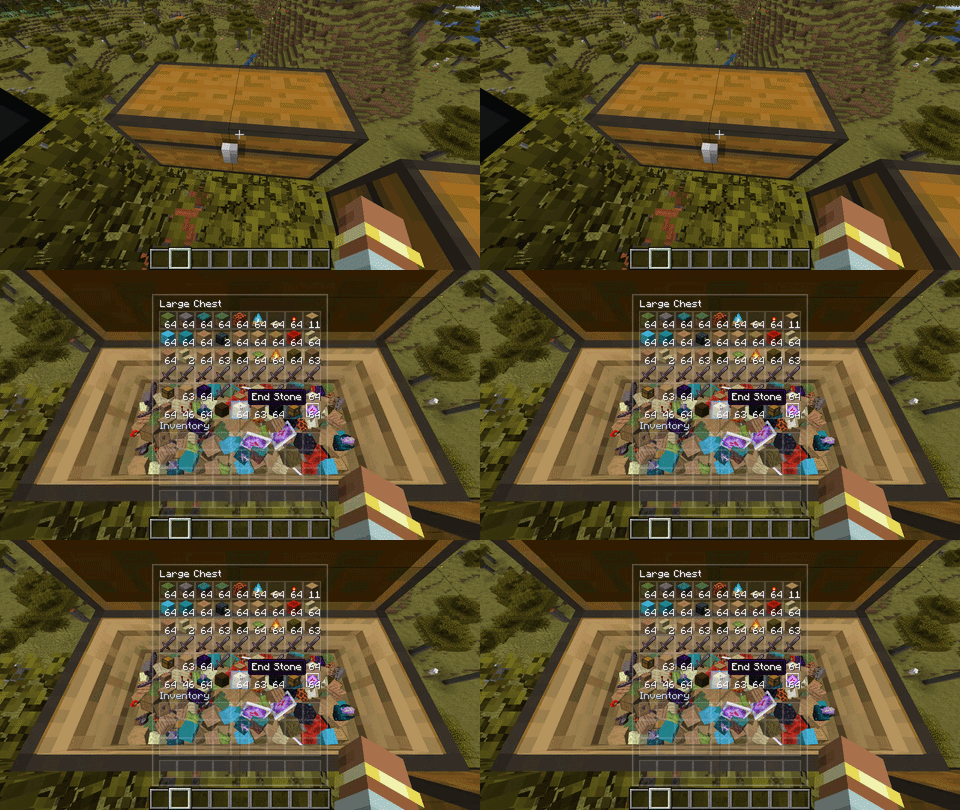
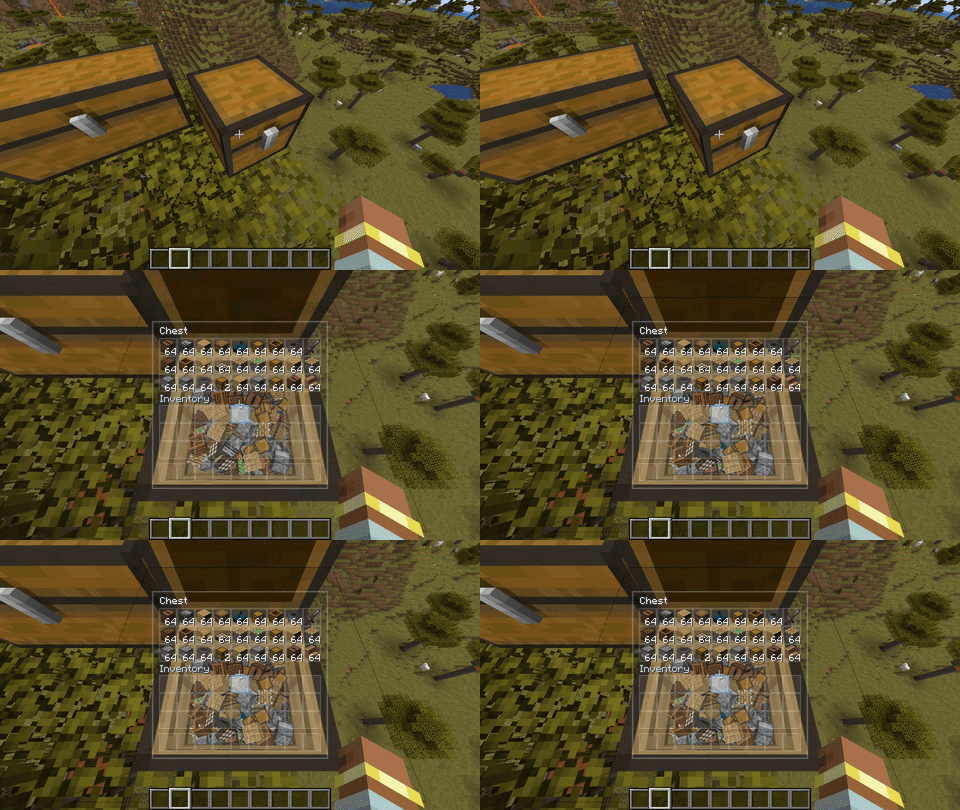
- Physical 3D Items: Items inside the container are rendered as physical 3D objects with collision and stacking physics inside the chest interior, rather than remaining purely 2D icons.
- Semi-Transparent Interface: Replaces the heavy vanilla background texture with a dark, frosted glass style slot layout, allowing you to see the chest cavity clearly while keeping standard inventory controls unchanged.
- Cavity Shading & Lighting: The chest interior and items dynamically sample local block and sky lighting, matching torches, night-time darkness, and shader lighting accurately.
- Entity Compatibility: Chest minecarts, chest boats, and pack animals (donkeys/mules) retain vanilla interfaces to prevent perspective clipping on moving entities.
Compatibility
- Environment: 100% Client-Side. Completely safe to use when joining vanilla or modded multiplayer servers.
- Modded Items: Fully compatible. Any modded item (including custom 3D tool models or animated items) will render inside the chest properly using the game's native model registry.
- Modded Chests: Works with vanilla chests, ender chests, and modded chest variants that inherit standard chest classes (such as Quark wood chests). Custom non-standard storage systems (like Iron Chests or Sophisticated Storage) are safely ignored and will open their own default menus without crashes.
- Shader Compatibility: In theory? Works on everything. In practice? Fixed major shader bugs and tested on BSL and MakeUp-UltraFast (via OptiFine). I haven't tested Sodium, Embeddium, or Oculus yet, but given how the mod is built, high chance it works fine. Currently 1 minor non-visual bug remains, but if you run into any cursed bugs, drop a report!
Open Ender Chest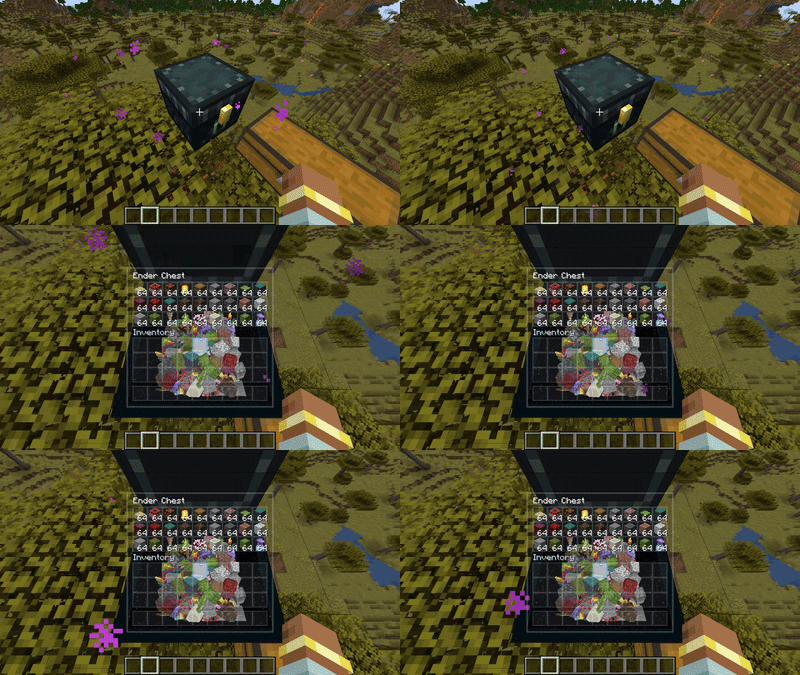
Open Double Chest
Open Normal Chest:
Other:
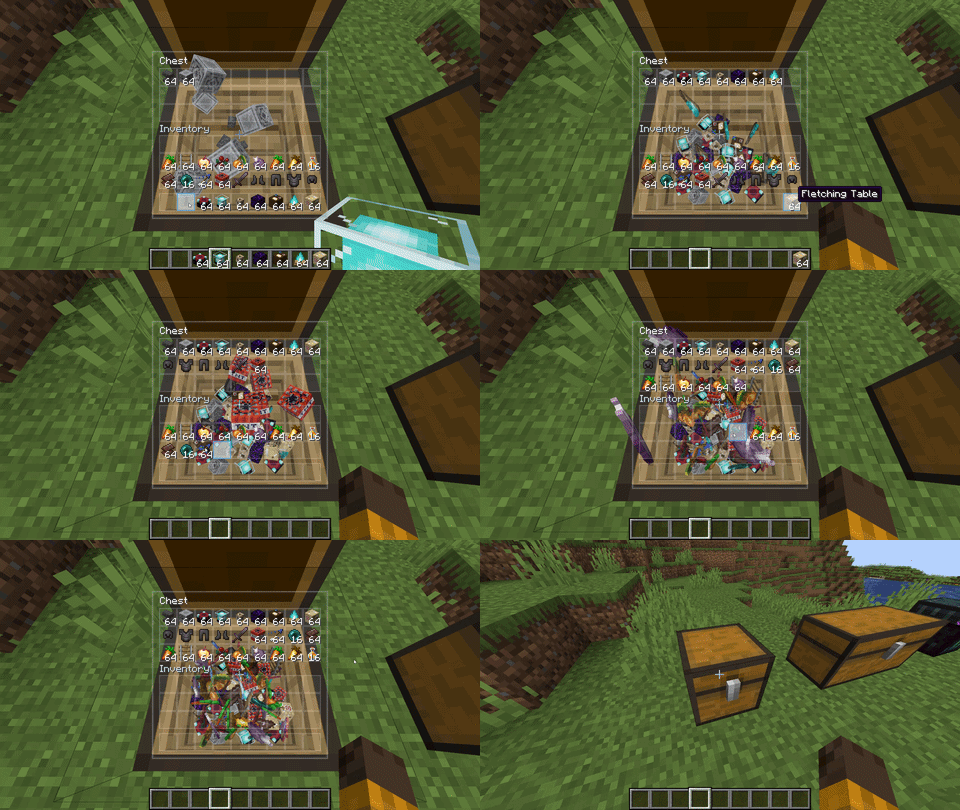
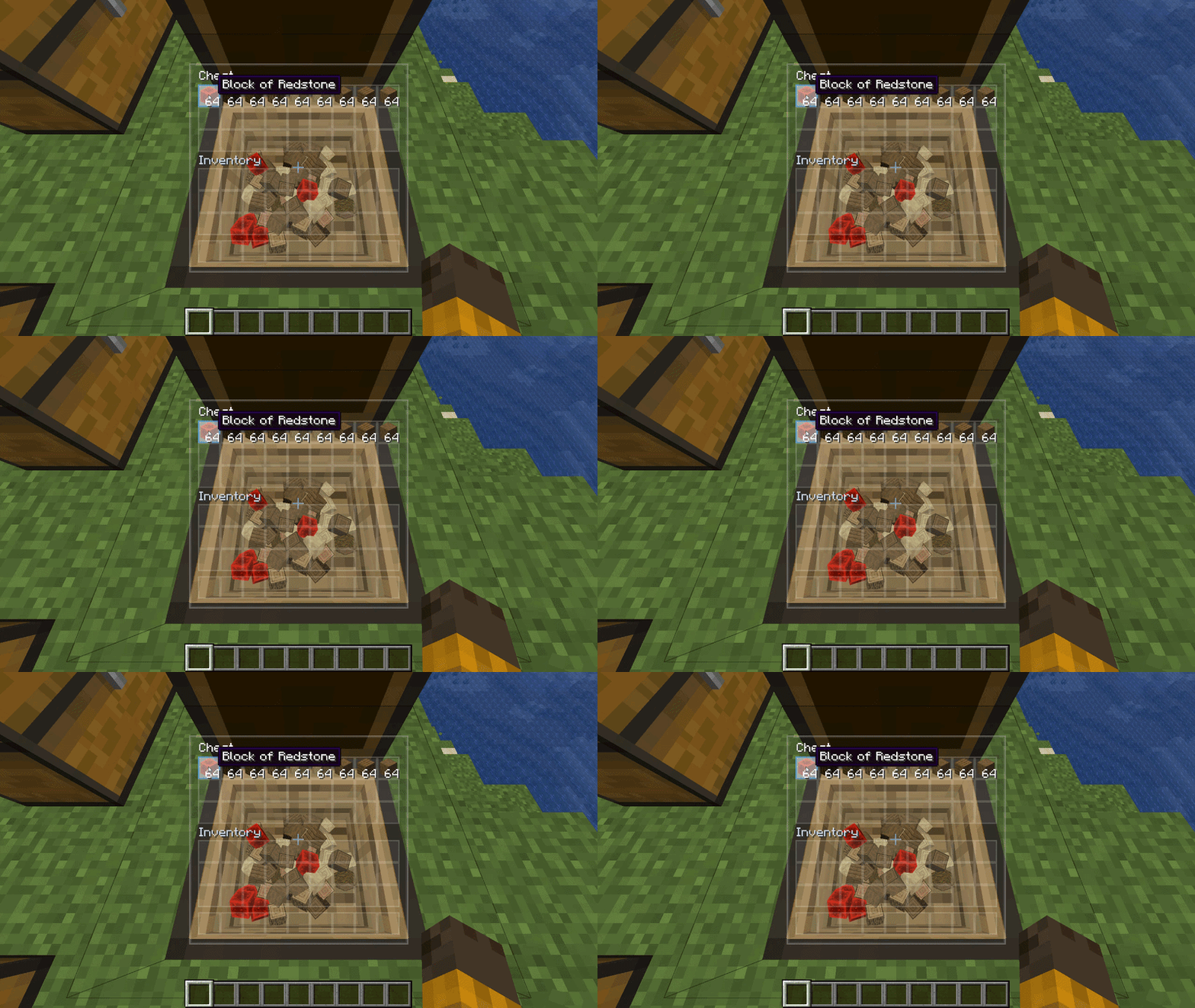
Version 1.0.1 (Fix Shader Update):
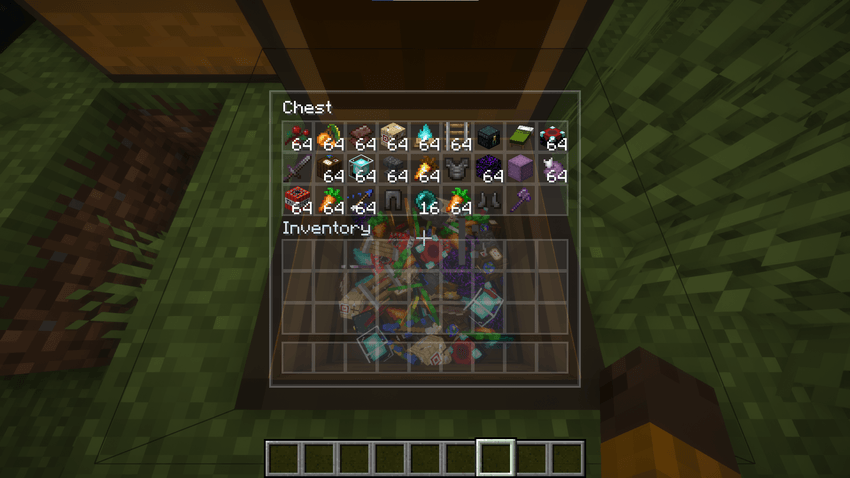
Version 1.0.2 (Fix Shader Update Part 2 + More):
NOTE: Screenshots showing what was improved in 1.0.2 will be added once I have free time.
---
Bug Fixes:
- Chest Interior Was Dark/Black (No Shader): When playing without a shaderpack, the inside of the chest cavity was completely unlit or pitch-black. It now correctly reacts to the actual light around you — torches, sunlight, darkness, all of it.
- Chest Interior Was Always Bright (With Shader): When using a shaderpack (BSL, MakeUp, etc.), the inside of the chest was permanently fully lit no matter the time of day or how dark the environment was. Fixed — it now properly responds to the shader's lighting.
- Leaf Blocks (and Other See-Through Blocks) Glitching on Reopen: When you placed leaf blocks, glass, or other transparent/see-through blocks in a chest, closed it, and reopened it — some of the item copies would appear solid green, pitch-black, or just broken. Fixed.
- Double Chest GUI Clipping Into the Hotbar: The double chest inventory panel was slightly too tall and was pushing down into the hotbar area at the bottom. The label text was also misaligned. Fixed — the panel now sits a bit higher on the screen with proper spacing.
- "OpenGL Error: 1282" Spam in Log: A harmless but annoying error message kept appearing in the game log. It had nothing to do with any actual problem — just leftover noise from how the mod interacts with Minecraft's rendering pipeline. Silenced.
- Block Outline Visible While Looking at Chest: When you opened a chest, the black block selection outline was still visible inside the 3D view. The outline is now hidden while a chest is open, and comes back when you close it.
---
Performance:
Significantly reduced the number of GPU draw calls per frame when opening chests — especially noticeable under shaderpacks. A full double chest with shader now uses roughly 40–75% fewer draw calls than before.
Despite these optimizations, InSight Chests is still a relatively demanding mod on weaker machines. Rendering dozens of physical 3D items inside a chest in real-time is inherently expensive — Minecraft's rendering engine doesn't support the kind of batching that would make this cheap, and I've pushed as far as I reasonably can within what's currently possible.
If you're a developer and know of a better technique that could reduce the rendering cost without breaking visual quality, please share it — I'm genuinely open to it. And if another mod comes along that solves this kind of performance problem more efficiently, share it with the community. Getting more people playing with better FPS is always the goal.
---
Changelog Summary:
- Fixed chest interior lighting for both vanilla and shader environments
- Fixed transparent block items (leaves, glass) corrupting on chest reopen
- Fixed double chest GUI overlapping the hotbar
- Fixed block selection outline visible inside chest view
- Silenced harmless OpenGL error log spam
- Improved FPS under shaders by batching draw calls more efficiently
- Block items automatically capped at 3 copies per stack for better performance (configurable)
- Added GUI Position config: move the inventory panel to the left, right, or center of your screen
- Default GUI position is now Right — center screen stays clear for the 3D chest view
---
Configuration:
The mod has a config file (insightchests-client.toml) located in your .minecraft/config/ folder. You can edit it with any text editor. Here is everything you can change:
General:
- physicsMode — Controls how items behave inside the chest.
- FULL (Default) — Full physics: items fall, collide, stack, and tumble when you drop something on top.
- STATIC — Items drop and settle into place but don't push each other around dynamically.
- OFF — Disables all 3D item rendering entirely. The chest opens as normal.
- enableCameraTransition — Whether the camera smoothly pans toward the chest when you open it. Set to false if you find it disorienting or just don't want it. (Default: true)
- cameraSpeed — How fast the camera transition moves. 1.0 is the default speed. Higher values make it snappier, lower values make it slower and more cinematic. (Range: 0.2 to 3.0)
GUI:
- guiPosition — Where the inventory panel appears on your screen.
- RIGHT (Default) — Panel is on the right side. The center of the screen is clear so you can actually see the chest and items inside.
- LEFT — Panel is on the left side.
- MIDDLE — Centered on screen, same as vanilla (overlaid directly on the chest view).
- uiBackgroundOpacity — How opaque the slot grid background is. 0.0 is fully transparent, 1.0 is fully solid. Default is 0.25 (mostly see-through). (Range: 0.0 to 1.0)
- uiBlurIntensity — Intensity of the frosted glass blur effect on the panel. 0.0 disables it, 1.0 is maximum blur. Default is 0.75. (Range: 0.0 to 1.0)
- hoverHighlight — Whether hovering over a slot in the GUI highlights the corresponding 3D item inside the chest. (Default: true)
Rendering:
- hollowChestModel — Whether to render the 3D hollow cavity inside the chest when the lid opens. If turned off, the chest top face stays flat as usual. (Default: true)
- representationCap — Maximum number of 3D item copies shown per stack for regular items (tools, food, weapons, etc.). A full stack of 64 shows up to this many copies. Raise it for a fuller look, lower it to save FPS. (Default: 5, Range: 1 to 16)
- blockRepresentationCap — Same as above but specifically for block items (stone, leaves, ore, glass, etc.). Block items are more expensive to render individually, so this is kept separate. Default is 3, which already looks like a convincing pile. Raise to 5 if you want more, lower to 1–2 on weak PCs. (Default: 3, Range: 1 to 16)
- renderBatchSize — How many regular items are grouped into a single GPU submission before being drawn. Higher means better FPS in general, but some unusual modded items may look broken at high values. If you see weird visual glitches with a specific item, lower this to 1. (Default: 4, Range: 1 to 16)
The InSight Chests Team