Immersive Smithing
- By
Immersive Smithing completely overhauls the process of smithing weapons, gear and armor to make it more immersive and engaging through mini-games and more complex processes.
Description

Immersive Smithing
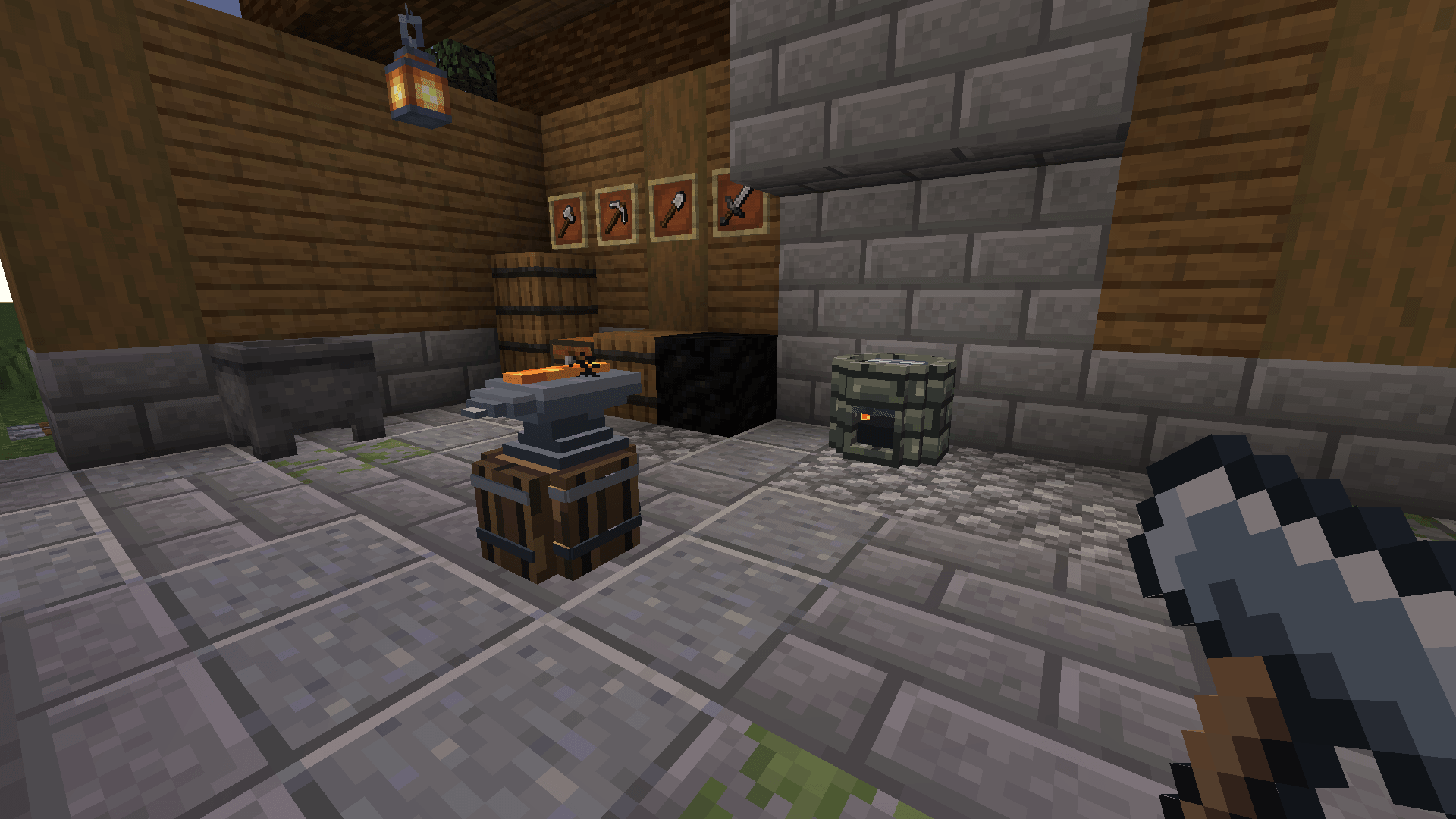
Make metal equipment with your hands. Immersive Smithing turns the familiar sword, tool and armor crafting routine into a small workshop project. Melt metal in a Smith's Forge, work it at a Smith's Anvil, then quench it in a water-filled Smith's Trough. Two quick timing challenges determine how durable and effective the finished piece will be. A basic item takes about a minute to make, but a piece you are proud of can stay with you for a long time.
Set up your workshop
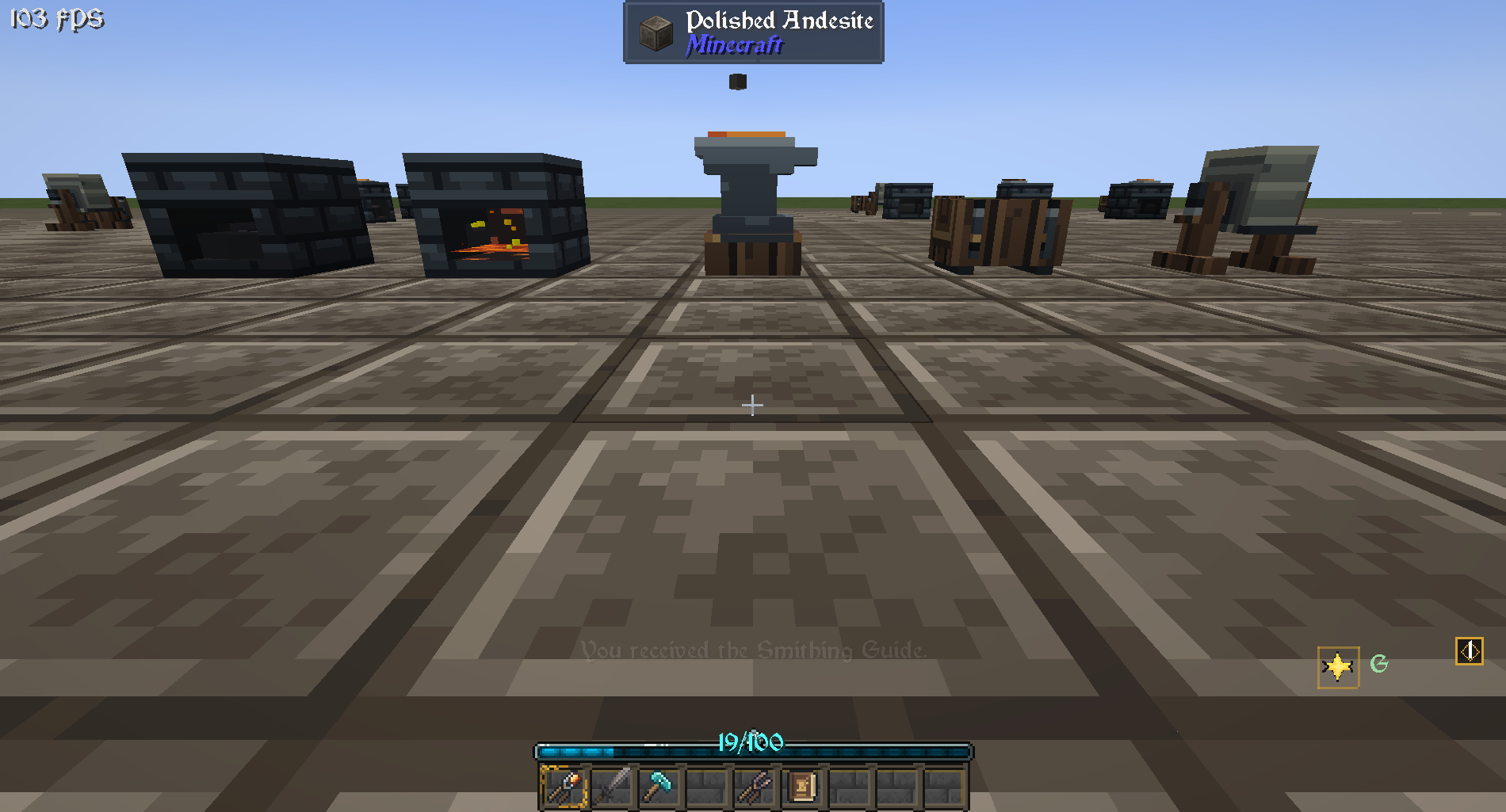
You can start with stone Smithing Tongs, a stone Smithing Hammer and three stations:
- Smith's Forge: Melts your metal. Craft it with five brick blocks, a furnace and three pieces of stone crafting material.
- Smith's Anvil: Holds the hot workpiece while you shape it. Craft it with three iron ingots and four stone bricks. Your ordinary Minecraft anvil is still used for repairs and renaming.
- Smith's Trough: Holds the water used to finish your work. Craft it with seven wooden slabs and an iron ingot.
The optional Smith's Grindstone refines finished gear using experience levels. Its recipe uses a regular grindstone, two iron ingots and a diamond. Tongs and hammers come in stone, iron, diamond and netherite versions. Stone tools are enough to begin; better tiers last longer and give you more time in the challenges, but they never grant a free quality bonus.
You'll receive the Smithing Guide when you first obtain smithing tools. It explains the stations, metals, timing games and common problems in game. You can also craft another guide with a book and coal or charcoal.
From ingot to equipment
- Heat the metal. Right-click the upper half of the Smith's Forge with ingots, nuggets, raw metal, metal blocks or old metal equipment. One click adds one item; sneak and right-click to add a stack. Each forge holds one kind of metal at a time. Put fuel such as wood, coal or charcoal in the lower half, then light the forge with Flint and Steel or a Fire Charge. A bucket of lava heats it without ignition. Wait until the metal is molten and the forge is ready.
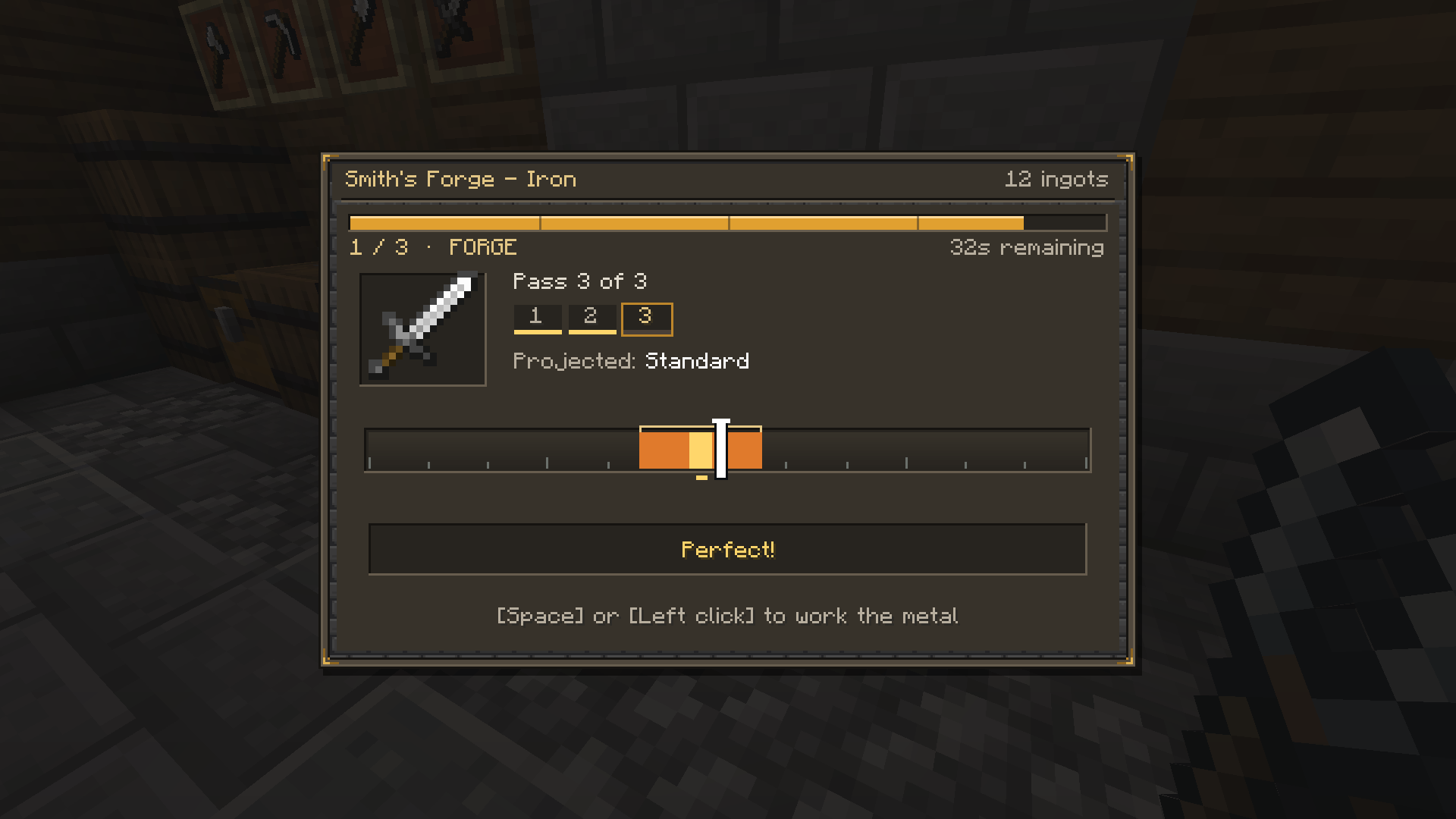
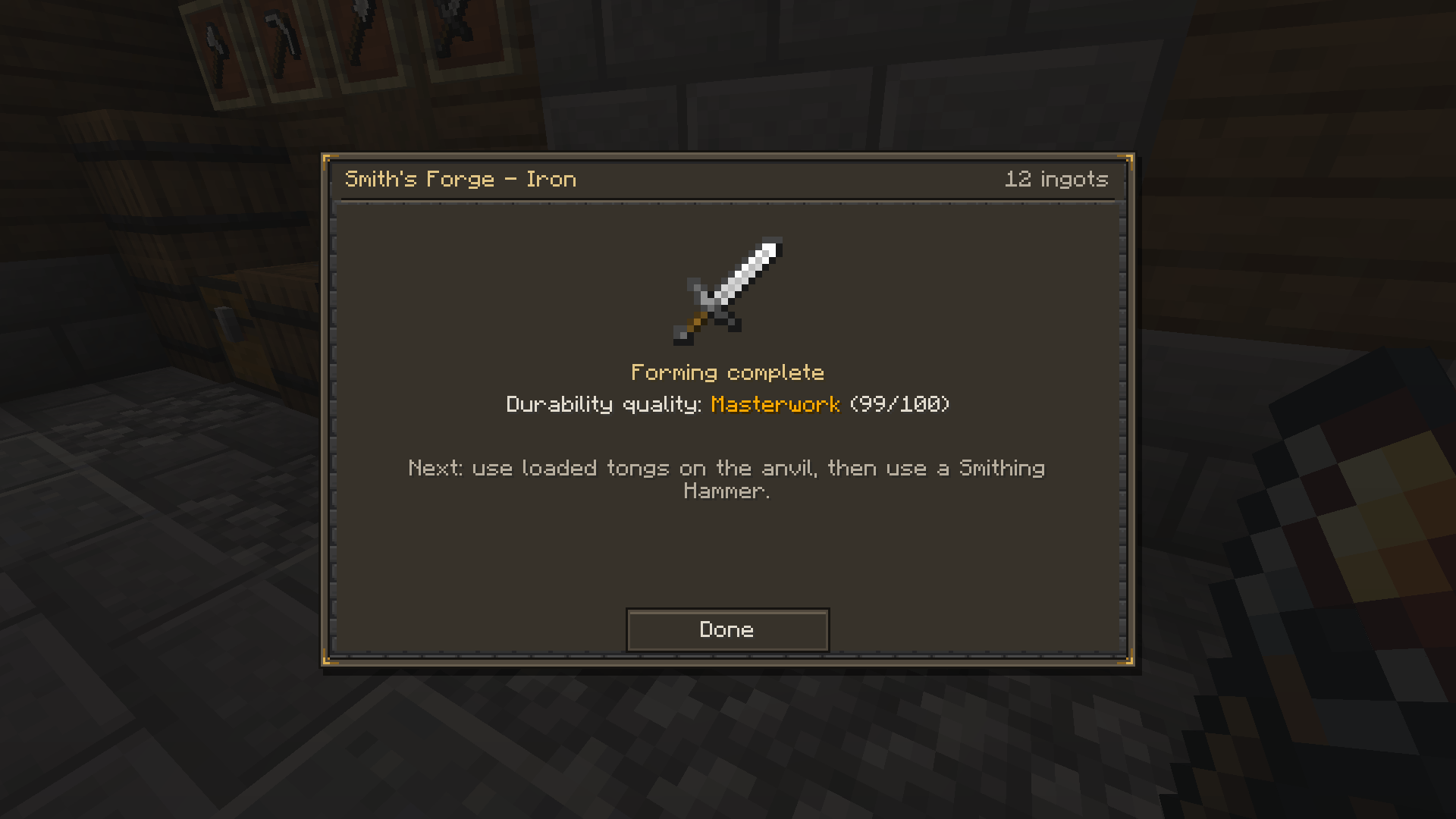
- Choose what to make. Right-click the ready forge with empty Smithing Tongs. The recipe screen shows items you can afford with the metal in the forge and any other required ingredients in your inventory. An iron sword, for example, needs two iron ingots' worth of metal and a stick. Press Space or left-click as the moving marker crosses the glowing zone. Aim near its center for a better Forge score. When you finish, the hot workpiece is held in your tongs.
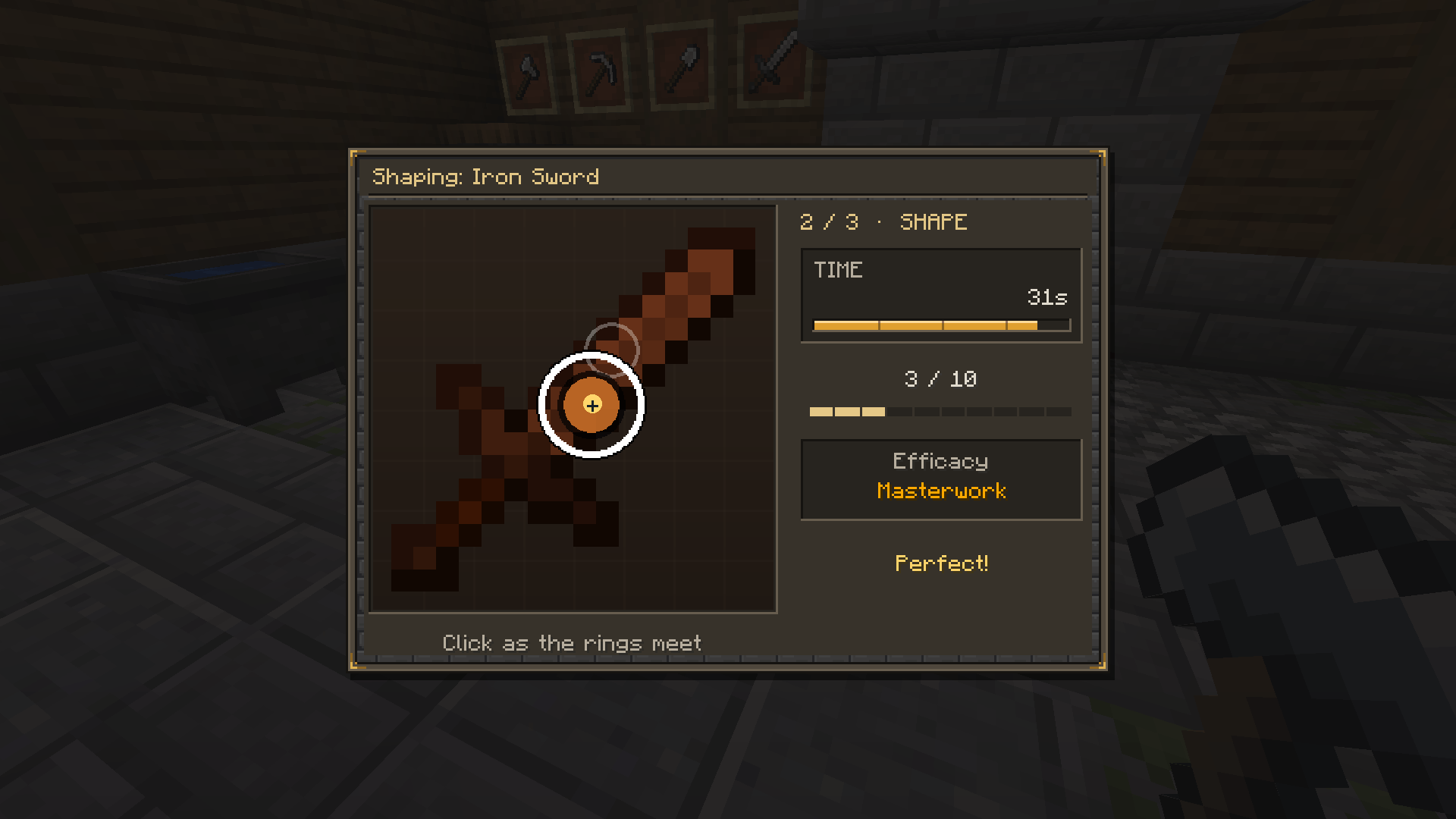
- Shape it. Right-click the Smith's Anvil with your loaded tongs to set the workpiece down. Use a Smithing Hammer on the anvil to begin the second challenge. Left-click near each target's center when its closing ring reaches it. Careful strikes improve the Anvil score. Empty tongs can pick a workpiece back up from the anvil.
- Quench it. Fill the Smith's Trough with a water bucket. One bucket provides four quenches by default. Pick up your shaped workpiece with empty tongs and right-click the trough. Your finished item goes into your inventory, or drops beside the trough if your inventory is full.
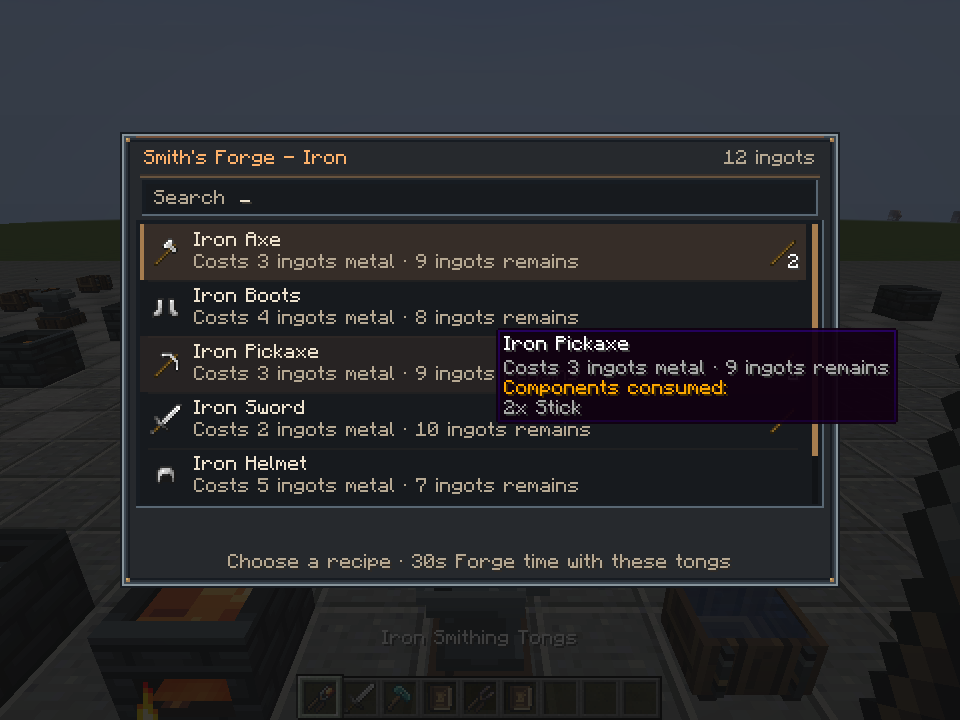
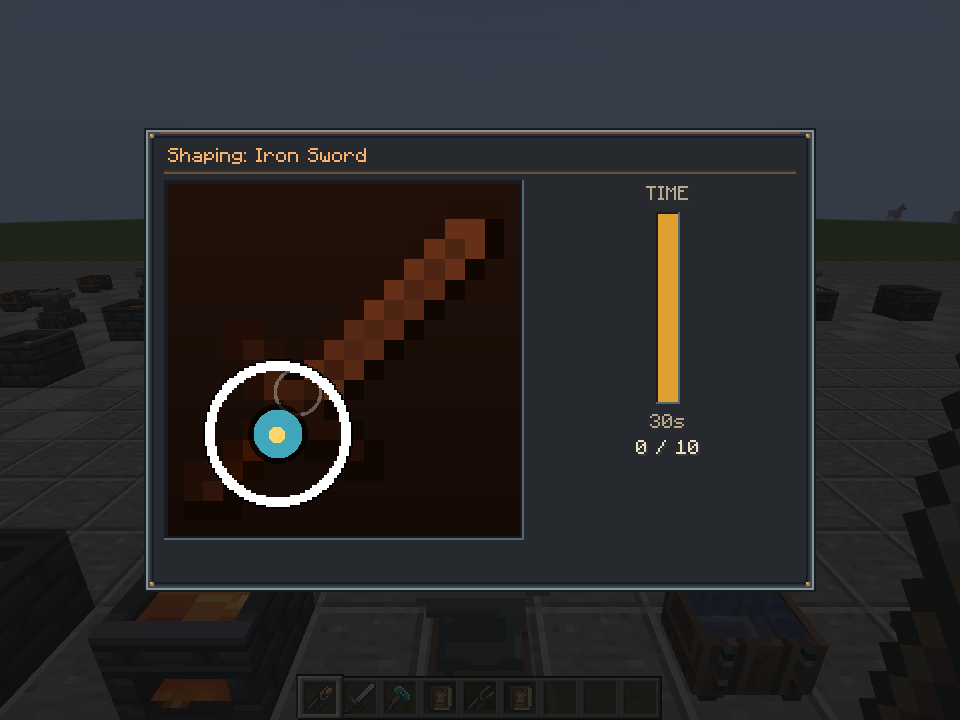
A few useful workshop tips: Netherite melts only with lava. A hot workpiece never cools. If it drops as an item, hold empty tongs and right-click in the air to pick it up. Closing a timing screen cancels that attempt safely; reserved ingredients are returned, and you can retry an unfinished anvil session.
Your skill shows in the finished piece
Every forged item has two scores, each from 0 to 100. Forge quality controls durability, while Anvil quality affects the item's performance, such as weapon damage, tool mining speed or armor protection. A score of 50 gives ordinary performance. By default, Forge quality ranges from 75% to 125% of normal durability, and Anvil quality ranges from 85% to 115% of normal performance. The overall label combines both scores:
- Crude: Below 35.
- Standard: 35 to 69.
- Fine: 70 to 89.
- Masterwork: 90 and above.
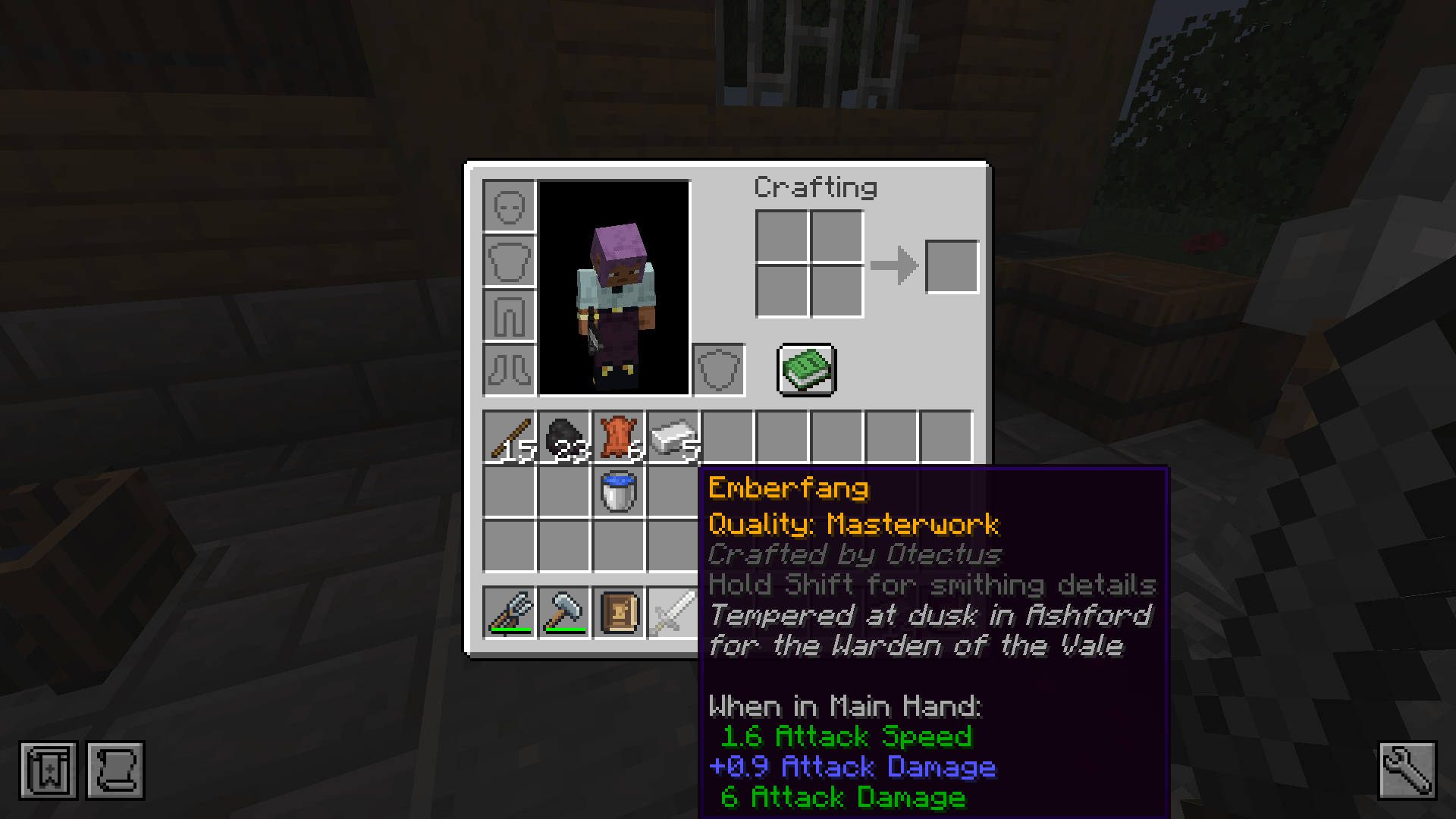
If time runs out at the forge, you still get a workpiece, but its Forge score is zero. If the anvil timer runs out before you finish shaping, the result is Faulty. Faulty gear still works, but by default it has half the normal durability and 70% of normal performance. Hover over finished equipment, or hold Shift for more quality detail.
Want to improve a good piece? Hold it and use the Smith's Grindstone to improve its durability score, or sneak and use it to improve its performance score. The first click shows the experience-level cost; click again within three seconds to confirm. Each refinement adds five points up to 100, and enchantments stay on the item. Faulty equipment cannot be refined, but it can be melted down and forged again.
Reforge, recycle and leave your mark
Recognized metal equipment can be put back into a forge, including enchanted or Faulty pieces. By default, you recover all of its metal. Melting removes the old item's enchantments, quality, name and other personal touches, so check the piece before recycling it.
Every completed piece records its maker in the tooltip. After quenching, you can give your work a title and up to three lines of inscription, or skip that step and sign it later by sneak-using the Smith's Anvil while holding the piece. The smith who made it can sign it; Faulty work cannot be signed. The maker's mark survives normal repairs, enchanting, dyeing and supported upgrades. Melting the item removes it.
Metals and other mods
Iron, gold, copper and netherite are built in. The forge also recognizes many metals added by other mods. A nugget counts as one metal unit, an ingot or raw metal as nine, and a storage block as 81. Metals melt at different speeds, and each forge handles one metal family at a time.
Immersive Smithing looks for eligible weapons, tools, armor and metal shields made from a single metal plus ordinary components such as sticks or leather. It gives those items forging recipes and replaces their usual crafting recipes by default. Recipes that mix metals or cannot be identified reliably are left alone. JEI, if installed, shows available smithing recipes in a dedicated category, including recipes detected from other mods.
Some notable integrations include:
- Spartan Weaponry: Smith its metal weapons across all 24 weapon types, including throwing weapons, longbows and heavy crossbows. Thrown weapons retain their quality, and arrows or bolts inherit quality from the bow or crossbow that fires them.
- Modded metals and upgrades: Built-in material definitions cover metals from Cataclysm, Ice and Fire, Iron's Spells 'n Spellbooks, Botania and MCA, among others, when those mods are present. Some upgrades are forged directly from the new metal, while others consume an existing piece and add metal to it. Netherite gear is forged directly from netherite ingots without a smithing template or a diamond base. Armor trims remain at the smithing table.
- Jade: Shows useful station information in its block overlay when installed.
- Modpacks and datapacks: Pack makers can add metals, recipes, recycling rules and timing patterns. Existing progression mods can respond when a player finishes smithing an item.
Toolsmiths and Weaponsmiths can sell smithing tools, and they and Armorers can sell forged equipment. Eligible gear found in loot also receives a quality grade, usually Standard under the default settings.
Multiplayer, automation and options
The server checks the timing challenges and calculates the results. Only one player can work on an anvil's piece at a time. Hoppers and pipes can feed metal and fuel into a forge and water into a trough, and comparators can read the forge and trough. Choosing a recipe, shaping the item and quenching it are jobs for a player.
Server settings cover recipe replacement, which items are detected, melting, fuel, station capacity, timing, quality, recycling, trades and more. Client settings offer reduced screen shake and flashes, fewer particles, higher contrast, larger or colorblind-friendly targets, timing sounds and numeric quality scores. Visual options do not change the scoring windows. Server operators can use /immersivesmithing report and /immersivesmithing recipe <item> to investigate a missing modded recipe.
Requirements and upgrading
- Minecraft 1.20.1, Forge 47 or later and Java 17.
- Install Immersive Smithing on both the client and server for multiplayer.
- JEI and Jade are optional. Compatibility features for other mods apply when those mods are installed.
Coming from Ote's Smithing? Immersive Smithing uses a new mod ID and is not compatible with Ote's Smithing world data or datapacks. Old stations, tools, workpieces and quality data do not carry over. Back up your world before switching, and remove the old Ote's Smithing jar so the two mods do not load together.
Links
Licensed under GPL-3.0.
The Immersive Smithing Team


Owner