HUD Customizer
- By
Customize your Minecraft HUD with pixel-art styles, drag-and-drop layouts, and optional Sodium integration.

Your HUD. Your style.
Make Minecraft's interface feel like your own.
HUD Customizer lets you move HUD elements, choose Minecraft-inspired pixel-art styles, and build a layout that suits the way you play. Use the live preview to arrange your interface, then save it for gameplay. Keep the classic look, mix different designs, or use a clean text-only style for coordinates and performance information.
- 13 customizable sections: Hotbar, Hearts, Head, Food, XP Bar, Armor, Air, Keystrokes, Armor HUD, Direction, Effects HUD, Coordinates, and FPS / Ping.
- Drag-and-drop editing: move elements in the preview, hide what you don't need, and restore hidden elements.
- A large style library: pixel-art HUD designs, food-themed hunger icons, equipment layouts, compass artwork, and effect frames.
- Live information: coordinates, biome, FPS, connection latency, equipment durability, and potion-effect timers.
- Clear editing controls: Save, Cancel, and Reset HUD, with a confirmation before resetting.
- Flexible layouts: responsive controls across GUI scales, with saved positions mapped to the in-game HUD.

Move an element. Choose a style. Make it yours.
Press H to open the editor. Drag an element inside the preview and choose a design from its section. Click Save to keep your changes, or Cancel to restore the saved layout. The editor is also available from Video Settings.
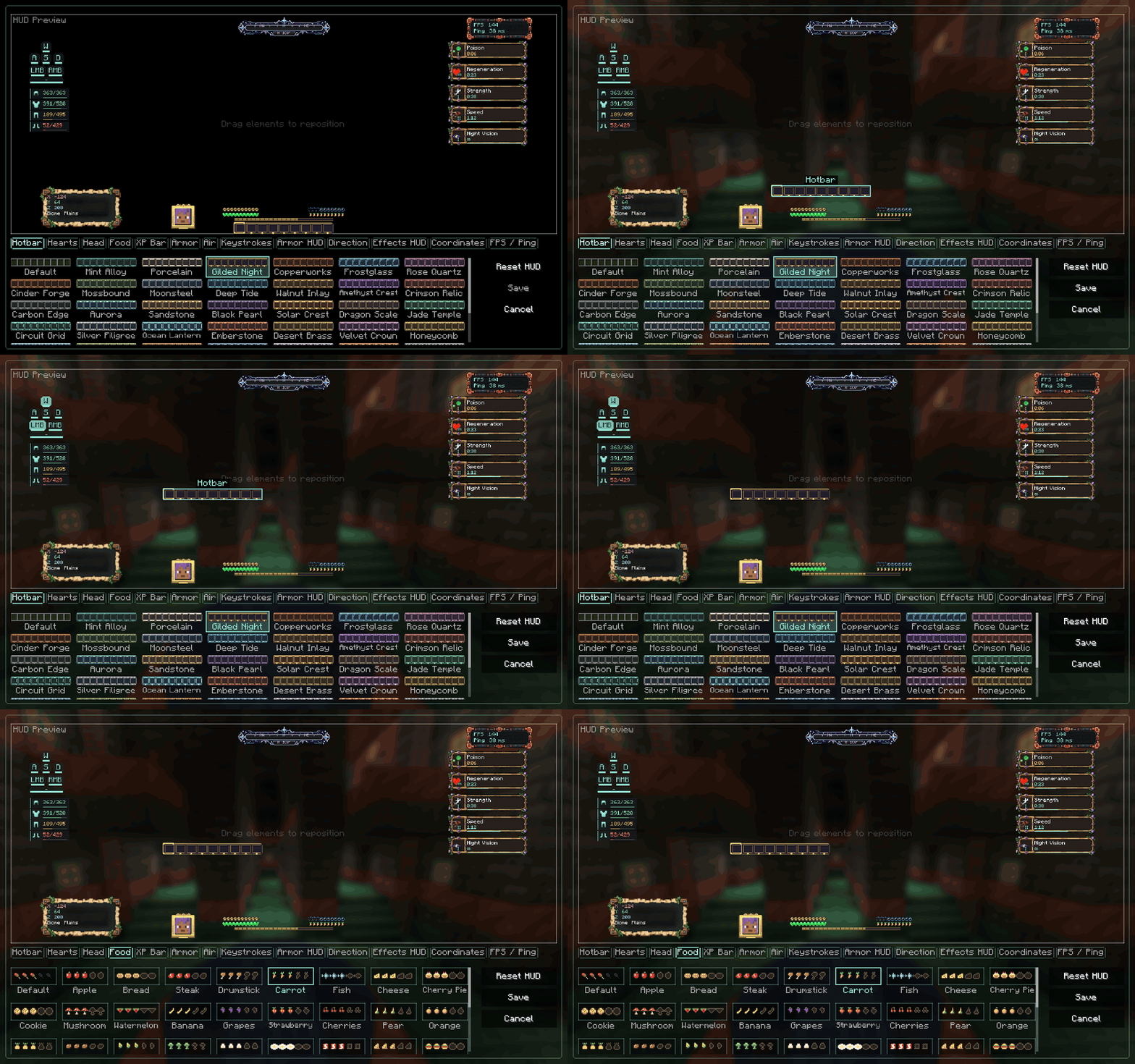
Recorded from the actual mod interface. Smooth, short looping demonstration.

One HUD. With or without Sodium.
Sodium is optional. HUD Customizer works on its own. On supported Sodium versions, its settings appear inside Sodium's video-settings interface. Open HUD Customizer to reveal the editor beside Sodium's sidebar, with a smooth sliding animation. Switching to another settings section cancels unsaved HUD edits.
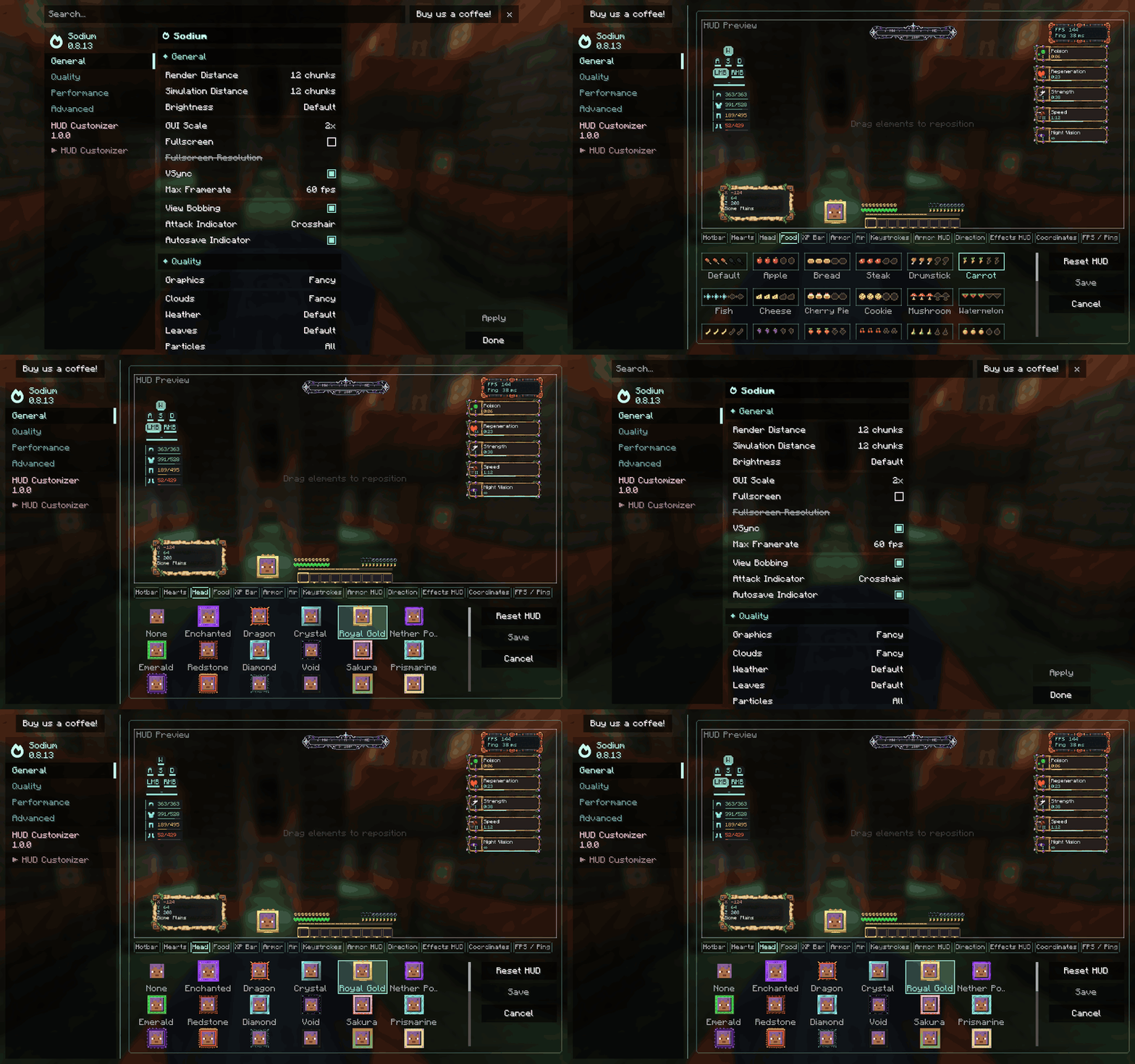
Sodium compatibility has been tested on Fabric builds for the supported Minecraft versions, and on NeoForge builds for 1.21.1, 1.21.11, and 26.3. Forge builds and the NeoForge 1.20.1 build work independently; no official Sodium build was available for those combinations during testing. Embeddium compatibility is not currently claimed.
Choose the right file
Download the file matching both your Minecraft version and mod loader. Each combination has its own JAR.
| Minecraft | Loaders | Java |
|---|---|---|
| 1.20.1 | Fabric, NeoForge, Forge | 17 |
| 1.21.1 | Fabric, NeoForge, Forge | 21 |
| 1.21.11 | Fabric, NeoForge, Forge | 21 |
| 26.3 | Fabric, NeoForge, Forge | 25 |
Installation: install the matching loader, place HUD Customizer in your mods folder, and launch the game. Fabric builds also require Fabric API. Install a compatible Sodium version only if you want its integration. This is a client-side mod; install it on your game client.
Created by Haider x
All Rights Reserved (ARR)
HUD Customizer Team

Owner