Bradley Vehicle
- By
Drive a detailed Bradley with three weapons, gunner optics, animated tracks, defensive smoke and persistent wrecks.
Bradley Vehicle
Take command of a Bradley-inspired infantry fighting vehicle, built for Minecraft.
A detailed armored vehicle with moving tracks, an independently controlled turret, three working weapons, gunner optics and a dedicated vehicle HUD. Drive, aim and fight from one seat, then keep your vehicle supplied with craftable repair and ammunition items.
By Haider x · Version 0.0.1 · All Rights Reserved

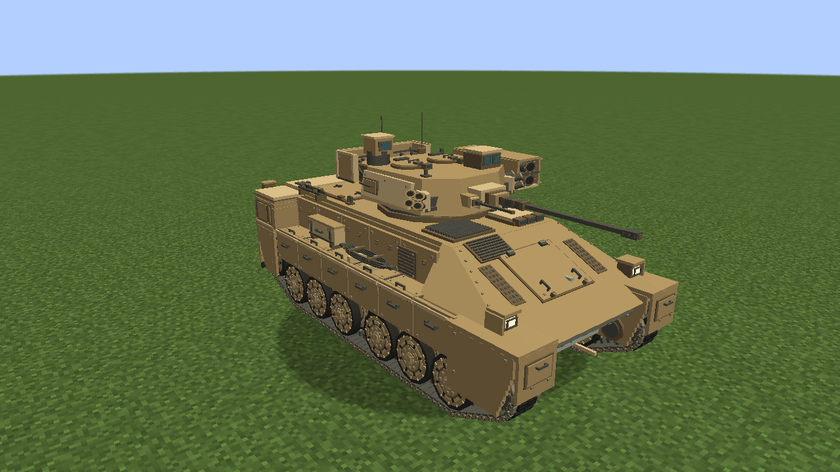
The desert-colored hull features armor panels, road wheels, storage, rear ramp details and a modeled interior. The hull responds to solid terrain while the turret and barrel move separately. Crew protection and physical collision give the vehicle a presence in the world.
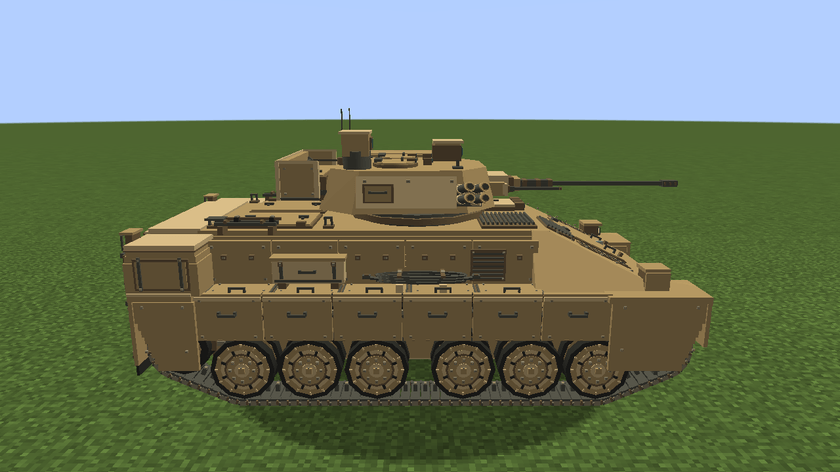
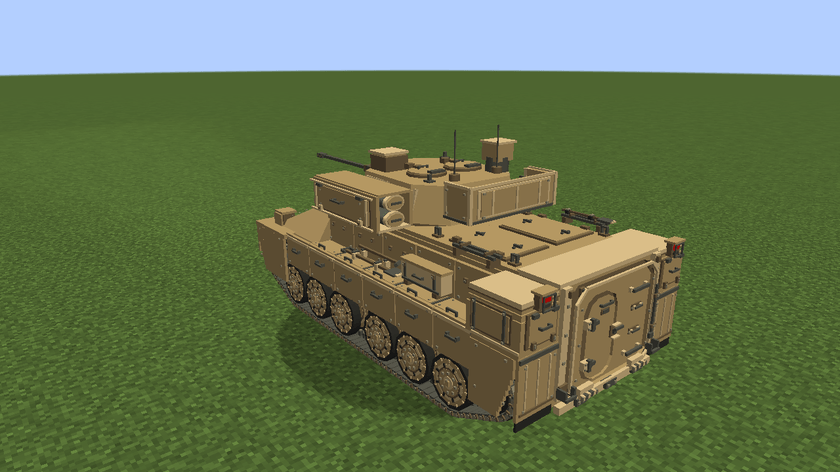

1 — M242 autocannon
Switch between AP and HE ammunition, choose single fire or 100 / 200 RPM, and watch the barrel recoil with each shot. Custom 3D rounds, muzzle smoke and impact effects accompany finite ammunition and timed reloads.
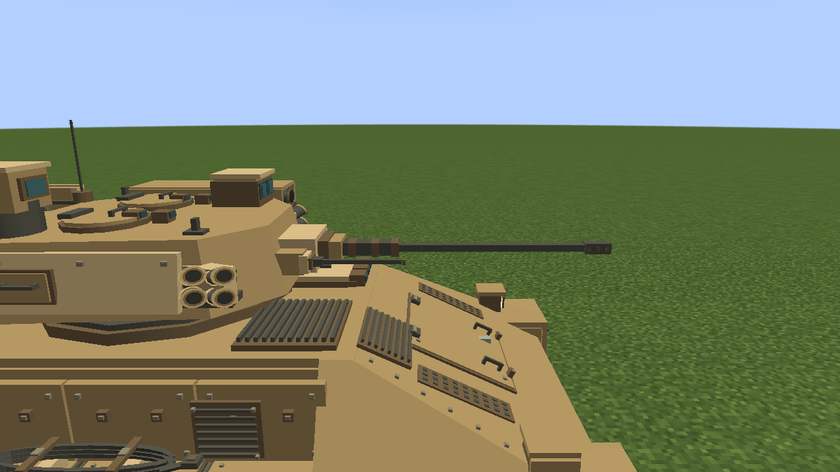
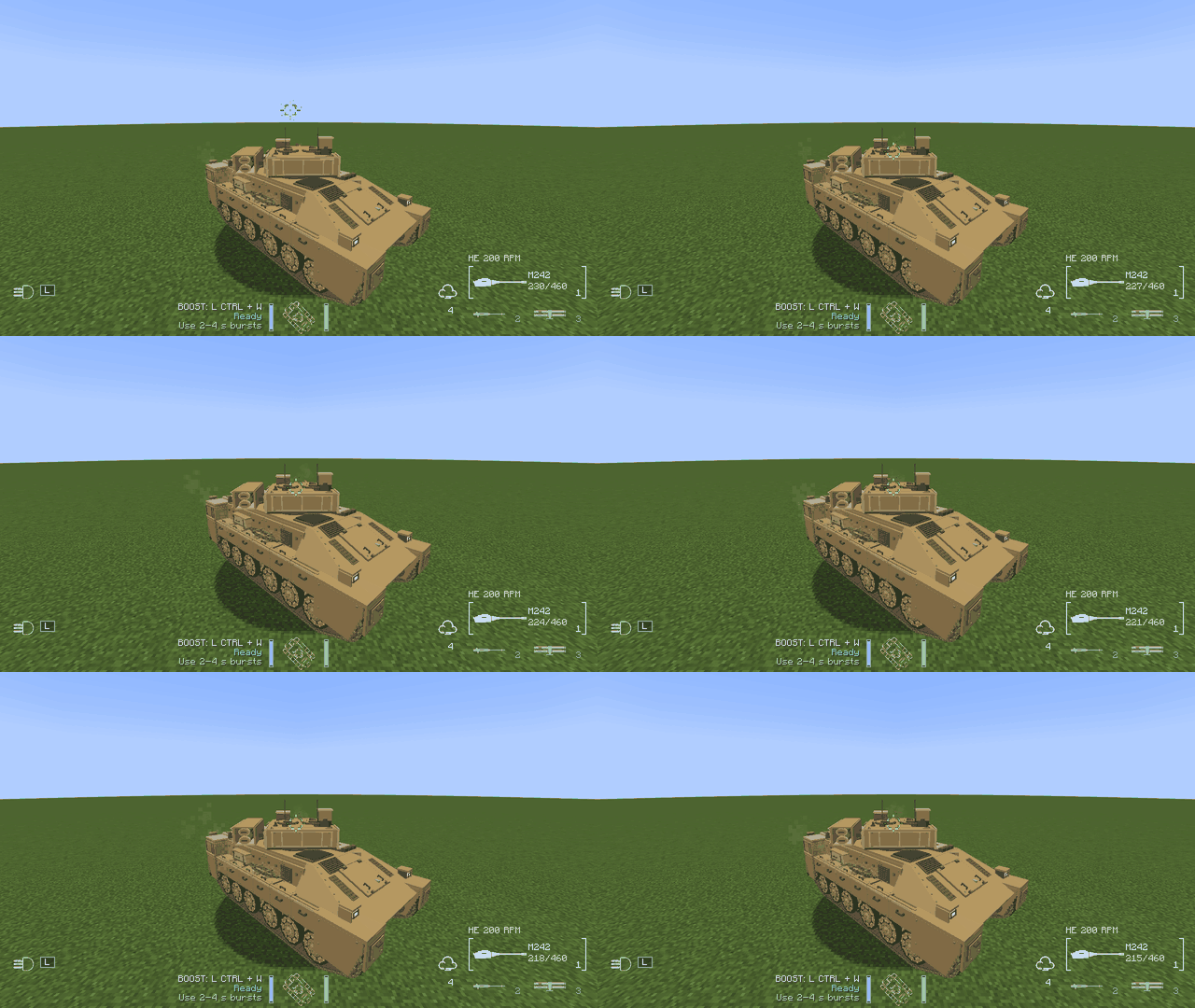
2 — M240C coaxial machine gun
A fast-firing weapon mounted beside the cannon, with its own ammunition, tracers, firing sound and impact effects.
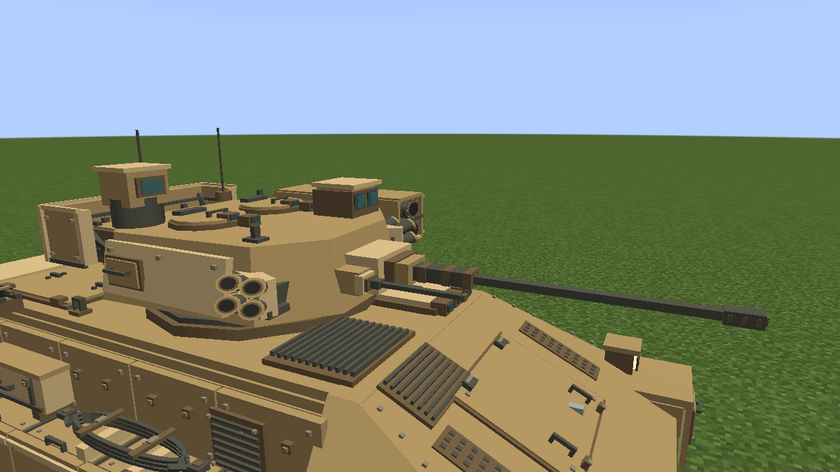
3 — TOW missile launcher
A twin side-mounted launcher with custom 3D missiles, launch effects and guided flight. Keep TOW selected and steer your aim while the missile is in flight. Reloading requires a fresh trigger press before another launch.
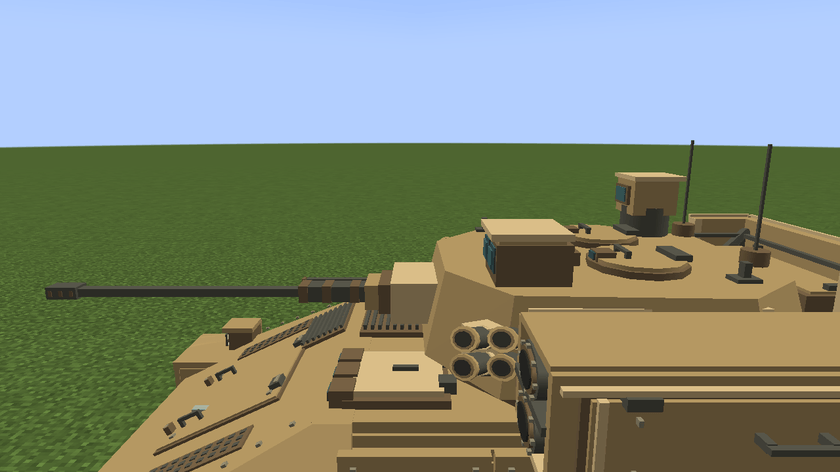
Weapon range, damage and handling are adapted for Minecraft gameplay.

Tracked movement — accelerate, reverse and use short boost bursts. The left and right tracks animate as the vehicle moves and turns.
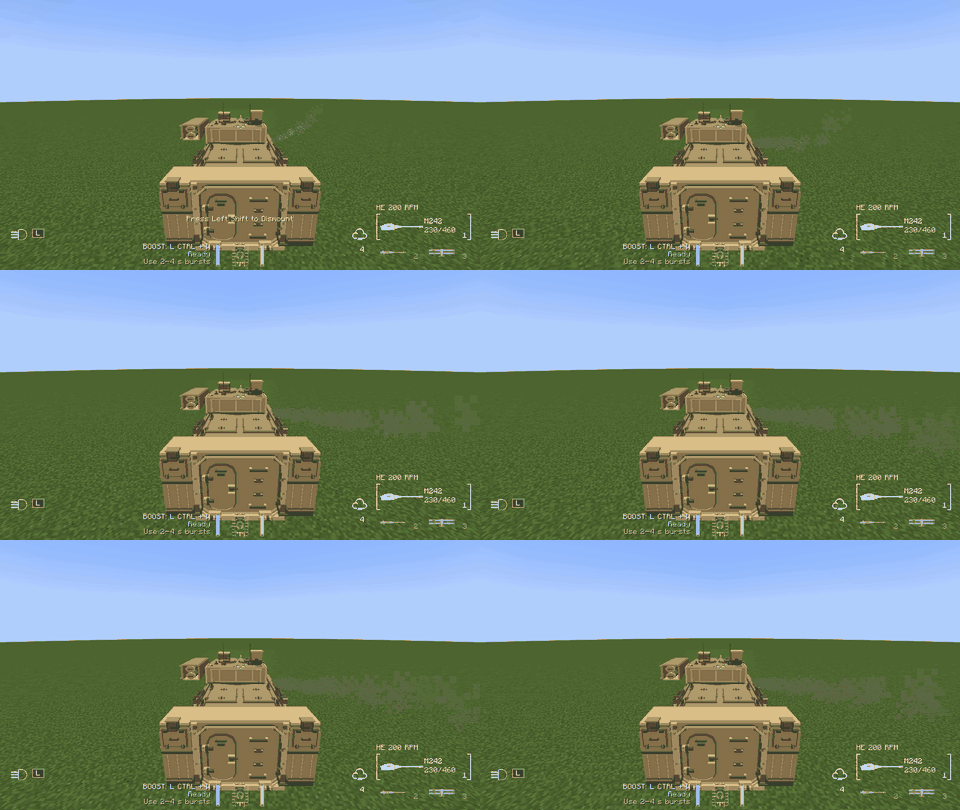
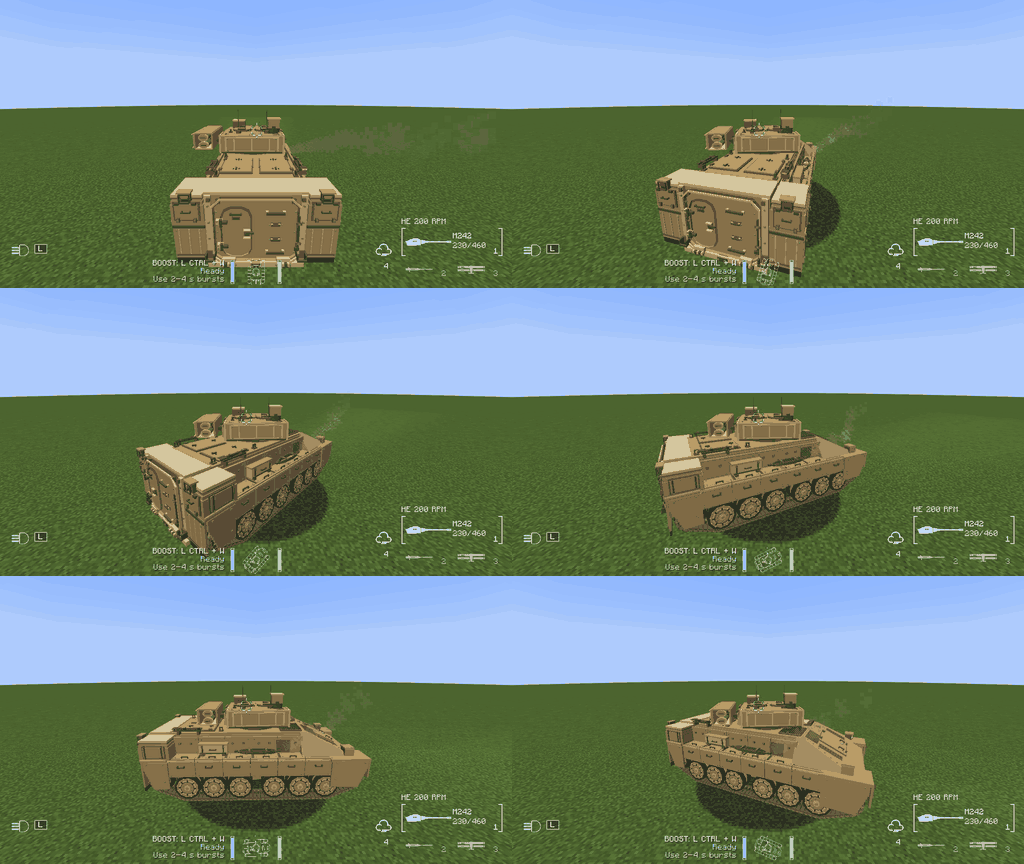
Independent turret aiming — the camera leads your aim while the turret catches up; barrel elevation follows within its movement limits.
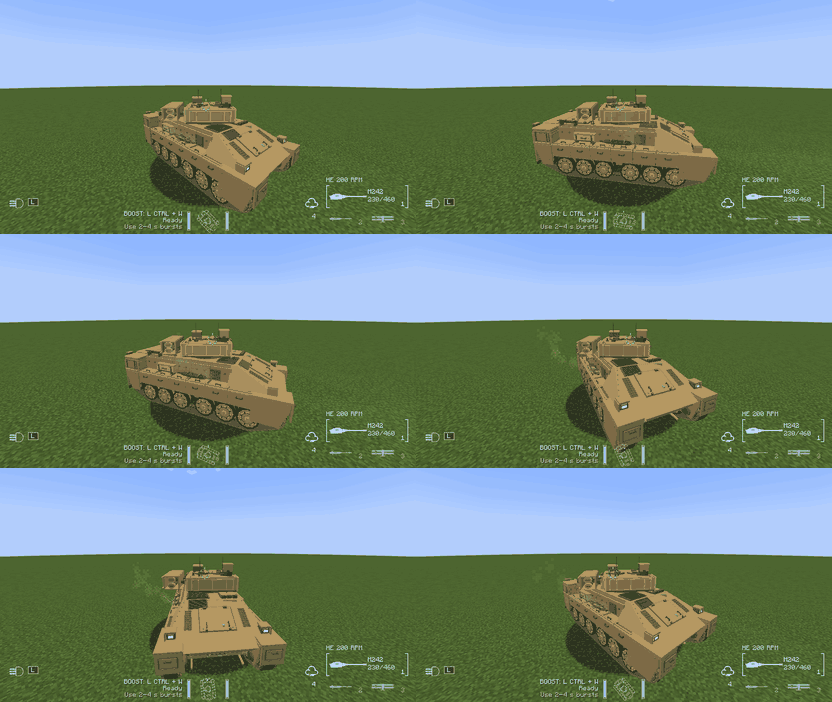

Press C to switch between the chase camera and gunner optics. Hold RMB for a small chase-camera zoom or up to 3× through the optics. The barrel and front deck remain part of the gunner view.
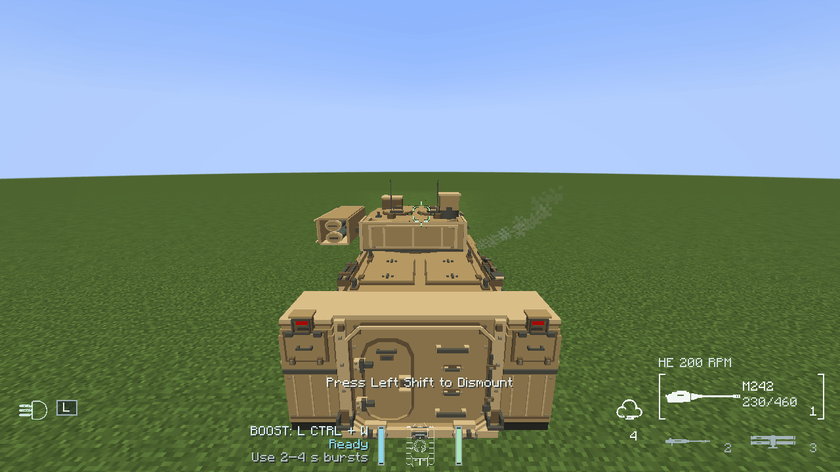
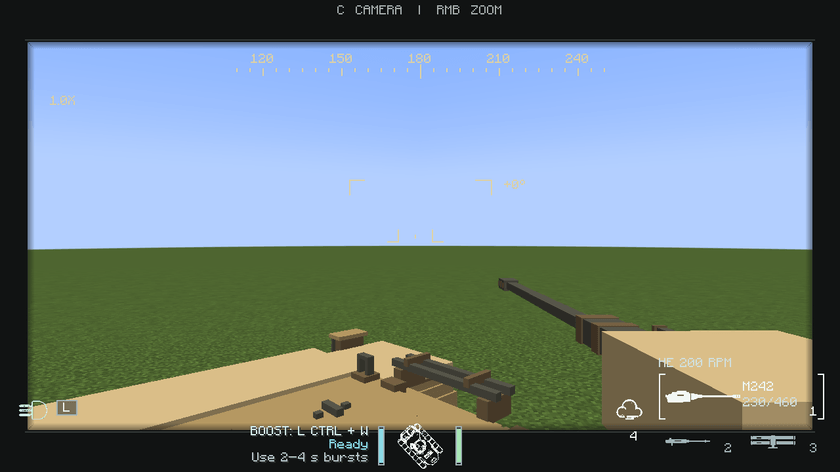
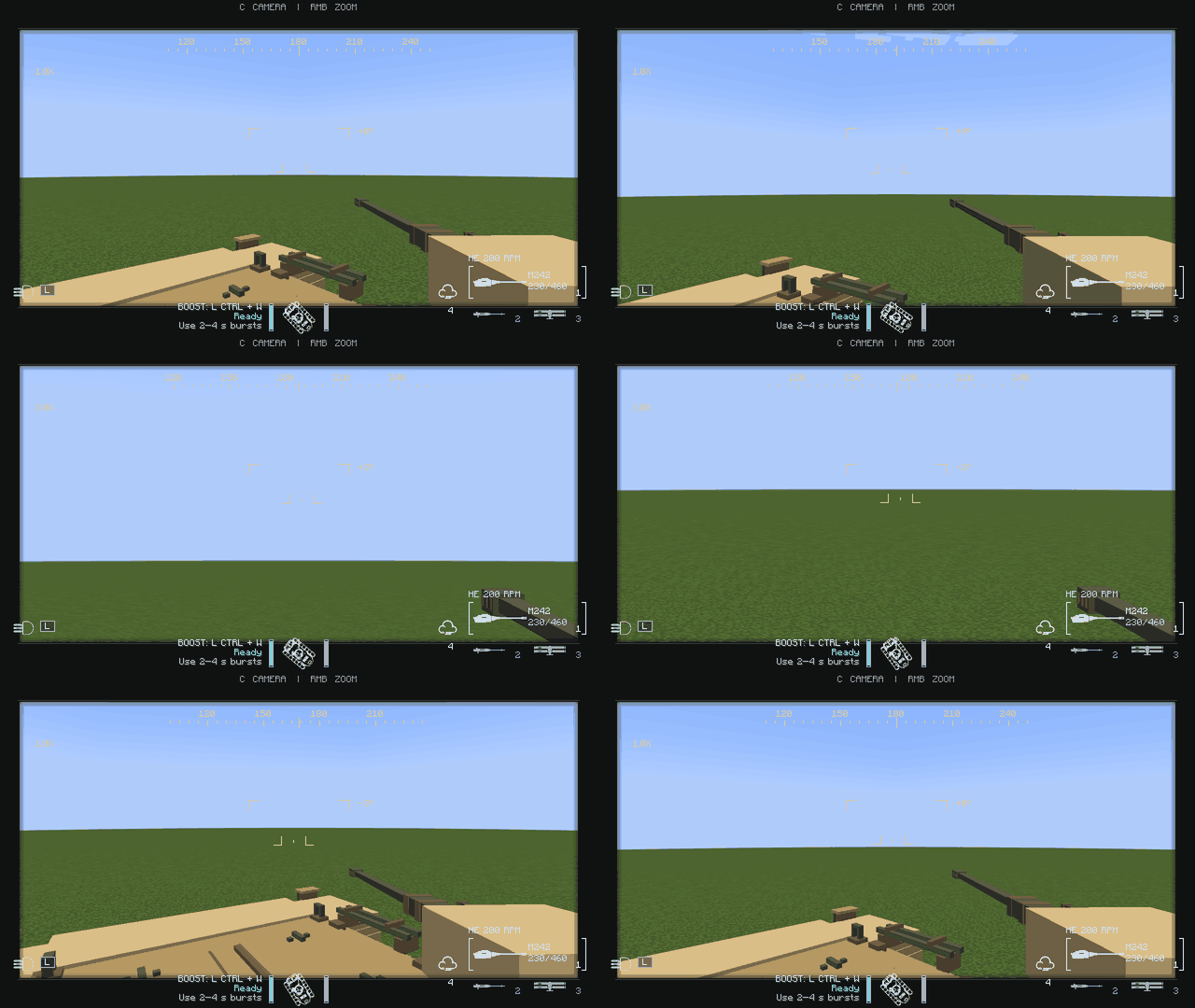
A vehicle orientation display, health, boost energy and weapon selection replace the mounted player's normal hotbar, hearts and hunger display.

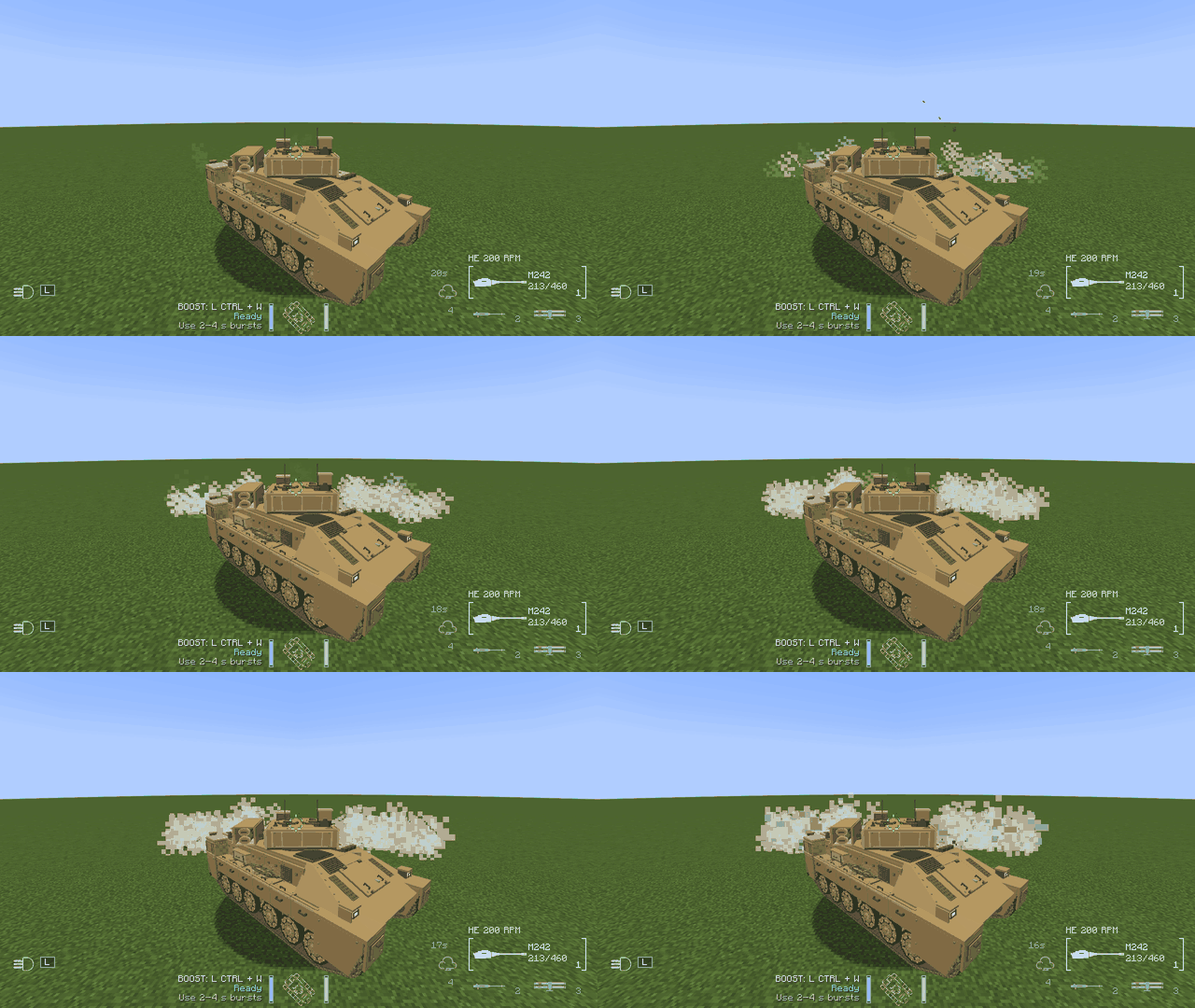
Lights and sound. Toggle directional headlights and see rear and reversing lights. Engine, tracks, weapons, impacts and burning wrecks have positional audio. Exhaust changes with vehicle use.
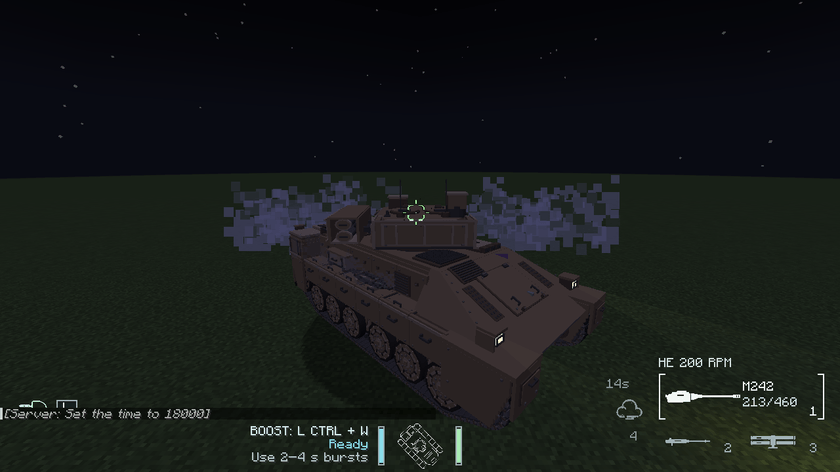
Defensive smoke. Press 4 to deploy smoke from the vehicle's launchers and create temporary cover.
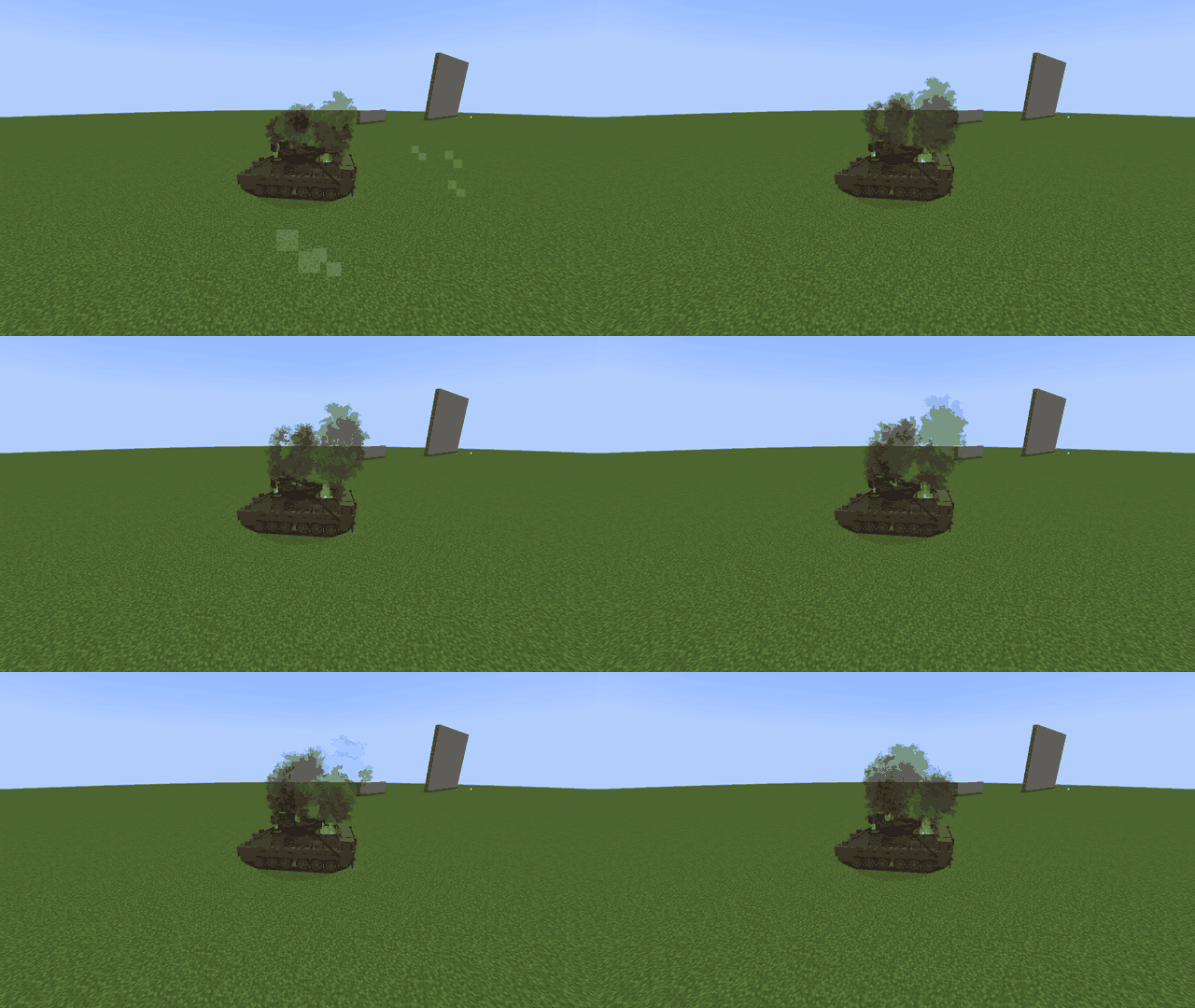
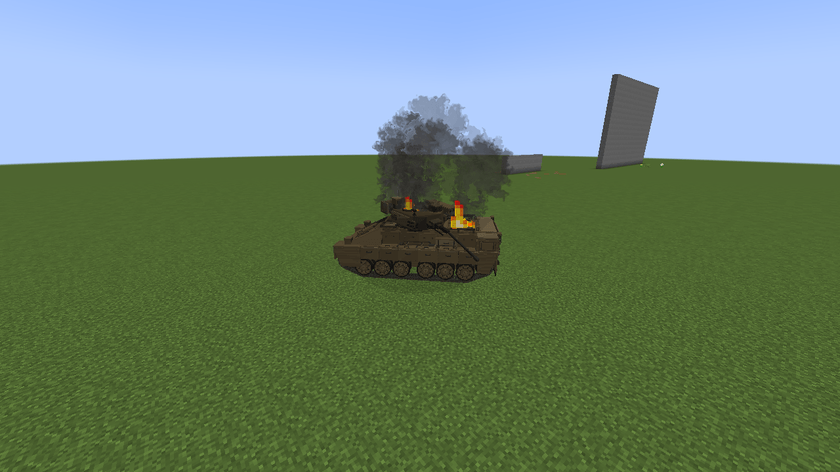
Persistent wrecks. A destroyed vehicle remains as a damaged wreck with fire and smoke. Destruction is lethal to occupants. Vehicle health, ammunition, boost energy and wreck state are saved with the world; smoldering smoke returns after reloading a saved wreck.
Water handling. The engine stops when submerged. Plan your route around deep water.

Getting your Bradley
In Creative, find the Bradley Deployment Kit under Tools & Utilities. In Survival, use a crafting table and follow the recipes below.
Crafting Recipes
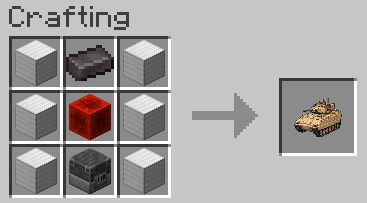
Bradley Deployment Kit
6 Iron Blocks · 1 Netherite Ingot · 1 Redstone Block · 1 Blast Furnace
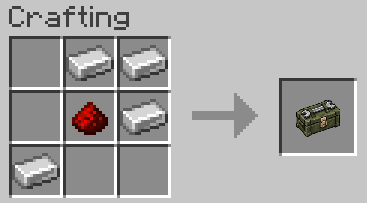
Repair Kit
4 Iron Ingots · 1 Redstone Dust
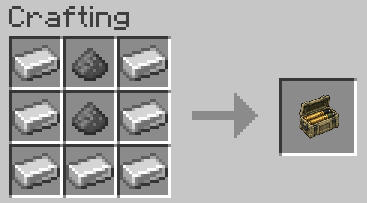
M242 Ammunition Crate
7 Iron Ingots · 2 Gunpowder
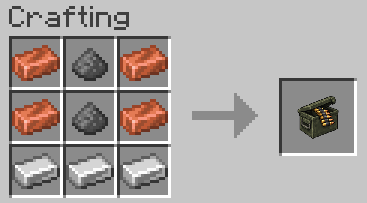
M240C Ammunition Box
4 Copper Ingots · 3 Iron Ingots · 2 Gunpowder
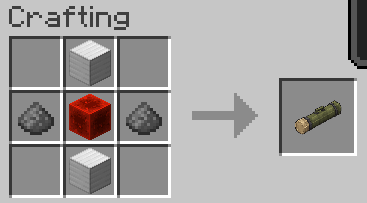
TOW Missile Supplies
2 Iron Blocks · 2 Gunpowder · 1 Redstone Block
Use the kit on clear ground with enough space. Right-click the vehicle to board; use Left Shift to exit. Craft Repair Kits, M242 Ammunition Crates, M240C Ammunition Boxes and TOW Missile Supplies, then use the appropriate item on the vehicle to service it.
| Control | Action |
|---|---|
| W / S | Forward / reverse |
| A / D | Steer left / right |
| Left Ctrl + W | Boost; use short 2–4 second bursts |
| Mouse | Aim the turret and barrel |
| LMB | Fire the selected weapon |
| 1 / 2 / 3 | M242 / M240C / TOW |
| R | Reload |
| V | Cycle M242 fire mode |
| B | Switch M242 AP / HE ammunition |
| 4 | Deploy smoke |
| C | Chase camera / gunner optics |
| RMB (hold) | Zoom |
| L | Toggle vehicle lights |
| Left Shift | Exit |
Controls can be rebound in Minecraft's settings.
Bradley Vehicle Team

Owner