Holo Gloves
- By
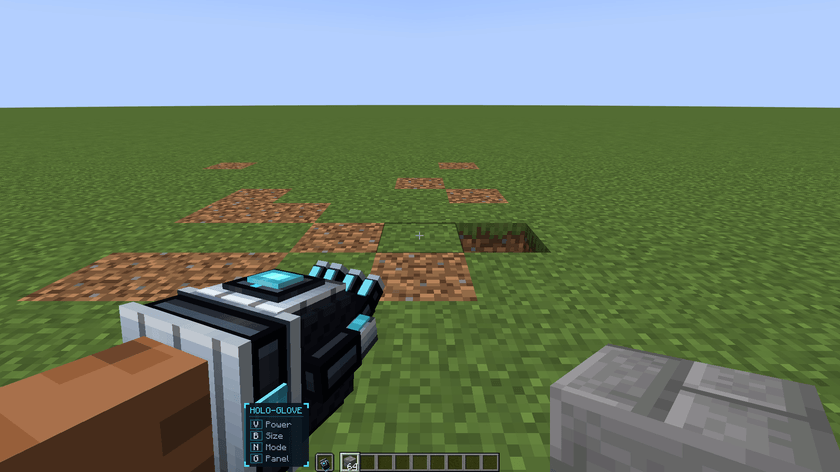
A futuristic off-hand glove that projects a hologram of the block in your main hand and builds it in 1x1, 2x2, 4x4 or 6x6, by single click or drag. Delete mode blasts blocks apart and pulls their drops into your hand.
10_guide.png
11_other_player.png
12_other_player_place.png

Description
A futuristic off-hand glove that projects a hologram of the block in your main hand and builds it in 1x1, 2x2, 4x4 or 6x6, by single click or drag. Delete mode blasts blocks apart and pulls their drops into your hand.

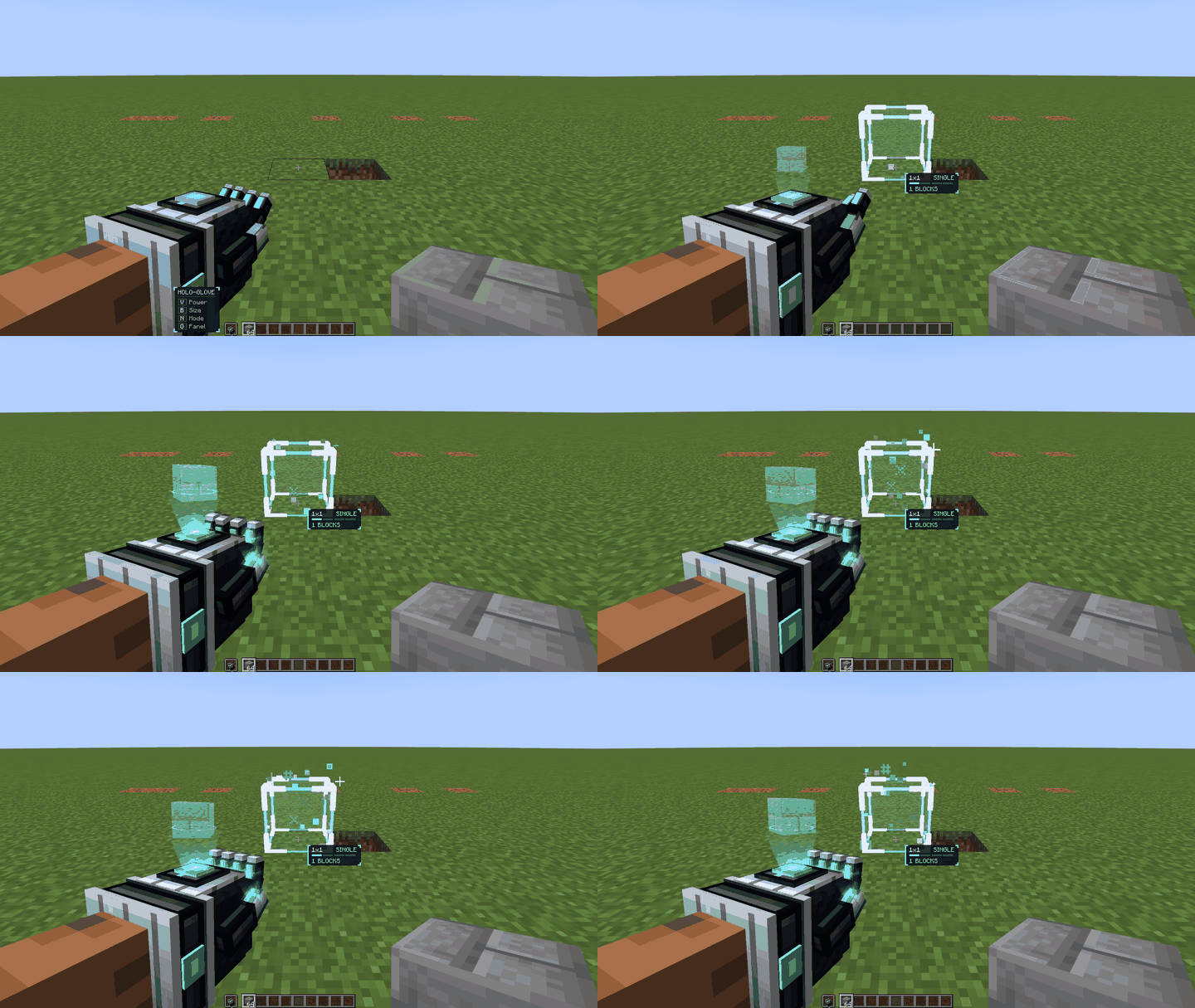
- Worn in the off hand. When switched on, a small hologram of the block in your main hand floats above the palm. It will not switch on if the main hand holds something that can't be placed.
- **Four sizes:** 1x1, 2x2, 4x4 and 6x6. A size is a cube: 1, 8, 64 or 216 blocks.
- **Single** builds one unit per click. **Drag** fills an area in whole units while you hold the button.
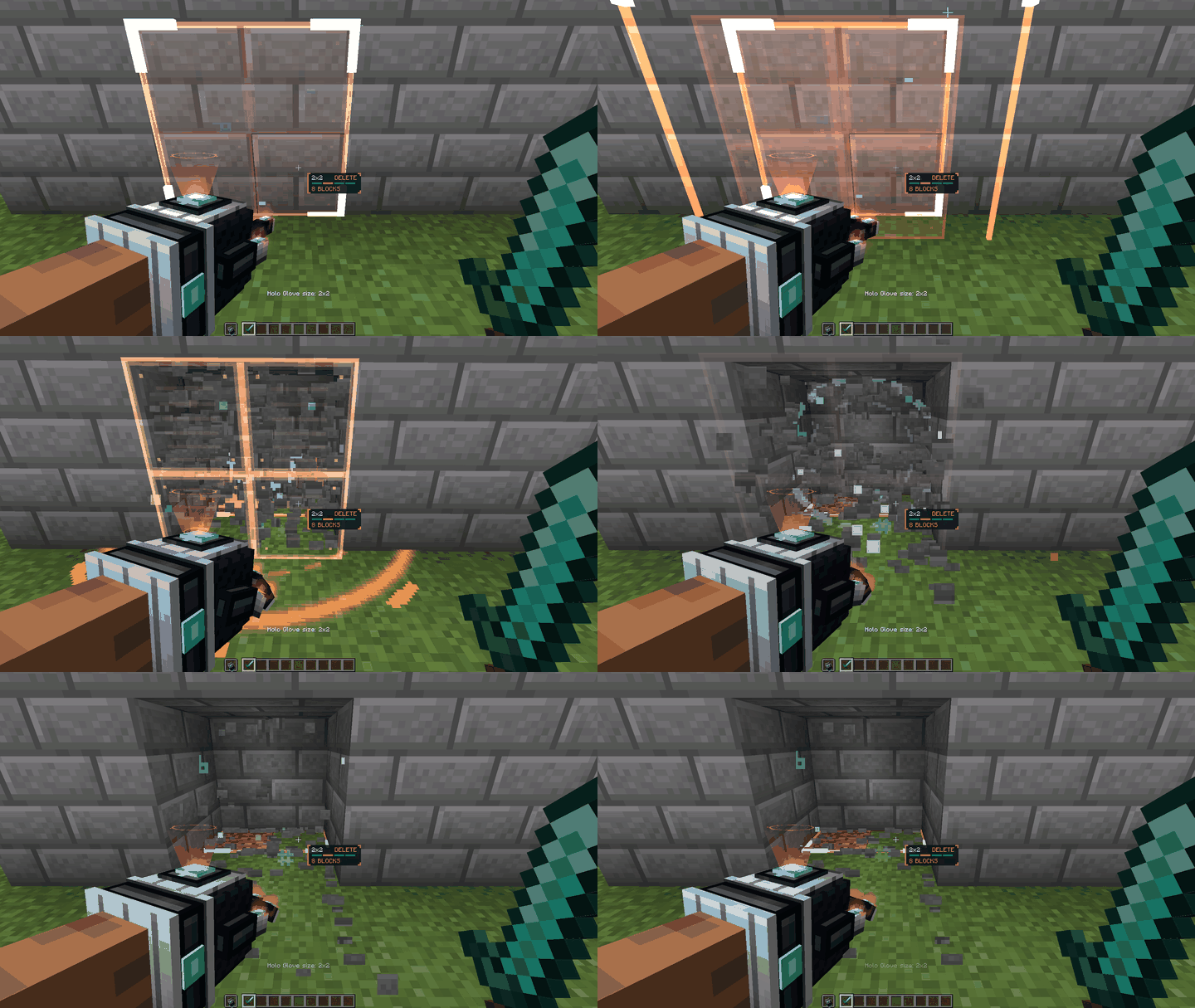
- **Delete** opens the hand. Blocks burst apart at once and their drops fly into your hand as particles.
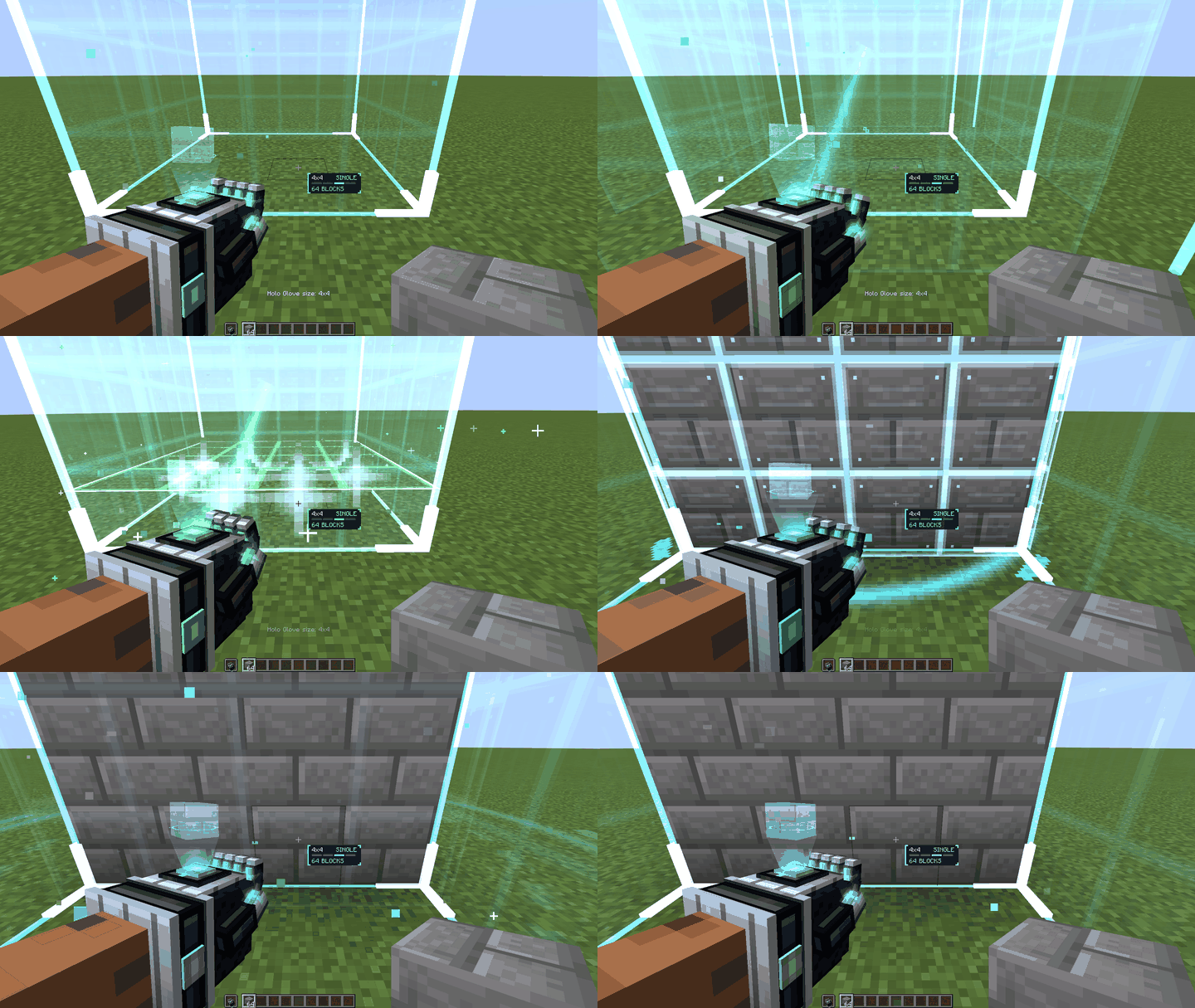
- A hologram box with particles marks the target first, then the blocks appear in a wave.
- Every finger joint is animated: power on, idle, fist while building, open hand in Delete, refused activation, power off.
- Control panel (G) and a small key guide while the glove is off.
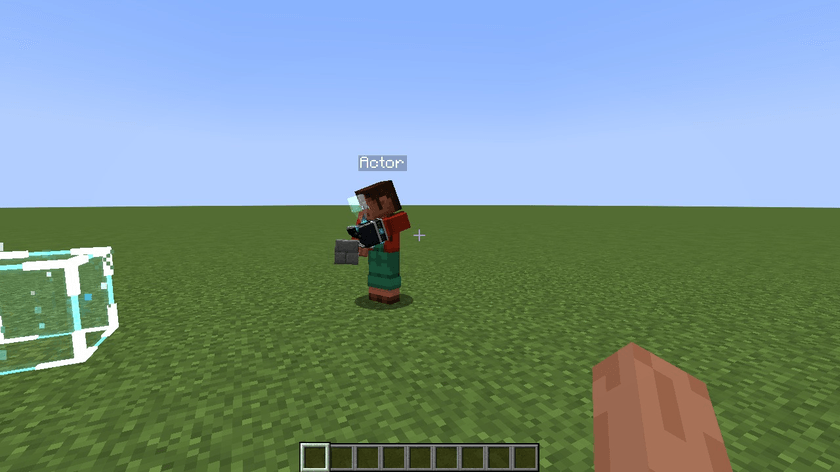
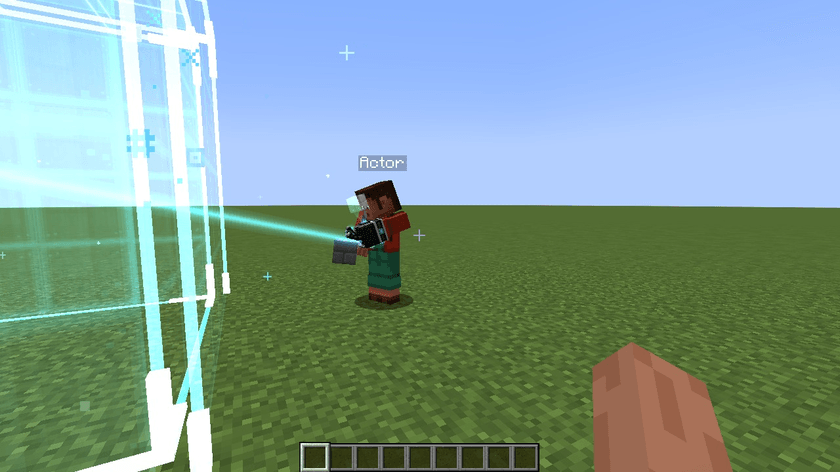
- Other players see the glove, its hologram, the aim box and the particles.
Requirements
- Forge 52.1.0+ for Minecraft 1.21.1 (no other mods needed)
- Fabric Loader 0.19.3+ and [Fabric API](https://www.curseforge.com/minecraft/mc-mods/fabric-api) for Minecraft 26.2 and 26.3

| Input | Action |
|---|---|
| V | Power on / off |
| B | Change size |
| N | Change mode: Single, Drag, Delete |
| G | Control panel |
| Right mouse | Build or delete |
| Left mouse | Cancel a drag |
Keys can be changed in Options > Controls. For flat floors and walls, use Drag at 1x1.
Survival and servers
- Survival uses one item per block, refills from your inventory and stops when you run out.
- Blocks that can't be replaced are left alone. Unbreakable blocks such as bedrock stay.
- Every action is checked on the server, including spawn protection.
- Delete gives the drops a netherite pickaxe would give and uses no durability.
Crafting
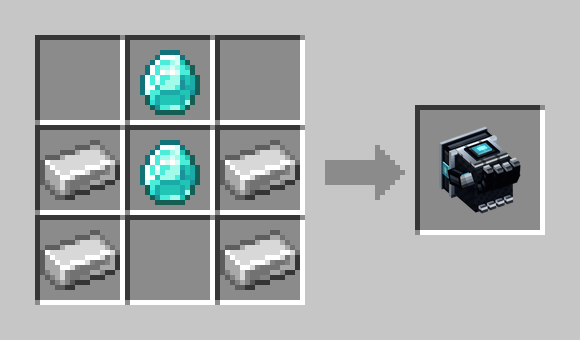
**Holo Glove**: 2× Diamond + 4× Iron Ingot
Recipe pictures are in the gallery.

Required on **both the client and the server**. Pick the file for your loader:
| Loader | Minecraft | Java | Also install |
|---|---|---|---|
| Forge 52.1.0+ | 1.21.1 | 21 | nothing |
| Fabric Loader 0.19.3+ | 26.2 | 25 | Fabric API |
| Fabric Loader 0.19.3+ | 26.3 | 25 | Fabric API |
**Client**
1. Run the Forge or Fabric installer for your Minecraft version and choose *Install client*.
2. Put the mod jar, and Fabric API on Fabric, into `.minecraft/mods`.
**Server**
1. Run the same installer with *Install server*.
2. Put the same jars into the server's `mods` folder.

- Forge · Minecraft 1.21.1
- Fabric · Minecraft 26.2
- Fabric · Minecraft 26.3
- Tested with **Punchy!** and **Fresh Animations** (Entity Model Features, Entity Texture Features, Player Extension) on all three builds. They are optional and client-side. Punchy! for 26.3 needs Fabric Loader 0.19.5 or newer.
## How this mod was made
This project contains AI-generated content (page text / translations). The gallery shows real in-game captures. The logo and banners were composed by code from renders of the in-game model.
Holo Gloves Team