Hide Armor Stand
- By
Hide individual Armor Stands while keeping their armor and displayed items visible
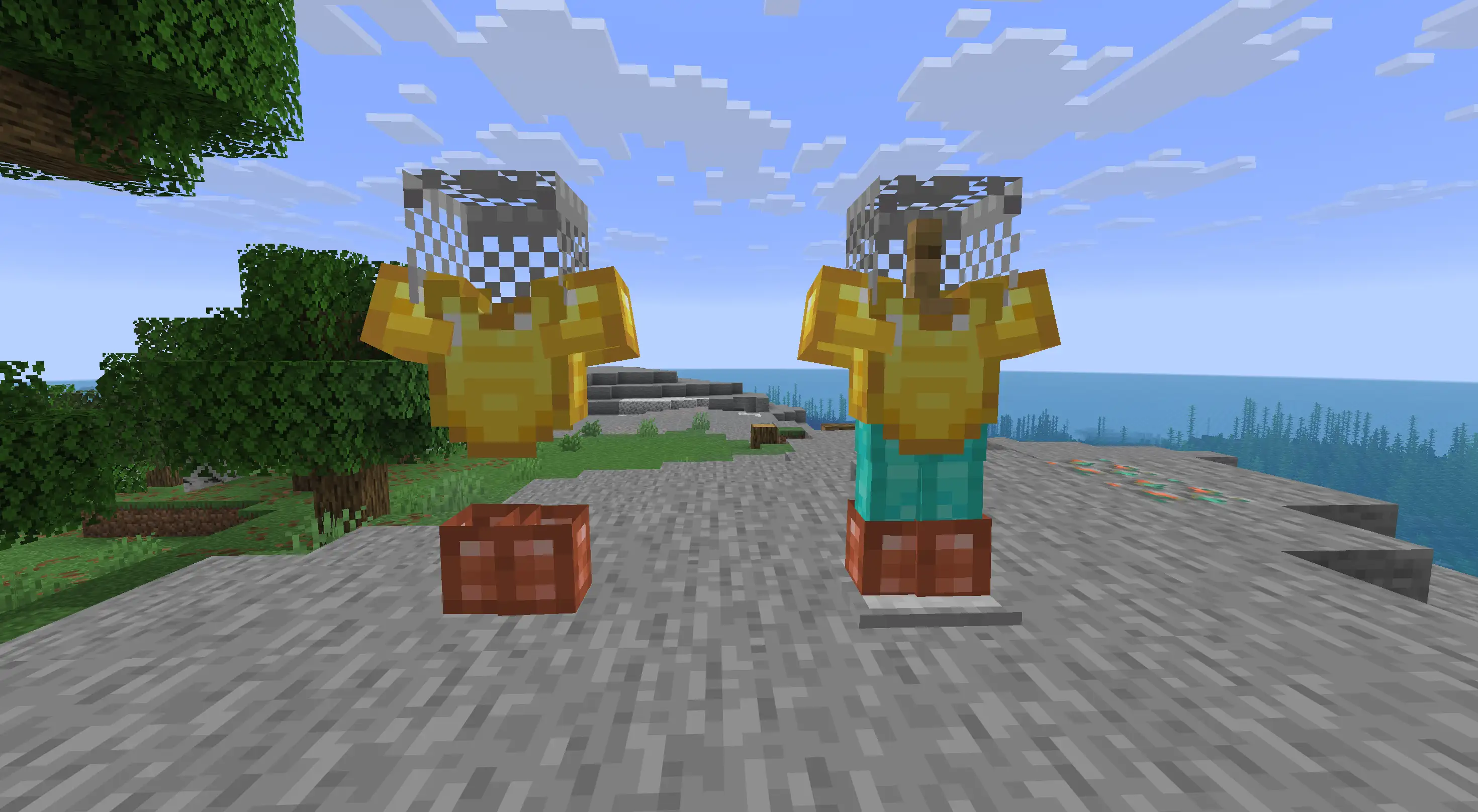
image.webp
Description
Hide Armor Stand
Hide Armor Stand is a small client-side mod that lets you hide individual Armor Stands while keeping their armor and displayed items visible.
It is mainly useful for decoration — armor sets, player heads, weapons and other displays can be shown without the wooden stand getting in the way.
How to use
Place and equip an Armor Stand normally, then sneak + right-click it to hide the stand.
Only the Armor Stand itself is hidden. Its armor, held items, heads and other equipment stay visible.
Sneak + right-click the stand again to return it to normal.
Empty selected Armor Stands are always shown, so you won't end up with an invisible empty stand that is difficult to find. If you equip it again later, it will automatically hide again.
Features
- Hide Armor Stands individually
- Armor and displayed items stay visible
- Empty stands remain visible
- Sneak + right-click to toggle a stand
- Selected stands are remembered between sessions
- No commands or configuration screens
- Client-side only
- Works with Fabric and NeoForge
The mod does not change Armor Stand data, hitboxes or server behavior. It only changes how selected stands are rendered on your client.
Compatibility
Minecraft: 26.2 Loaders: Fabric and NeoForge Side: Client
The mod does not need to be installed on the server.
The Hide Armor Stand Team