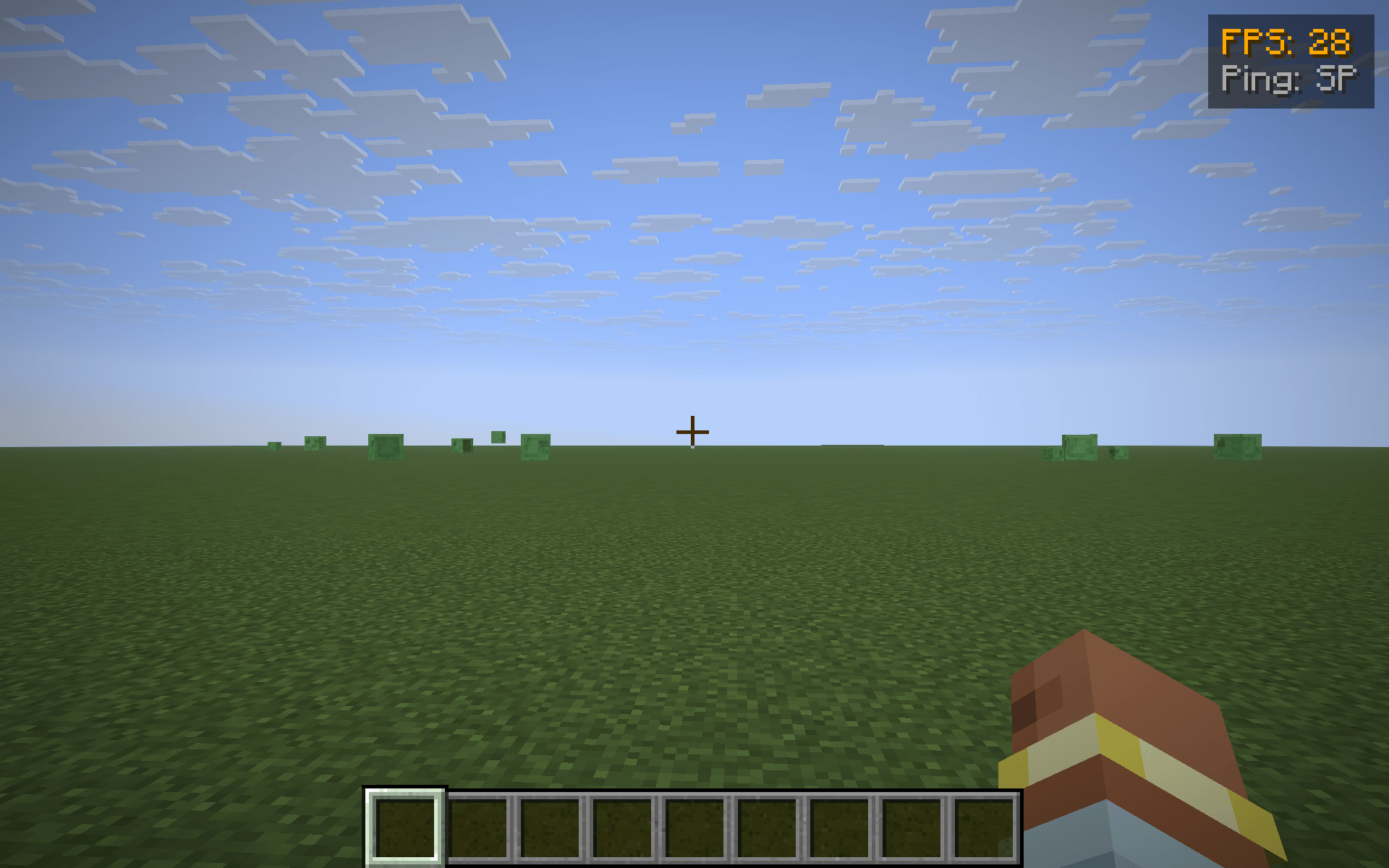
FpsPing drops a tiny two-line panel in the top-right corner of the screen with the only two performance numbers most players actually want to glance at:
- FPS — your current frames-per-second, exactly the number F3 shows in its "fps" line.
- Ping — your round-trip latency to the server in milliseconds, taken from the same player list the Tab menu uses. In singleplayer it just reads SP instead of a meaningless
0 ms.
Color-coded thresholds
Numbers change color so you don't have to read them — you glance:
- Green — FPS ≥ 60 / ping ≤ 60 ms (silky)
- Yellow — FPS ≥ 30 / ping ≤ 150 ms (fine)
- Orange — FPS ≥ 15 / ping ≤ 300 ms (struggling)
- Red — anything worse (something is wrong)
Features
- One key to toggle the HUD (default G, raw GLFW polling so it works on every supported MC version — no rebind UI needed).
- Hides automatically when you press F1 to hide the rest of the HUD.
- Pure client-side — install on the client only, works on any server, no game-state changes.
- Tiny render cost — two lines of text and a translucent backdrop, no per-frame allocations.
Compatibility
Works on Minecraft 1.21.8, 1.21.9, 1.21.10, and 1.21.11 (Fabric Loader 0.16+). One JAR for all four — install via Fabric, drop into your mods/ folder.
Why another FPS/ping HUD?
Because most "performance HUD" mods are part of huge utility packs that draw 12 other widgets you didn't ask for. FpsPing does only this one job, in <100 lines of code, with no config files and no dependencies beyond Fabric API. If you just want a glanceable pulse on how the client and the connection are doing, this is the smallest possible answer.