![Better F5 Cam [Third Person Camera , Camera Zoom , F5 Zoom , Cinematic Camera , Free Look , Better F5] logo](https://media.forgecdn.net/avatars/thumbnails/1971/678/64/64/639217953802104290.png)
Better F5 Cam [Third Person Camera , Camera Zoom , F5 Zoom , Cinematic Camera , Free Look , Better F5]
- By
Allows you to dynamically change your camera distance in third-person (F5) perspective
LL4I |BETTER F5 Zoom
Create your game server with 

https://modrinth.com/mod/better-f5-cam
https://www.patreon.com/c/ll4i1/membership
Enjoying this mod? If you'd like to support my work and help me create future updates, you can support me on Patreon. Every bit of support is greatly appreciated.
# Better F5 Cam — Take Control of Your Perspective
**Minecraft's default third-person camera doesn't have to be your limit.**
**Better F5 Cam** gives you smooth, responsive, and precise control over your third-person camera distance.
Zoom in for a closer and more immersive view. Pull back to see more of the world. Find the perfect camera angle for exploring, building, PvP, screenshots, or cinematic gameplay.
> **One key. One scroll wheel. Total camera freedom.**
---
# 🎥 See the Difference
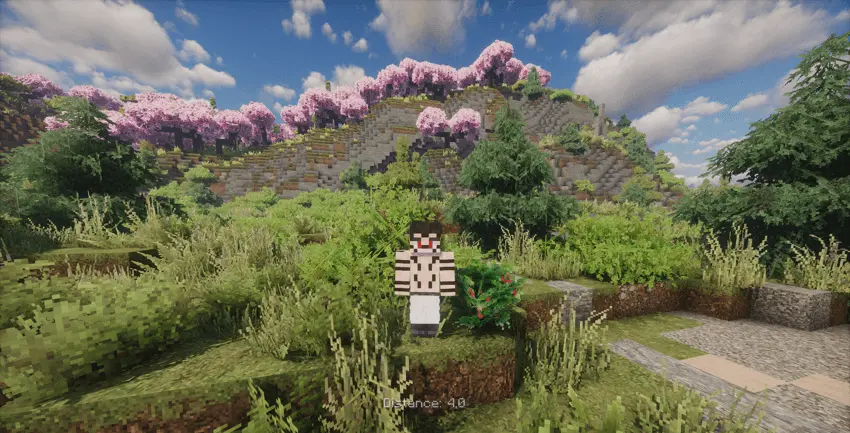
### Minecraft's Default Camera
This is the standard third-person camera distance in Minecraft.
---
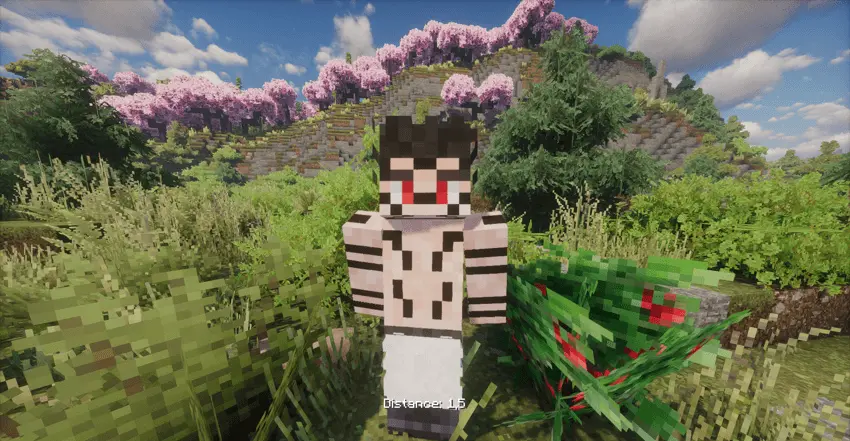
### Zoom In. Change Your Perspective.
With **Better F5 Cam**, you can bring the camera closer for a more immersive and detailed third-person experience.
---
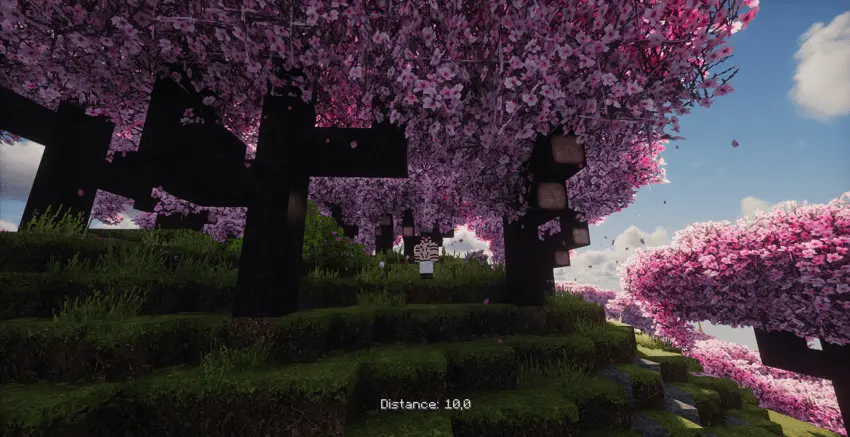
### Find Your Perfect Distance
For example, this image shows the camera at **Distance 10** using Better F5 Cam.
You are no longer limited to Minecraft's default camera distance.
---
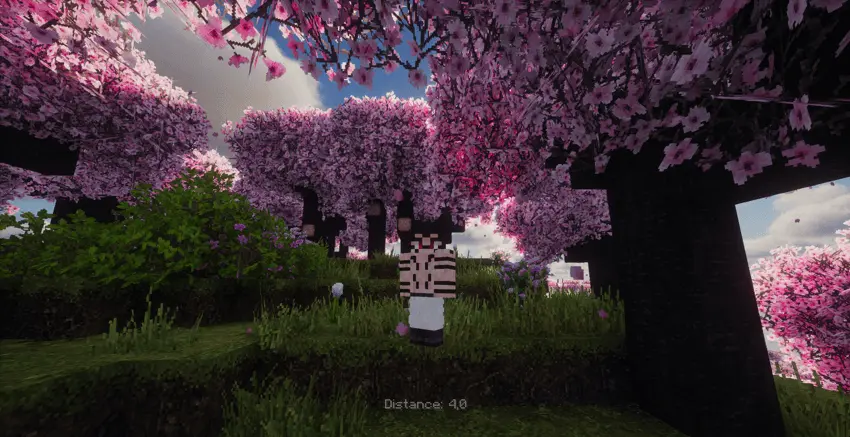
### Your Camera. Your Distance. Your View.
Adjust your perspective and play Minecraft the way you want.
---
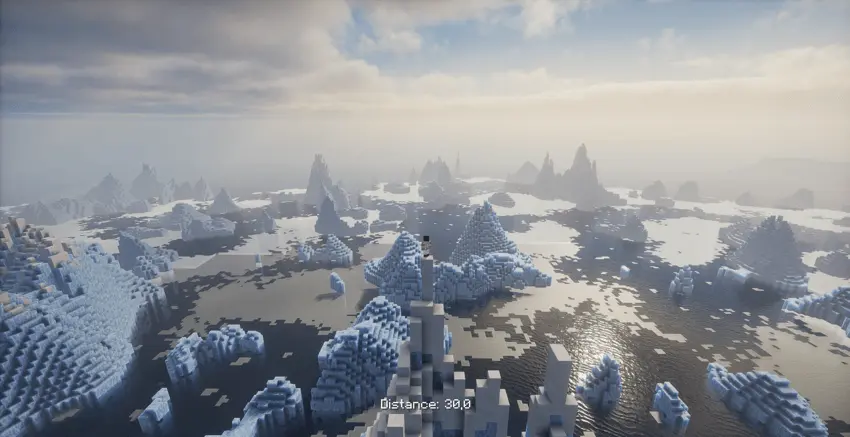
**Better F5 Cam** takes Minecraft's third-person camera beyond the default limits.
Enjoy smoother control, greater freedom, and a more immersive perspective for every adventure.
---
# ⚡ What Can Better F5 Cam Do?
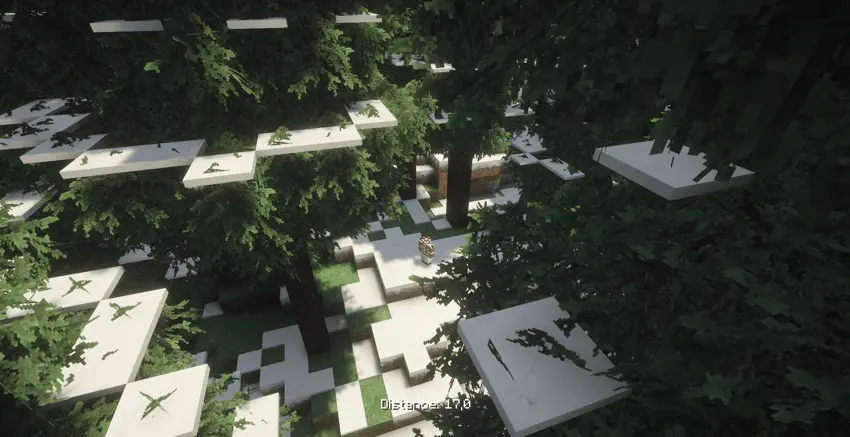
## 🎥 Smooth Camera Zoom
Hold **F5** and use your **Mouse Scroll Wheel** to adjust your third-person camera distance.
**Scroll Up → Zoom In**
**Scroll Down → Zoom Out**
Simple, fast, and intuitive.
---
## 🧱 Smart Camera Collision
Getting close to walls or blocks?
The camera automatically adjusts its position to help prevent unwanted clipping through terrain.
---
## 🔄 No Perspective Flickering
Better F5 Cam prevents the annoying perspective switching caused by repeatedly holding or pressing F5.
Your camera stays stable while you adjust your distance.
**Smooth control. No unnecessary switching.**
---
## 🌐 Fully Client-Side
No server installation is required.
Simply install **Better F5 Cam** on your client and use it in:
- Singleplayer
- Multiplayer servers
- Modpacks
- PvP
- Building
- Exploration
- Cinematic gameplay
Just install and play.
---
## 🚀 Lightweight & Performance Friendly
Better F5 Cam is designed to improve your camera experience without adding unnecessary complexity.
**More camera control. Less limitation.**
---
# 🎮 How to Use
### 1️⃣ Enter Third-Person View
Press **F5** to switch to third-person perspective.
### 2️⃣ Adjust Your Camera
Hold **F5** and use your **Mouse Scroll Wheel**.
**Scroll Up → Move Closer**
**Scroll Down → Move Farther Away**
### 3️⃣ Play Your Way
Release **F5** and continue playing with your preferred camera distance.
> **That's it. No complicated menus. No unnecessary setup.**
---
# 🌌 Built for Every Playstyle
### ⚔️ PvP
Adjust your perspective and improve your awareness of the world around you.
### 🏗️ Building
Pull the camera back and get a wider view of your builds.
### 🌲 Exploration
See more of the world and enjoy a more flexible third-person experience.
### 🎬 Cinematic Gameplay
Create better screenshots, videos, and cinematic scenes by choosing the camera distance that fits the moment.
### 🎮 Everyday Minecraft
Sometimes you just want your third-person camera to feel better.
**Better F5 Cam does exactly that.**
---
# 🔥 Why Better F5 Cam?
Minecraft gives you a third-person camera.
**Better F5 Cam gives you control over it.**
Break away from the default distance.
Zoom closer. Pull farther back. Find your perfect perspective.
> **Your camera. Your distance. Your Minecraft.**
---
# 💬 Community & Support
Need help, want to report a bug, or have suggestions? Join our community!
---
# 📦 Requirements
- **Minecraft 26.2+**
- **Fabric Loader**
- **Fabric API**
- **Client-side only**
No server-side installation is required.
---
# 🌐 Also Available on Modrinth
Prefer Modrinth?
[](https://modrinth.com/mod/better-f5-cam)
---
# 🎨 Modpack Featured in the Screenshots
The modpack featured in the screenshots is:
## Perfect Realism
[Perfect Realism on CurseForge](https://www.curseforge.com/minecraft/modpacks/perfect-realism)
---
# 📄 License
**Better F5 Cam** is licensed under the **MIT License**.
You are free to include the mod in your modpacks and enjoy Minecraft from your own perspective.
Better F5 Cam [Third Person Camera , Camera Zoom , F5 Zoom , Cinematic Camera , Free Look , Better F5] Team

![PVP Pack [PvP , FPS Boost , Performance , Optimization , Low Latency , Competitive , 26.2 , Modern PVP , pvppack , pvp] project image](https://media.forgecdn.net/avatars/thumbnails/1983/614/256/256/639223112912906076.png)
![Shield Status [Fabric / PvP / Shield Cooldown Tracker] project image](https://media.forgecdn.net/avatars/thumbnails/2068/15/256/256/639258724293546836.png)
![Opacity [Transparency and mount] project image](https://media.forgecdn.net/avatars/thumbnails/2030/997/256/256/639243041000050392.jpg)
![Exact Volume [Exact Values, Slider Input, FOV, Render Distance, Settings] project image](https://media.forgecdn.net/avatars/thumbnails/2002/408/256/256/639230943614420809.png)